1. Вступ
Thank you for choosing the GAMEMAX Starlight 2 AB Mid Tower ATX PC Case. This manual provides essential information for the proper installation, operation, and maintenance of your new PC case. Please read this manual thoroughly before beginning the assembly process to ensure optimal performance and longevity of your system components.
2. Інформація про безпеку
- Завжди від’єднуйте блок живлення від розетки перед встановленням або видаленням будь-яких компонентів.
- Поводьтеся з усіма компонентами обережно, щоб запобігти пошкодженням.
- Одягайте антистатичний браслет, щоб запобігти пошкодженню чутливих компонентів електростатичним розрядом (ESD).
- Keep the case away from direct sunlight, high temperatures, and moisture.
- Забезпечте належну вентиляцію навколо корпусу, щоб запобігти перегріву.
- Не намагайтеся модифікувати корпус або його компоненти, оскільки це може анулювати гарантію та створити загрозу безпеці.
3. Вміст упаковки
Будь ласка, перевірте наявність усіх предметів у вашій упаковці:
- GAMEMAX Starlight 2 AB Mid Tower ATX PC Case
- Коробка з аксесуарами (містить гвинти, стійки, кабельні стяжки тощо)
- Посібник користувача (цей документ)
4. Продукт закінчивсяview
The GAMEMAX Starlight 2 AB is a Mid Tower ATX PC case designed for efficient cooling and versatile configurations. It features a tempered glass side panel, pre-installed ARGB fans, and comprehensive hardware compatibility.
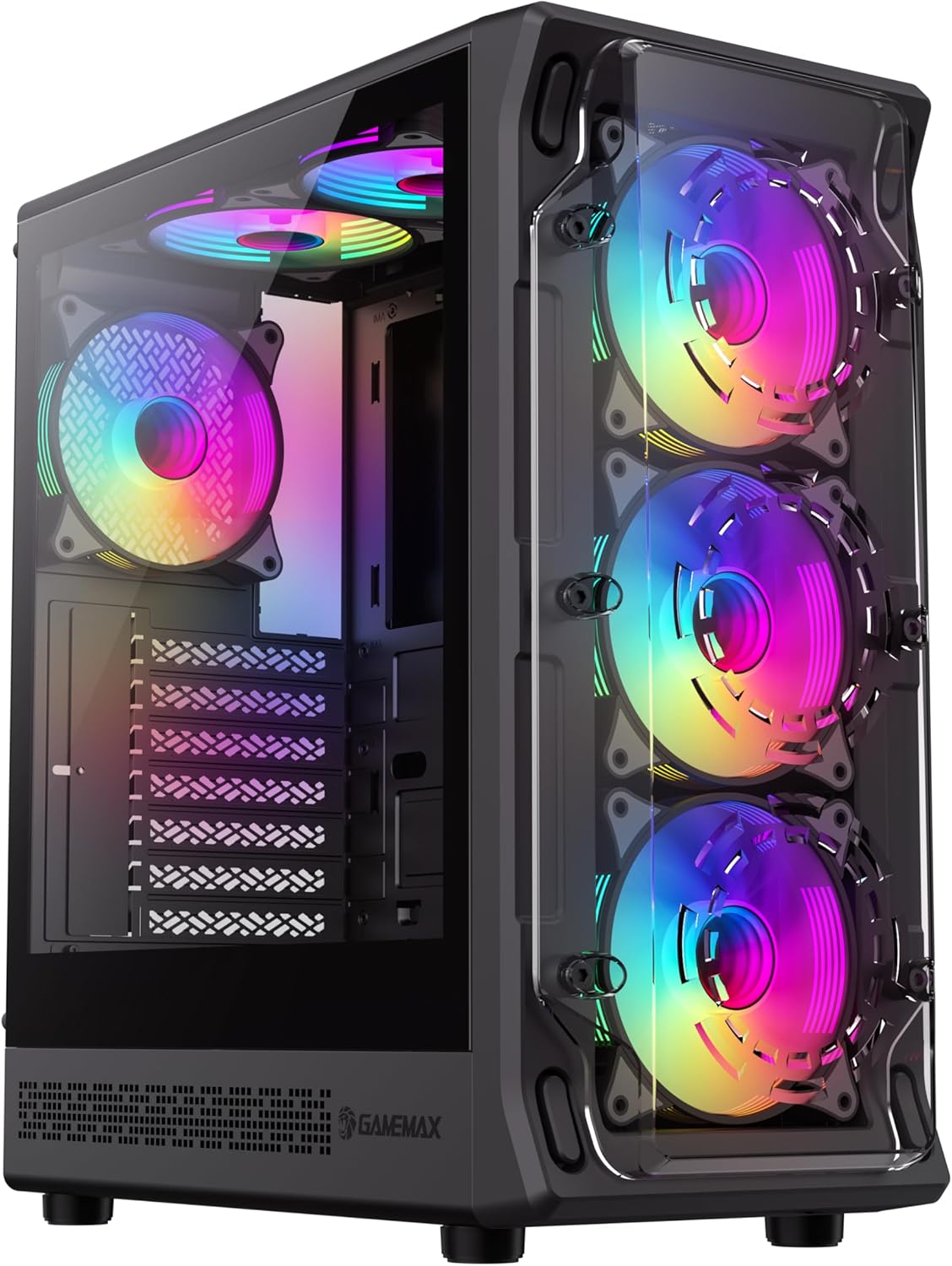
малюнок 4.1: Передній-лівий view of the GAMEMAX Starlight 2 AB PC Case, showcasing the tempered glass side panel and the vibrant ARGB lighting of the pre-installed fans.

малюнок 4.2: Прямий фронт view highlighting the three 120mm ARGB fans, visible through the clear front panel, designed for optimal airflow.
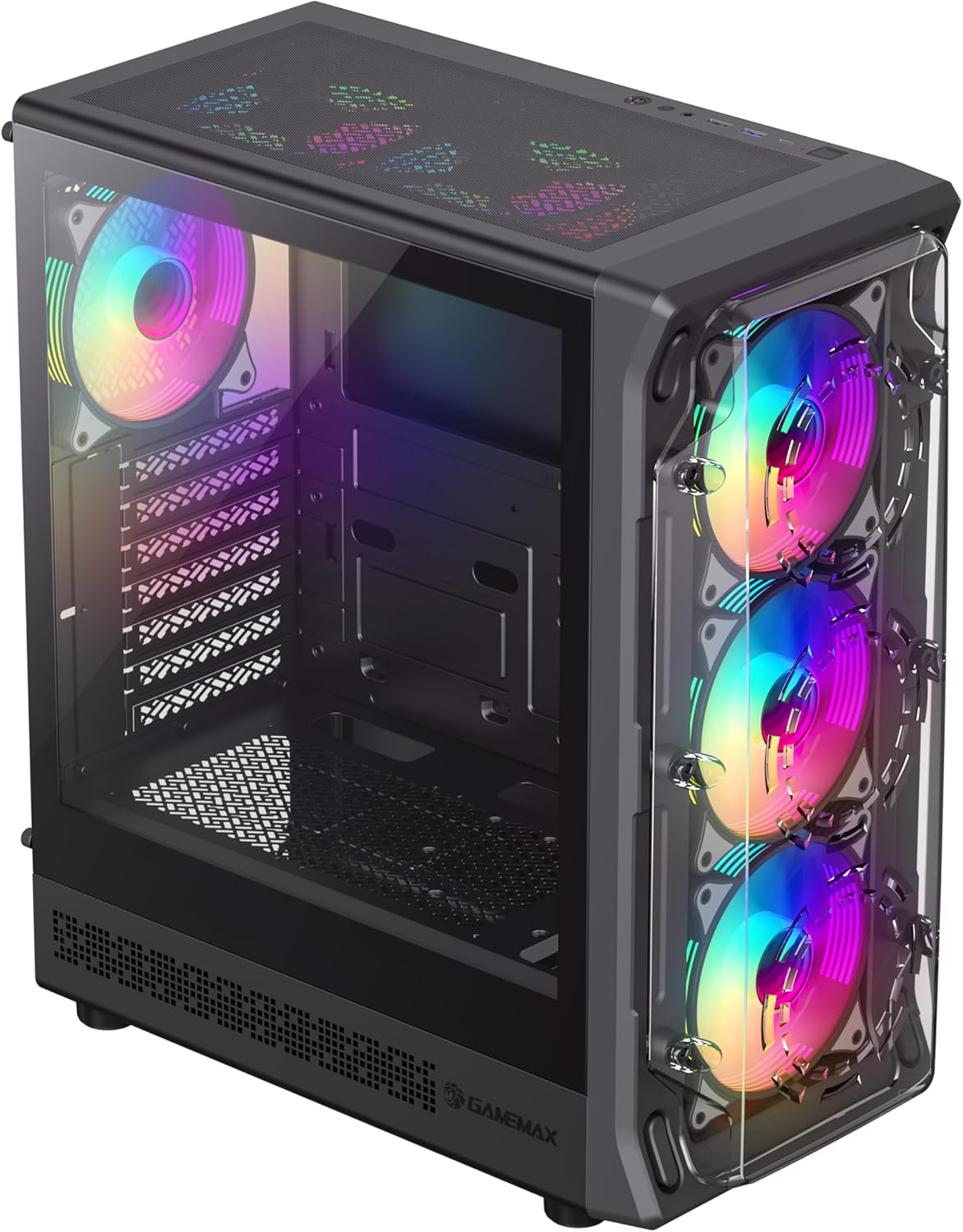
малюнок 4.3: Top-front perspective showing the top-mounted I/O panel, including USB ports and audio jacks, along with the mesh top panel for additional cooling.

малюнок 4.4: Задня view of the PC case, illustrating the rear exhaust fan, expansion slots, and the power supply mounting area at the bottom.

малюнок 4.5: Інтер'єр view of the main chamber, showing the motherboard tray, fan mounts, and ampпростір для встановлення компонентів.
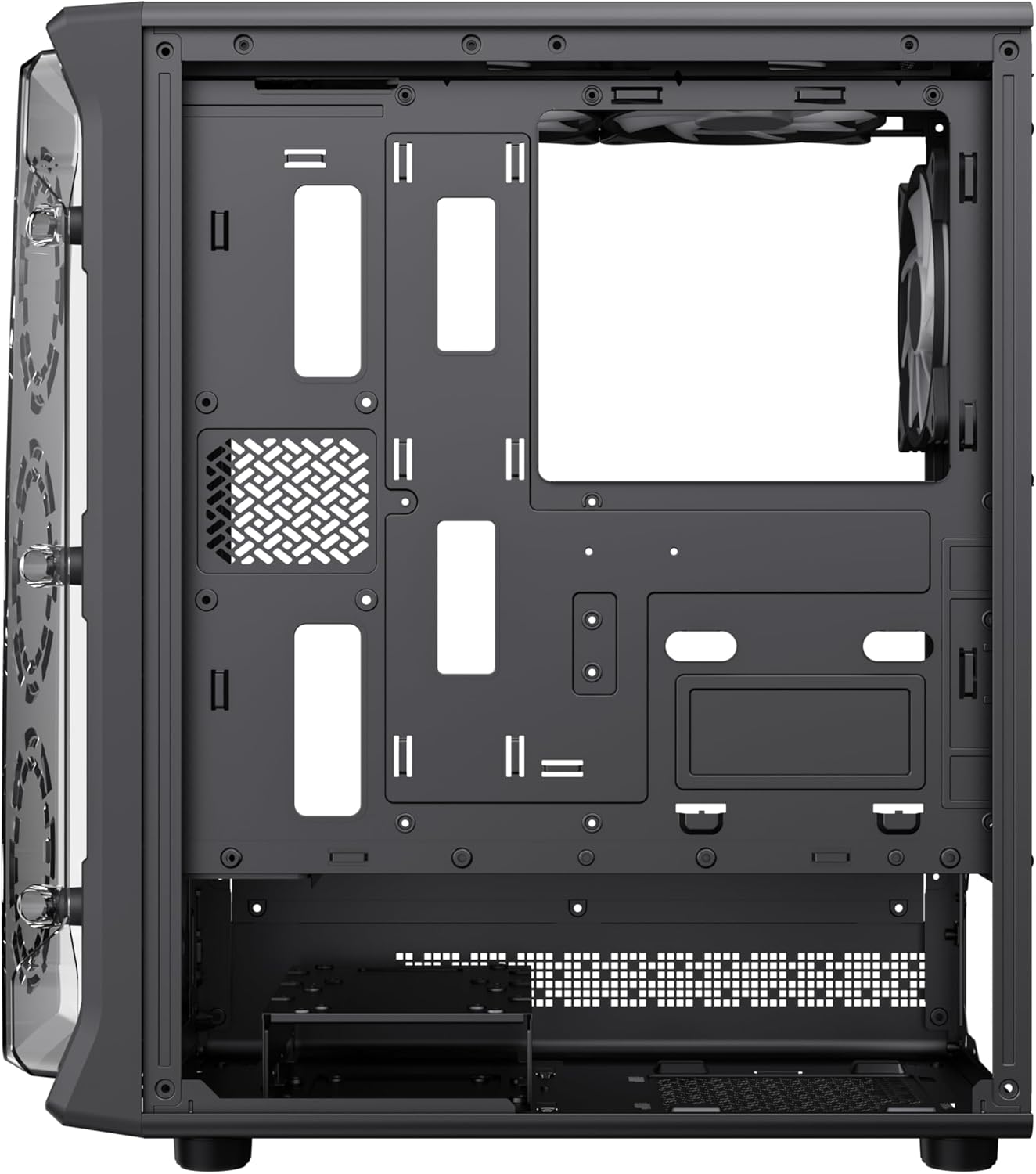
малюнок 4.6: View behind the motherboard tray, revealing cable routing cutouts and mounting points for storage drives, facilitating clean cable management.
5. Технічні характеристики
| Особливість | опис |
|---|---|
| Модель | Starlight 2 AB |
| Тип корпусу | Середній вежі |
| Сумісність материнської плати | ATX, мікро ATX, міні ITX |
| Розміри (Д x Ш x В) | 34 х 20 х 43.6 см |
| вага | 4.55 кг |
| матеріал | Метал, Загартоване скло |
| Попередньо встановлені вентилятори | 6 x 120mm ARGB Fans (3 front, 2 top, 1 rear) |
| Опора радіатора | 120 мм, 240 мм, 360 мм |
| Очищення GPU | До 330 мм |
| Висота процесорного кулера | До 155 мм |
| Порти введення/виведення | USB 3.0, USB 2.0, Type-C, Audio |
| Особливості | Built-In Fan, Dust Filter, RGB Lighting |
6. Налаштування та встановлення
6.1 Підготовка справи
- Поставте корпус на рівну, стійку поверхню.
- Carefully remove the tempered glass side panel by unscrewing the thumb screws and sliding it open. Set it aside in a safe place.
- Remove the solid right side panel to access the cable management area.
6.2 Встановлення материнської плати
- Встановіть екран вводу/виводу в задній отвір корпусу.
- Align your motherboard with the standoffs inside the case. Ensure the standoffs match your motherboard's form factor (ATX, Micro ATX, Mini ITX).
- Закріпіть материнську плату за допомогою наданих гвинтів.
6.3 Встановлення блоку живлення (БП)
- Встановіть блок живлення у спеціально відсік, розташований у нижній задній частині корпусу.
- Закріпіть блок живлення гвинтами ззаду корпусу.
6.4 Storage Device Installation (HDD/SSD)
- Locate the drive bays or mounting points for 3.5" HDDs and 2.5" SSDs.
- Install your storage devices using the appropriate screws.
6.5 Graphics Card (GPU) and Expansion Card Installation
- Зніміть необхідні кришки слотів розширення із задньої частини корпусу.
- Вставте відеокарту або інші карти розширення у слоти PCIe на материнській платі.
- Закріпіть карти гвинтами.
6.6 Підключення кабелів передньої панелі вводу/виводу
Connect the following cables from the case's front I/O panel to the corresponding headers on your motherboard:
- Роз'єм USB 3.0
- Роз'єм USB 2.0
- Type-C Header (if applicable)
- Заголовок HD Audio
- Power Switch, Reset Switch, Power LED, HDD LED headers
6.7 Організація кабелів
Utilize the cable routing cutouts and tie-down points behind the motherboard tray to organize and secure cables. This improves airflow and aesthetics.
7. Інструкція з експлуатації
7.1 Увімкнення
After all components are installed and cables are connected, replace both side panels. Connect your power cable to the PSU and a wall outlet, then press the power button on the case's front I/O panel to start your system.
7.2 Керування вентилятором ARGB
The pre-installed ARGB fans can be controlled via your motherboard's ARGB software (e.g., ASUS Aura Sync, MSI Mystic Light Sync, Gigabyte RGB Fusion, ASRock Polychrome Sync) if your motherboard supports a 3-pin 5V ARGB header. Connect the ARGB cable from the case's fan hub to the motherboard's ARGB header. Refer to your motherboard manual for specific instructions on ARGB software usage.
8. Технічне обслуговування
8.1 Очищення пилових фільтрів
The case includes integrated removable dust filters. Regularly clean these filters to maintain optimal airflow and prevent dust buildup inside your system. Gently slide out the filters, clean them with a soft brush or rinse with water (ensure they are completely dry before reinstallation), and then reinsert them.
8.2 Загальне очищення корпусу
Використовуйте м'який, damp cloth to wipe down the exterior surfaces of the case. For the tempered glass panel, use a glass cleaner and a microfiber cloth to avoid streaks. Avoid using harsh chemicals or abrasive materials.
9. Вирішення проблем
- Система не вмикається: Ensure all power cables (24-pin ATX, 8-pin CPU, GPU power) are securely connected. Verify the PSU switch is in the 'ON' position. Check front panel power switch connection to the motherboard.
- Fans are not spinning or ARGB not working: Check fan power connections to the motherboard or fan hub. Ensure ARGB cables are correctly connected to a 3-pin 5V ARGB header on the motherboard. Verify ARGB software settings.
- Немає виводу на дисплей: Confirm the graphics card is properly seated in its PCIe slot and power cables are connected. Ensure the monitor cable is connected to the graphics card, not the motherboard's integrated graphics port (unless using integrated graphics).
- Перегрів: Ensure all fans are spinning correctly and are oriented for proper airflow (intake/exhaust). Clean dust filters regularly. Verify CPU cooler installation.
10. Гарантія та підтримка
For warranty information or technical support, please refer to the GAMEMAX official webсайт або зверніться до місцевого продавця. Зберігайте чек про покупку для гарантійних випадків.
11. Інформація про утилізацію
Please dispose of this product in accordance with local environmental regulations. Do not dispose of electronic waste with general household waste.


