вступ
This manual provides essential instructions for setting up, operating, and maintaining your Epson EcoTank L1270 WiFi printer. Please read this guide thoroughly to ensure proper use and to maximize the performance and longevity of your device. The Epson EcoTank L1270 is an inkjet printer designed for efficient printing with a rechargeable ink tank system and Wi-Fi connectivity.
1. Налаштування
1.1 Розпакування принтера
Обережно вийміть принтер з упаковки. Переконайтеся, що всі захисні стрічки та матеріали видалені з зовнішньої та внутрішньої частин принтера. Зберігайте пакувальні матеріали для подальшого транспортування або зберігання.
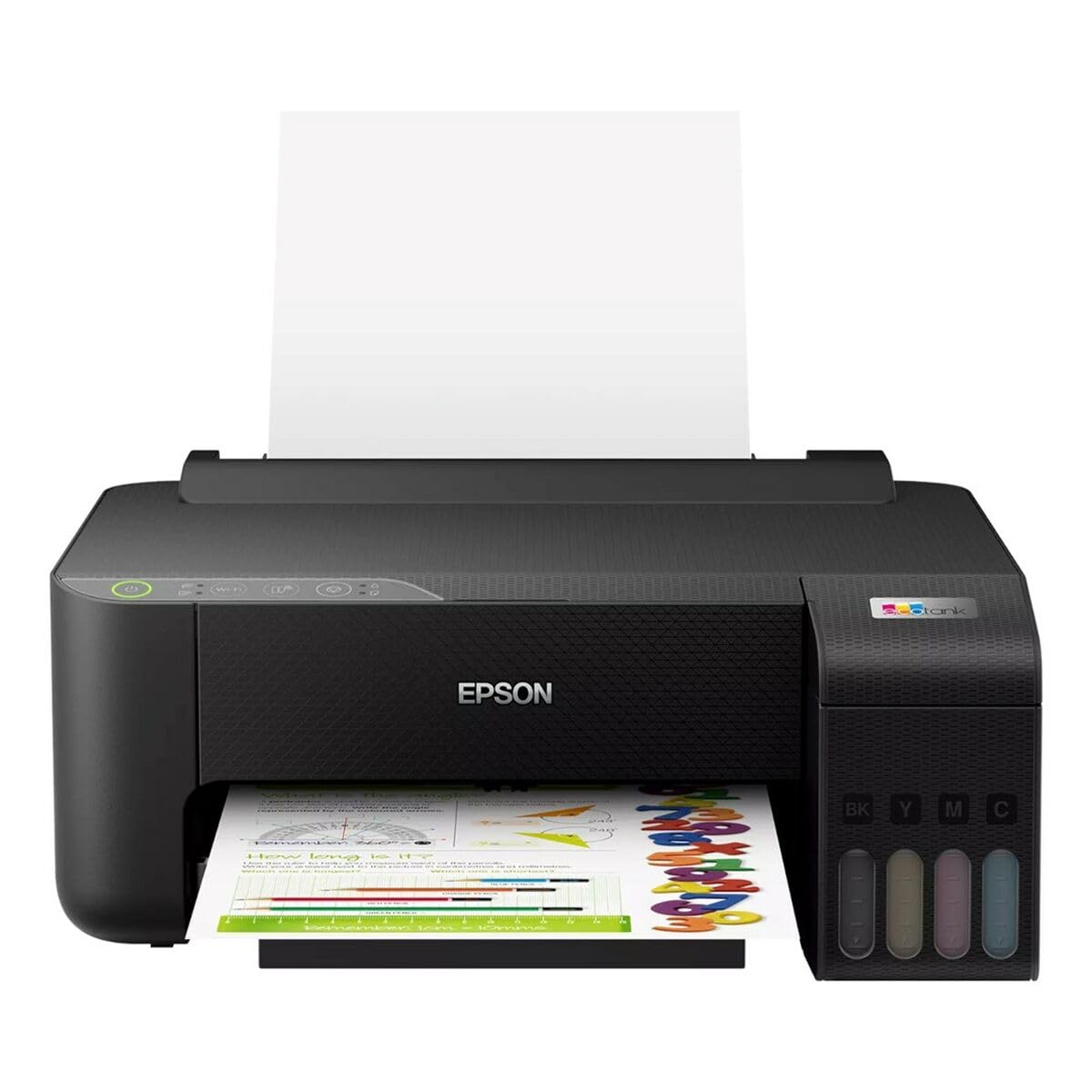
Image 1.1: Epson EcoTank L1270 WiFi Printer. This image shows the printer ready for initial setup after unpacking.
1.2 Заповнення чорнильних контейнерів
EcoTank L1270 використовує систему поповнюваних чорнильних резервуарів. Щоб заправити чорнильні резервуари, виконайте такі дії:
- Відкрийте кришку блоку чорнильниць на принтері.
- Uncap the ink bottle for the corresponding color. Each bottle is keyed to fit only the correct tank.
- Вставте пляшечку з чорнилом у заливний отвір. Чорнило автоматично почне заповнювати резервуар. Не стискайте пляшечку.
- Коли резервуар наповниться, вийміть пляшку та закрийте її кришкою. Закрийте кришку блоку чорнильниць.
- Повторіть для всіх кольорів.
Примітка: Use only genuine Epson ink bottles to prevent damage and ensure optimal print quality.
1.3 Підключення живлення
Connect the power cord to the printer and then to a wall outlet. Press the power button to turn on the printer. The printer will perform an initial setup process, which may take a few minutes.
1.4 Встановлення програмного забезпечення та драйверів
To use your printer, you need to install the necessary drivers and software on your computer. Visit the official Epson support website for the EcoTank L1270 model to download the latest drivers and utilities. Follow the on-screen instructions provided by the installer.
- Перейти до Підтримка Eson.
- шукати "EcoTank L1270".
- Download and run the recommended driver package.
1.5 Налаштування Wi-Fi
The Epson EcoTank L1270 supports Wi-Fi connectivity. You can connect the printer to your wireless network using one of the following methods:
- Using the Printer's Control Panel: Navigate to the Wi-Fi settings on the printer's control panel, select your network, and enter the password.
- Using EpsonNet Setup: If installed, use the EpsonNet Setup utility on your computer to configure the wireless connection.
- WPS (Wi-Fi Protected Setup): If your router supports WPS, press the WPS button on your router, then follow the instructions on the printer's control panel to establish a connection.
2. Експлуатація принтера
2.1 Завантаження паперу
Load paper into the rear paper feeder. Ensure the paper guides are adjusted to the width of the paper. The printer supports various paper types and sizes, up to A4.
- Fan the paper stack before loading to prevent misfeeds.
- Do not overload the paper feeder; refer to the maximum capacity (100 sheets for plain paper).
2.2 Друк документів
Щоб роздрукувати документ з комп’ютера:
- Відкрийте документ, який ви хочете надрукувати.
- Виберіть «Друк» у меню програми (наприклад, File (Друк).
- Choose "Epson EcoTank L1270" as your printer.
- Налаштуйте параметри друку, такі як розмір паперу, якість друку та кількість копій.
- Натисніть кнопку «Друк».
2.3 Duplex Printing (Two-Sided Printing)
The EcoTank L1270 supports manual duplex printing. To print on both sides of the paper:
- In your print settings, select the option for "Manual Duplex Printing" or "Print on Both Sides".
- Спочатку роздрукуйте непарні сторінки.
- When prompted, reload the printed pages into the paper feeder according to the on-screen instructions to print the even-numbered pages on the reverse side.
3. Технічне обслуговування
3.1 Перевірка рівня чорнил
Visually inspect the ink tanks on the front of the printer to check current ink levels. The tanks are transparent, allowing for easy monitoring. Refill ink when levels are low to avoid running out during a print job.
3.2 Заправка чорнильних контейнерів
When an ink tank is low, purchase genuine Epson replacement ink bottles. Follow the same procedure as described in Section 1.2 "Filling the Ink Tanks".
3.3 Очищення друкуючої головки
If print quality declines (e.g., missing lines, faded colors), perform a print head cleaning. This can be done through the printer's utility software on your computer or via the printer's control panel. Refer to the software's help guide for detailed steps.
3.4 Очищення тракту подачі паперу
If you experience paper jams or streaks on prints, the paper path may need cleaning. Consult the printer's software utility or the online manual for instructions on how to perform a paper path cleaning.
4. Вирішення проблем
У цьому розділі розглядаються поширені проблеми, з якими ви можете зіткнутися під час використання принтера Epson EcoTank L1270.
4.1 Printer Not Printing / Blank Pages
- Перевірте рівень чорнил: Ensure all ink tanks have sufficient ink.
- Print Head Clogged: Perform a print head cleaning (see Section 3.3).
- Paper Loaded Correctly: Verify paper is loaded properly and not jammed.
- Встановлення драйвера: Ensure printer drivers are correctly installed and up to date. Reinstall if necessary.
4.2 Проблеми з підключенням до Wi-Fi
- Router Range: Переконайтеся, що принтер знаходиться в зоні дії вашого Wi-Fi маршрутизатора.
- Пароль мережі: Double-check that the correct Wi-Fi password has been entered.
- Перезавантажте пристрої: Try restarting your printer, computer, and Wi-Fi router.
- Reconfigure Wi-Fi: Attempt to set up the Wi-Fi connection again (see Section 1.5).
4.3 Погана якість друку
- Очищення друкувальної головки: Виконайте очищення друкуючої головки та перевірку сопел.
- Тип паперу: Переконайтеся, що ви використовуєте правильний тип паперу для ваших налаштувань друку.
- Ink Quality: Use genuine Epson inks for best results.
For more complex issues, refer to the comprehensive online manual on the Epson support webсайт або зверніться до служби підтримки клієнтів Epson.
5. Технічні характеристики
| Особливість | Деталь |
|---|---|
| Бренд | Epson |
| Назва моделі | EcoTank L1270 WiFi |
| Технологія друку | струменевий |
| Підключення | Wi-Fi |
| Максимальна роздільна здатність друку (кольоровий) | 5760 x 1440 dpi |
| Максимальна роздільна здатність друку (чорно-білий) | 5760 dpi |
| Максимальна швидкість друку (монохромний) | 15 сторінок за хвилину |
| Max Paper Capacity | 100 аркушів (звичайний папір) |
| Двосторонній друк | Так (вручну) |
| Особливість | Rechargeable Ink Tank |
| Розміри (Д x Ш x В) | 26П x 42,5Д x 46В см (приблизно) |
6. Інформація про гарантію
The Epson EcoTank L1270 WiFi printer comes with a limited warranty. For specific terms, conditions, and duration of your warranty, please refer to the warranty documentation included with your product or visit the official Epson support webсайт. Зберігайте чек про покупку для гарантійних претензій.
7. Підтримка
For further assistance, technical support, or to download the latest drivers and manuals, please visit the official Epson support webсайт:
Офіційна підтримка Epson Webсайт
You may also find helpful resources and FAQs on their webсайт.


