1. Вступ
Дякуємо за покупкуasing the Sofirn HS21 and D25S headlamps. These headlamps are designed for various outdoor activities, offering reliable illumination and convenient features. This manual provides detailed instructions for the safe and effective use, setup, operation, and maintenance of your new headlamps. Please read this manual thoroughly before use and retain it for future reference.
2. Техніка безпеки
- Не спрямовуйте світло безпосередньо в очі. Потужний промінь може спричинити тимчасове погіршення зору або незворотне пошкодження очей.
- Зберігати в недоступному для дітей місці.
- Не розбирайте головкуamp. This may damage the device and void the warranty.
- Use only the recommended battery types. Improper battery use can lead to fire, explosion, or leakage.
- Уникайте оголення головиamp екстремальних температур або прямих сонячних променів протягом тривалого часу.
- Переконайтеся, що кришка порту заряджання USB-C щільно закрита, коли ви не заряджаєте пристрій, щоб забезпечити водонепроникність.
3. Вміст упаковки
- 1 x Sofirn HS21 Headlamp
- 1 x Sofirn D25S Headlamp
- 2 пов'язки на голову
- 2 зарядні кабелі USB-C
- 2 x Rechargeable Batteries (pre-installed or separate)
- 1 х посібник користувача
4. Продукт закінчивсяview
4.1 Sofirn HS21 Headlamp
The Sofirn HS21 is a versatile headlamp featuring a combination of spotlight, floodlight, and red light. It is equipped with a convenient rotary switch for easy mode selection and offers a wide 130° rotation adjustment for optimal illumination angle.

Image 1: Sofirn HS21 Headlamp showing its various light modes including red light, spotlight, and floodlight.

Image 2: The Sofirn HS21 headlamp demonstrating its 130-degree rotation capability for adjustable light direction.
4.2 Sofirn D25S Headlamp
The Sofirn D25S is a compact and powerful headlamp utilizing an SST40 LED, offering multiple brightness levels. It features a hidden USB-C charging port for convenient recharging and a simple user interface with memory mode.

Image 3: Sofirn D25S Headlamp highlighting its comfortable switch and simple user interface.
5. Налаштування
5.1 Встановлення батареї
Both HS21 and D25S headlamps typically come with batteries pre-installed. If not, or if replacing batteries:
- Відкрутіть задню кришку головки блокуamp тіло.
- Insert the rechargeable battery with the positive (+) terminal facing towards the head of the lamp.
- Щільно закрутіть задню кришку, щоб забезпечити належний контакт та водонепроникність.
5.2 Зарядка
Обидва головиamps feature a built-in USB-C charging port.
For HS21:
- Знайдіть порт зарядки USB-C збоку головкиamp тіло.
- Gently lift the protective rubber cover to expose the port.
- Підключіть наданий кабель USB-C до головної частиниamp and to a USB power source (e.g., wall adapter, power bank, computer).
- The indicator light will show red during charging and turn green when fully charged.
- Once charging is complete, securely close the rubber cover to protect the port from dust and water.
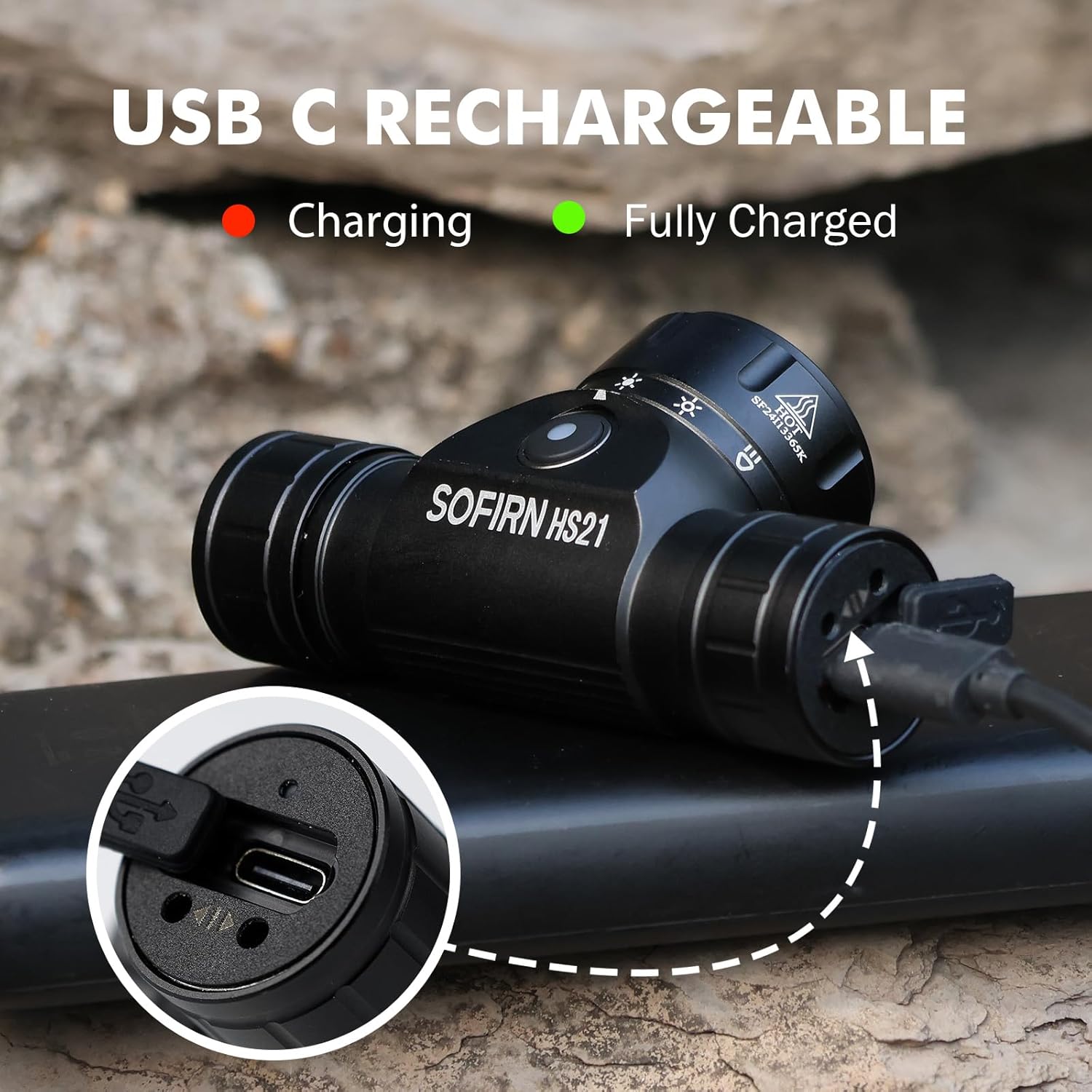
Image 4: Sofirn HS21 Headlamp connected to a USB-C charging cable, showing the charging indicator light.
For D25S:
- Unscrew the head of the D25S headlamp to reveal the hidden USB-C charging port.
- Підключіть наданий кабель USB-C до головної частиниamp and to a USB power source.
- The indicator light will show red during charging and turn green when fully charged.
- After charging, screw the head back on tightly to ensure water resistance.

Image 5: Sofirn D25S Headlamp with its head unscrewed, revealing the built-in USB-C charging port.
6. Інструкція з експлуатації
6.1 Sofirn HS21 Headlamp Операція
The HS21 features a rotary switch for easy mode selection and a separate power button.
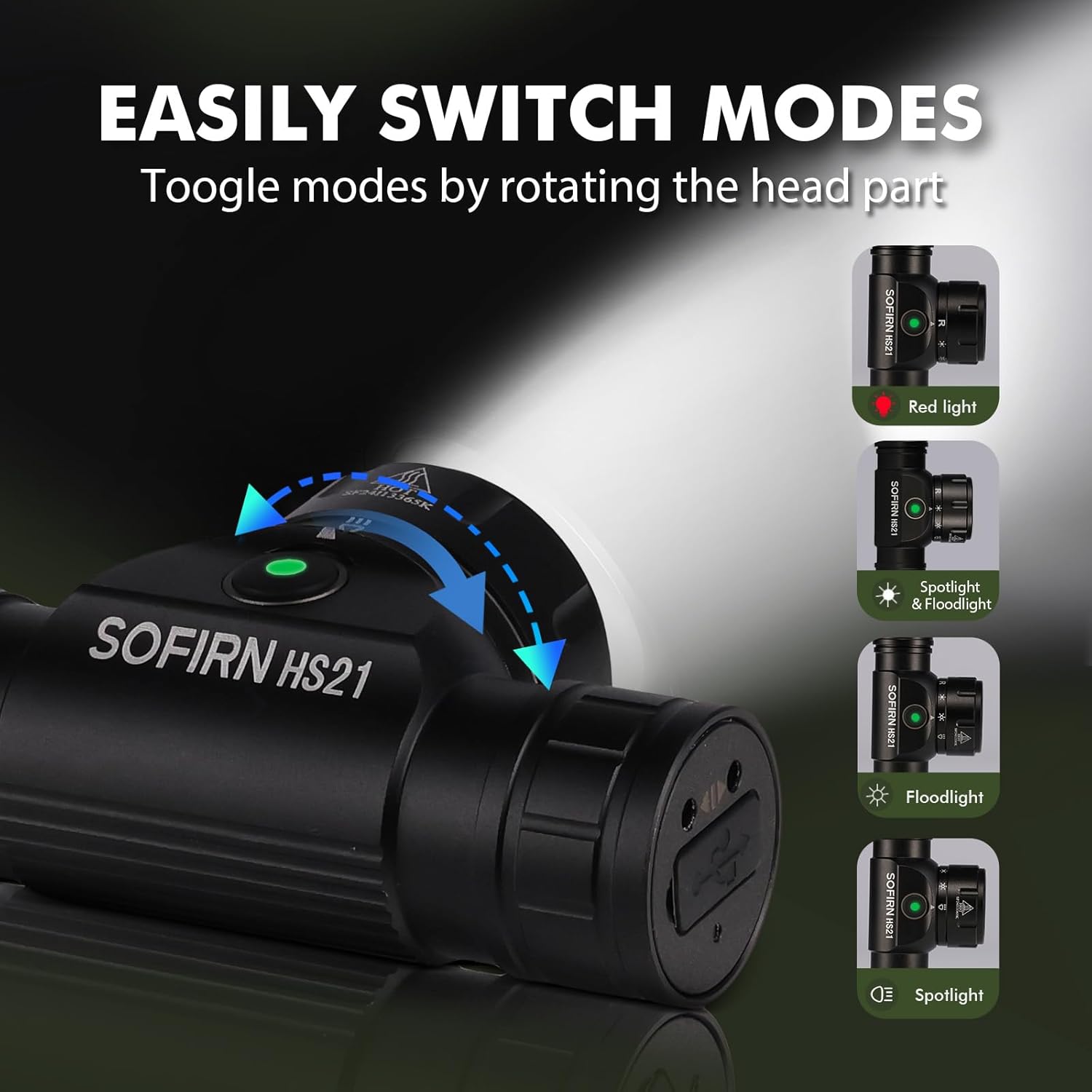
Image 6: Illustration of the Sofirn HS21's rotary switch mechanism for changing light modes.
- Увімкнення/вимкнення живлення: Натисніть кнопку живлення один раз, щоб увімкнути головкуamp увімкнути або вимкнути.
- Вибір режиму: Rotate the head part of the headlamp to cycle through the main light modes: Red Light, Spotlight, Floodlight, and Spotlight + Floodlight (combined).
- Регулювання яскравості: While a mode is active, press and hold the power button to cycle through brightness levels (Low, Medium, High). Release the button at your desired brightness.
- Активація червоного світла: Rotate to the red light setting. Press and hold the power button for additional red light modes (e.g., red strobe, red beacon).
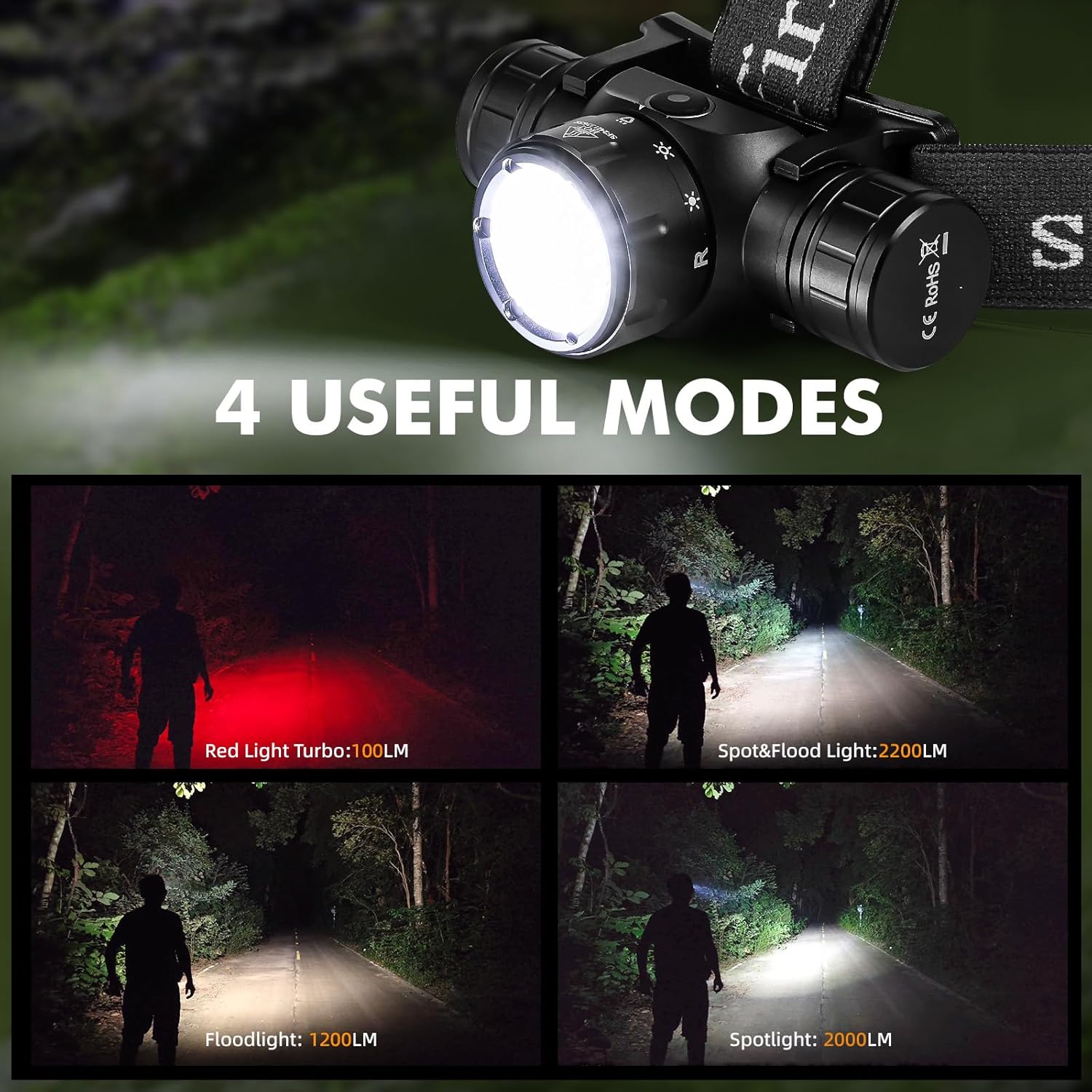
Image 7: The Sofirn HS21 headlamp displaying its four primary light modes: Red Light, Spot & Flood, Floodlight, and Spotlight.
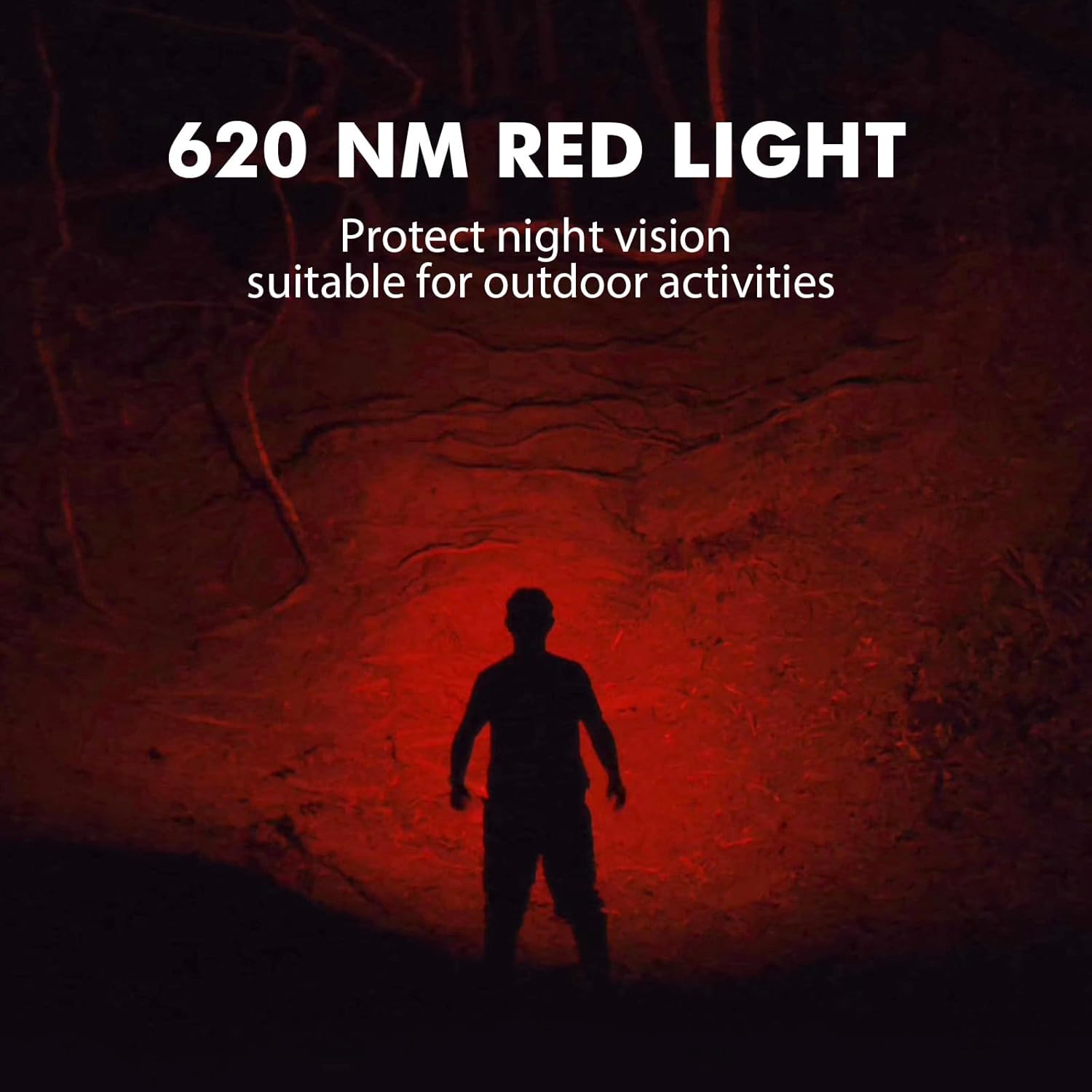
Image 8: The Sofirn HS21 headlamp emitting a 620 NM red light, suitable for preserving night vision.
6.2 Sofirn D25S Headlamp Операція
The D25S operates with a single button interface.
- Увімкнення/вимкнення живлення: Press the button once to turn the headlamp увімкнути або вимкнути.
- Циклування режимів: У той час як головаamp is on, press and hold the button to cycle through brightness modes: Low → Medium 1 → Medium 2 → High. Release the button at your desired mode.
- Турбо режим: From any mode, double-click the button to activate Turbo mode. Double-click again to return to the previous mode.
- Функція пам'яті: The D25S will remember the last used brightness level (excluding Turbo) and turn on in that mode.
7. Технічне обслуговування
- Прибирання: Витріть головуamp з м'яким, damp тканина. Не використовуйте абразивні засоби чи розчинники.
- Ущільнювальні кільця: Periodically check and lubricate the O-rings with silicone grease to maintain water resistance. Replace damaged O-rings.
- Догляд за акумулятором: Якщо головаamp will not be used for an extended period, remove the battery to prevent leakage. Recharge batteries regularly to prolong their lifespan.
- Зберігання: Зберігайте головуamp у прохолодному сухому місці подалі від прямих сонячних променів.
8. Вирішення проблем
| проблема | Можлива причина | Рішення |
|---|---|---|
| Хедлamp не включається | Low battery; Battery incorrectly installed; Loose tail cap; Faulty battery. | Charge battery; Reinstall battery with correct polarity; Tighten tail cap; Replace battery. |
| Світловий потік слабкий | Низький заряд батареї; об'єктив брудний. | Charge battery; Clean the lens. |
| Зарядка не працює | Cable not connected properly; Faulty cable or power source; Charging port obstructed. | Ensure secure connection; Try a different cable/power source; Clean charging port. |
| Попадання води | O-rings damaged or missing; Tail cap/charging port cover not sealed properly. | Check and replace O-rings; Ensure all caps are tightly sealed. |
9. Технічні характеристики
9.1 Sofirn HS21 Headlamp
| Особливість | Деталь |
|---|---|
| Джерело світла | LED (Spotlight, Floodlight, Red Light) |
| Максимальний вихід | 2200 Lumens (Spotlight + Floodlight) |
| Довжина хвилі червоного світла | 620 нм |
| Тип перемикача | Rotary Switch + Push Button |
| Зарядка | USB-C, що перезаряджається |
| Обертання | 130° Регульований |
| Розміри | 3.4 x 1.8 x 1.4 дюймів |
| вага | 0.3 фунта (включаючи акумулятор) |
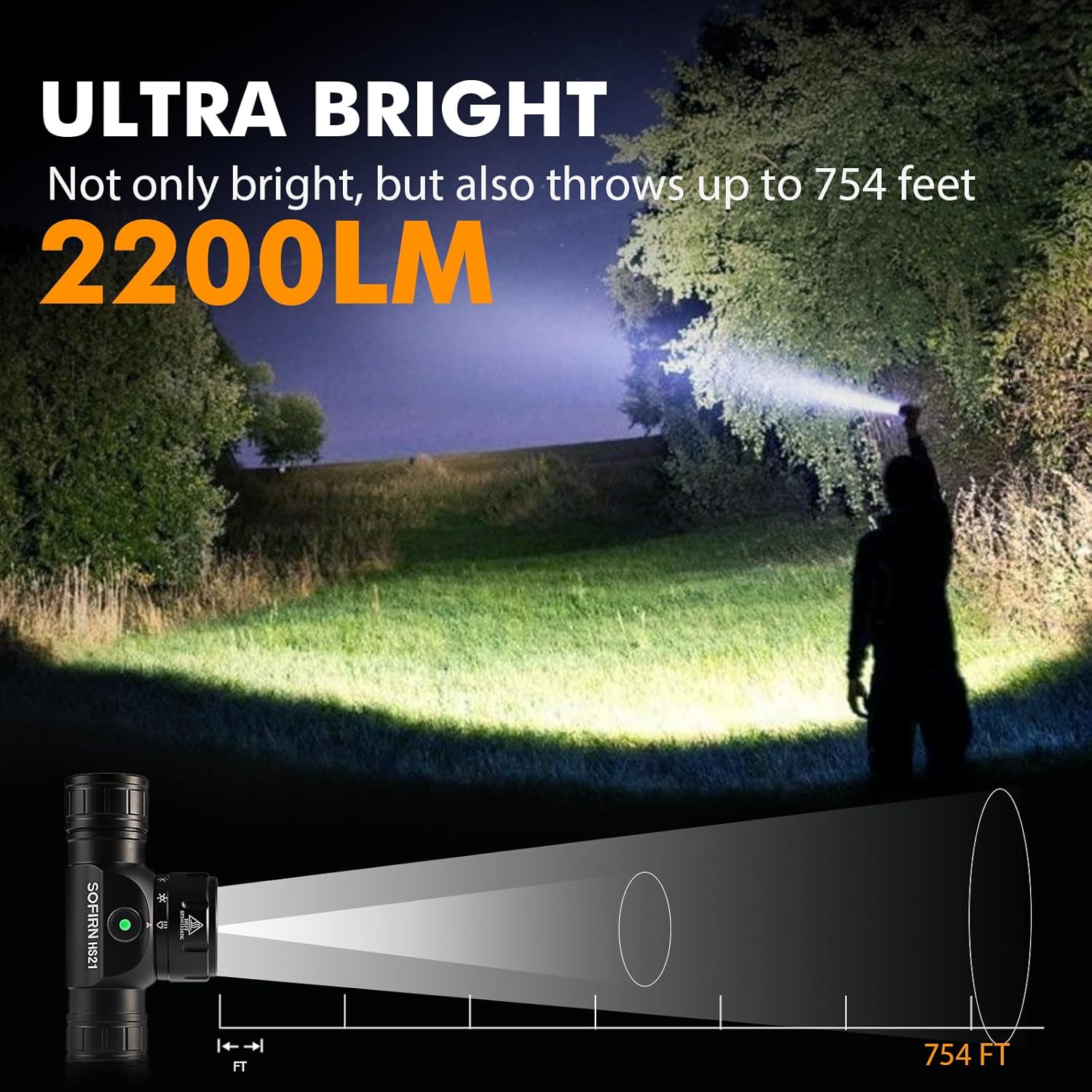
Image 9: The Sofirn HS21 headlamp demonstrating its ultra-bright output and beam distance of up to 754 feet.
9.2 Sofirn D25S Headlamp
| Особливість | Деталь |
|---|---|
| Джерело світла | Світлодіод SST40 |
| Максимальний вихід | 1200 люменів |
| Режими | Low, Medium 1, Medium 2, High, Turbo |
| Зарядка | Hidden USB-C Rechargeable |
| Особливості | Режим пам'яті |
10. Гарантія та підтримка
Sofirn products are covered by a limited warranty. For specific warranty details, please refer to the warranty card included with your product or visit the official Sofirn website. For technical support, troubleshooting assistance, or warranty claims, please contact Sofirn customer service through the retailer where you purchased the product or via the contact information provided on the official Sofirn webсайт.


