1. Вступ
This manual provides essential information for the setup, operation, maintenance, and troubleshooting of your LG gram 16-inch Thin and Lightweight Laptop Computer. This model features a Copilot+ PC experience, powered by an Intel Evo Edition Intel Core Ultra9 288V Processor, Windows 11 Home, 32GB RAM, and a 2TB SSD. Please read this manual thoroughly before using your device to ensure proper function and longevity.
2. Налаштування
2.1 Розпакування та початковий огляд
Обережно вийміть усі компоненти з упаковки. Переконайтеся, що всі елементи, перелічені в розділі «Комплектація», присутні та не пошкоджені. Якщо будь-які елементи відсутні або пошкоджені, зверніться до продавця.
2.2 Підключення адаптера живлення
Connect the power adapter to the laptop's power input port (USB-C Thunderbolt 4 port) and then plug the adapter into a wall outlet. It is recommended to fully charge the battery before initial use.
2.3 Початкове завантаження та налаштування Windows
Натисніть кнопку живлення, щоб увімкнути ноутбук. Дотримуйтесь інструкцій на екрані, щоб завершити процес налаштування Windows 11 Home. Це включає вибір регіону, мови, підключення до мережі та створення облікового запису користувача.
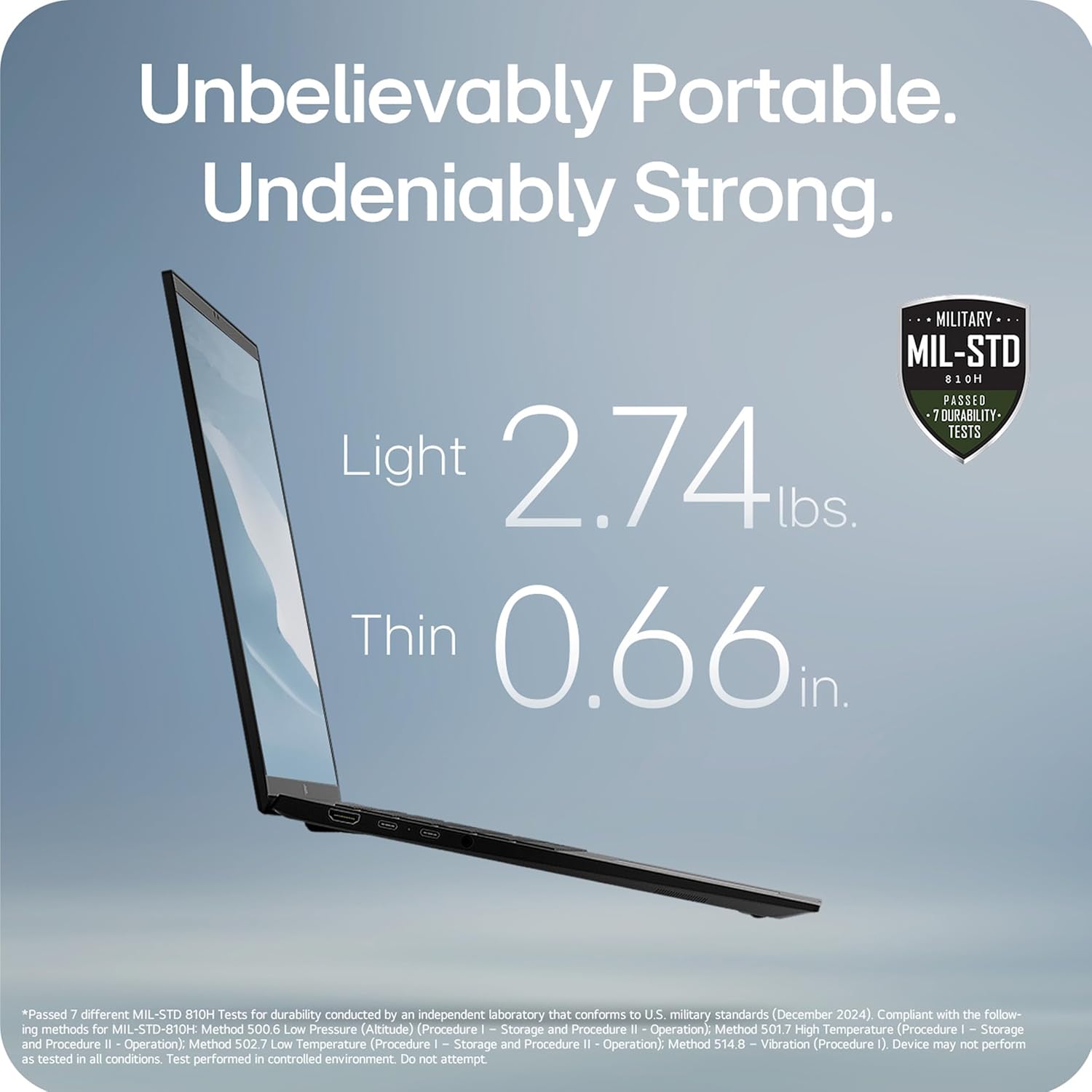
Image: The LG gram 16-inch laptop, showcasing its sleek design and open display.
3. Інструкція з експлуатації
3.1 AI Performance and Copilot+ PC
Your LG gram laptop is a Copilot+ PC, designed for enhanced AI performance. It integrates local and cloud AI capabilities to improve productivity and efficiency. Utilize the dedicated Copilot key on the keyboard to access AI-powered features within Windows 11.

Image: The LG gram laptop screen showing the Windows 11 interface with Copilot+ PC features, emphasizing AI tools.
3.2 Hybrid AI: On-Device and Cloud Synergy
The LG gram features a hybrid AI solution. gram chat On-Device manages local tasks such as smart hard drive searches and system adjustments. gram chat Cloud provides generative AI responses for tasks like document creation, data analysis, and scheduling. These features are accessible through intuitive interactions.

Image: A visual representation of the LG gram's hybrid AI, showing both on-device and cloud-based AI functionalities.
3.3 Intel Core Ultra 9 Processor
Equipped with an Intel Evo Edition Intel Core Ultra 9 processor (Series 2) with 48 NPU TOPS, this laptop delivers powerful AI performance. This dedicated AI processor efficiently handles machine learning tasks and provides an enhanced Copilot+ PC experience.

Image: The LG gram laptop with a visual overlay highlighting the Intel Core Ultra processor, indicating its AI processing power.
3.4 Portability and Durability
The LG gram laptop is designed for portability, weighing 2.74 lbs and measuring 0.66 inches thin. It has passed seven military-grade standards (MIL-STD 810H) for resilience and durability, making it suitable for various environments.

Image: The LG gram laptop's side profile, illustrating its thinness and lightness, along with a military-grade durability certification.
3.5 Термін служби батареї
The laptop is equipped with a 77Wh battery, providing up to 28.5 hours of video playback. Actual battery life may vary based on usage and settings.

Image: The LG gram laptop screen showing a graphic indicating 28.5 hours of battery life.
3.6 16-inch Touchscreen Display
The laptop features a large 16-inch touchscreen display with a 16:10 aspect ratio and 2560x1600 resolution. The anti-glare screen and up to 99% DCI-P3 color gamut provide clear and vibrant visuals.

Image: The LG gram 16-inch laptop with its screen open, displaying a colorful image.
3.7 LG грам посилання
The LG gram Link app allows seamless connection with up to 10 devices across Android and iOS. This enables file sharing, screen expansion, display mirroring, and unified control for enhanced multitasking. App installation is required; visit LG.com/support завантажити.

Image: The LG gram laptop shown with a tablet and smartphone, illustrating the LG gram Link feature for multi-device integration.
3.8 Аудіофункції
The laptop includes four built-in speakers for rich sound. Dolby Atmos 3D Surround Sound, powered by a 4-channel amplifier, provides an immersive audio experience.

Image: A user enjoying the LG gram laptop, with a visual representation of Dolby Atmos 3D Surround Sound.
3.9 Flexible Connectivity
The LG gram Z90TL offers multiple ports for connectivity:
- Two Thunderbolt 4 (USB-C) ports for ultra-fast data transfer and up to 5K resolution display support.
- Два порти USB 3.2.
- One HDMI port.
- One headphone jack.

Зображення: Ліва сторона view of the LG gram laptop, highlighting the USB-C (Thunderbolt 4) and headphone/mic ports.

Зображення: Правий бік view of the LG gram laptop, highlighting the USB 3.2 and HDMI ports.
4. Технічне обслуговування
4.1 Очищення
To clean the laptop, use a soft, lint-free cloth. For the screen, use a screen-specific cleaner applied to the cloth, not directly to the screen. Avoid harsh chemicals or abrasive materials.
4.2 Оновлення програмного забезпечення
Regularly check for and install operating system and driver updates to ensure optimal performance and security. Windows Update can be accessed through the Settings menu.
4.3 Догляд за акумулятором
To prolong battery life, avoid fully discharging the battery frequently. Store the laptop in a cool, dry place when not in use for extended periods. If storing for a long time, ensure the battery is charged to approximately 50-60%.
5. Вирішення проблем
5.1 Проблеми з живленням
- Ноутбук не вмикається: Ensure the power adapter is securely connected and the wall outlet is functional. Try a different outlet. If the battery is completely drained, it may take a few minutes of charging before the laptop can power on.
- Акумулятор не заряджається: Verify the power adapter and cable are not damaged. Ensure the charging port is clean and free of debris.
5.2 Проблеми з дисплеєм
- Немає дисплея: Connect an external monitor to check if the issue is with the laptop's internal display. Ensure the display brightness is not set to minimum.
- Мерехтіння екрана: Оновіть драйвери графіки. Налаштуйте частоту оновлення дисплея в налаштуваннях Windows.
5.3 Проблеми з підключенням
- Wi-Fi не підключається: Restart the laptop and your router. Ensure Wi-Fi is enabled in Windows settings. Check for updated wireless drivers.
- USB-пристрої не розпізнаються: Try connecting the device to a different USB port. Restart the laptop. Ensure device drivers are installed.
6. Технічні характеристики
| Особливість | Специфікація |
|---|---|
| Назва моделі | 16Z90TL-G.AUB9U1 |
| Розмір екрана | 16 дюймів |
| Роздільна здатність екрана | 2560 x 1600 пікселів |
| Процесор | Intel Core Ultra 9 (3.3 ГГц) |
| ОЗУ | 32 ГБ LPDDR5 |
| Жорсткий диск | Твердотільний накопичувач на 2 ТБ |
| Графічна карта | Intel Arc |
| Операційна система | Windows 11 Домашня |
| Вага товару | 2.74 фунта |
| Розміри продукту | 13.98 x 9.54 x 0.66 дюймів |
| Середній термін служби батареї | 28.5 години |
| Бездротовий тип | 802.11ax |
| Колір | Чорний обсидіан |
7. Офіційні відео про продукт
7.1 LG gram Laptop - Features
Відео: Оверview of the key features of the LG gram laptop. This video highlights various functionalities and design aspects.
7.2 LG gram Laptop - Product Video
Video: A detailed product video showcasing the LG gram laptop in action. It provides a visual demonstration of its capabilities and user experience.
7.3 LG 16Z90TL-G.AUB9U1 gram AI Laptop - Intro
Video: An introductory video for the LG gram AI Laptop, model 16Z90TL-G.AUB9U1. It highlights the initial setup and key AI functionalities.
8. Гарантія та підтримка
Your LG gram laptop comes with a standard manufacturer's warranty. For specific warranty terms, registration, and support, please refer to the warranty card included in your product packaging or visit the official LG webсайт за адресою LG.com/support. You can also find drivers, software, and additional troubleshooting resources there.