1. Вступ
This manual provides comprehensive instructions for the assembly, operation, and maintenance of your MININGEEK S400 Pro 10.8L Portable Mini-ITX Computer Case. Please read this guide thoroughly before beginning installation to ensure proper setup and optimal performance.
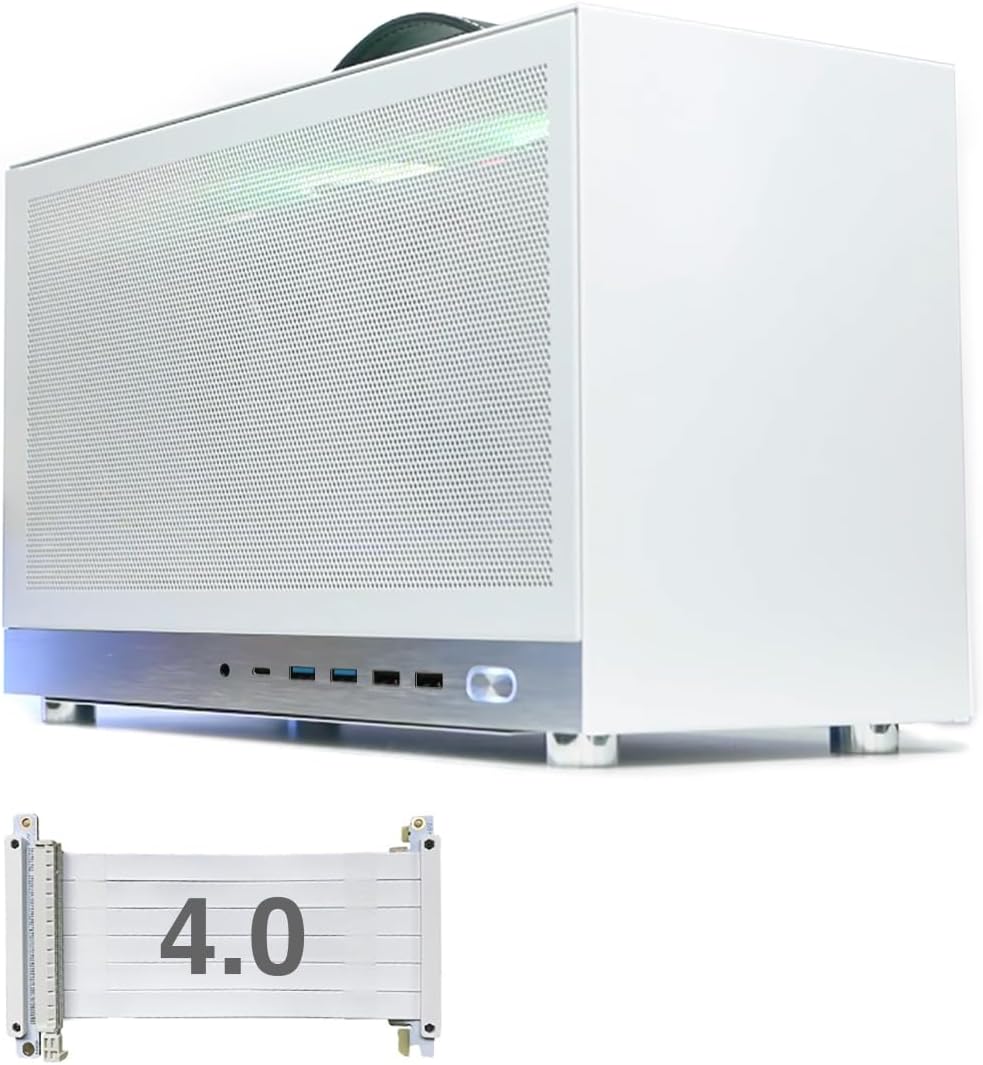
Figure 1: MININGEEK S400 Pro Mini-ITX Computer Case with included PCIe 4.0 riser cable.
2. Інформація про безпеку
Always disconnect power before performing any installation or maintenance. Handle components with care to prevent electrostatic discharge. Wear anti-static gloves if available. Refer to individual component manuals for specific safety guidelines.
3. Вміст упаковки
- MININGEEK S400 Pro Mini-ITX Computer Case
- PCIe 4.0 Riser Cable
- Detachable Carrying Handle
- Accessory Kit (screws, zip ties, etc.)
4. Технічні характеристики
| Особливість | Специфікація |
|---|---|
| Назва моделі | S400 Pro |
| Розміри (ДxШxВ) | 340 x 155 x 205 мм (13.39 x 6.07 x 8.1 дюймів) |
| Обсяг | 10.8 л |
| Сумісність материнської плати | Міні-ITX |
| Підтримка GPU | Triple slot graphics cards up to 337mm long |
| PCIe Riser Cable | PCIe 4.0 included |
| Обмеження висоти кулера ЦП | 65 мм |
| Тип блоку живлення | SFX/SFX-L (recommended) |
| Підтримка фанів | Bottom: 1x 120x25mm or 3.5" HDD; Top: 2x 120x15mm |
| Передні порти вводу-виводу | 2x USB 3.0, 2x USB 2.0, 1x Type-C, 1x Audio Jack |
| матеріал | Сталь і алюміній |
| Вага товару | 5.18 фунта |

Figure 2: Case dimensions (Length: 340mm, Width: 155mm, Height: 205mm).
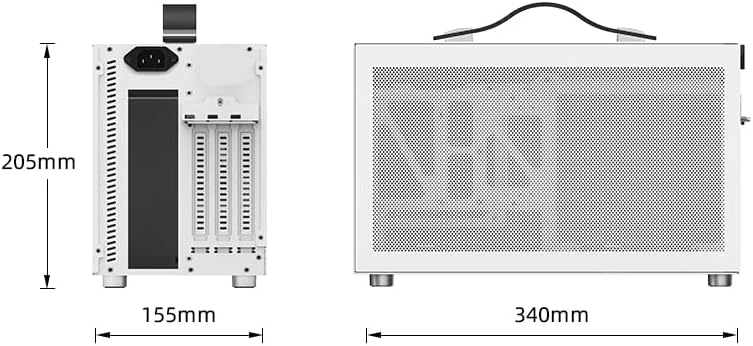
Figure 3: Internal layout showing component compatibility for SFX/SFX-L PSU, 2.5" SSD, ITX Board, CPU Cooler (max 65mm), and fan positions.
5. Налаштування та встановлення
Follow these steps for proper assembly of your computer components within the S400 Pro case.
5.1. Розбирання корпусу
- Remove the side panels by unscrewing the retaining screws.
- Carefully detach the side panels.
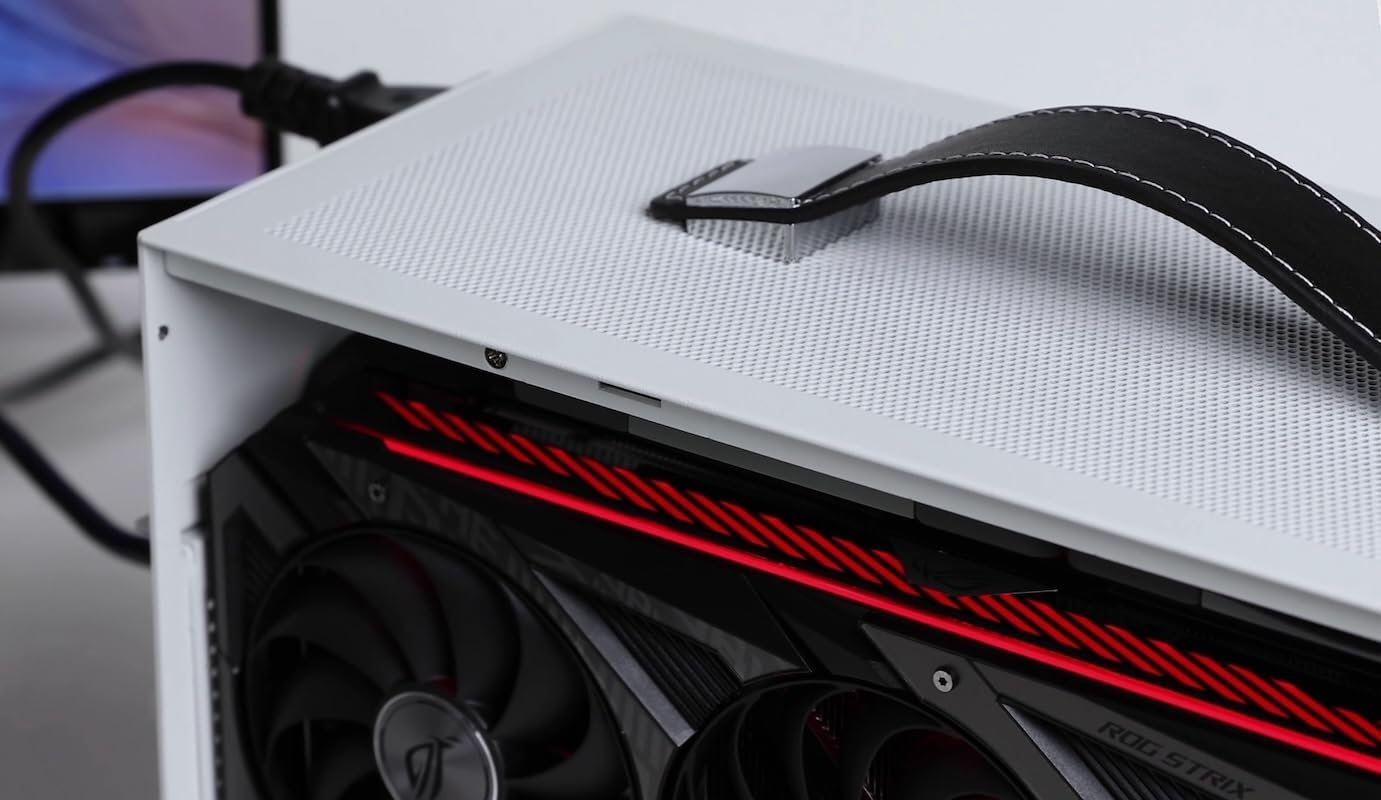
Figure 4: Removing the side panel to access the interior.
5.2. Motherboard, CPU, RAM, and SSD Installation
Install your CPU, RAM, and M.2 SSD onto the Mini-ITX motherboard before placing it into the case. Refer to your motherboard's manual for specific instructions.
Video 1: S300 - Mini-ITX Case Assembly Tutorial. This video demonstrates the assembly process for a similar Mini-ITX case, including CPU, RAM, and SSD installation on the motherboard.
5.3. Установка блоку живлення
Install the SFX/SFX-L power supply into its designated bracket. Ensure the PSU fan is oriented correctly (typically facing outwards or towards an intake area) to avoid thermal issues. Connect the necessary modular cables to the PSU before securing it in the case.
5.4. Встановлення графічного процесора
The S400 Pro supports triple-slot GPUs up to 337mm in length. Use the included PCIe 4.0 riser cable to connect your graphics card to the motherboard.
- Connect the PCIe riser cable to the motherboard's PCIe slot.
- Secure the GPU to the case's GPU bracket.
- Connect the other end of the PCIe riser cable to the GPU.
- Connect the GPU power cables from the PSU.

Малюнок 5: Внутрішній view showing a triple-slot GPU installed.

Малюнок 6: Детально view of GPU installation within the case.
5.5. Установка вентилятора
Install fans as per the specifications for optimal airflow. The case supports one 120x25mm fan or a 3.5" HDD at the bottom, and two 120x15mm fans at the top.

Figure 7: Installation of a 120mm fan at the bottom of the case.
5.6. Кабельний менеджмент
Utilize zip ties and the case's internal routing options to manage cables effectively. Proper cable management improves airflow and aesthetics.
Video 2: KXRORS - Mini-ITX PC Gaming Case Assembly. This video provides a visual guide for assembling components and managing cables in a similar Mini-ITX case.
5.7. Повторне складання
Once all components are installed and cables are managed, reattach the side panels and secure them with the screws.

Малюнок 8: Сторона view of the assembled MININGEEK S400 Pro case with the detachable carrying handle.

Малюнок 9: Задня частина view of the assembled MININGEEK S400 Pro case.

Figure 10: Close-up of the front I/O ports, including USB 3.0, USB 2.0, Type-C, and audio jack.
6. Інструкція з експлуатації
Connect your monitor, keyboard, mouse, and power cable to the assembled computer. Press the power button on the front panel to start your system. Refer to your operating system's documentation for further usage instructions.
7. Технічне обслуговування
To ensure longevity and optimal performance, regularly clean the dust filters and interior of the case. Use compressed air to remove dust from fans and heatsinks. Ensure all cables are securely connected.
8. Вирішення проблем
- Система не вмикається: Check all power connections, including the PSU to the wall outlet, PSU to motherboard, and front panel power switch header.
- Немає дисплея: Ensure the monitor is connected to the graphics card (not the motherboard's integrated graphics ports, unless no dedicated GPU is installed). Verify GPU power connections and PCIe riser cable connection.
- Перегрів: Confirm CPU cooler is properly installed with thermal paste. Check fan orientations and ensure sufficient airflow. Verify PSU fan orientation.
- Послаблені з'єднання: If experiencing intermittent issues, re-seat RAM, GPU, and all power/data cables.
9. Гарантія та підтримка
For warranty information and technical support, please refer to the MININGEEK official webсайт або зверніться до продавця. Зберігайте чек про покупку для гарантійних випадків.


