вступ
This manual provides essential information for the safe and efficient operation of your BE COOL BCPSN2L01 Pedestal Fan. Please read these instructions carefully before use and retain them for future reference. The BCPSN2L01 combines powerful airflow with an integrated mist function and ambient lighting to enhance your indoor environment.
Важливі інструкції з безпеки
Завжди дотримуйтесь основних запобіжних заходів під час використання електроприладів, щоб зменшити ризик пожежі, ураження електричним струмом та травмування.
- Переконайтеся, що блок живлення обtage відповідає етикетці з характеристиками на приладі.
- Не занурюйте вентилятор, шнур живлення або вилку у воду чи інші рідини.
- Unplug the fan from the outlet when not in use, before cleaning, or before moving.
- Тримайте вентилятор у недоступному для дітей та домашніх тварин місці.
- Не використовуйте вентилятор з пошкодженим шнуром або вилкою.
- Avoid placing the fan near curtains or other objects that could be drawn into the fan blades.
- Do not insert fingers or other objects through the grille when the fan is operating.
- Use the fan only on a stable, level surface.
- Не закривайте отвори для повітря.
- Only use clean, distilled water in the water tank for the mist function.
Продукт закінченийview
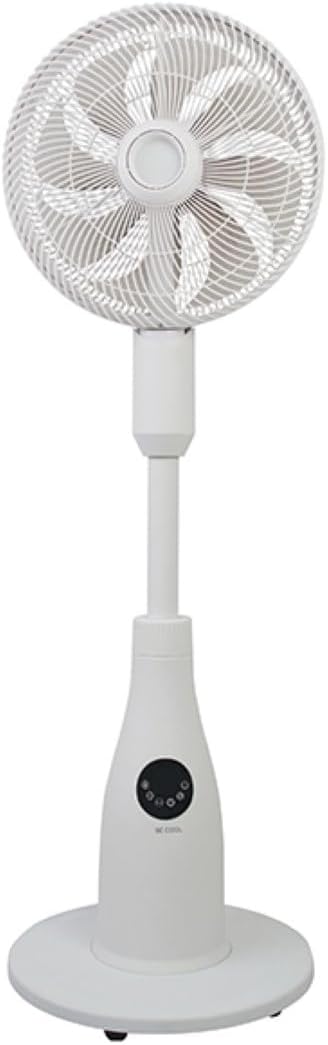
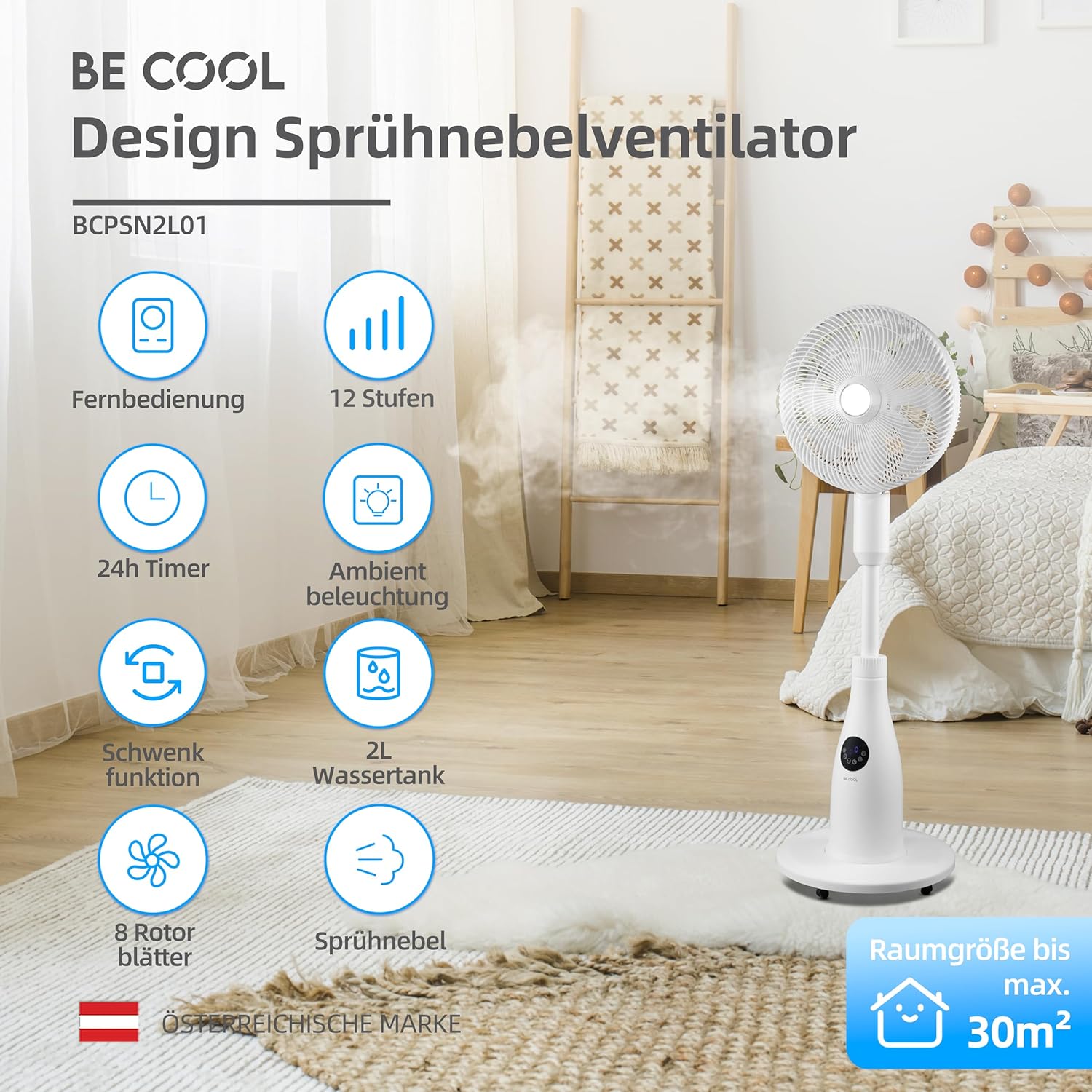
The BE COOL BCPSN2L01 is a versatile pedestal fan designed to provide efficient cooling and air circulation with an integrated mist function and ambient lighting.
компоненти
- Fan Head with Grille and Blades
- Регульована підставка
- База
- Резервуар для води (місткістю 2 літрів)
- Control Panel (Touch-sensitive)
- Пульт дистанційного керування
- Шнур живлення
Панель керування та пульт дистанційного керування
The fan can be operated using the touch-sensitive control panel on the unit or the included remote control.
Функції панелі керування:
- Кнопка живлення: Вмикає або вимикає вентилятор.
- Кнопка швидкості: Регулювання швидкості вентилятора (12 рівні).
- Кнопка режиму: Cycles through Normal, Nature, and Sleep modes.
- Кнопка туману: Activates or deactivates the mist function.
- Кнопка коливання: Toggles the oscillation feature.
- Кнопка таймера: Встановлює таймер автоматичного вимкнення (до 24 годин).
- Світлова кнопка: Controls the ambient lighting.


Інструкції з налаштування
Збірка
- Обережно вийміть усі компоненти з упаковки.
- Assemble the fan head, stand, and base according to the diagrams in the quick start guide (if provided separately). Ensure all connections are secure.
- Встановіть вентилятор на твердій, рівній поверхні.
Наповнення резервуара для води
- Locate the water tank at the rear of the fan's base.
- Обережно витягніть резервуар для води.
- Fill the tank with clean, distilled water. Do not exceed the maximum fill line.
- Carefully reinsert the water tank into its position until it clicks securely.
- Ensure the water tank is properly seated before operating the mist function.

Інструкція з експлуатації
Підключіть шнур живлення до відповідної електричної розетки.
Увімкнення/вимкнення живлення
Натисніть Кнопка живлення on the control panel or remote control to turn the fan on or off.
Регулювання швидкості вентилятора
Натисніть Кнопка швидкості repeatedly to cycle through the 12 available fan speed levels.
Вибір режиму роботи
Натисніть Кнопка режиму щоб перемикатися між наступними режимами:
- Нормальний режим: Забезпечує постійний потік повітря з вибраною швидкістю.
- Природний режим: Simulates natural breezes by varying fan speed intermittently.
- Режим сну: Operates at a lower, quieter speed with reduced display brightness for undisturbed rest.

Activating Mist Function
Ensure the water tank is filled. Press the Кнопка туману to activate or deactivate the refreshing mist function.
Using Oscillation
Натисніть Кнопка осциляції to start or stop the fan's oscillation, which distributes air across a wider area.

Налаштування таймера
Натисніть Кнопка таймера repeatedly to set the desired auto-off time, from 1 to 24 hours. The fan will automatically turn off after the set duration.
Навколишнє освітлення
Натисніть Світлова кнопка to turn the ambient lighting on or off. This feature provides a soft glow, particularly useful in Sleep Mode.
Технічне обслуговування та очищення
Регулярне чищення допомагає підтримувати продуктивність вентилятора та подовжує термін його служби. Завжди відключайте вентилятор від мережі перед чищенням.
Очищення зовнішнього вигляду
Протріть зовнішні поверхні вентилятора м’якою тканиноюamp тканина. Не використовуйте абразивні засоби чи розчинники.
Очищення резервуара для води
- Зніміть резервуар для води з пристрою.
- Злийте будь-яку воду, що залишилася.
- Rinse the tank thoroughly with clean water. For deeper cleaning, use a mild detergent and a soft brush, then rinse completely.
- Allow the tank to air dry before refilling and reinserting.
Cleaning Fan Blades and Grille
Periodically, dust may accumulate on the fan blades and inside the grille. Refer to the product's specific instructions for safely removing the front grille to clean the blades. Use a soft cloth or vacuum cleaner with a brush attachment to remove dust.
Усунення несправностей
Якщо у вас виникли проблеми з вентилятором, зверніться до наступних поширених проблем та способів їх вирішення:
- Вентилятор не включається:
- Переконайтеся, що шнур живлення надійно підключено до справної електричної розетки.
- Перевірте, чи натиснуто кнопку живлення.
- Verify there is no power outage у вашому регіоні.
- Mist function is not working:
- Check if the water tank is filled with water.
- Переконайтеся, що резервуар для води правильно встановлений у пристрої.
- Clean the mist nozzle if it appears blocked.
- Вентилятор шумить:
- Переконайтеся, що вентилятор встановлено на стійкій, рівній поверхні.
- Перевірте наявність будь-яких перешкод навколо лопатей вентилятора або решітки.
- Dust accumulation on blades can cause imbalance; clean the blades if necessary.
- Пульт дистанційного керування не реагує:
- Check and replace the battery (1 CR2 battery included).
- Переконайтеся, що між пультом дистанційного керування та приймачем вентилятора немає перешкод.
Технічні характеристики
| Особливість | Специфікація |
|---|---|
| Бренд | Будь круто |
| Номер моделі | BCPSN2L01 |
| потужність | 80 Вт |
| томtage | 230 вольт (перемінний струм) |
| Потужність повітряного потоку | 1500 м³/год |
| Ємність резервуара для води | 2 літра |
| Швидкість випаровування | 0.25 L/h (approx.) |
| Кількість швидкостей | 12 |
| Коливання | так |
| Таймер | До 24 годин |
| Пульт дистанційного керування | Так (1 батарея CR2 в комплекті) |
| Розміри продукту (Д x Ш x В) | 42.9 х 42.9 х 114.5 см |
| Вага товару | 6.9 кілограма |
| Рекомендований розмір кімнати | До 30 м² |

Гарантія та підтримка
For warranty information, please refer to the documentation provided at the time of purchase or contact your retailer. For technical support or service inquiries, please contact the manufacturer's customer service department.
Виробник: БУДЬ КРУТИМ


