1. Вступ
The LYCEBELL 886A Geiger Counter is a portable, high-performance device designed for precise detection of ionizing radiation, including Beta, Gamma, and X-rays. Equipped with an energy-compensated GM tube, it provides accurate readings across a wide energy range of 48keV-1.5MeV. This device is suitable for various environments requiring radiation monitoring, such as laboratories, factories, customs inspections, and nuclear power plants. Its user-friendly interface and robust features ensure reliable and safe operation.
2. Що в коробці
Upon unpacking your LYCEBELL 886A Geiger Counter, please ensure all components are present:
- LYCEBELL 886A Geiger Counter
- Посібник користувача
- Зарядний кабель типу С

Image: The LYCEBELL 886A Geiger Counter, its instruction manual, and a Type-C charging cable are neatly arranged next to the product box.
3. Ключові характеристики
- Висока чутливість і точність: Equipped with an energy-compensated GM tube, the 886A provides precise readings for gamma, X, and beta radiation.
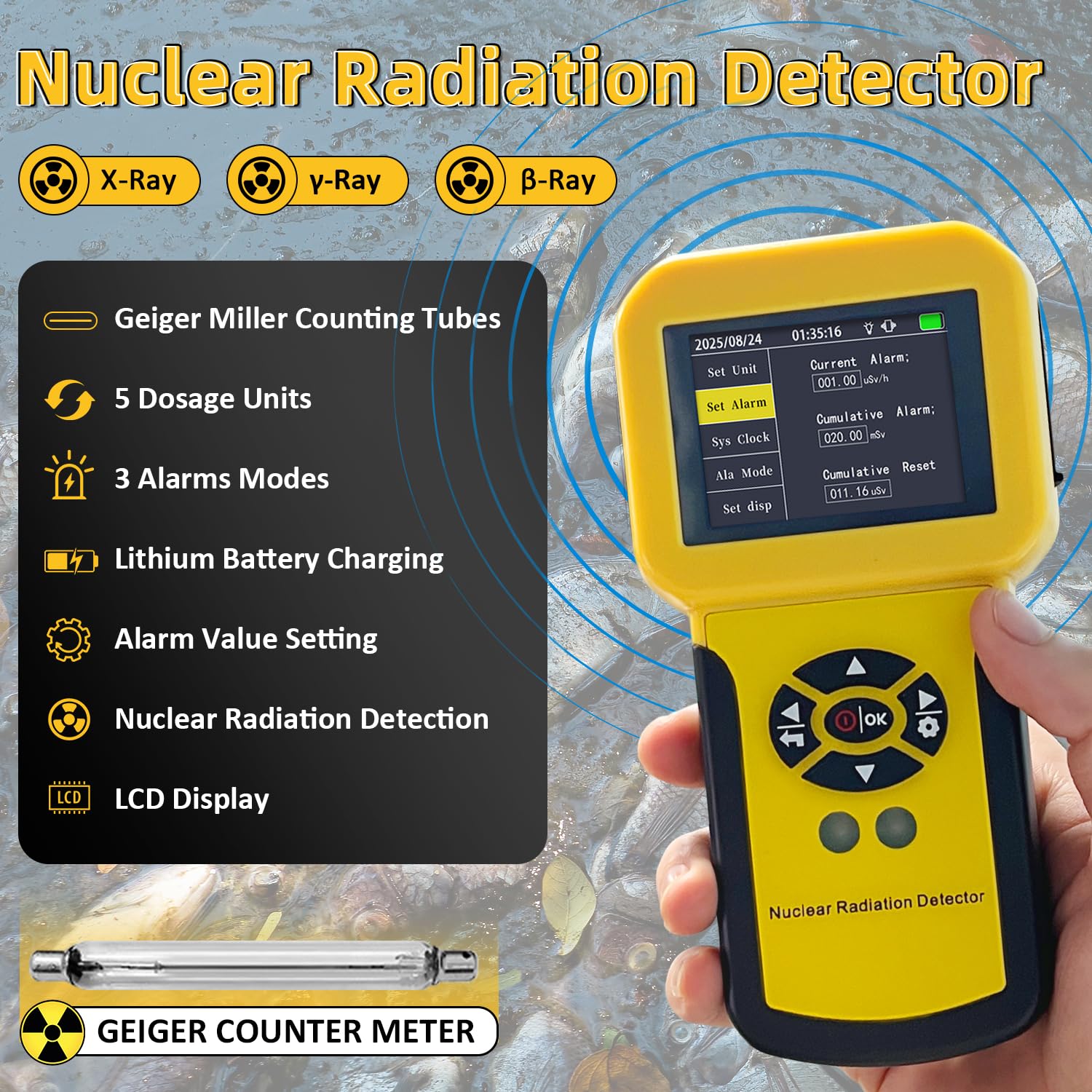
- Multiple Alarm Options: Customize alerts with light, vibration, or sound alarms for various environments and user preferences.
- Зберігання даних: Critical data is automatically backed up, ensuring no loss of information even during power interruptions.
- Годинник реального часу: An integrated clock accurately monitors detection times.
- Портативний дизайн: Компактний і легкий, що полегшує перенесення та використання в дорозі.
- Тривалий термін служби батареї: The 1100 mAh lithium battery ensures extended use without frequent recharging.
- Versatile Dose Units: Switch between µSv/h, µGy/h, mR/h, CPS, and CPM for flexible measurement options.
- Bilingual Interface: Easily switch between Chinese and English for intuitive user experience.
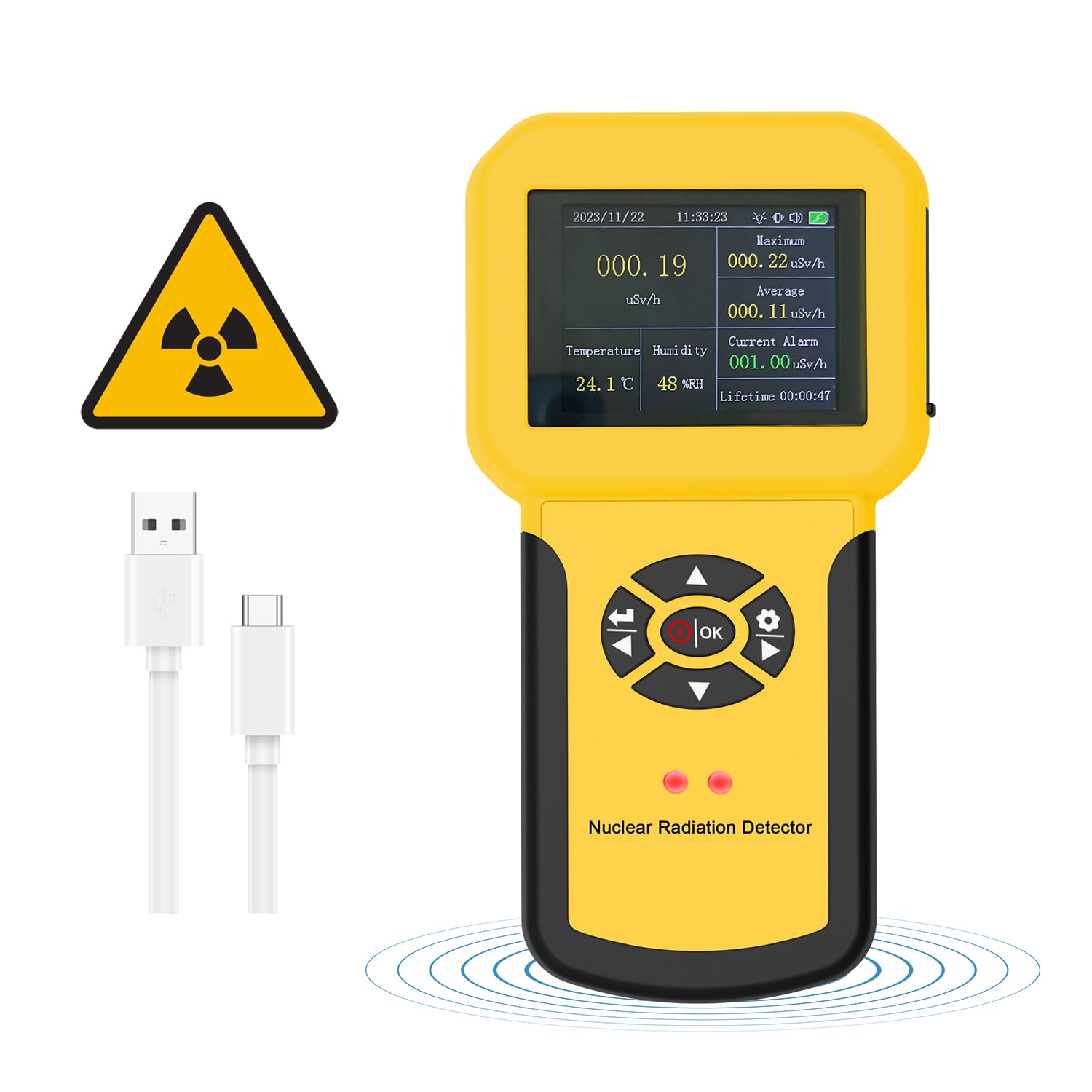
Image: The LYCEBELL 886A Geiger Counter's display highlights its core features, including multiple dosage units and alarm modes.
Зображення: Детальний view of the LYCEBELL 886A Geiger Counter's screen, showing precise radiation measurement parameters like dose equivalent rate and energy range.

Image: The LYCEBELL 886A Geiger Counter displaying an alarm, with visual cues for sound, light, and vibration, indicating a detected radiation level.
4. Налаштування
4.1 Зарядка пристрою
Before initial use, fully charge the device using the provided Type-C charging cable. Connect the cable to the device's charging port and a compatible USB power source. The battery indicator on the display will show charging status.
4.2 Увімкнення/вимкнення
To power on, press and hold the power button until the screen illuminates. To power off, press and hold the power button until the device shuts down.
4.3 Вибір мови
Navigate through the menu to the 'Language' setting. Select either Chinese or English as desired. Refer to the detailed instructions in the included manual for specific menu navigation steps.
4.4 Setting Alarm Values
The device allows customization of current and cumulative alarm thresholds. Access the 'Set Alarm' menu option to adjust these values according to your safety requirements. The alarm can be configured for sound, vibration, or light indicators.

Image: The LYCEBELL 886A Geiger Counter's settings menu, showing options for brightness and language adjustment, with a battery icon indicating an 1100mAh capacity.
Video: This video demonstrates the basic operation and menu navigation of a nuclear radiation detector, including powering on, selecting language, and adjusting settings.
5. Інструкція з експлуатації
5.1 Real-time Dose Detection
Once powered on, the device automatically begins real-time radiation dose detection. The current dose rate is displayed prominently on the screen. The device continuously monitors the environment for ionizing radiation.
5.2 Dynamic Curve Analysis
The device can display a dynamic curve of the surrounding dose, allowing for visual analysis of radiation trends over time. This feature also calculates average and maximum values for comprehensive monitoring.
5.3 Switching Dose Units
Use the navigation buttons to cycle through the available dose units: µSv/h, µGy/h, mR/h, CPS, and CPM. Select the unit most appropriate for your measurement needs.
5.4 Інтерпретація прочитаного
The display shows real-time dose, cumulative dose, and alarm thresholds. If radiation levels exceed the set alarm values, the device will activate the configured alarm (sound, vibration, or light). Pay attention to these indicators for immediate awareness of elevated radiation.

Image: The LYCEBELL 886A Geiger Counter's intuitive interface displays real-time radiation levels, along with maximum, average, temperature, humidity, and current alarm status.
Video: This video demonstrates the unboxing, key features, and basic operational display of a Geiger counter, showing how it detects radiation in real-time.
Video: This video provides a close-up view of the internal components of the Geiger counter and demonstrates its real-time radiation monitoring capabilities, including visual display of data trends and alarm functions.
6. Технічне обслуговування
6.1 Загальний догляд
Keep the device clean and free from dust and moisture. Use a soft, dry cloth for cleaning. Avoid exposing the device to extreme temperatures, direct sunlight, or corrosive substances. Store the device in a safe place when not in use.
6.2 Догляд за акумулятором
To prolong battery life, avoid fully discharging the device frequently. Recharge the 1100 mAh lithium battery as needed. If storing the device for an extended period, ensure it has a partial charge (around 50%) and recharge it every few months.
6.3 Резервне копіювання даних
The intelligent chip integrated into the device ensures automatic data preservation in case of power interruption. No manual backup is typically required for basic data retention.
7. Вирішення проблем
If you encounter issues with your LYCEBELL 886A Geiger Counter, refer to the following common troubleshooting tips:
- Пристрій не вмикається: Переконайтеся, що акумулятор заряджений. Підключіть пристрій до зарядного пристрою Type-C і спробуйте ще раз.
- No readings or erratic readings: Check if the device is in an area with expected radiation. Ensure no physical obstructions are blocking the sensor. If the issue persists, try restarting the device.
- Сигналізація не звучить: Verify that the alarm settings are correctly configured in the menu. Check the volume and ensure vibration/light alarms are enabled if desired.
- Неправильний час/дата: Adjust the real-time clock settings through the device's menu.
For more detailed troubleshooting or persistent issues, please consult the comprehensive user manual included with your device or contact customer support.
8. Технічні характеристики
| Особливість | Деталь |
|---|---|
| Номер моделі | LC-886A |
| Виробник | ЛІЦЕБЕЛ |
| Вага товару | 200 г |
| Розміри продукту | 8.5 х 3.55 х 16.3 см |
| Колір | Жовтий |
| Точність вимірювання | 48keV-1.5Mev ≤ ±30% (for 137Csγ) |
| Компоненти в комплекті | Geiger Counter 886A, Manual, Charging Cable |
| Потрібні батареї | Yes (Integrated 1100 mAh Lithium Battery) |
9. Інформація про безпеку
To ensure safe operation and prolong the life of your LYCEBELL 886A Geiger Counter, please observe the following safety guidelines:
- Do not attempt to open or modify the device. Unauthorized modifications can lead to malfunction, electric shock, or exposure to internal components.
- Avoid exposing the device to water or high humidity. It is not waterproof.
- Do not use the device in environments with flammable gases or liquids, as this may pose an explosion hazard.
- Тримайте пристрій у недоступному для дітей місці.
- Dispose of the device and its battery according to local regulations for electronic waste. Do not dispose of in general household waste.
- While the device provides radiation measurements, it should not be used as the sole basis for critical safety decisions without consulting qualified professionals.
10. Гарантія та підтримка
Your LYCEBELL 886A Geiger Counter comes with a standard manufacturer's warranty. Please refer to the warranty card included in the packaging for specific terms and conditions, including the warranty period and coverage details.
For technical support, service, or inquiries regarding your device, please contact LYCEBELL customer service through the contact information provided in your product documentation or on the official LYCEBELL webсайт. Будь ласка, підготуйте модель вашого продукту та дату покупки, коли звертаєтесь до служби підтримки.


