1. Вступ
This manual provides essential instructions for the safe operation, setup, maintenance, and troubleshooting of your ARRIS WPL C24-1 RC Rock Crawler. Please read this manual thoroughly before using the product to ensure proper function and longevity.

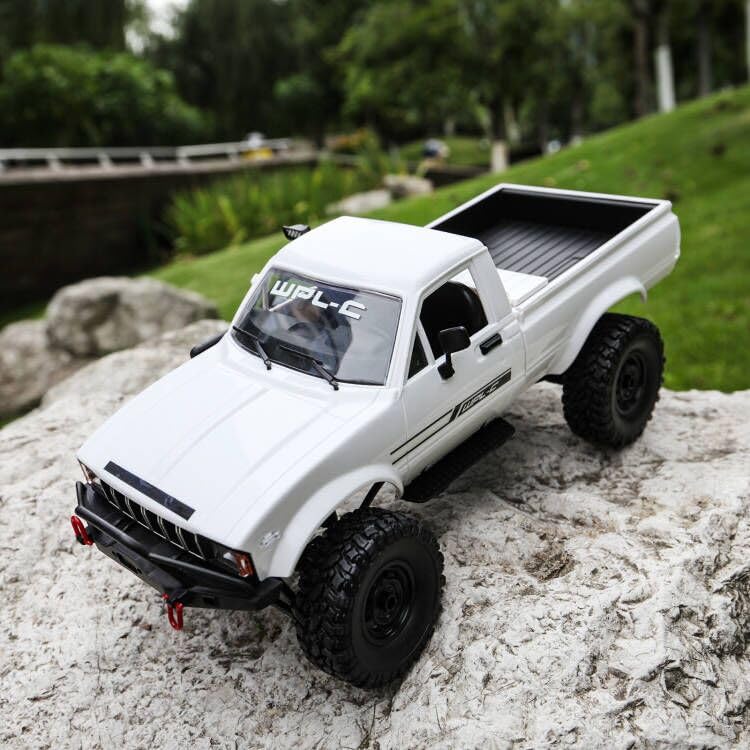
Image: The ARRIS WPL C24-1 RC Rock Crawler, showcasing its detailed design and robust tires.
2. Інформація про безпеку
Always operate the RC vehicle in a safe and responsible manner. Failure to follow these safety guidelines may result in injury or damage to the product or property.
- Тримайте руки, волосся та вільний одяг подалі від рухомих частин.
- Не працюйте поблизу людей, домашніх тварин або перешкод.
- Avoid operating in wet conditions or near water unless the product is specifically designed for it.
- Переконайтеся, що акумулятори заряджені правильно та поводяться з ними обережно.
- За користувачами віком до 15 років рекомендується нагляд дорослих.
3. Вміст упаковки
Перевірте, чи всі перелічені нижче предмети входять до вашої упаковки:
- ARRIS WPL C24-1 RC Rock Crawler (1 unit)
- Remote Control Transmitter (1 unit)
- Rechargeable Battery (1 unit, 7.4V 500mAh)
- Зарядний кабель (1 шт.)
- Інструкція з експлуатації (цей документ)
4. Посібник із налаштування
4.1. Заряджання акумулятора автомобіля
The vehicle battery (7.4V 500mAh) requires charging before first use. A full charge takes approximately 2 hours and provides about 30 minutes of operation.
- Locate the battery compartment on the underside of the RC crawler.
- Connect the rechargeable battery to the provided charging cable.
- Plug the charging cable into a suitable USB power source (e.g., computer USB port, USB wall adapter).
- The indicator light on the charging cable will show the charging status (refer to charger instructions for specific light patterns).
- Once fully charged, disconnect the battery from the charger and install it into the vehicle's battery compartment.
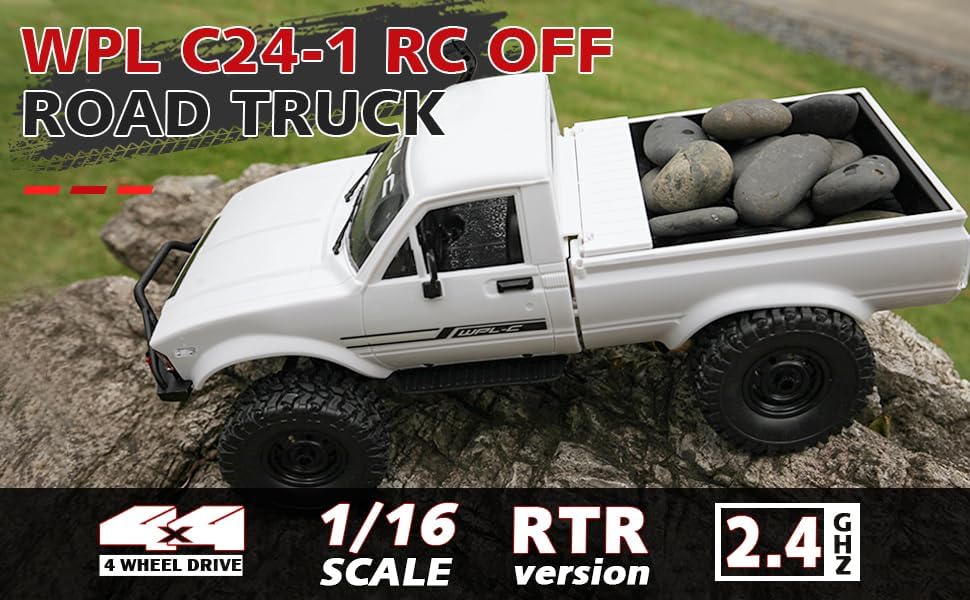
Image: Underside of the RC crawler, highlighting the battery and chassis components.
4.2. Встановлення батарейок пульта дистанційного керування
The remote control requires 1 C battery (included). Ensure correct polarity when installing.
- Відкрийте кришку батарейного відсіку на задній панелі пульта дистанційного керування.
- Insert the C battery according to the polarity markings (+/-).
- Надійно закрийте кришку акумулятора.
4.3. Сполучення пульта дистанційного керування
The RC crawler and remote control are typically pre-paired. If re-pairing is necessary:
- Turn on the RC crawler using the switch located on the chassis.
- Увімкніть пульт дистанційного керування.
- The indicator light on the remote control should stop flashing and remain solid, indicating a successful connection.
- If the connection fails, turn both devices off and repeat the process.
5. Інструкція з експлуатації
5.1. Основні елементи керування
- Тригер дросельної заслінки: Потягніть, щоб рухатися вперед, натисніть, щоб гальмувати/рухатися назад.
- Кермо: Поверніть ліворуч, щоб керувати ліворуч, поверніть праворуч, щоб керувати праворуч.
- Регулювання обрізки: Use the trim dials on the remote to fine-tune steering and throttle if the vehicle pulls to one side or moves without input.
5.2. Поради щодо водіння
The ARRIS WPL C24-1 is designed for off-road crawling. Its 4WD system and independent suspension allow it to navigate various terrains.
- For optimal crawling, use slow and controlled throttle inputs.
- Experiment with steering angles to overcome obstacles.
- The vehicle features highlight LED lights for improved visibility in low-light conditions.

Image: The RC crawler navigating a challenging rocky path, demonstrating its off-road capabilities.

Image: The RC crawler traversing sandy terrain, showcasing its 4WD design.
6. Технічне обслуговування
6.1. прибирання
After each use, especially in dusty or dirty conditions:
- Use a soft brush or compressed air to remove dirt and debris from the chassis, wheels, and suspension.
- Протерти тіло рекламоюamp тканина. Не використовуйте агресивні хімікати.
- Ensure no moisture enters electronic components.
6.2. Догляд за акумулятором та його зберігання
- Завжди від'єднуйте акумулятор від транспортного засобу, коли він не використовується.
- Зберігайте батарейки в прохолодному, сухому місці, подалі від прямих сонячних променів та екстремальних температур.
- Не перезаряджайте та не розряджайте акумулятори.
6.3. Перевірка компонентів
Regularly inspect the following components for wear or damage:
- Wheels and tires for damage or excessive wear.
- Suspension components (shocks, springs, linkages).
- Steering mechanism for smooth operation.
- All screws and fasteners for tightness.
7. Вирішення проблем
| проблема | Можлива причина | Рішення |
|---|---|---|
| Транспортний засіб не реагує. | Low vehicle battery; Low remote control battery; Not paired. | Charge vehicle battery; Replace remote control battery; Re-pair remote control. |
| Транспортний засіб рухається повільно або нерівномірно. | Low vehicle battery; Obstruction in drivetrain; Motor issue. | Charge vehicle battery; Clear obstructions; Contact support if motor issue persists. |
| Кермо нестійке або не реагує. | Steering trim incorrect; Damaged servo; Obstruction. | Adjust steering trim; Inspect servo for damage; Clear obstructions. |
| Короткий робочий діапазон. | Interference; Low remote control battery. | Move to an area with less interference; Replace remote control battery. |
8. Технічні характеристики продукту
| Особливість | Деталь |
|---|---|
| Номер моделі | WPL C24-1 |
| Бренд | ARRIS |
| масштаб | 1:16 |
| Розміри продукту | 12.2 x 5.78 x 4.44 дюймів |
| Вага товару | 2.4 фунта |
| матеріал | АБС + метал |
| Мотор | 180 Матовий двигун |
| Акумулятор (транспортний засіб) | 7.4V 500mAh (included) |
| Час зарядки | прибл. 2 години |
| Час роботи | прибл. 30 хвилин |
| Частота дистанційного керування | 2.4 ГГц |
| Контрольна відстань | Понад 35 метрів |
| Максимальна швидкість | 20 км/год |
| Рекомендований вік | 15 років і старше |
Зображення: Збоку view of the RC crawler with key dimensions indicated.

Зображення: Детальне view of the RC crawler's chassis, showing components like the motor, suspension, and drive shafts.
9. Гарантія та підтримка
ARRIS products are manufactured to high-quality standards. For warranty information or technical support, please refer to the official ARRIS webсайт або зверніться до служби підтримки клієнтів через вашу платформу для покупок.
Зберігайте чек про покупку як підтвердження покупки для будь-яких гарантійних претензій.
Для отримання додаткової допомоги, будь ласка, відвідайте ARRIS Store on Amazon.