вступ
Thank you for choosing the hOmeLabs 25 Pint Wi-Fi Dehumidifier. This manual provides essential information for the safe operation, maintenance, and troubleshooting of your new appliance. Designed for efficient moisture removal in spaces up to 3,500 sq ft, this dehumidifier features Wi-Fi smart control, quiet operation, and flexible drainage options to enhance your indoor environment.
Важливі інструкції з безпеки
Please read all instructions carefully before using the dehumidifier. Failure to follow these instructions may result in electric shock, fire, or serious injury.
- Завжди підключайте осушувач повітря до заземленої електричної розетки.
- Не використовуйте пристрій, якщо шнур живлення або вилка пошкоджені.
- Переконайтеся, що пристрій встановлено на рівній, стійкій поверхні, щоб запобігти перекиданню.
- Не блокуйте вхідні та вихідні отвори для повітря. Залишайте щонайменше 8 см вільного простору навколо пристрою.
- Від’єднайте осушувач повітря від мережі перед чищенням, переміщенням або будь-яким технічним обслуговуванням.
- Не використовуйте пристрій у місцях, де зберігаються легкозаймисті рідини або гази.
- Цей прилад призначений лише для домашнього використання.
- Тримайте дітей та домашніх тварин подалі від пристрою під час роботи.
Продукт закінченийview
Familiarize yourself with the components of your hOmeLabs dehumidifier.

The hOmeLabs 25 Pint Wi-Fi Dehumidifier shown alongside its blue and white product packaging, highlighting its compact design and brand.

An illustration showing the dimensions of the dehumidifier: 19.6 inches high, 12.2 inches wide, and 8.2 inches deep, emphasizing its compact form factor.

A close-up of the dehumidifier's control panel, displaying buttons for Wi-Fi, fan speed, timer, comfort mode, and indicators for tank full and filter status.

The dehumidifier positioned in a gym setting next to a yoga mat, illustrating its compact design and emphasizing its ultra-quiet operation at 47 dB.
Ключові компоненти:
- Панель керування: Цифровий дисплей та кнопки для налаштувань.
- Вхід/вихід повітря: Місце, де повітря входить і виходить з пристрою.
- Бак для води: Removable bucket for collected moisture.
- Безперервний зливний отвір: Отвір для підключення зливного шланга для безперервної роботи.
- Caster Wheels & Handle: Для легкої транспортування.
- Миючий фільтр: Located at the back for air purification.
Інструкції з налаштування
- Розпакування: Обережно вийміть осушувач повітря з упаковки. Зберігайте пакувальні матеріали для подальшого зберігання або транспортування.
- Розміщення: Place the unit upright on a firm, level surface in the area where dehumidification is desired. Ensure there is at least 8 inches (20 cm) of space around all sides of the unit for proper airflow. Avoid placing it near heat sources or in direct sunlight.
- Підключення живлення: Plug the power cord into a grounded 110-120V/60Hz electrical outlet. The unit will beep once, and the display will light up.
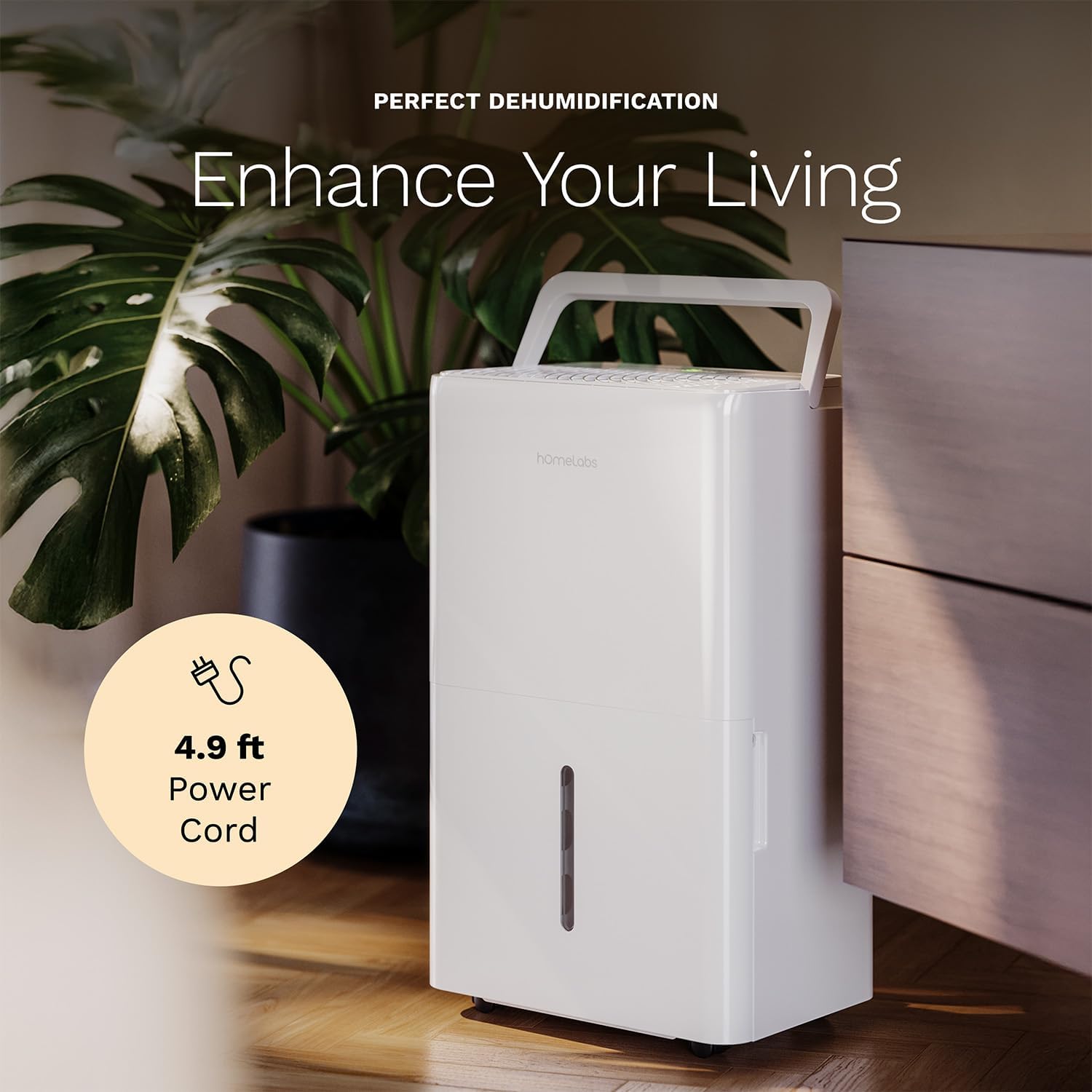
The dehumidifier positioned in a room, highlighting its 4.9 ft power cord for flexible placement.
- Drainage Option (Optional):

An image illustrating the two drainage options: using the built-in tank (manual emptying) or connecting a gravity drain hose for continuous drainage.
- Ручний дренаж: The unit will collect water in the internal tank. When the tank is full, the unit will automatically shut off and indicate "Tank Full". Empty the tank as described in the Maintenance section.
- Безперервний дренаж: For continuous operation without emptying the tank, attach the included drain hose to the continuous drain outlet. Ensure the hose is sloped downwards to a suitable drain (e.g., floor drain, large bucket) to allow gravity drainage.
Інструкція з експлуатації
Функції панелі керування:
- Кнопка живлення: Натисніть, щоб увімкнути або вимкнути пристрій.
- Кнопки налаштування вологості (+/-): Adjust the desired humidity level from 35% to 85% relative humidity (RH) in 5% increments.
- Кнопка швидкості вентилятора: Cycle through High, Medium, and Low fan speeds.
- Кнопка таймера: Set a timer for automatic ON/OFF operation (1-24 hours).
- Comfort Mode Button: Activates a preset humidity level for optimal comfort.
- Кнопка Wi-Fi: Activates Wi-Fi pairing mode.
Wi-Fi Smart Control:
Your dehumidifier can be controlled remotely via Wi-Fi using a smartphone app, Google Assistant, or Alexa.

The dehumidifier shown with icons indicating compatibility with Google Home and Alexa, along with a smartphone icon representing app control for remote operation.
- Завантажити додаток: Download the hOmeLabs app from your smartphone's app store (iOS or Android).
- Сполучення: Follow the in-app instructions to pair your dehumidifier with your home Wi-Fi network. This typically involves pressing and holding the Wi-Fi button on the control panel until the indicator light flashes.
- Пульт дистанційного керування: Once paired, you can adjust settings, monitor humidity levels, and set schedules from anywhere using your smartphone.
Технічне обслуговування
Регулярне технічне обслуговування забезпечує оптимальну продуктивність та подовжує термін служби вашого осушувача повітря.
Спорожнення резервуара для води:
- When the water tank is full, the "Tank Full" indicator will illuminate, and the unit will stop operating.
- Обережно витягніть резервуар для води з передньої частини пристрою.
- Злийте зібрану воду в раковину або злив.
- Вставте порожній резервуар назад у пристрій до клацання. Пристрій відновить роботу.
Очищення повітряного фільтра:
The "Filter" indicator light will illuminate after 250 hours of operation, reminding you to clean the filter. Clean the filter every two weeks or more frequently depending on usage and air quality.
- Вимкніть осушувач повітря та від’єднайте його від розетки.
- Зніміть повітряний фільтр із задньої панелі пристрою.
- Помийте фільтр теплою мильною водою. Ретельно промийте.
- Дайте фільтру повністю висохнути перед повторним встановленням. Не використовуйте сушарку або пряме нагрівання.
- Once the filter is reinstalled, press and hold the "Filter" button for 3 seconds to reset the filter timer.
Генеральне прибирання:
- Протріть зовнішню поверхню пристрою м’якою, damp тканина.
- Не використовуйте агресивні хімікати, абразиви або розчинники.
- Регулярно очищуйте резервуар для води, щоб запобігти утворенню цвілі та грибка.
Усунення несправностей
Зверніться до цього розділу, щоб дізнатися про поширені проблеми та їх вирішення.
| проблема | Можлива причина | Рішення |
|---|---|---|
| Осушувач повітря не вмикається. | Немає живлення; шнур живлення не підключений до розетки; резервуар повний. | Check power supply; Plug in power cord securely; Empty water tank. |
| Пристрій працює, але не набирає воду. | Занадто високий рівень вологості; занадто низька температура в приміщенні; засмічений повітряний фільтр. | Lower desired humidity setting; Ensure room temperature is above 41°F (5°C); Clean air filter. |
| Пристрій шумить. | Пристрій нерівно встановлений; повітряний фільтр засмічений; вентилятор заблокований. | Поставте на рівну поверхню; Очистіть повітряний фільтр; Перевірте наявність перешкод у зоні вентилятора. |
| Проблеми з підключенням до Wi-Fi. | Неправильний пароль Wi-Fi; маршрутизатор занадто далеко; проблеми з додатком. | Verify Wi-Fi password; Move unit closer to router; Restart app/unit. |
Технічні характеристики
| Особливість | Деталь |
|---|---|
| Бренд | homeLabs |
| Назва моделі | hOmelabs - Dehumidifier - 25 Pint - WIFI (HME0088) |
| Ємність осушки | 25 Pints per Day (at 80°F, 60%RH) / MAX 64 Pints (at 95°F, 90%RH) |
| Зона покриття | До 3,500 квадратних футів |
| Об'єм резервуара | 1 галонів |
| Розміри продукту (Д x Ш x В) | 8.2" Г x 12.2" Ш x 19.6" В |
| Вага товару | 27.1 фунта |
| Режим роботи | Автоматичний |
| Особливості | Adjustable Humidity Control, Automatic Defrost, Automatic Moisture Removal, Automatic Shutoff, Bucket Storage, Digital Display, Portable, Quiet Operation, Removable Tank, Timer, Washable Filter, Wi-Fi Enabled |
| Енергоефективність | Сертифіковано Energy Star як найефективніший у 2024 році |
Гарантія та підтримка
Your hOmeLabs 25 Pint Wi-Fi Dehumidifier comes with a standard manufacturer's warranty. For detailed warranty information, please refer to the official warranty document provided with your purchase or visit the hOmeLabs webсайт.
Гарантійний документ: Завантажити гарантію (PDF)
For technical support, troubleshooting assistance, or to inquire about replacement parts, please contact hOmeLabs customer service. Contact information can typically be found on the hOmeLabs webсайті або в упаковці вашого продукту.


