1. Вступ
Thank you for choosing the Angrox Universal Remote Control. This manual provides essential information for setting up, operating, and maintaining your new remote control. Please read it carefully to ensure optimal performance and longevity of your device.
This remote control is designed specifically for Roku Built-in TVs from brands such as TCL, ONN, Hisense, Sharp, Element, Westinghouse, and Philips. It is an infrared remote control and does НІ work with external Roku streaming players (e.g., Roku Box, Roku Stick, Roku Express, Roku Player) or Roku audio devices.
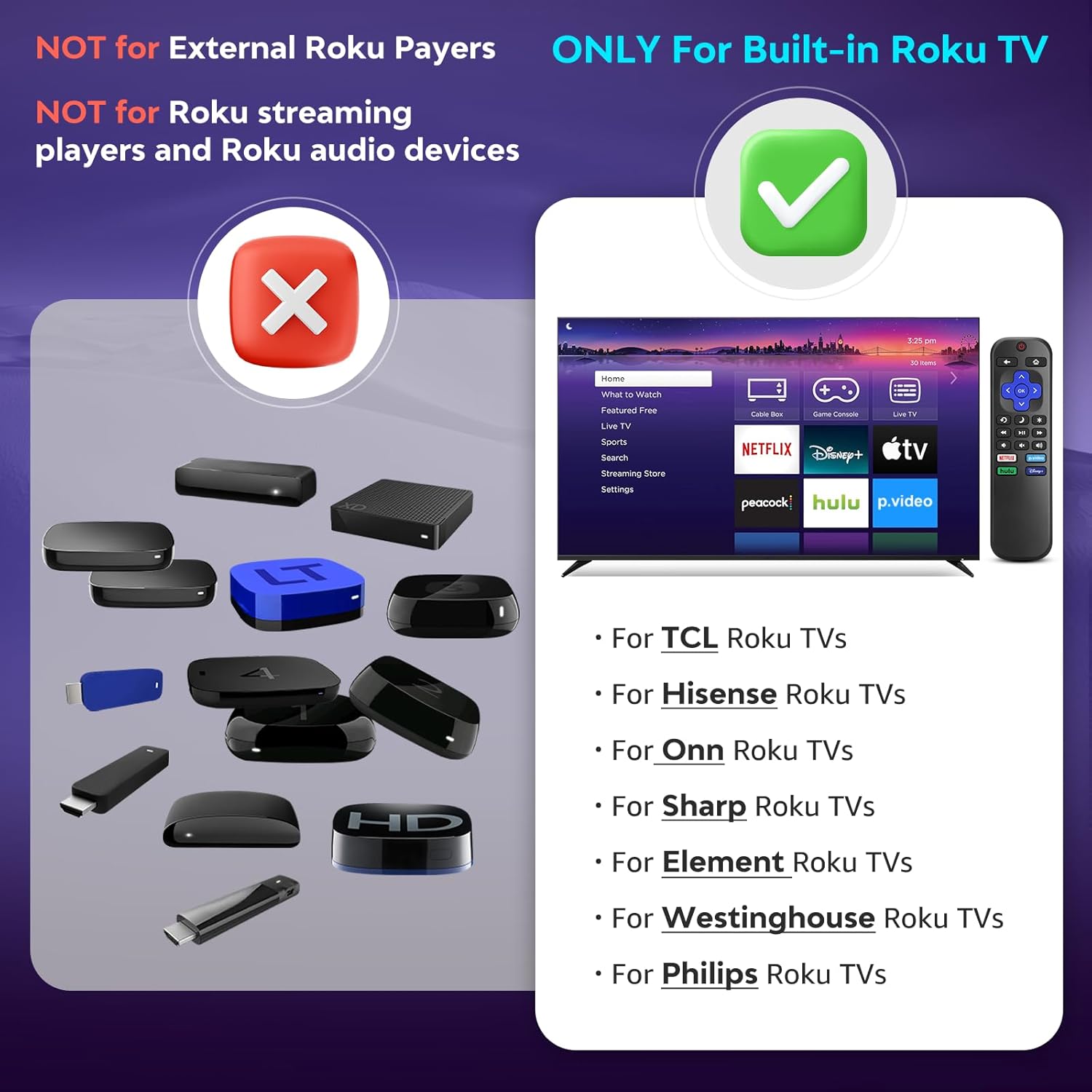
Зображення 1.1: Сумісність заview. The remote is compatible with TVs that have Roku built-in, but not with standalone Roku streaming devices.
2. Налаштування
2.1 Встановлення батареї
- Знайдіть батарейний відсік на задній панелі пульта дистанційного керування.
- Посуньте кришку батарейного відсіку вниз, щоб відкрити її.
- Insert two (2) AAA alkaline batteries, ensuring the positive (+) and negative (-) terminals match the diagrams inside the compartment.
- Посуньте кришку батарейного відсіку на місце, доки вона не зафіксується.
Примітка: Батарейки не входять до комплекту пульта дистанційного керування.
2.2 Початкове використання
This Angrox Universal Remote Control requires no programming or pairing. Once batteries are correctly installed, it is ready for immediate use with your compatible Roku Built-in TV.

Image 2.1: Battery installation guide. The remote requires two AAA batteries and no setup.
3. Інструкція з експлуатації
The remote control features a standard layout for intuitive navigation and control of your Roku Built-in TV.
3.1 Функції кнопокview

Image 3.1: Detailed button layout and functions of the Angrox Universal Remote Control.
- TV Power (Red Button): Вмикає або вимикає телевізор.
- Назад: Повернення до попереднього екрана або меню.
- Головна: Перехід на головний екран Roku.
- Directional Pad (Up, Down, Left, Right) & OK: Використовується для навігації та вибору елементів у меню.
- Режим сну: Activates the TV's sleep timer function.
- Миттєвий повтор: Перемотує на кілька секунд назад під час відтворення відео.
- Опції: Accesses context-sensitive options or settings.
- Rewind Scan (RWD Scan): Перемотує відтворення відео назад.
- Відтворення/пауза: Plays or pauses video content.
- Fast Forward Scan (FWD Scan): Швидке відтворення відео вперед.
- Регулювання гучності (+/-): Регулює гучність телевізора.
- Вимкнути звук: Вимикає або вмикає звук телевізора.
3.2 кнопки швидкого доступу
The remote includes four dedicated shortcut buttons for quick access to popular streaming services:
- NETFLIX
- p.video (Prime Video)
- hulu
- Дісней+
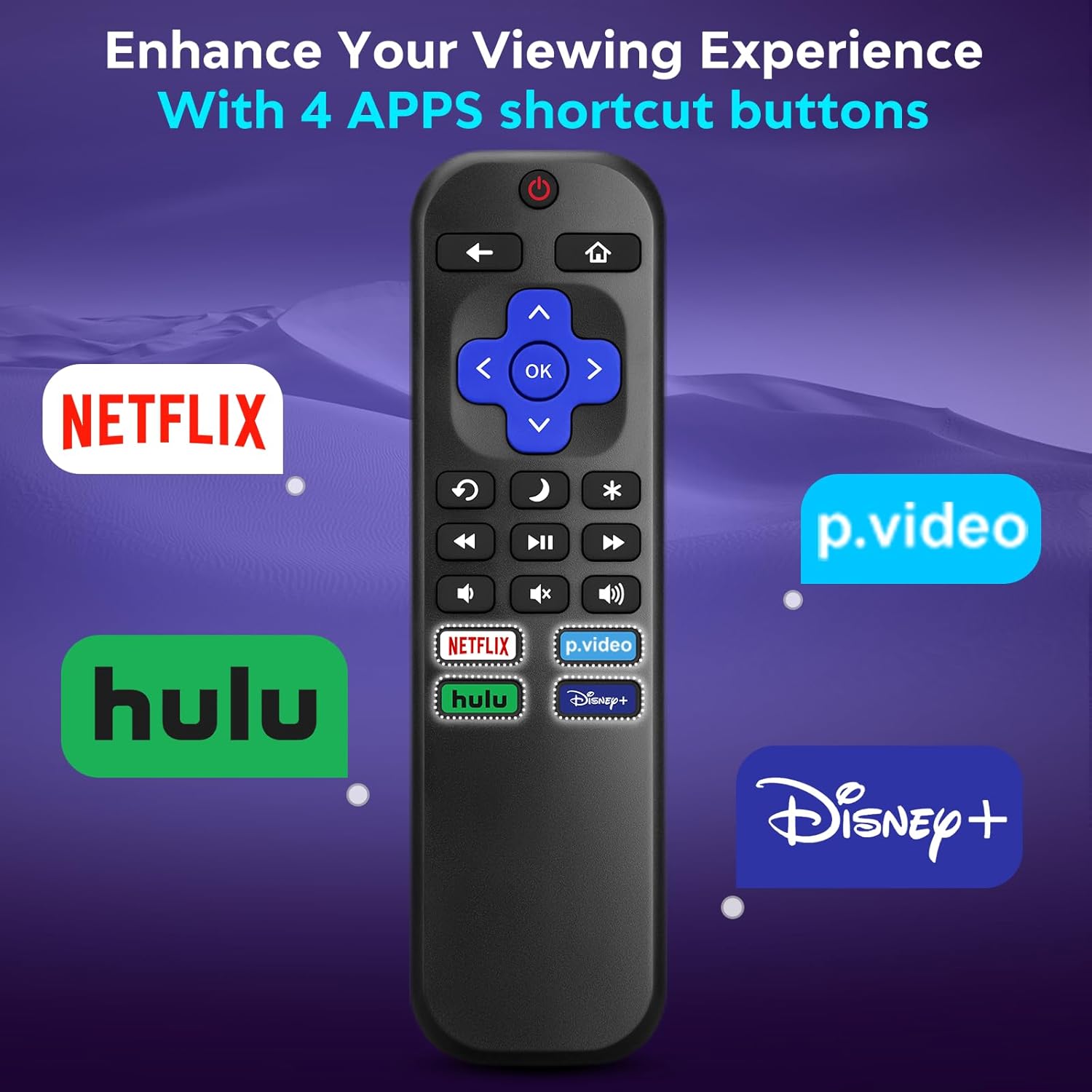
Image 3.2: The remote features dedicated shortcut buttons for popular streaming services.
3.3 Продуктивність
The remote operates using infrared technology, providing a sensitive response and precise control. It has an effective transmission distance of up to 10 meters (32 feet).

Image 3.3: The remote offers fast response and a wide transmission range.
4. Технічне обслуговування
4.1 Очищення
Щоб очистити пульт дистанційного керування, обережно протріть його м’якою сухою тканиною. Для видалення стійкого бруду злегкаampen the cloth with water. Avoid using harsh chemicals, abrasive cleaners, or solvents, as these can damage the remote's surface or internal components.
4.2 Заміна батареї
Замініть батарейки, коли пульт дистанційного керування реагує повільно або перестає працювати. Завжди замінюйте обидві батарейки типу AAA одночасно на нові. Не використовуйте разом старі та нові батарейки, а також батарейки різних типів.
4.3 Зберігання
When not in use for extended periods, it is recommended to remove the batteries to prevent leakage, which could damage the remote. Store the remote in a cool, dry place away from direct sunlight and extreme temperatures.
The remote is constructed from high-quality ABS plastic and silicone for durability.
5. Вирішення проблем
- Пульт не відповідає:
- Переконайтеся, що батарейки вставлені правильно з дотриманням полярності.
- Замініть старі батарейки новими лужними батарейками типу AAA.
- Check for any obstructions between the remote and the TV's infrared sensor. Ensure a clear line of sight.
- Verify that the remote is pointed directly at the TV.
- Remote only controls some functions:
- This remote is designed for Roku Built-in TVs. Ensure your TV has Roku integrated and is not an external Roku player connected to a standard TV.
- Some advanced TV functions not directly related to Roku may not be supported by this universal remote.
- TV does not turn on/off:
- Confirm the TV is plugged into a power source and is not in a deep sleep mode that requires a manual power button press on the TV itself.
6. Технічні характеристики
| Особливість | Деталь |
|---|---|
| Бренд | ангрокс |
| Модель | B0DW7SW5C4 |
| Особливості | Ergonomic, No Programming Required, Universal |
| Колір | чорний |
| Максимальна кількість підтримуваних пристроїв | 1 (Roku Built-in TV) |
| Сумісні пристрої | Television (Roku Built-in TVs: TCL, ONN, Hisense, Sharp, Element, Westinghouse, Philips, etc.) |
| Джерело живлення | 2 батареї AAA (не входять в комплект) |
| технології | Інфрачервоний (ІЧ) |
| Відстань дії | До 10 метрів (32 фути) |
| матеріал | High-quality ABS plastic and silicone |
7. Гарантія та підтримка
For warranty information, please refer to the documentation provided with your purchase or contact your retailer. Angrox is committed to providing quality products and customer satisfaction.
For further assistance or inquiries, please visit the official Angrox store on Amazon: Angrox Store.
