1. Вступ
Welcome to the user manual for your new Tiqvi 7-inch Digital Photo Frame. This device is designed to help you easily display and share your cherished photos and videos with family and friends, no matter where they are. Featuring a vibrant IPS touch screen, WiFi connectivity, and compatibility with the intuitive Frameo app, your digital photo frame offers a modern way to relive memories. Please read this manual carefully to ensure proper setup, operation, and maintenance of your device.

This image illustrates the Tiqvi digital photo frame in use, showcasing a vibrant family photo on its screen. Next to it, a smartphone displays the Frameo application, highlighting the seamless integration for sharing memories directly to the frame.
2. Що в коробці?
Будь ласка, перевірте вміст упаковки, щоб переконатися, що всі предмети присутні та знаходяться у належному стані.
- Tiqvi 7-inch Digital Photo Frame
- Адаптер живлення
- Знімна підставка
- Посібник користувача (цей документ)

This image displays all items typically found inside the product packaging: the Tiqvi digital photo frame itself, its power adapter, and a detachable stand. Key dimensions of the frame are also provided for reference.
3. Посібник із налаштування
3.1 Powering On Your Frame
Connect the provided power adapter to the DC port on the back of the digital photo frame. Plug the adapter into a standard electrical outlet. The frame will automatically power on.
3.2 Підключення до Wi-Fi
Upon first power-on, the frame will guide you through the initial setup process, including connecting to your Wi-Fi network.
- Виберіть потрібну мову.
- Виберіть часовий пояс.
- Виберіть зі списку свою мережу Wi-Fi.
- Введіть пароль від Wi-Fi за допомогою екранної клавіатури та натисніть «Підключитися».
- Once connected, the frame will display a unique Frameo ID.
3.3 Installing the Frameo App
To send photos and videos to your frame, you need to download the Frameo app on your smartphone or tablet.
- шукати "Frameo" in the Apple App Store (for iOS devices) or Google Play Store (for Android devices).
- Завантажте та встановіть додаток.
- Відкрийте застосунок і створіть обліковий запис або увійдіть у систему.
- Add your frame by entering the unique Frameo ID displayed on your digital photo frame.

This image emphasizes the integration with the Frameo app, showing the frame alongside the Google Play and App Store logos, indicating where users can download the necessary application for managing and sharing photos.
4. Керування цифровою фоторамкою
4.1 Надсилання фотографій та відео
Once your frame is connected to the Frameo app, you can easily send photos and short videos (up to 15 seconds) from your smartphone.
- Відкрийте застосунок Frameo на своєму смартфоні.
- Виберіть фотографії або відео, які ви хочете надіслати.
- Choose your Tiqvi frame as the recipient.
- Add a caption if desired, then tap "Send".
Photos and videos will appear on your frame shortly after being sent, provided the frame is connected to Wi-Fi. You can connect up to 500 users to share memories with your frame.

This image illustrates the ease of sharing photos and videos with the Tiqvi digital photo frame. It shows a photo being sent from a smartphone to the frame, symbolizing the ability to connect and share memories with loved ones anywhere.
4.2 Навігація за допомогою сенсорного екрана
The Tiqvi digital photo frame features an intuitive touch screen for easy navigation.
- Проведіть вліво/вправо: Navigate through photos.
- Торкніться: Access settings, view photo details, or pause slideshow.
- Збільшення за допомогою пальців: Збільшення або зменшення масштабу фотографій.
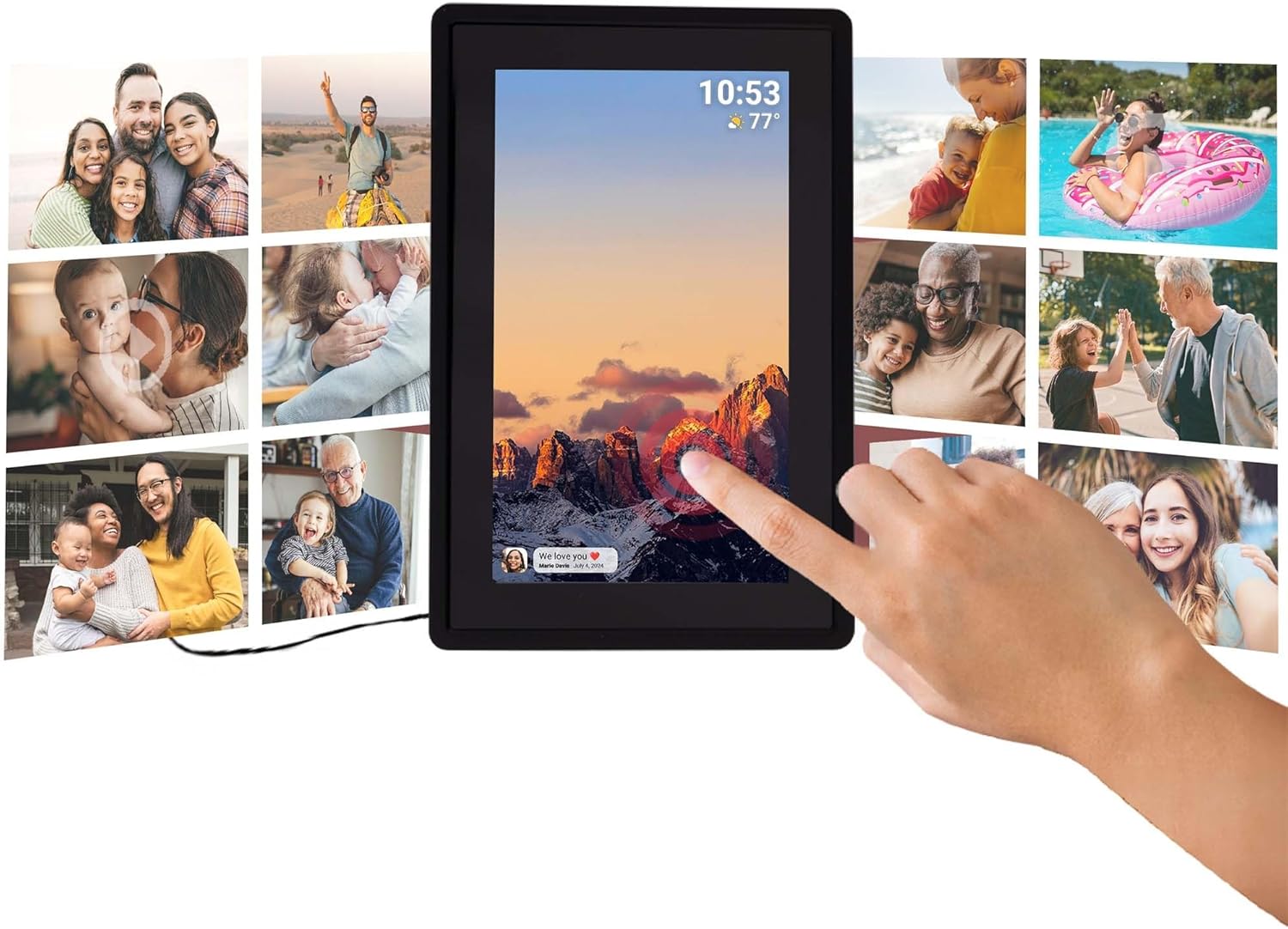
This image illustrates the intuitive touch screen functionality of the digital photo frame, showing a hand interacting directly with the display to navigate through photos and settings.
4.3 Auto-Rotate Function
The frame automatically detects its orientation (landscape or portrait) and adjusts the display of photos accordingly, ensuring your memories are always shown correctly.

Two Tiqvi digital photo frames are shown, one in landscape and one in portrait orientation, demonstrating how the auto-rotate function automatically adjusts the photo display for perfect viewінж.
5. Зберігання
Your Tiqvi digital photo frame comes with 16 ГБ внутрішньої пам'яті, capable of storing thousands of photos and short videos.
For additional storage, the frame includes a слот для карти microSD, supporting cards up to 32 ГБ. This allows you to expand the frame's capacity significantly.

Цей детальний view of the frame's screen highlights its key technical specifications and features, including WiFi connectivity, 16GB internal storage, the 7-inch IPS display with 1024x600 resolution, support for microSD cards up to 32GB, and compatibility with the Frameo application.

This visual demonstrates the extensive storage capability of the digital photo frame, showing a screen filled with a diverse collage of photos.
6. Технічні характеристики
| Особливість | Специфікація |
|---|---|
| Бренд | Tiqvi |
| Номер моделі | TVH10005 |
| Розмір екрана | 7 дюймів |
| Тип дисплея | Сенсорний екран IPS |
| роздільна здатність | 1024x600 (16:9 aspect ratio) |
| Внутрішня пам'ять | 16 ГБ |
| Зовнішня пам'ять | MicroSD card slot (max. 32GB) |
| Підключення | WiFi |
| Сумісність програм | Додаток Frameo |
| Колір | чорний |
| Джерело живлення | Electric (AC Adapter) |
| Розміри продукту (Д x Ш x В) | 22 х 15 х 2.51 см |
| Вага продукту | 600 грамів |
7. Технічне обслуговування
7.1 Очищення рами
To keep your digital photo frame in optimal condition, follow these cleaning guidelines:
- екран: Використовуйте м’яку тканину без ворсу (наприклад, з мікрофібри), щоб обережно протерти екран. Для стійких плям злегка протрітьampПротріть тканину водою або розчином для очищення екранів, спеціально призначеним для електроніки. Уникайте агресивних хімікатів або абразивних матеріалів.
- Корпус рами: Wipe the body of the frame with a dry or slightly damp м’яка тканина. Не використовуйте надмірну вологу.
- Вимкнення живлення: Always unplug the power adapter before cleaning.
7.2 Загальний догляд
- Avoid placing the frame in direct sunlight or near heat sources.
- Keep the frame away from water and high humidity.
- Do not drop or subject the frame to strong impacts.
8. Вирішення проблем
If you encounter any issues with your Tiqvi digital photo frame, please refer to the table below for common problems and their solutions.
| проблема | Можлива причина | Рішення |
|---|---|---|
| Рамка не вмикається. | Адаптер живлення не підключений або несправна розетка. | Ensure the power adapter is securely plugged into the frame and a working electrical outlet. Try a different outlet. |
| Неможливо підключитися до Wi-Fi. | Неправильний пароль, слабкий сигнал або проблема з маршрутизатором. | Двічі перевірте пароль Wi-Fi. Перемістіть рамку ближче до маршрутизатора. Перезавантажте маршрутизатор Wi-Fi. |
| Фотографії не відображаються на рамці. | Frame not connected to Wi-Fi, incorrect Frameo ID, or app issue. | Verify Wi-Fi connection on the frame. Ensure the correct Frameo ID is entered in the app. Restart the Frameo app on your phone. |
| Екран не реагує. | Тимчасовий збій програмного забезпечення. | Від’єднайте адаптер живлення, зачекайте 10 секунд, а потім знову під’єднайте його, щоб перезапустити рамку. |
| Photos are blurry or low quality. | Original photo resolution is low. | Ensure you are sending high-resolution photos to the frame for best display quality. |
9. Гарантія та підтримка
9.1 Гарантія виробника
Your Tiqvi digital photo frame is covered by a 1-річна гарантія виробника from the date of purchase. This warranty covers defects in materials and workmanship under normal use. It does not cover damage caused by misuse, accidents, unauthorized modifications, or external causes. Please retain your proof of purchase for warranty claims.
9.2 Підтримка клієнтів
For further assistance, technical support, or warranty inquiries, please refer to the product packaging or the official Tiqvi website for contact information. When contacting support, please have your product model number (TVH10005) and purchase details ready.


