вступ
This manual provides essential information for the safe and efficient use of your Qubo X-10BL mobile phone. Designed with ease of use in mind, this phone is particularly suitable for elderly users, featuring a clear 2.4-inch screen, a robust design, and essential communication functions. Please read this manual thoroughly before operating your device.
Ключові характеристики:
- модель: X-10BL
- екран: 2.4-inch display (6.1 cm diagonal)
- Оперативна пам'ять: 32 Мб
- Батарея: Ємність 900 мАг
- Підключення: Bluetooth
- Порти: 3.5mm Jack, Micro USB
- Дизайн: Includes a protective cover
- колір: Синій
Продукт закінченийview
The Qubo X-10BL is a compact and user-friendly mobile phone. Below is an image illustrating the device's general appearance.
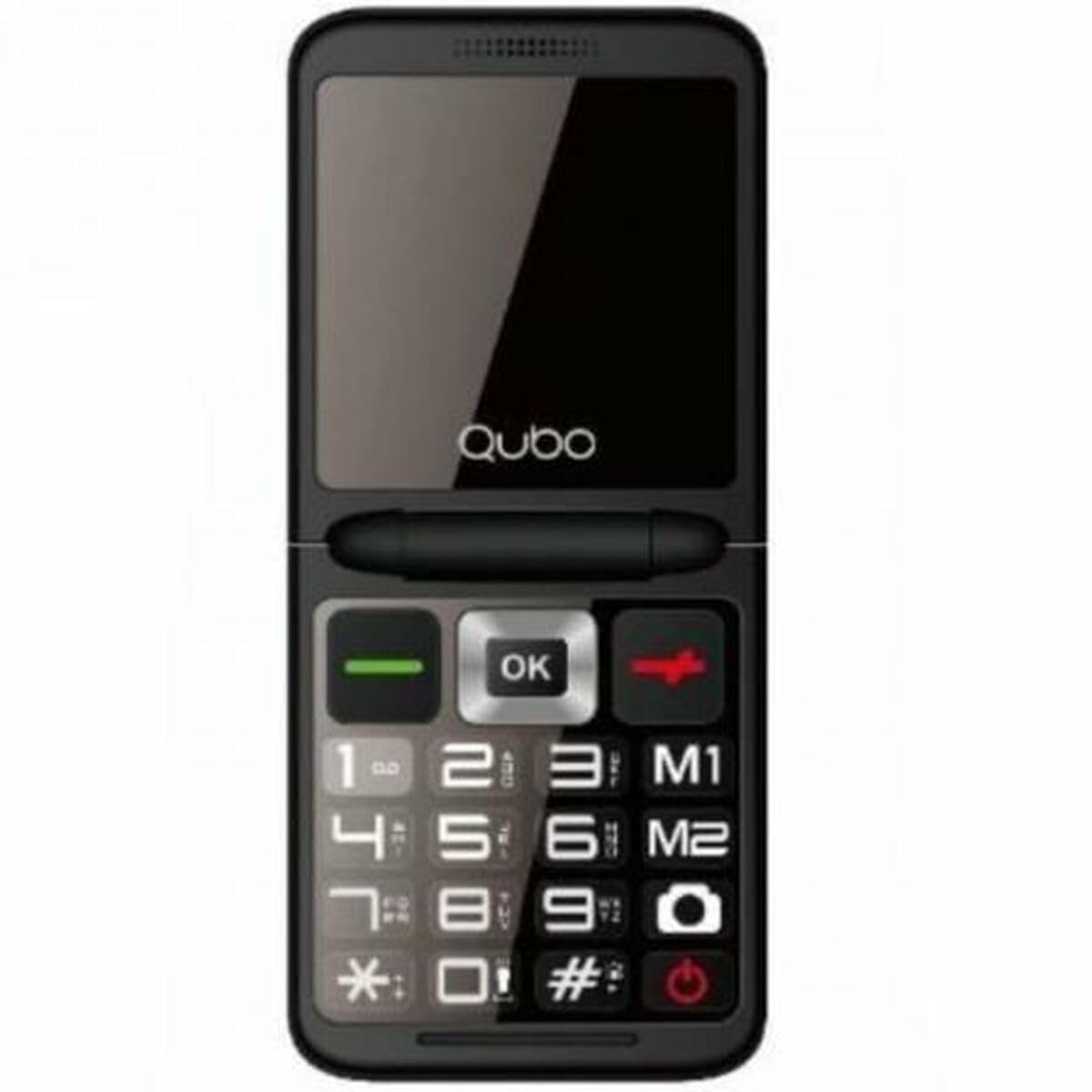
малюнок 1: Фронт view of the Qubo X-10BL mobile phone. The image displays the phone in blue, featuring a clear screen, a numerical keypad, and navigation buttons. The phone is designed for straightforward operation.
Familiarize yourself with the phone's buttons and ports before proceeding with setup. Typically, these include a power button, call/end call buttons, navigation keys, a numerical keypad, and charging/headphone ports.
Налаштування
1. Встановіть SIM-картку та акумулятор
- Обережно зніміть задню кришку телефону.
- Вставте SIM-картку у призначений для цього слот. Переконайтеся, що вона правильно орієнтована, як показано на схемі біля слота.
- Вставте батарейку у відсік, вирівнявши контакти.
- Встановіть задню кришку на місце, доки вона надійно не зафіксується почувши клацання.
2. Зарядіть пристрій
- Connect the Micro USB cable to the charging port on your phone.
- Plug the other end of the cable into the provided European plug adapter, then into a wall outlet.
- Allow the phone to charge fully before first use. The charging indicator on the screen will show the battery status.
3. Увімкнення/вимкнення живлення
- Щоб увімкнути: Натисніть і утримуйте кнопку живлення/завершення виклику, доки екран не засвітиться.
- Щоб вимкнути: Press and hold the Power/End Call button until the power-off options appear, then select 'Power Off' or continue holding until the device shuts down.
Інструкція з експлуатації
Здійснення та отримання дзвінків
- Щоб зателефонувати: Enter the phone number using the keypad and press the Call button (usually a green phone icon).
- Щоб відповісти на дзвінок: Коли телефон дзвонить, натисніть кнопку виклику.
- Щоб завершити дзвінок: Press the End Call button (usually a red phone icon).
Sending and Receiving SMS Messages
- Перейдіть до меню «Повідомлення».
- Select 'New Message' or 'Write Message'.
- Введіть номер одержувача або виберіть його з контактів.
- Введіть повідомлення за допомогою клавіатури.
- Натисніть «Надіслати».
Підключення Bluetooth
The Qubo X-10BL supports Bluetooth for connecting to compatible devices such as headsets or other phones.
- Перейдіть до розділу «Налаштування», а потім до розділу «Bluetooth».
- Увімкніть Bluetooth.
- Виберіть 'шукати пристрої» або «Підключити новий пристрій».
- Виберіть потрібний пристрій зі списку та дотримуйтесь підказок на екрані для сполучення.
Using the Phone Cover
The phone comes with a protective cover. Ensure the phone is securely placed within the cover to protect it from minor impacts and scratches. The cover may also feature cutouts for easy access to buttons and ports.
Технічне обслуговування
прибирання
- Використовуйте м’яку, суху тканину для очищення екрана та корпусу телефону.
- Avoid using liquid cleaners, aerosols, or harsh chemicals, as these can damage the device.
Догляд за акумулятором
- Щоб продовжити термін служби акумулятора, уникайте впливу екстремальних температур на телефон.
- Не залишайте телефон заряджатися на надмірно тривалий час після повної зарядки.
- Якщо телефон не використовуватиметься протягом тривалого часу, зарядіть його приблизно до 50% перед зберіганням.
Зберігання
Зберігайте телефон у прохолодному, сухому місці, подалі від прямих сонячних променів та вологи, коли він не використовується.
Усунення несправностей
If you encounter issues with your Qubo X-10BL, refer to the table below for common problems and solutions.
| проблема | Можлива причина | Рішення |
|---|---|---|
| Телефон не включається | Низький рівень заряду батареї; батарея неправильно встановлена | Charge the battery; Reinstall the battery |
| Немає сигналу мережі | SIM card issue; Out of network coverage | Check SIM card installation; Move to an area with better coverage |
| Не вдається здійснювати/приймати дзвінки | No network; Incorrect number dialed; Call barring activated | Check network signal; Verify number; Check call settings |
| Акумулятор не заряджається | Charger faulty; Charging port damaged | Try a different charger; Contact support if port is damaged |
Технічні характеристики
Detailed technical specifications for the Qubo X-10BL mobile phone.
| Особливість | Деталь |
|---|---|
| Бренд | Qubo |
| Назва моделі | X-10BL |
| Номер моделі товару | S9914467 |
| Тип продукту | Телефонний бар |
| Форм-фактор | Бар |
| Розмір екрана | 6.1 сантиметри (2.4 дюйми) |
| Розмір встановленої оперативної пам'яті | 32 Мб |
| Технологія бездротової мережі | Bluetooth |
| Виробник | Qubo |
| Країна походження | Іспанія |
| Дата першої доступності на Amazon.com.be | 11 січня 2025 р |
| Наявність запасних частин | Інформація недоступна |
| Гарантія оновлень програмного забезпечення до | Інформація недоступна |
Гарантія та підтримка
Щоб отримати інформацію про гарантію та підтримку клієнтів, зверніться до документації, що додається до вашої покупки, або зверніться до продавця. Зберігайте чек про покупку для будь-яких гарантійних претензій.