1. Вступ
This manual provides essential information for the setup, operation, and maintenance of your VIMTAG 8310 5G/2.4G 4MP Camera. Please read thoroughly before use to ensure proper functionality and safety.

Figure 1: VIMTAG 8310 5G/2.4G 4MP Camera
2. Що в коробці
Перевірте наявність усіх елементів в упаковці:
- Camera Body with power cable
- Інструкція з експлуатації
- Монтажний гвинт
- Адаптер живлення
3. Продукт закінчивсяview
The VIMTAG 8310 camera features a compact design suitable for both indoor and outdoor use. Key components include:
- Об'єктив: Captures 2.5K (4MP) video.
- Infrared & White Light: Для можливостей нічного бачення.
- Мікрофон: Для двостороннього аудіо зв'язку.
- Доповідач: Для двостороннього аудіозв'язку та сповіщень.
- Слот для SD-карти: Supports Micro SD cards up to 512GB for local storage.
- Кнопка скидання: Для скидання до заводських налаштувань.
- Порт живлення: Micro USB for continuous power supply.

Figure 2: Camera features overview
4. Налаштування та встановлення
4.1 Завантаження програми та реєстрація облікового запису
- Download the 'Canny Cam' app from your device's app store (iOS/Android).
- Register a new account using your email address and follow the on-screen instructions.
- Увійдіть до щойно створеного облікового запису.

Figure 3: App download and registration process
4.2 Powering On and Device Connection
- Connect the camera to the power adapter using the provided USB cable and plug it into a power outlet.
- Open the 'Canny Cam' app and tap the '+' icon to add a new device.
- Follow the in-app instructions to connect the camera to your 5G/2.4G Wi-Fi network. This typically involves scanning a QR code displayed on your phone with the camera lens.
- Після підключення ви можете назвати свою камеру та призначити її певній кімнаті.
Video 1: Why choose Vimtag Mini G3 Outdoor Security Camera? (Seller)
4.3 Встановлення камери
The camera comes with a versatile stand that allows for various mounting options:
- Tabletop/Free Standing: Place the camera on any flat surface. The stand has padded feet for stability.
- Настінне/стельове кріплення: The base of the stand can be detached and screwed into a wall or ceiling using the provided mounting screws. The camera then easily attaches to the mounted base.

Figure 4: Easy setup and mounting options

Figure 5: Mounting the camera to a wall
5. Робота з камерою
5.1 Живий View і двостороннє аудіо
Access the live video feed anytime, anywhere through the Canny Cam app. Use the built-in microphone and speaker for two-way communication.

Figure 6: Two-Way Audio in action
5.2 Режими нічного бачення
The camera offers full-color night vision, enhanced by a built-in LED light, and traditional infrared night vision. Switch between modes via the app settings.

Figure 7: Comparison of Color and Infrared Night Vision
Video 2: How to set full-color night vision of Vimtag Mini G3 (Seller)
5.3 Інтелектуальне виявлення та сповіщення
Configure motion, human, and sound detection settings within the app. Receive instant alerts on your mobile device when activity is detected.
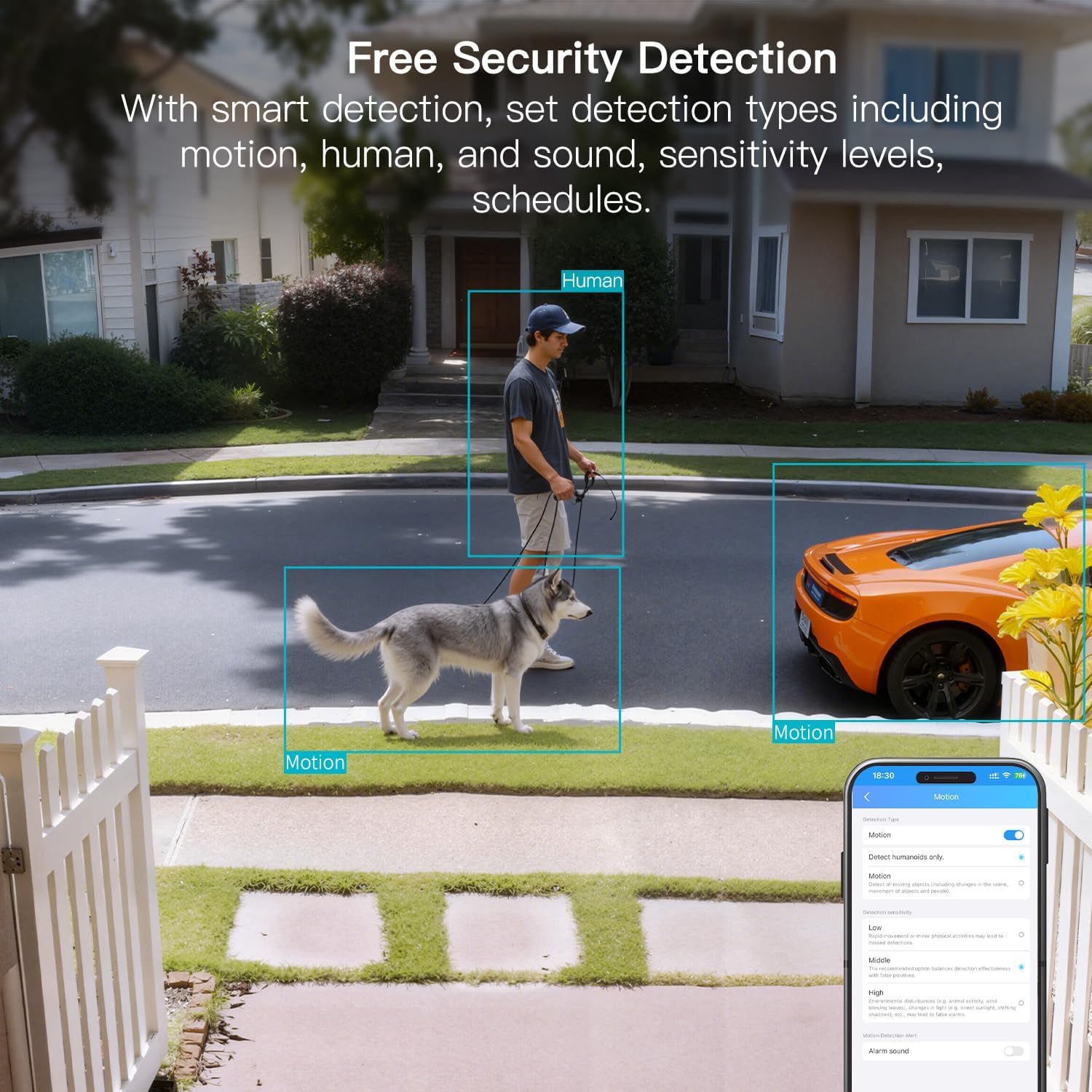
Figure 8: AI Detection capabilities

Figure 9: Smart alarm modes with sound and light
5.4 Варіанти зберігання
The camera supports continuous 24/7 recording to a Micro SD card (up to 512GB, sold separately) or secure Cloud storage (subscription required).

Figure 10: Local and Cloud storage options
6. Технічні характеристики
| Особливість | Деталь |
|---|---|
| Назва моделі | 8310 |
| Використання в приміщенні/зовні | Зовнішній (захист від атмосферних впливів IP65) |
| Роздільна здатність захоплення відео | 2.5K (1440p) |
| Ефективне вирішення проблеми | 4 Мп |
| Технологія підключення | Wi-Fi (2.4 & 5G Hz, Dual Band, Wi-Fi 6) |
| Особливості | 2-Way Audio, HD Resolution, Motion Sensor, Color Night Vision, AI Detection, Alexa Support |
| Viewкут нахилу | 130 градусів |
| Діапазон нічного бачення | 33 футів |
| Джерело живлення | Дротовий електричний (5 вольт, 5 ват) |
| Максимальна підтримувана флеш-пам'ять | 512 ГБ (Micro SD) |
| Розміри продукту | 1.57 x 2.28 x 2.76 дюймів |
7. Технічне обслуговування
- Прибирання: Use a soft, dry cloth to clean the camera lens and body. Avoid harsh chemicals.
- Оновлення прошивки: Regularly check the Canny Cam app for firmware updates to ensure optimal performance and security.
- Управління SD-карткою: If using a Micro SD card, periodically check its status and format it via the app to maintain recording quality.
8. Вирішення проблем
- Проблеми з підключенням: Ensure the camera is within range of your Wi-Fi router. Verify Wi-Fi password and network stability. The camera supports both 2.4GHz and 5GHz bands.
- Проблеми запису: Check if the Micro SD card is inserted correctly and has sufficient space. If using Cloud storage, verify your subscription status.
- Немає сповіщень: Confirm motion/human/sound detection is enabled in the app settings and notification permissions are granted for the Canny Cam app on your phone.
- Погана якість зображення: Ensure the lens is clean. Check network stability for optimal streaming resolution.
- Скидання пристрою: If issues persist, use the reset button on the camera to restore factory settings. You will need to reconfigure the device after a reset.
9. Гарантія та підтримка
VIMTAG offers a 2-year warranty and lifetime technical support for this product. For assistance, please contact VIMTAG підтримка клієнтів:
- Електронна пошта: Customer@vimtag.com
- Підтримка в додатку: Access the 'Message Center' within the Canny Cam app for direct support.
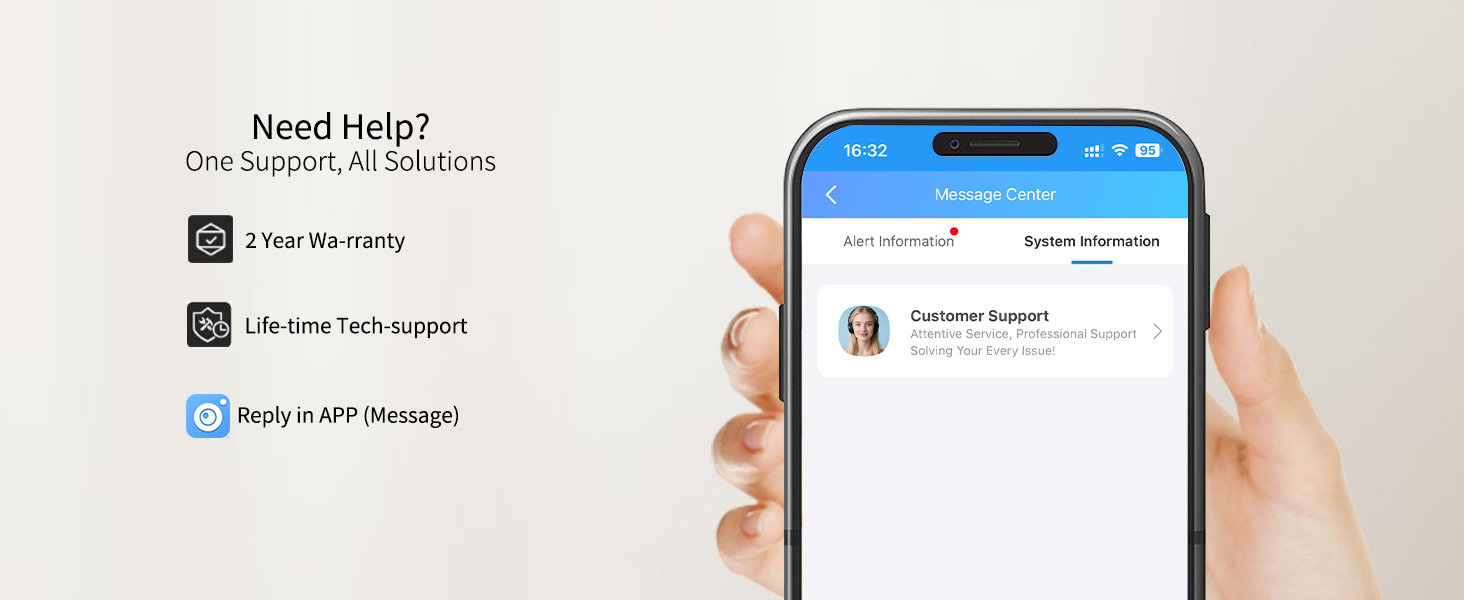
Figure 11: VIMTAG Підтримка клієнтів


