1. Вступ
This manual provides essential information for the safe and effective use of your Ortur LU2-10A 10000mW Laser Module. Please read these instructions carefully before installation and operation. This laser module is designed for high-precision engraving and cutting with Ortur Laser Engravers.
2. Вміст упаковки
Перевірте, чи всі перелічені нижче компоненти присутні у вашій упаковці:

Зображення: Детальне view of all components included in the Ortur LU2-10A Laser Module package, such as the laser module, laser shield, air assist, various screws, cables, and tools.
- LU2-10A Laser Module
- Laser Shield
- Air Assist
- Блок підтримки
- повзунок
- OUC2.0
- Small Coupling
- Адаптер живлення 24 В 2 А
- Dedicated LaserWire
- Повітряна труба
- Трубний з'єднувач
- Normal Adapter Cable
- Laser Backboard
- M3x5mm Screws*6 (Used for Slider)
- Thumb Screws*2
- M3x8mm Screws*4 (Used for OLM2S2)
- M3x12mm Screws*4 (Used for OLM2)
- Кабельні стяжки*10
- M3 Gasket*1
- Розвідний ключ
- Об'єктив
- Регулятор витрати повітря
- OLM2/S2 OUC Exclusive Adapter Cable
3. Налаштування та встановлення
This section guides you through the assembly and installation of the LU2-10A Laser Module onto your Ortur Laser Engraver. Ensure the engraver is powered off and disconnected from the power source before beginning installation.
3.1. Installation Tutorial Video
Video: A detailed installation tutorial for the Ortur Laser Master 2 Pro S2 LU2-10A, demonstrating step-by-step assembly and connection procedures.
3.2. Laser Module Installation Steps
- Attach the laser module to the engraver's carriage.
- Secure the laser module using the provided thumbscrews.
- Insert the 5-pin terminal of the dedicated laser line into the laser module's port.
- Connect the other end of the laser line to the appropriate port on the engraver's control board.
- Install the laser shield onto the laser module to ensure eye protection during operation.
- Connect the air assist hose to the air intake port on the laser module and to an external air pump (not included).

Image: The Ortur LU2-10A Laser Module actively cutting a piece of wood, demonstrating its operational capability.
4. Інструкція з експлуатації
The Ortur LU2-10A Laser Module offers powerful and precise capabilities for various materials.
4.1. Ключові характеристики
- Широка сумісність: Compatible with Ortur Laser Master 2, Ortur Laser Master 2 S2, Ortur Laser Master 2Pro S2, and Ortur Laser Master 3 Laser Engravers.
- Універсальність матеріалу: Engrave and cut acrylic, metal, wood, stainless steel, glass, ceramics, leather, food, paper, fabric, and more.
- Потужний вихід: True 10000mW laser output for effective cutting and engraving.
- Висока точність: Compressed spot size of 0.05mm x 0.1mm for detailed work.
- Висока ефективність: Lightweight design (235g) allows for engraving speeds up to 15000mm/min.
- Двовентиляторне охолодження: Optimized cooling system ensures stable long-term operation without overheating.
- Стабільна робота: 24V electrical system and high-quality cables support 24 hours of uninterrupted, consistent engraving.
4.2. Можливості гравіювання та різання
The LU2-10A module is capable of cutting various materials with significant thickness:
- Up to 30mm acrylic.
- Up to 20mm wood.

Image: An internal diagram illustrating how two 5.5W laser beams are combined using light combing lenses to achieve a true 10W output with a precise 0.05 x 0.1mm compressed spot.

Image: The Ortur LU2-10A Laser Module highlighting its air intake for cooling and its lightweight design (only 235g), contributing to high engraving speeds.

Зображення: Прозорий view of the Ortur LU2-10A Laser Module, showing the internal arrangement of two 5.5W lasers combining to form a single 10W output beam.

Image: The Ortur LU2-10A Laser Module featuring its built-in air assist system, with an example showing a cleaner cut (labeled "Ours") compared to a cut without air assist (labeled "Other").
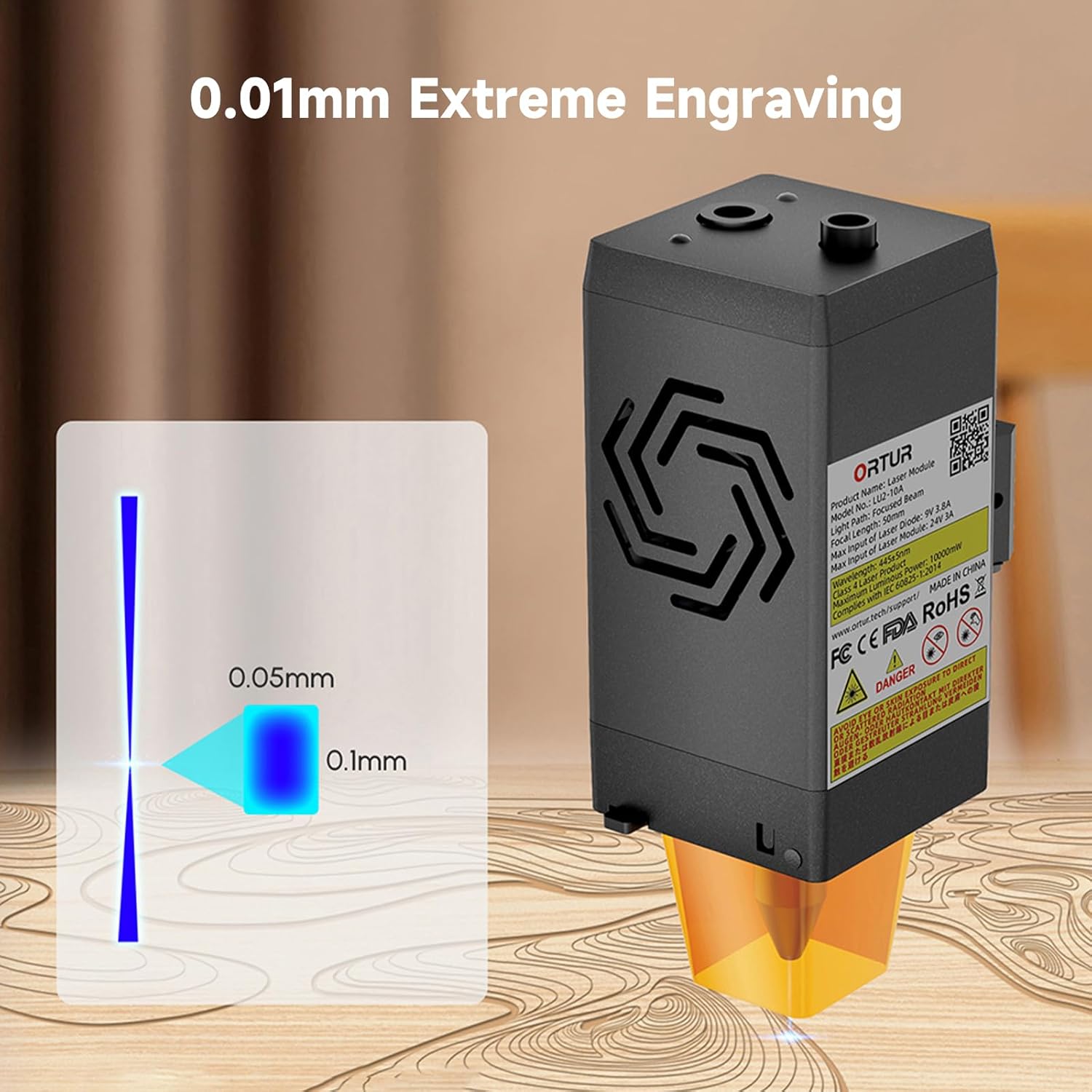
Image: A visual representation of the laser's compressed spot, showing its dimensions of 0.05mm x 0.1mm, which enables extreme precision in engraving.
5. Технічне обслуговування
Регулярне технічне обслуговування забезпечує оптимальну продуктивність та подовжує термін служби вашого лазерного модуля.
- Очищення лінз: Періодично очищуйте лазерну лінзу м’якою тканиною без ворсу та відповідним розчином для чищення лінз, щоб запобігти накопиченню залишків, які можуть вплинути на роботу лазера.
- Повітряна допоміжна форсунка: Ensure the air assist nozzle is clear of debris to maintain effective airflow during cutting and engraving.
- Вентилятори охолодження: Check the dual cooling fans for dust accumulation and clean them gently to ensure proper heat dissipation.
- Перевірка кабелю: Regularly inspect all cables for any signs of wear, damage, or loose connections.
6. Вирішення проблем
This section addresses common issues you might encounter with your Ortur LU2-10A Laser Module.
| проблема | Можлива причина | Рішення |
|---|---|---|
| Лазер не працює або має слабкий вихідний сигнал. |
|
|
| Inconsistent engraving/cutting results. |
|
|
| Air assist not functioning. |
|
|
7. Технічні характеристики
| Особливість | Деталь |
|---|---|
| Розміри продукту | 4.72 x 1.97 x 1.73 дюймів |
| Номер моделі товару | Ortur-LaserMaster2-ProS2 (LU2-10A variant) |
| Вага товару | 1.54 фунта |
| Вихідна потужність лазера | 10000 мВт (10 Вт) |
| Розмір стиснутої плями | 0.05 мм х 0.1 мм |
| Швидкість гравіювання | До 15000 мм/хв |
| Система охолодження | Dual Fan Cooling |
| Електрична система | 24 В |
| Сумісність | Ortur Laser Master 2, 2 S2, 2Pro S2, 3 |
8. Гарантія та підтримка
For warranty information, technical support, or further assistance, please refer to the official Ortur webсайт або зверніться безпосередньо до служби підтримки клієнтів. Зберігайте чек про покупку як підтвердження покупки.
Official Ortur Webсайт: www.ortur.net


