вступ
Thank you for choosing the ATTACK SHARK G500 Wireless Over-ear Noise Canceling Headphones. This manual provides detailed instructions for setting up, operating, maintaining, and troubleshooting your new headphones. Please read this manual thoroughly before use to ensure optimal performance and longevity of your device.
Продукт закінченийview
The ATTACK SHARK G500 headphones are designed to deliver a superior audio experience with advanced Active Noise Cancellation (ANC) technology. They offer versatile connectivity options, comfortable wear, and long-lasting battery life, making them suitable for various activities from gaming to travel.

Figure 1: ATTACK SHARK G500 Wireless Over-ear Noise Canceling Headphones (Beige)
The image displays the ATTACK SHARK G500 headphones in a beige color, highlighting their over-ear design and cushioned earcups.
Вміст упаковки
- ATTACK SHARK G500 Wireless Over-ear Headphones
- Зарядний кабель USB Type-C
- Аудіокабель 3.5 мм
- Посібник користувача

Figure 2: Included accessories with the G500 headphones
This image shows the complete package contents, including the headphones, charging cable, 3.5mm audio cable, and the user manual.
Налаштування
1. Зарядка навушників
- Locate the USB Type-C charging port on the headphone earcup.
- Connect the provided USB Type-C charging cable to the headphones and a compatible USB power source (e.g., computer, wall adapter).
- The LED indicator will illuminate during charging. A full charge typically takes approximately 2 hours.
- Світлодіодний індикатор змінить колір або вимкнеться після завершення заряджання.
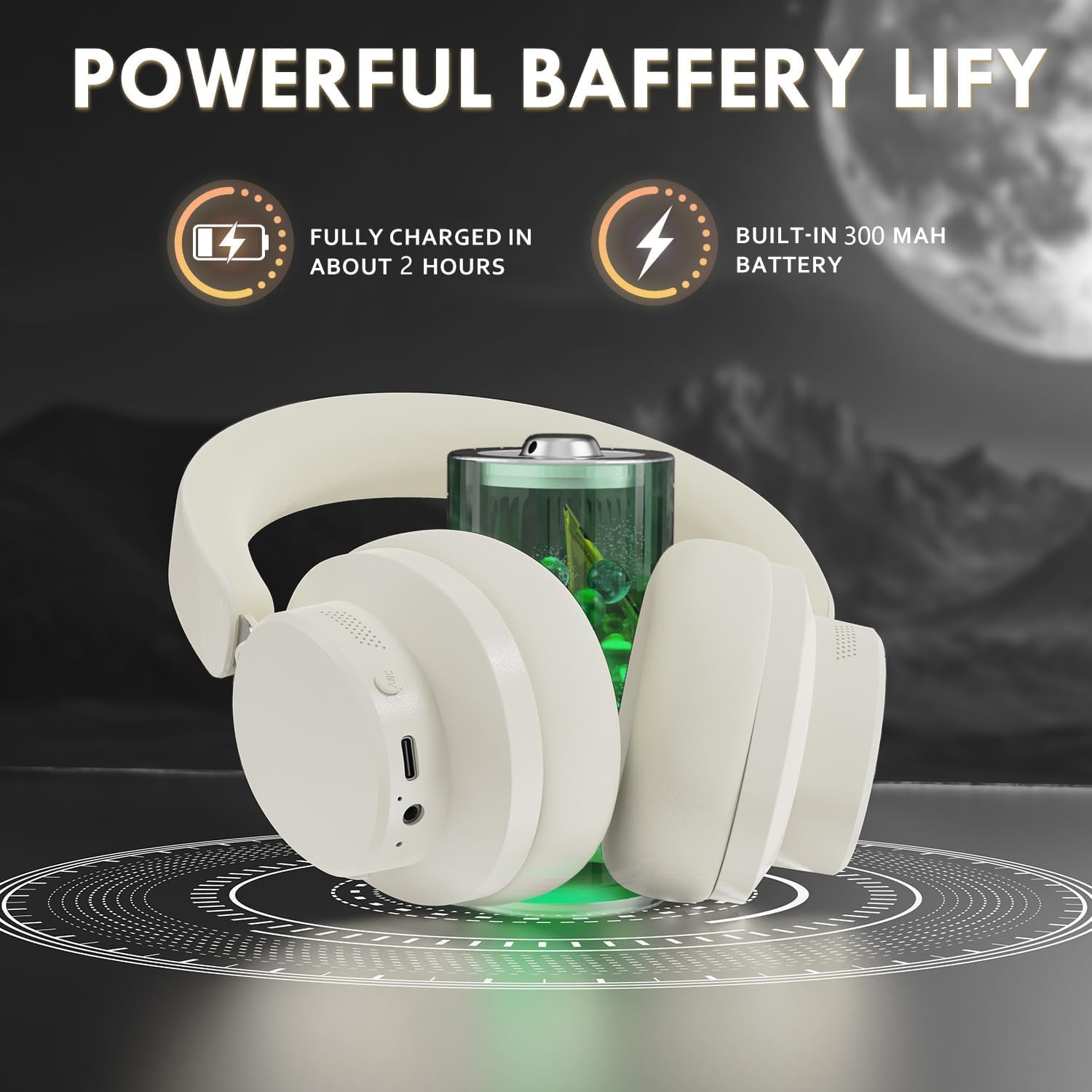
Figure 3: Location of the charging port and LED indicator
This image highlights the USB Type-C charging port and the LED indicator on the headphone earcup, essential for monitoring charging status.
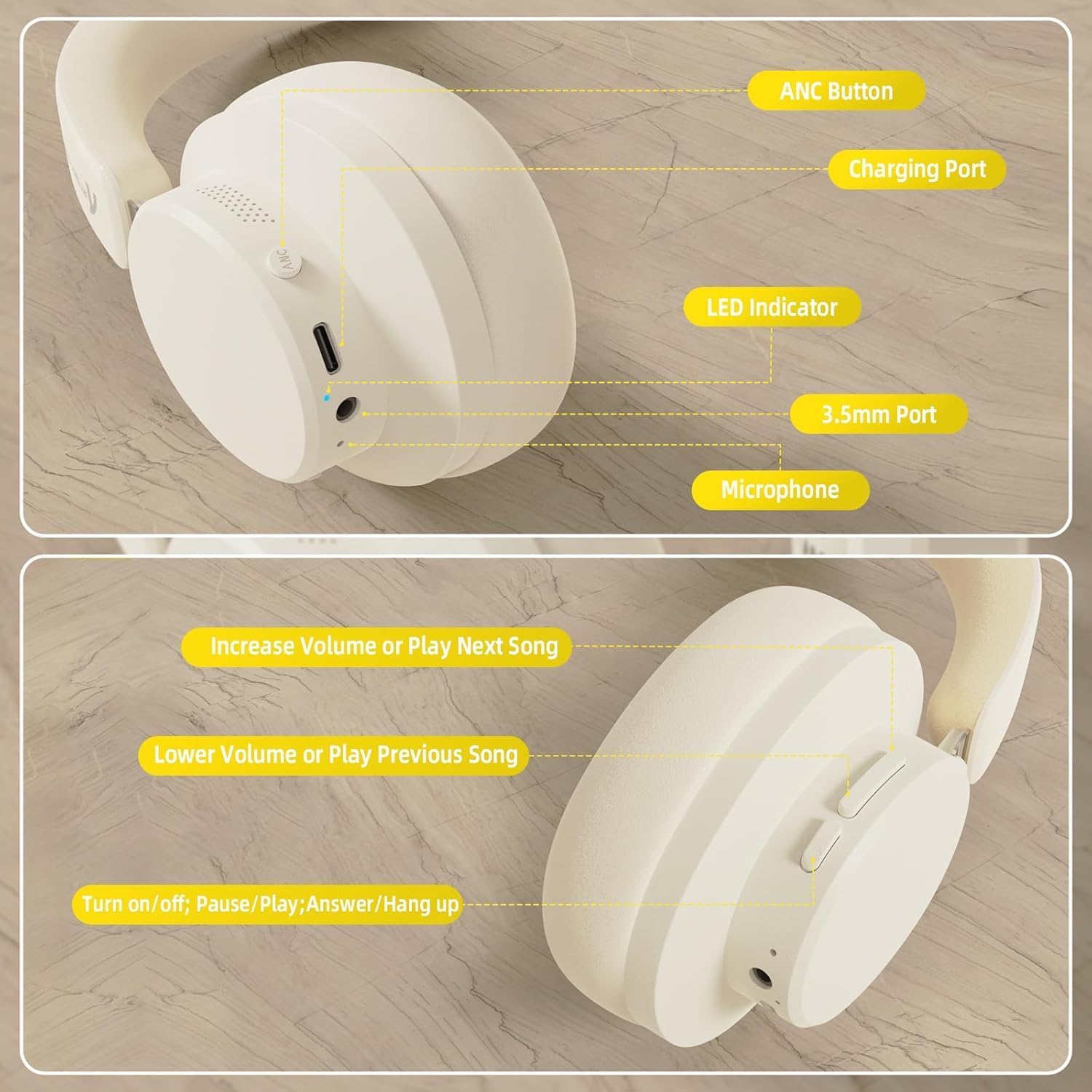
Figure 4: Visual representation of headphones charging
The image illustrates the headphones connected to a power source, with a battery icon indicating the charging process.
2. Підключення Bluetooth
- Переконайтеся, що навушники повністю заряджені та вимкнені.
- Press and hold the Power/Multi-function button until the LED indicator flashes, indicating pairing mode.
- На вашому пристрої (смартфоні, планшеті, ноутбуці) увімкніть Bluetooth та знайдіть доступні пристрої.
- Select "ATTACK SHARK G500" from the list of devices to pair.
- The LED indicator will stop flashing and remain solid once successfully paired.
Video 1: ATTACK SHARK G300 Wireless Over-Ear Headphones (demonstrates general headphone features, including connectivity)
Це відео надає загальний оглядview of ATTACK SHARK wireless over-ear headphones, showcasing their design and some features, which can be helpful for understanding the physical aspects and basic operation of the G500 model.
Figure 5: Dual mode connection example
The image illustrates the headphones connected wirelessly to both a smartphone and a laptop, demonstrating the dual-mode connectivity.
3. Провідне підключення
- Insert one end of the 3.5mm audio cable into the 3.5mm port on the headphone earcup.
- Підключіть інший кінець аудіокабелю 3.5 мм до аудіовиходу вашого пристрою.
- Навушники автоматично перемикаються в дротовий режим.
Інструкція з експлуатації
Контроль надview
Малюнок 6: Детально view керування навушниками
This image provides a clear diagram of all control buttons and ports on the headphones, including the ANC button, charging port, LED indicator, 3.5mm port, and microphone.
Увімкнення/вимкнення живлення
- To Power On: Press and hold the Multi-function button for 3 seconds.
- To Power Off: Press and hold the Multi-function button for 3 seconds.
Активне скасування шуму (ANC)
- Press the ANC button to toggle Active Noise Cancellation on/off.
- When ANC is active, ambient noise will be significantly reduced.
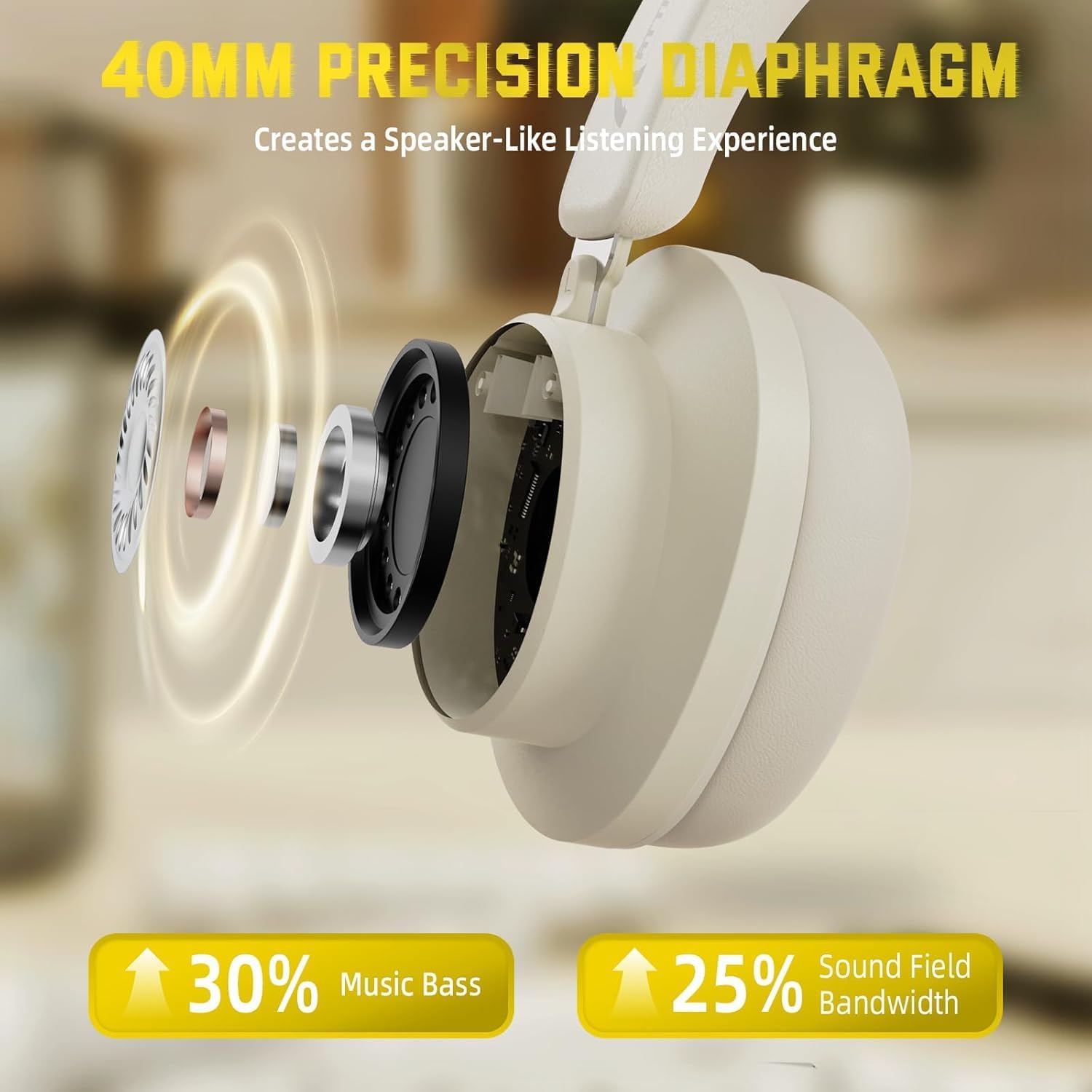
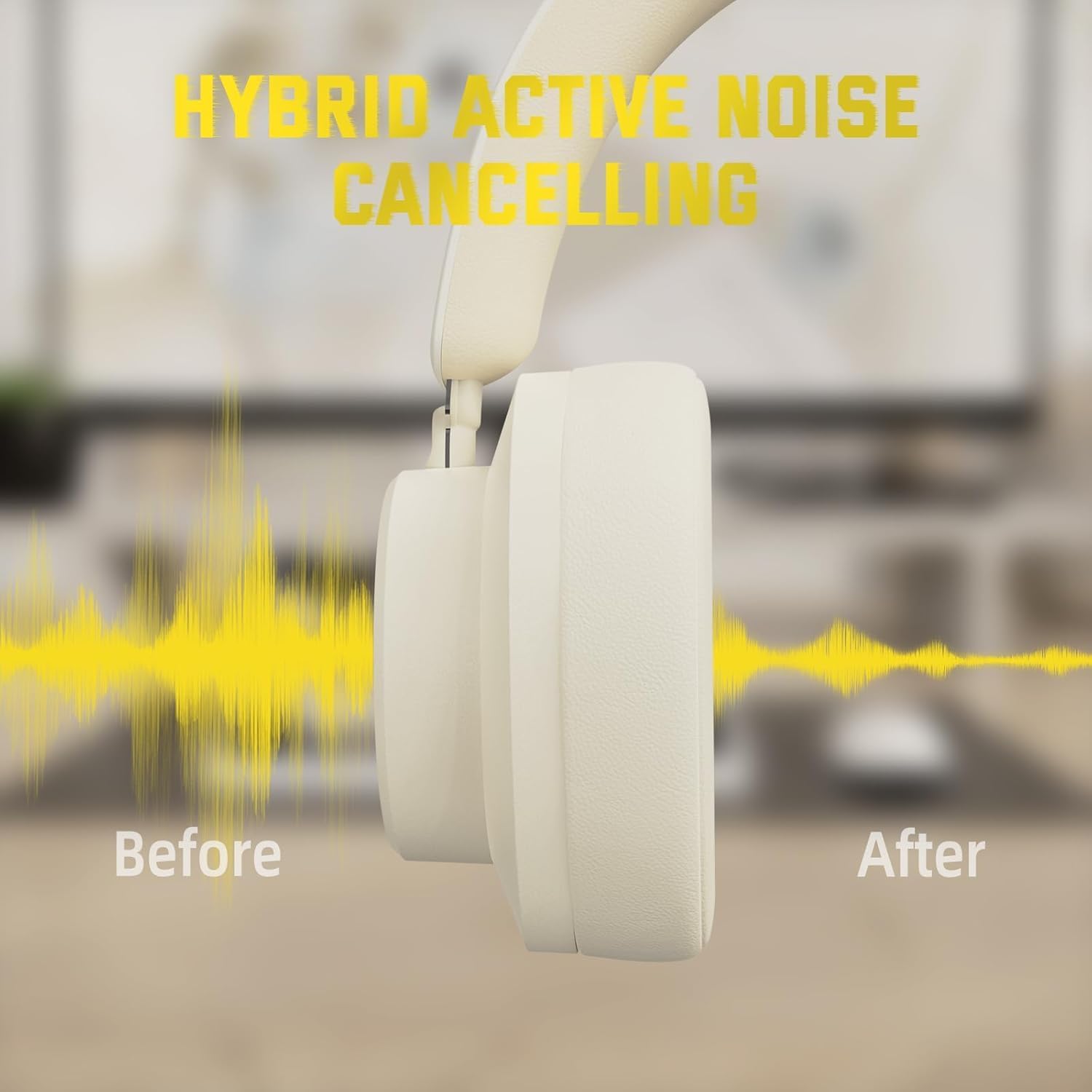
Figure 7: Hybrid Active Noise Cancelling in action
This diagram visually represents the effect of Hybrid Active Noise Cancelling, showing how external noise is reduced when the feature is activated.
Відтворення музики та дзвінки
- Play/Pause: Short press the Multi-function button.
- Next Song: Long press the Volume + button.
- Previous Song: Long press the Volume - button.
- Volume Up: Short press the Volume + button.
- Volume Down: Short press the Volume - button.
- Answer/End Call: Short press the Multi-function button.
- Reject Call: Long press the Multi-function button.
Технічне обслуговування
- Регулярно протирайте навушники м’якою сухою тканиною.
- Уникайте впливу екстремальних температур, вологості або рідин на навушники.
- Store the headphones in a cool, dry place when not in use. The rotatable earcups allow for compact storage.
- Не намагайтеся розбирати або ремонтувати навушники самостійно, оскільки це призведе до втрати гарантії.

Figure 8: Rotatable earcups for easy storage
This image demonstrates the rotatable earcups, which allow the headphones to be folded flat for convenient storage and portability.
Усунення несправностей
| проблема | Можливе рішення |
|---|---|
| Не вмикаються навушники | Ensure the headphones are fully charged. Press and hold the Multi-function button for 3-5 seconds. |
| Не вдається підключитися через Bluetooth | Make sure the headphones are in pairing mode (flashing LED). Turn off and on Bluetooth on your device. Ensure the headphones are not connected to another device. |
| Немає звуку в бездротовому режимі | Перевірте гучність пристрою та гучність навушників. Переконайтеся, що навушники успішно сполучено. Спробуйте повторити сполучення. |
| Немає звуку в дротовому режимі | Ensure the 3.5mm audio cable is securely connected to both the headphones and the device. Check device volume. |
| АНК працює неефективно | Ensure the ANC button is pressed and the feature is active. Adjust headphone fit to ensure a good seal around your ears. |
Технічні характеристики
| Особливість | Деталь |
|---|---|
| Назва моделі | G500 |
| Технологія підключення | Дротовий, бездротовий (Bluetooth 5.0) |
| Гніздо для навушників | 3.5 мм джек |
| Контроль шуму | Active Noise Cancellation (21±2DB reduction) |
| Тип аудіо драйвера | 40-мм неодимовий динамічний драйвер |
| Термін служби батареї | Up to 20 Hours (300 mAh battery) |
| матеріал | Memory Foam, Plastic/Other Lightweight Polymer |
| Вага товару | 10.8 унцій (приблизно 210 г) |
| Особливості | Microphone Included, Rechargeable Battery, Rotatable Earcups |
| Сумісні пристрої | Laptops, Desktops, Tablets, Telephones, Gaming Consoles, Cellphones |
Гарантія та підтримка
For warranty information and customer support, please refer to the official ATTACK SHARK webсайт або зверніться до продавця. Зберігайте чек про покупку як підтвердження покупки для гарантійних претензій.


