1. Вступ
This manual provides essential information for setting up, operating, maintaining, and troubleshooting your LG gram 17 inch laptop. Please read this manual thoroughly before using your device to ensure proper functionality and longevity.
2. Налаштування
2.1 Початкове ввімкнення
- Розпакуйте ноутбук: Carefully remove the LG gram 17 laptop and all accessories from its packaging.
- Підключіть живлення: Plug the AC adapter into the laptop's power port (USB Type-C Thunderbolt 4 port) and then into a wall outlet.
- Увімкнення: Відкрийте кришку ноутбука та натисніть кнопку живлення, яка зазвичай розташована у верхньому правому куті клавіатури.
- Initial Windows 11 Pro Setup: Дотримуйтесь підказок на екрані, щоб завершити налаштування Windows 11 Pro, включаючи вибір мови, підключення до мережі та створення облікового запису користувача.
2.2 Підключення периферійних пристроїв
The LG gram 17 offers various ports for connecting external devices:
- USB пристрої: Use the 2x USB 3.2 Gen 2 Type-A ports for mice, keyboards, or external storage.
- Пристрої USB-C / Thunderbolt: Use the 2x Thunderbolt 4 USB 4.0 Gen 3 Type-C ports for high-speed data transfer, external displays, or charging.
- Зовнішній дисплей: Connect an external monitor via the HDMI port or a Thunderbolt 4 port (with appropriate adapter, if needed).
- Аудіо: Use the 3.5mm headphone-out jack for headphones or external speakers.
- Micro SD Card: Insert a Micro SD card into the dedicated slot for additional storage or data transfer.

Зображення: Оверview of the LG gram 17 laptop's connectivity ports, including USB Type-A, USB Type-C Thunderbolt 4, HDMI, headphone-out, and Micro SD slot.
3. особливості
3.1 Дисплей
The LG gram 17 features a large 17-inch WQXGA (2560 x 1600) IPS touchscreen display with DCI-P3 99% color gamut support, providing vibrant colors and sharp details.

Image: The LG gram 17's 17-inch WQXGA IPS display, highlighting its 16:10 aspect ratio and DCI-P3 99% color accuracy.
3.2 Продуктивність
Powered by the Intel Core Ultra 7 processor with 47 NPU TOPS, 32GB DDR5 RAM, and a 2TB PCIe SSD, the laptop delivers responsive performance for multitasking, productivity, and demanding applications.

Image: The LG gram 17 laptop, emphasizing its Intel Core Ultra processor and AI capabilities with up to 47 TOPS NPU.
3.3 Design and Input
The LG gram 17 is designed to be ultra-thin and lightweight, making it highly portable. It features a backlit keyboard for comfortable typing in various lighting conditions and a precision touchpad with scroll and gesture functions.

Зображення: Детальний view of the LG gram's backlit keyboard, illustrating the illumination of the keys for use in low-light environments.
3.4 Термін служби батареї
Equipped with a 77WHr Lithium Ion battery, the laptop offers up to 23.5 hours of video playback, ensuring extended usage on a single charge.

Image: The LG gram laptop screen showing "23.5 hrs" to represent its long battery life, with a visual of the laptop in use.
3.5 Operating System and AI Features
The LG gram 17 comes with Windows 11 Pro pre-installed, featuring AI-driven tools for enhanced productivity, creativity, and accessibility, including Copilot+PC functionalities.
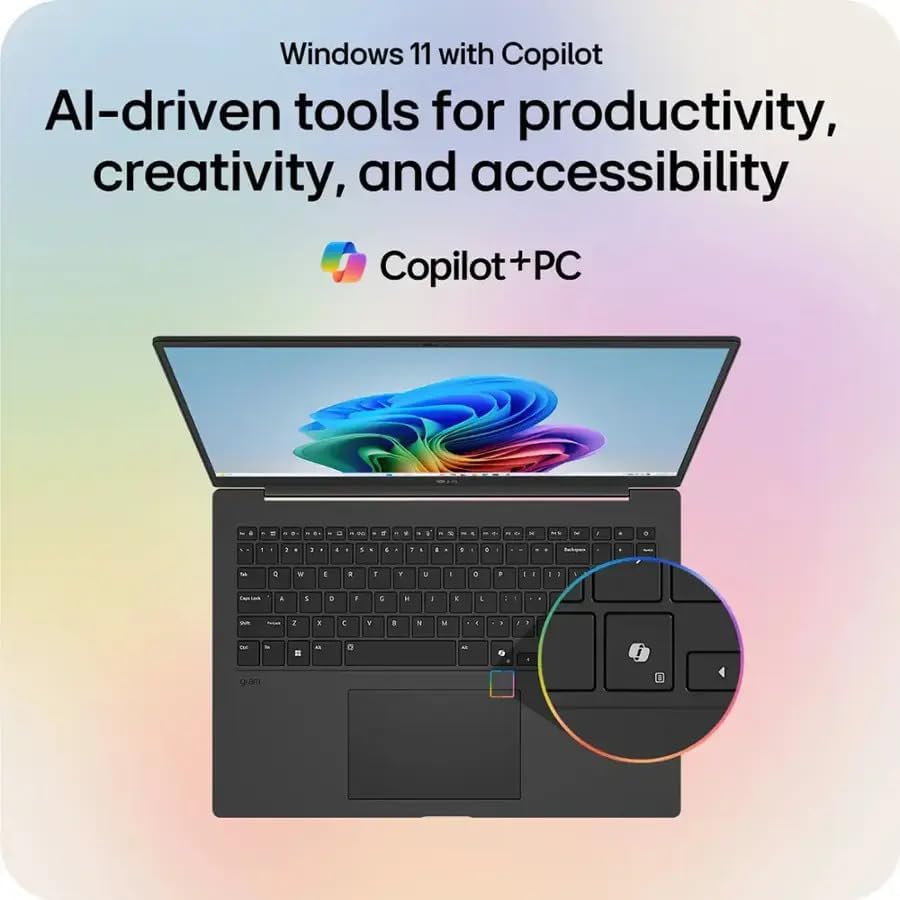
Image: The LG gram laptop showcasing the Windows 11 interface with Copilot, emphasizing its AI-driven tools for productivity and creativity.
3.6 Функціональність сенсорного екрана
The 17-inch WQXGA display is a touchscreen, allowing for intuitive interaction using your fingers or a compatible stylus.

Image: A user's hand touching the screen of the LG gram laptop, illustrating its touchscreen capability.
4. Інструкція з експлуатації
4.1 Основне використання
- Клавіатура: Use the full-size backlit keyboard for typing. Function keys (F1-F12) often have secondary actions (e.g., volume, brightness) accessible by pressing the Fn key.
- Сенсорна панель: The precision touchpad supports multi-touch gestures for navigation, scrolling, and zooming.
- Сенсорний екран: Interact directly with the display using touch gestures. Swipe, tap, pinch-to-zoom, and other gestures are supported.
4.2 Керування живленням
- Зарядка: Connect the AC adapter to any Thunderbolt 4 (USB-C) port for charging. The battery indicator light will show charging status.
- Режим сну: Close the lid or press the power button briefly to put the laptop into sleep mode.
- Вимкнути: To turn off the laptop, go to Start > Power > Shut down.
4.3 Підключення до мережі
- Wi-Fi: The laptop supports Intel Wi-Fi 7. To connect, click the Wi-Fi icon in the taskbar, select your network, and enter the password.
- Bluetooth: Enable Bluetooth in Windows settings to pair with wireless accessories like headphones or mice.
5. Технічне обслуговування
5.1 Очищення
- екран: Злегка протріть м’якою тканиною без ворсу dampводою або засобом для чищення екранів. Уникайте агресивних хімікатів.
- Клавіатура та корпус: Використовуйте м’яку, суху тканину. Для стійкого бруду злегкаamp можна використовувати тканину, переконавшись, що рідина не потрапить у отвори.
5.2 Догляд за акумулятором
- Уникайте екстремальних температур.
- Не розряджайте акумулятор часто повністю.
- Для тривалого зберігання зарядіть акумулятор приблизно до 50-60%.
5.3 Оновлення програмного забезпечення
Regularly check for and install Windows updates and LG driver updates to ensure optimal performance and security. Go to Start > Settings > Windows Update.
6. Вирішення проблем
- Ноутбук не вмикається:
- Переконайтеся, що адаптер змінного струму надійно підключено, а розетка справна.
- Спробуйте іншу розетку.
- If the battery is completely drained, it may take a few minutes of charging before it can power on.
- Проблеми з відображенням:
- If the screen is blank, try pressing Fn + F10 (or the appropriate function key for display output) to cycle through display modes.
- Переконайтеся, що драйвери дисплея оновлені.
- Немає з'єднання з Wi-Fi:
- Перевірте, чи ввімкнено Wi-Fi у налаштуваннях Windows.
- Перезавантажте маршрутизатор і модем.
- Запустіть засіб усунення несправностей мережі Windows.
- Повільна продуктивність:
- Закрийте непотрібні програми.
- Перевірте наявність фонових процесів, які споживають багато ресурсів (Диспетчер завдань).
- Переконайтеся, що на SSD-накопичувачі достатньо вільного місця.
- Запустіть перевірку на віруси.
7. Технічні характеристики
| Особливість | Деталь |
|---|---|
| Назва моделі | LG грам 17 |
| Операційна система | Windows 11 Pro |
| Процесор | Intel Core Ultra 7 258V (3.7 ГГц) |
| Графіка | Intel Arc Graphics (Integrated) |
| ОЗУ | 32 ГБ оперативної пам'яті DDR5 |
| Зберігання | Твердотільний накопичувач PCIe ємністю 2 ТБ |
| Дисплей | 17.3-inch WQXGA (2560 x 1600) IPS Touchscreen, DCI-P3 99% |
| Бездротова технологія | Intel Wi-Fi 7 + Bluetooth |
| Порти | 2x Thunderbolt 4 USB 4.0 Gen 3 Type-C, 2x USB 3.2 Gen 2 Type-A, 1x HDMI, 1x Headphone-out, 1x Micro SD Slot |
| Клавіатура | Клавіатура з підсвічуванням |
| Акумулятор | 77WHr Lithium Ion, up to 23.5 hours (video playback) |
| Розміри (ДxШxВ) | 14 x 11 x 0.7 дюймів |
| вага | 3.19 фунтів |
8. Гарантія та підтримка
The LG gram 17 laptop comes with a standard warranty. Specifically, a 1-year standard warranty is provided on the upgraded SSD. For detailed warranty terms and conditions, please refer to the documentation included with your product or visit the official LG support webсайт.
For technical assistance, troubleshooting, or service inquiries, please contact LG customer support.