1. Вступ
The UGREEN 9-in-1 USB-C Docking Station is designed to expand the connectivity of your USB-C compatible devices, such as handheld gaming consoles, laptops, tablets, and smartphones. It features multiple ports for video output, data transfer, network connectivity, and power delivery, all integrated into a compact and foldable design.
This docking station includes a unique adjustable and foldable stand, which helps maintain optimal airflow for your device, preventing overheating during extended use. Its robust aluminum construction ensures durability and portability.
2. Характеристики та компоненти продукту
The UGREEN 9-in-1 Docking Station offers a comprehensive set of ports and features:
- Adjustable Foldable Stand: Designed to provide stable support and improve heat dissipation for your device.
- Вихід DisplayPort: Supports resolutions up to 4K (3840x2160) at 120Hz, backward compatible with 4K@30Hz, 2K@60Hz, and 1080P@120Hz. Also supports high refresh rates like 2K@144Hz, 2K@120Hz, 1080P@240Hz, and 1080P@144Hz.
- Порт Gigabit Ethernet: Provides stable and fast wired network connectivity (up to 1000Mbps).
- USB 3.2 Gen 2 Ports (1x USB-A, 1x USB-C): Offers high-speed data transfer up to 10Gbps.
- Порти USB 2.0 (2x USB-A): Suitable for connecting peripherals like keyboards, mice, and game controllers.
- Power Delivery (PD) 100W USB-C Port: Supports fast charging for your connected device. Note: Actual charging speed depends on the device and power adapter.
- TF/SD Card Slots: Для зручного доступу до карт пам'яті.

Малюнок 1: Закінченоview of the UGREEN 9-in-1 Docking Station with labeled ports.

Figure 2: The adjustable and foldable stand design for optimal viewing and heat dissipation.
3. Інструкції з налаштування
- Розгорніть підставку: Gently unfold the two panels of the docking station to create the stand. Ensure it is stable on a flat surface.
- Підключіть живлення: Connect a USB-C power adapter (not included) to the PD 100W USB-C input port on the back of the docking station.
- Підключення до пристрою: Use the included USB-C cable to connect your handheld gaming console (e.g., Steam Deck, ROG Ally) or other compatible USB-C device to the dedicated USB-C host port on the docking station. The angled end of the cable is designed for convenient connection to handheld devices.
- Підключення дисплея (необов'язково): For external display, connect a DisplayPort cable from the docking station's DisplayPort output to your monitor or TV. Note: HDMI output requires a separate DP-to-HDMI adapter (not included).
- Підключення периферійних пристроїв (необов'язково): Plug in your USB peripherals (keyboard, mouse, external hard drives, game controllers) into the available USB-A and USB-C data ports.
- Підключення Ethernet (необов'язково): Для дротового інтернету підключіть кабель Ethernet до порту Gigabit Ethernet.
- Вставте карти пам'яті (необов'язково): Вставте карти SD або TF у відповідні слоти для доступу до даних.

Figure 3: Connecting various USB accessories to the docking station.
4. Інструкція з експлуатації
4.1 Подача живлення
The docking station supports up to 100W Power Delivery. When connected to a compatible power adapter, it will charge your device while in use. The actual charging speed will vary depending on your device's power requirements (e.g., Steam Deck max 45W, ROG Ally max 65W).

Figure 4: Fast charging a handheld device via the PD 100W port.
4.2 Відображення
Connect your device to an external monitor via the DisplayPort for an enhanced visual experience. The dock supports high resolutions and refresh rates, ideal for gaming. Ensure your monitor and DisplayPort cable support the desired resolution and refresh rate.
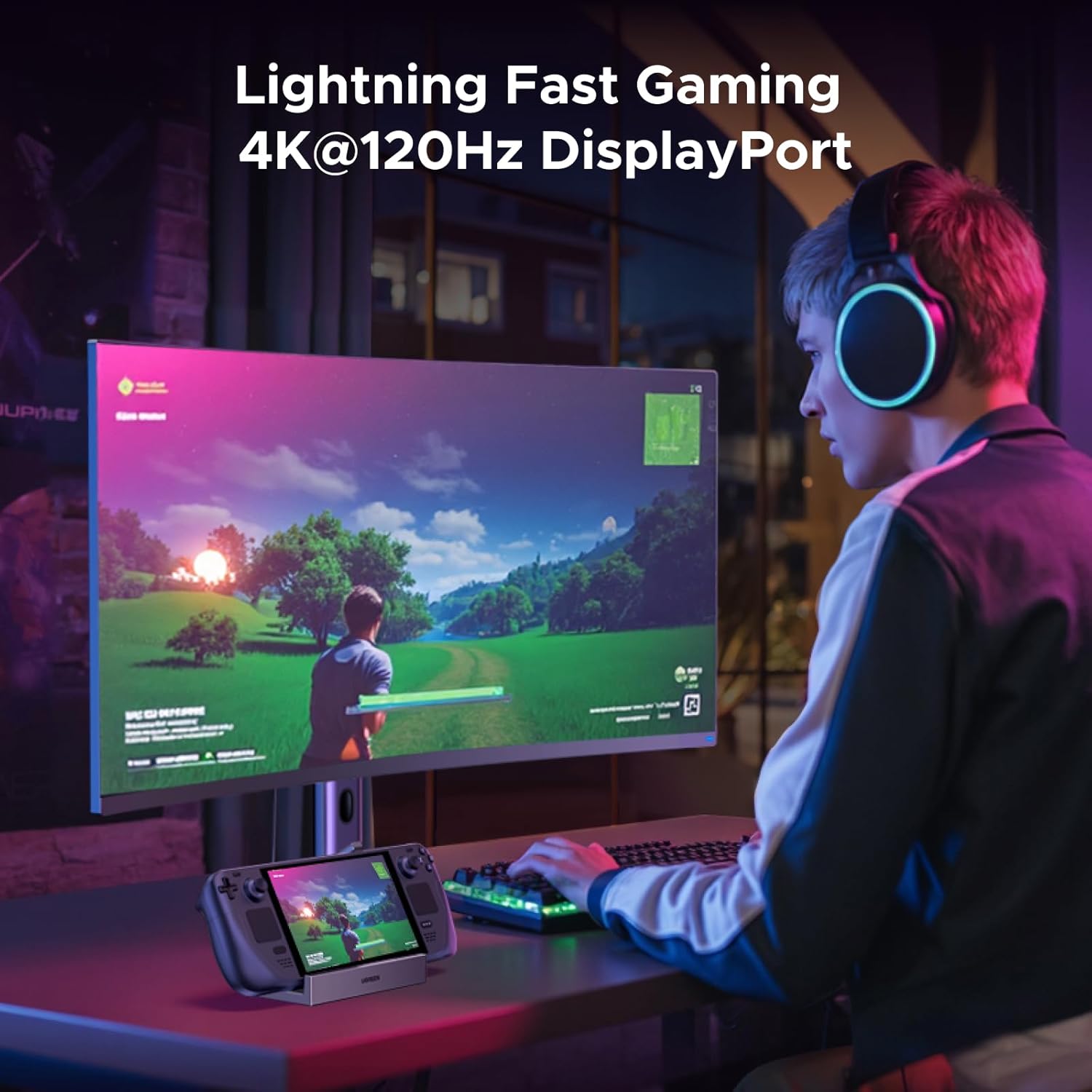
Figure 5: Gaming on an external monitor using the DisplayPort output.
4.3 Передача даних
Utilize the 10Gbps USB 3.2 ports (USB-A and USB-C) for rapid file transfers, such as downloading games or moving large media files. The USB 2.0 ports are suitable for lower-bandwidth devices like input peripherals.
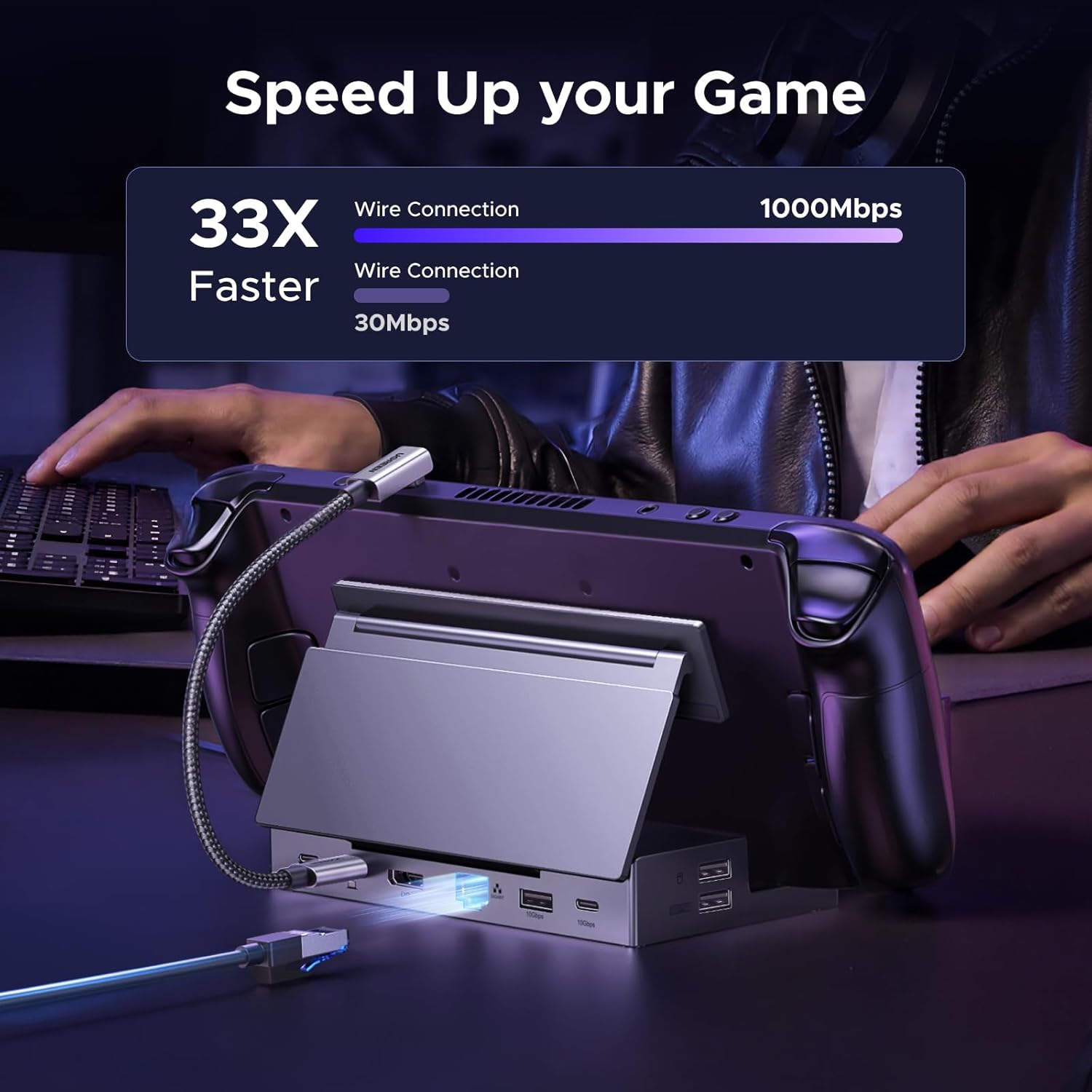
Figure 6: Demonstrating fast data transfer and network speeds.
4.4 Підключення до мережі
The Gigabit Ethernet port provides a stable and high-speed internet connection, which is often more reliable than Wi-Fi, especially for online gaming or large downloads.
4.5 Memory Card Access
The integrated TF/SD card slots allow for easy access to data stored on memory cards, useful for expanding storage or transferring files.
5. Сумісність
This docking station is widely compatible with various USB-C devices, including:
- Steam Deck
- Союзник ROG
- ROG Xbox Ally
- LEGION Go
- MSI Claw A1M
- iPad Pro/Air
- Surface Pro 8 & Go 3
NOTE: Not compatible with Nintendo Switch 2.
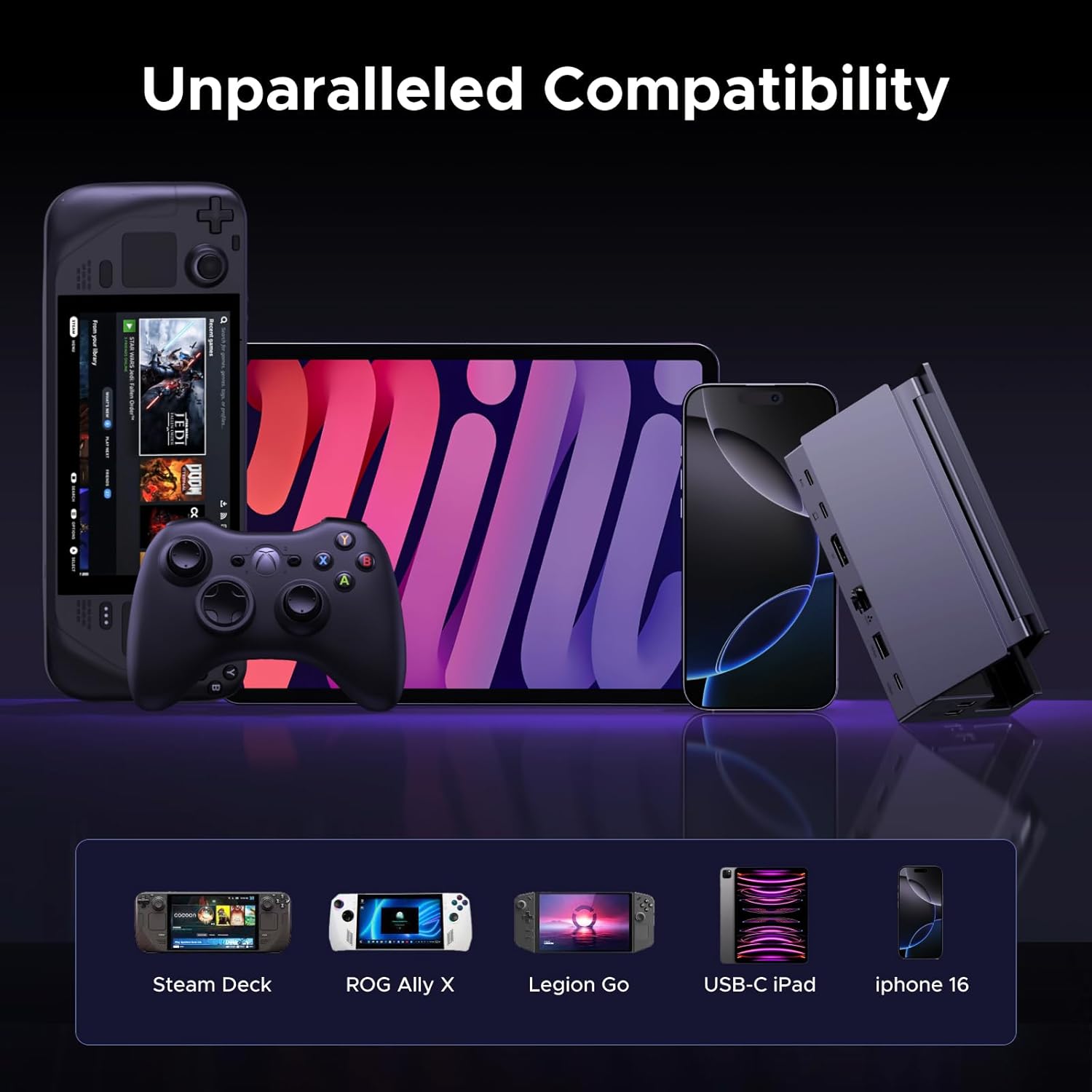
Figure 7: The docking station's broad compatibility with different USB-C devices.
6. Технічне обслуговування
To ensure the longevity and optimal performance of your UGREEN docking station, follow these maintenance guidelines:
- Підтримуйте чистоту пристрою, протираючи його м’якою сухою тканиною. Уникайте використання агресивних хімікатів або абразивних матеріалів.
- Зберігайте док-станцію в прохолодному, сухому місці, подалі від прямих сонячних променів та екстремальних температур.
- Не кидайте пристрій і не піддавайте його сильним ударам.
- Переконайтеся, що всі кабелі надійно підключені, але не вставляйте їх у порти силоміць.
7. Вирішення проблем
If you encounter issues with your docking station, consider the following:
- Немає виводу на дисплей:
- Ensure the USB-C host cable is securely connected to both the docking station and your device.
- Verify that the DisplayPort cable is properly connected to both the dock and the monitor.
- Перевірте налаштування дисплея вашого пристрою, щоб переконатися, що зовнішній монітор виявлено та налаштовано правильно.
- Confirm that your monitor is set to the correct input source (DisplayPort).
- Проблеми із зарядкою:
- Ensure a compatible USB-C power adapter (100W recommended) is connected to the PD input port.
- Verify the power cable is functioning correctly.
- Не працюють USB-периферійні пристрої:
- Спробуйте підключити периферійний пристрій до іншого USB-порту на док-станції.
- Ensure the peripheral is properly connected and powered, if required.
- Some high-power USB devices may require the docking station to be connected to external power.
- No Internet Connection (Ethernet):
- Check the Ethernet cable connection to both the dock and your router/modem.
- Verify your network settings on your connected device.
8. Технічні характеристики
| Особливість | Специфікація |
|---|---|
| Номер моделі | 55733 |
| Розміри продукту | 5.79 x 2.76 x 1.14 дюйми (14.7 x 7.0 x 2.9 см) |
| Вага товару | 9.3 унції (264.7 грама) |
| Кількість портів | 9 |
| Апаратний інтерфейс | DisplayPort, Ethernet, MicroSD, USB, USB Type C |
| Вихід DisplayPort | Up to 4K@120Hz (3840x2160@120Hz) |
| Ethernet | Гігабіт (1000 Мбіт/с) |
| USB-порти даних | 2x USB 3.2 Gen 2 (1x USB-A, 1x USB-C, 10Gbps), 2x USB 2.0 (USB-A, 480Mbps) |
| Електропостачання | Up to 100W (USB-C PD input) |
| Зчитувач карток | TF/SD (104MB/s) |
| Колір | чорний |
9. Офіційне відео продукту
Відео 1: Оверview of the UGREEN 9-in-1 Steam Deck Dock, demonstrating its features, connectivity options, and foldable design. This video highlights the product's build quality, port functionality, and compatibility with various handheld gaming devices.
10. Гарантія та підтримка
UGREEN products come with a standard manufacturer's warranty. For specific warranty details, product support, or technical assistance, please refer to the official UGREEN webсайт або зверніться безпосередньо до служби підтримки клієнтів UGREEN. Зберігайте чек про покупку для гарантійних претензій.


