вступ
This manual provides essential information for the safe and efficient operation of your Promethean PRM-30 LCD Projector. Please read these instructions thoroughly before using the projector and retain them for future reference.
Інформація про безпеку
- Не блокуйте вентиляційні отвори. Забезпечте достатню циркуляцію повітря навколо проектора.
- Уникайте прямого потрапляння в очі об'єктива проектора під часamp увімкнено.
- Не ставте проектор на нестійкий візок, підставку або стіл.
- Unplug the projector from the power outlet before cleaning.
- Звертайтеся до кваліфікованого сервісного персоналу.
Вміст упаковки
Перевірте наявність усіх елементів в упаковці:
- Promethean PRM-30 LCD Projector
- Пульт дистанційного керування
- Кабель живлення
- Кабель HDMI
- Посібник користувача (цей документ)
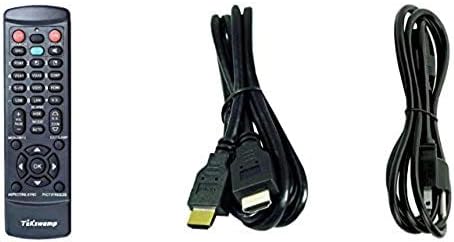
Image: Included accessories, showing the remote control, HDMI cable, and power cable.
Проектор закінчивсяview
Передня і бічна сторона View
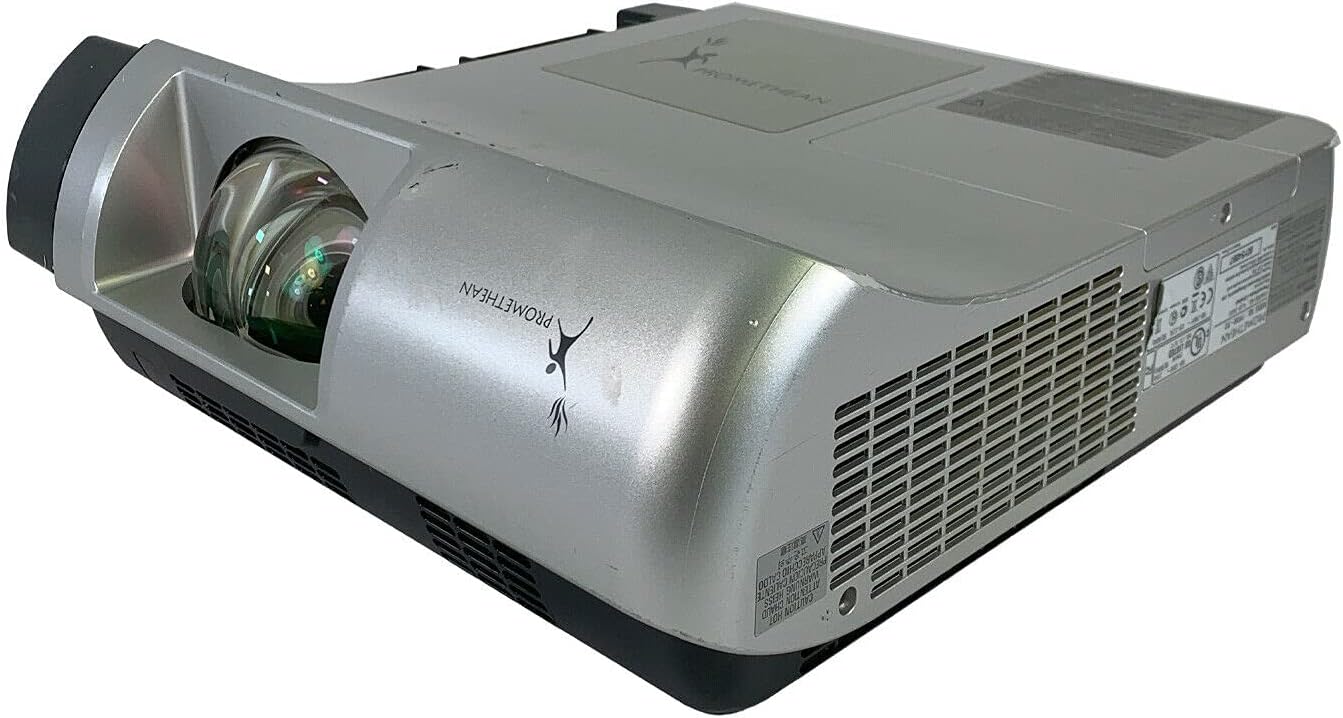
Зображення: Спереду та збоку view of the Promethean PRM-30 projector, highlighting the lens and ventilation.
Підключення задньої панелі
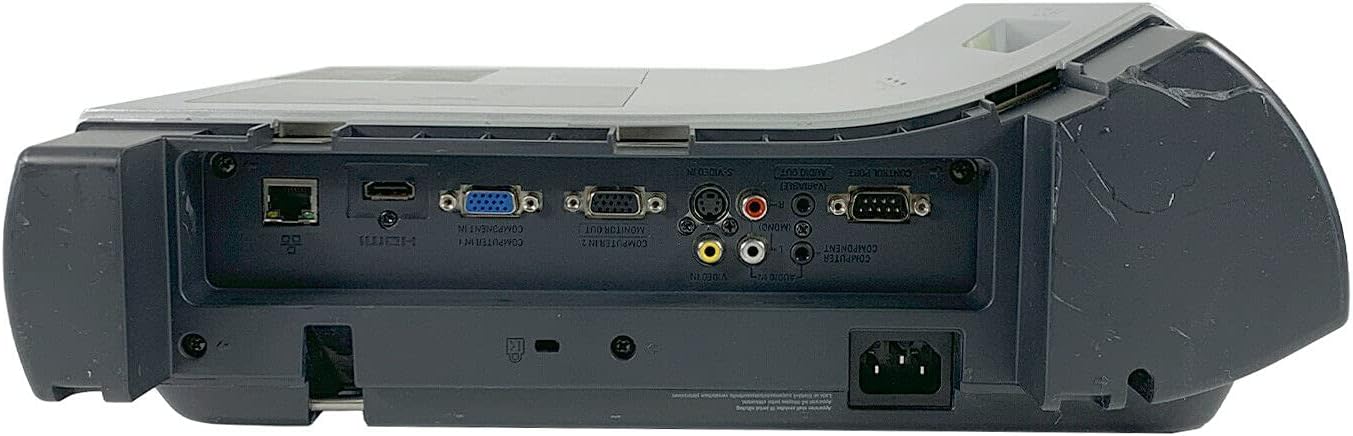
Image: Rear panel of the projector, showing various input and output ports including HDMI, VGA, Composite, LAN, and RS232.
The rear panel provides various connectivity options for your audio and video sources. Refer to the "Connecting Devices" section for detailed instructions.
Top Panel Controls and Indicators

Зображення: Верх view of the projector, displaying the control panel buttons and indicator lights for power, lamp, and warning.
The top panel features buttons for power, menu navigation, input selection, and focus/zoom adjustment. Indicator lights provide status information for power, lamp life, and warnings.
Налаштування
1. Розміщення проектора
Position the projector on a stable, flat surface or mount it securely for ceiling projection. Ensure the projector is within the optimal throw distance for your screen size. The PRM-30 supports front, rear, ceiling, and table-top projection.
- Проекція на стільницю: Розмістіть проектор на рівній поверхні перед екраном.
- Проекція стелі: Mount the projector inverted from the ceiling. Adjust settings in the menu for correct image orientation.
- Задня проекція: Place the projector behind a translucent screen. Adjust settings in the menu for correct image orientation.
2. Підключення пристроїв
Connect your video and audio sources to the appropriate ports on the projector's rear panel.
- HDMI: For high-definition digital video and audio. Use an HDMI cable to connect to your source device.
- VGA/SVGA D-Sub (Computer In): For analog computer signals. Connect using a VGA cable.
- Composite (RCA): For standard definition video. Connect using RCA cables (yellow for video, red/white for audio).
- S-відео: For enhanced standard definition video.
- Локальна мережа (RJ-45): Для керування та моніторингу мережі.
- RS232 (DB-9pin): Для послідовного керування.
- Роз'єм для навушників: For audio output to external headphones or speakers.
3. Підключення живлення
Connect the power cable to the projector's power inlet and then to a suitable electrical outlet.
Інструкція з експлуатації
Увімкнення/вимкнення
- Щоб увімкнути: Press the Power button on the projector's control panel or the remote control. The power indicator light will turn on.
- Щоб вимкнути: Press the Power button again. The projector will enter a cooling down cycle before completely shutting off. Do not unplug the projector during the cooling cycle.
Вибір джерела вхідного сигналу
Press the "Input" or "Source" button on the projector or remote control to cycle through available input sources (HDMI, VGA, Composite, S-Video, etc.) until your desired source is displayed.
Налаштування зображення
- Фокус: Повертайте кільце фокусування на об'єктиві проектора, доки зображення не стане чітким і різким.
- Масштаб: Adjust the zoom ring on the projector lens to change the image size without moving the projector.
- Корекція трапецеїдальних спотворень: If the image appears trapezoidal, use the keystone correction function (usually via menu or dedicated buttons) to square the image.
- Корекція кольору: Access the projector's on-screen display (OSD) menu to adjust color settings, brightness, and contrast for optimal image quality.
Аудіовихід
The projector has built-in speakers. For external audio, connect speakers or headphones to the Headphone Jack or use the audio output from your source device.
Технічне обслуговування
Lamp Заміна
When the "LAMP REPLACE" indicator illuminates, it is time to replace the projector lamp. Refer to the specific lamp replacement instructions provided with your replacement lamp or consult a qualified technician. Always allow the projector to cool down completely before attempting lamp заміна.
Очищення повітряного фільтра
Regularly clean the air filter to maintain optimal performance and prevent overheating. While this specific unit is noted as having "No Filter Cover", general projector maintenance often involves cleaning air intake areas. Use a soft brush or vacuum cleaner to remove dust from the ventilation grilles.

Зображення: Збоку view of the projector showing the ventilation grille, which should be kept clear of dust.
Генеральне прибирання
Протріть проектор casing з м'яким, damp cloth. Do not use abrasive cleaners or solvents. For the lens, use a specialized lens cleaning cloth and solution to avoid scratching.
Усунення несправностей
| проблема | Можлива причина | Рішення |
|---|---|---|
| На екрані немає зображення |
|
|
| Image is dim or poor quality |
|
|
| Ні звуку |
|
|
| Пульт не працює |
|
|
Технічні характеристики
| Бренд | ПРОМЕТЕЙ |
| Модель | PRM-30 |
| Тип дисплея | ЖК |
| Яскравість | Люмен 2500 ANSI |
| Коефіцієнт контрастності | 500:1 |
| Рідна роздільна здатність | 1280x800 |
| Режим HD відео | 1080i |
| Вага проектора | 12.57 фунти |
| Підключення | LAN, Composite: RCA, Network: RJ-45, RS232: DB-9pin, S-Video, Headphone Jack, HDMI Standard, VGA/SVGA D-Sub, Wired |
| Особливості | Built-in Speakers, Ceiling Projection, Color Correction, HD Ready, Projection Tilt, Rear Projection, Short Throw Projection, Table Top Projection, Portable |
| Розміри упаковки | 16 x 16 x 8 дюймів |
Гарантія та підтримка
This Promethean PRM-30 projector is offered as a renewed product. Please refer to the seller's (PR Renewed) specific return and warranty policies for details. Typically, renewed products come with a limited warranty or return period.
- Політика повернення: This product typically includes a 90-day refund or replacement policy.
- Технічна підтримка: For technical assistance or warranty claims, please contact the seller, PR Renewed, directly.
- Плани захисту: Optional extended protection plans may be available for purchase separately.


