вступ
This manual provides comprehensive instructions for the MoKo 10X Rechargeable Magnifying Glass with 21 LED Lights. Designed for enhanced visual clarity, this device is ideal for reading, inspection, and exploring small details. It features a powerful 10X magnification, adjustable LED lighting, and a comfortable ergonomic design for extended use.
Будь ласка, уважно прочитайте цей посібник перед використанням виробу, щоб забезпечити належну експлуатацію та обслуговування.
Що в коробці
- MoKo 10X Rechargeable Magnifying Glass
- USB-кабель для зарядки
- Тканина для чищення
- Сумка для зберігання
- Посібник користувача
Налаштування
1. Початкове заряджання
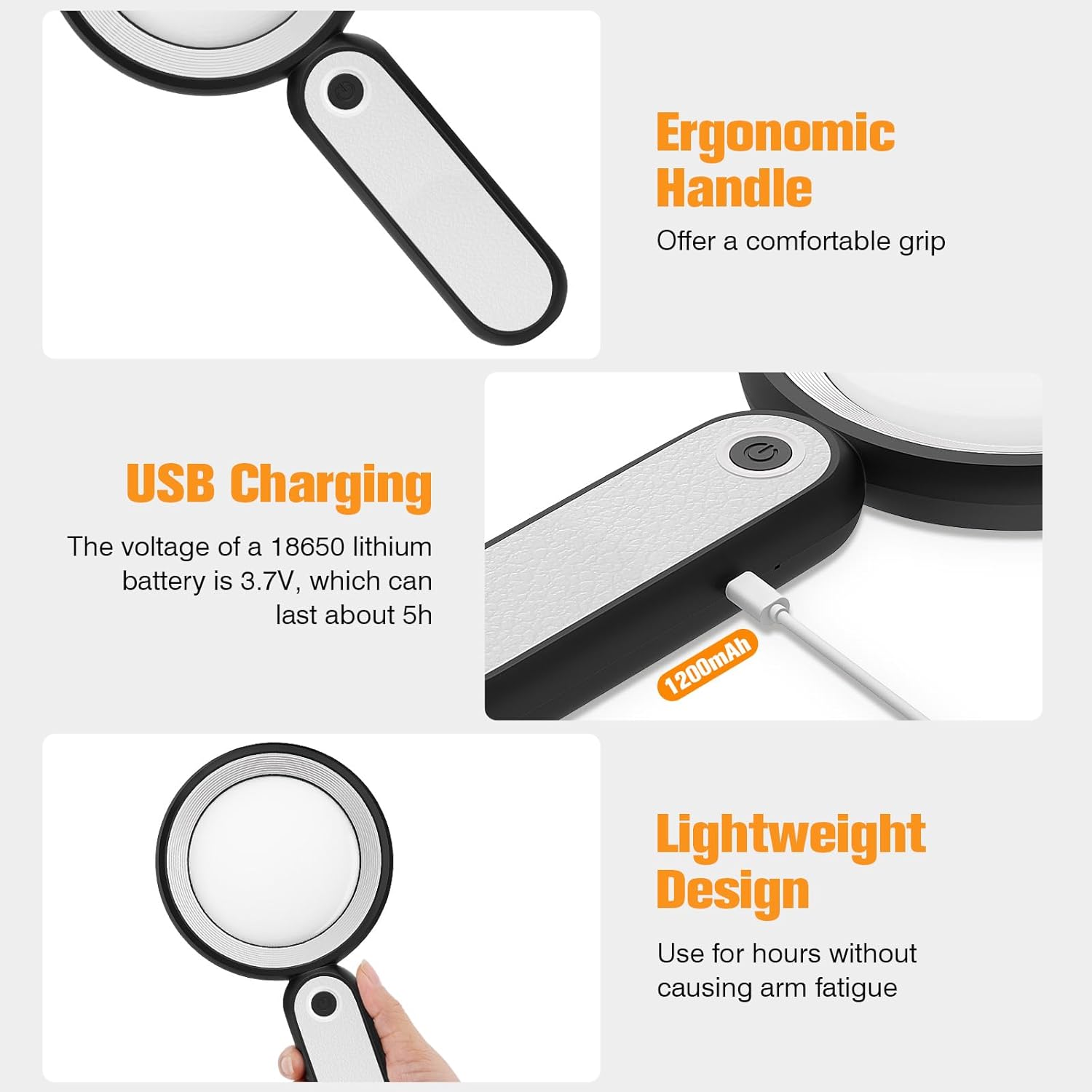
Before first use, fully charge the magnifying glass. Locate the USB charging port on the handle of the device.

Image: USB charging port on the handle.
- Connect the provided USB charging cable to the charging port on the magnifying glass.
- Підключіть інший кінець USB-кабелю до сумісного USB-адаптера живлення (не входить до комплекту) або USB-порту комп’ютера.
- The charging indicator lights (if present) will show the charging status. Allow the device to charge until fully powered, typically around 5 hours for a full charge.
2. Регулювання ручки
The magnifying glass features an adjustable handle for comfortable use.

Image: Ergonomic handle design.
- Gently pivot the handle to your desired angle for handheld use.
- The handle can be folded for compact storage or extended for a comfortable grip during use.
Інструкція з експлуатації
1. Збільшення
The MoKo Magnifying Glass provides 10X magnification for clear viewing of small text and objects.

Image: Magnifying glass in use, showing 10X magnification on text.
- Hold the magnifying glass approximately 3-5 inches (7.5-12.5 cm) above the object you wish to magnify.
- Adjust the distance slightly until the object comes into clear focus.
2. Режими світлодіодного освітлення
The device is equipped with 21 LED lights and three lighting modes to suit various environments and reduce eye strain.

Image: Three adjustable lighting modes (cool, warm, mixed) for the LED lights.
- Locate the power button on the handle.
- Натисніть кнопку живлення один раз, щоб активувати Прохолодне світло режим.
- Натисніть кнопку живлення вдруге, щоб переключитися на Тепле світло режим.
- Натисніть кнопку живлення втретє, щоб активувати Mixed Light режим.
- Press the power button a fourth time to turn off the LED lights.
Choose the lighting mode that provides the most comfortable and clear viewing experience for your specific task and ambient light conditions.
Технічне обслуговування
1. Очищення об'єктива
To maintain optimal clarity, keep the optical glass lens clean.
- Use the provided soft cleaning cloth to gently wipe the lens surface.
- Avoid using abrasive materials, paper towels, or chemical cleaners, as these can scratch or damage the lens.
- Для стійких плям злегка протрітьampen the cleaning cloth with a small amount of lens cleaning solution or water, then gently wipe and dry.
2. Зберігання
When not in use, store the magnifying glass in the provided storage pouch to protect it from dust and scratches.

Image: Magnifying glass being stored in its protective pouch.
- Зберігайте в прохолодному, сухому місці подалі від прямих сонячних променів і екстремальних температур.
Усунення несправностей
| проблема | Можлива причина | Рішення |
|---|---|---|
| Фари не вмикаються. | Низький заряд батареї або пристрій вимкнено. | Charge the device using the provided USB cable. Ensure the power button is pressed correctly to cycle through modes. |
| Magnification is blurry or distorted. | Неправильна відстань до об'єкта або брудна лінза. | Adjust the distance between the lens and the object. Clean the lens with the provided cleaning cloth. |
| Ручка жорстка або її важко регулювати. | Minor friction in the hinge. | Apply gentle, consistent pressure. Avoid forcing the hinge. |
Технічні характеристики
| Особливість | Деталь |
|---|---|
| Бренд | MoKo |
| Номер моделі | 10X |
| Сила збільшення | 10X |
| Матеріал лінзи | Оптичне скло |
| Світлодіодні ліхтарі | 21 світлодіодних намистин |
| Режими освітлення | 3 (Cool, Warm, Mixed) |
| Джерело живлення | Rechargeable USB (1200mAh battery, 3.7V) |
| Час роботи акумулятора (безперервне використання) | Приблизно 5 годин |
| Розміри продукту | 9.57 x 4.72 x 1.02 дюйми (24.3 x 12 x 2.6 см) |
| Вага товару | 7.05 унції (200 г) |
| UPC | 840401442876 |
Зображення: Розміри виробу.
Гарантія та підтримка
MoKo products are designed for reliability and performance. For warranty information or technical support, please refer to the contact details provided with your purchase or visit the official MoKo webсайт.
Зберігайте чек про покупку як підтвердження покупки для будь-яких гарантійних претензій.
Важлива інформація з безпеки
- Do not expose the magnifying glass to direct sunlight for extended periods, as this may cause fire or damage to surfaces.
- Зберігати в недоступному для дітей місці.
- Не кидайте пристрій і не піддавайте його сильним ударам.
- Do not attempt to disassemble or modify the magnifying glass.


