1. Вступ
This manual provides essential information for the safe and efficient operation of your Xiaomi Toaster BHR8811EU. Please read these instructions carefully before first use and retain them for future reference. This 2-slice toaster features 6 browning settings, a defrost function, and a removable crumb tray for easy cleaning.
2. Техніка безпеки
- Always ensure the toaster is placed on a stable, heat-resistant surface, away from flammable materials.
- Не торкайтеся гарячих поверхонь. Використовуйте ручки або ручки.
- Unplug the toaster from the outlet when not in use and before cleaning. Allow it to cool completely before handling or cleaning.
- Щоб захиститися від ураження електричним струмом, не занурюйте шнур, вилку або тостер у воду чи інші рідини.
- Не кладіть у тостер продукти великого розміру, упаковки з металевої фольги або посуд, оскільки це може спричинити пожежу або ураження електричним струмом.
- Do not operate the toaster if the cord or plug is damaged, or if the appliance malfunctions or has been damaged in any manner.
- Ніколи не залишайте тостер без нагляду під час використання.
- Do not use abrasive cleaners or sharp objects to clean the toaster.
- Цей прилад призначений лише для домашнього використання.
3. Компоненти продукту

Зображення 1: Фронт view of the Xiaomi Toaster BHR8811EU. This image displays the control panel with the browning control knob, defrost button, and cancel button, along with the bread slots.
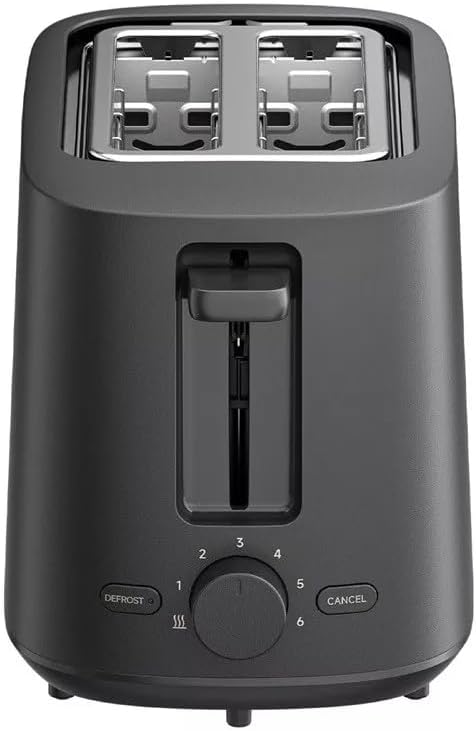
Зображення 2: Топ view of the Xiaomi Toaster BHR8811EU. This image highlights the two wide bread slots designed to accommodate various bread types.

Зображення 3: сторона view of the Xiaomi Toaster BHR8811EU. This image shows the side of the toaster, featuring the pull-out handle for the removable crumb tray at the bottom.
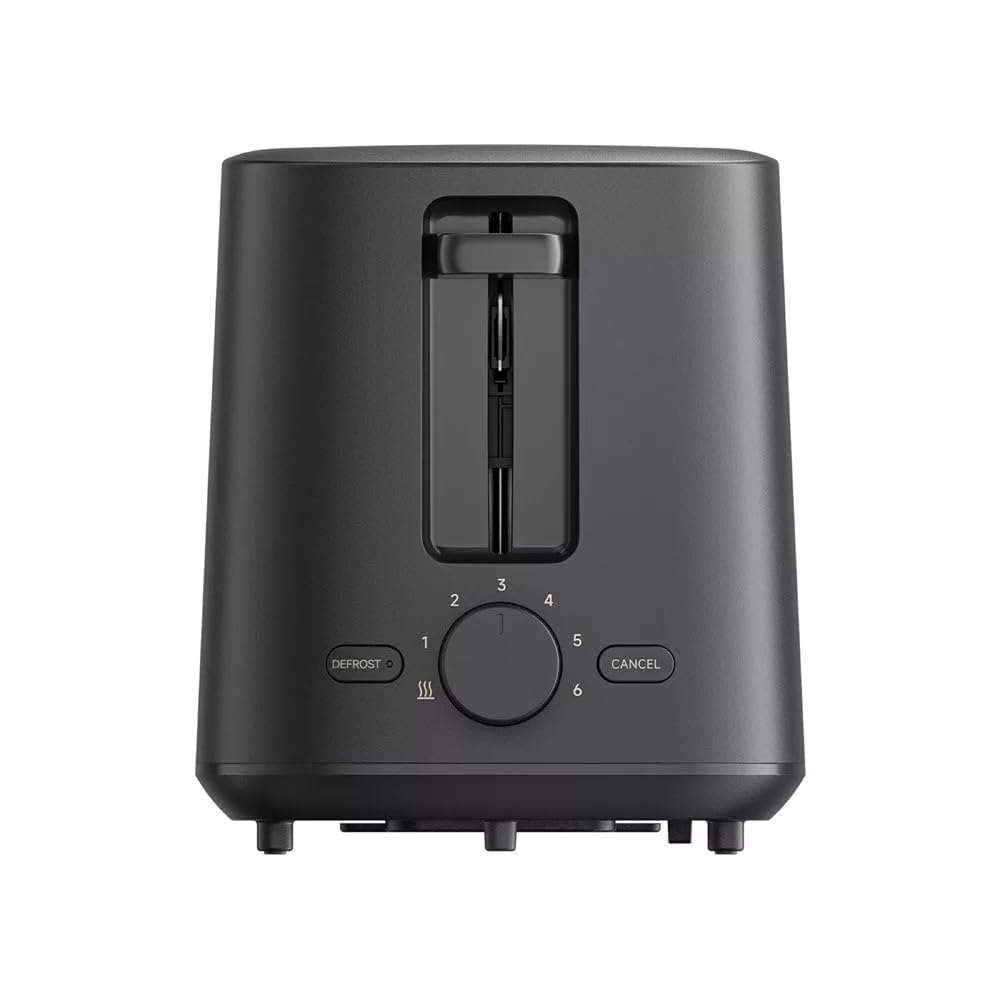
Зображення 4: Задня view of the Xiaomi Toaster BHR8811EU. This image displays the back of the appliance, featuring the Xiaomi brand logo.
- Слоти для хліба: Two wide slots for bread slices.
- Важіль підсмажування: Опускає хліб у отвори та запускає цикл підсмажування.
- Ручка контролю підрум'янення: Adjusts the desired level of browning from 1 (lightest) to 6 (darkest).
- Кнопка розморожування: Activates the defrost function for frozen bread.
- Кнопка скасування: Зупиняє цикл підсмажування в будь-який час.
- Знімний лоток для крихт: Збирає крихти для легкого очищення.
4. Налаштування
- Розпакування: Обережно вийміть тостер та всі пакувальні матеріали. Переконайтеся, що всі компоненти присутні та не пошкоджені.
- Розміщення: Place the toaster on a flat, stable, and heat-resistant surface. Ensure there is adequate space around the toaster for ventilation.
- Перше використання: Before toasting bread for the first time, operate the toaster without bread for a few cycles at the highest browning setting. This will burn off any manufacturing residues and eliminate initial odors. A slight smell or smoke is normal during this process. Ensure the area is well-ventilated.
5. Інструкція з експлуатації
- Підключіть живлення: Підключіть шнур живлення до відповідної електричної розетки 220-240 В, 60 Гц.
- Вставити хліб: Place one or two slices of bread into the bread slots. The toaster features automatic bread centering for even toasting.
- Виберіть рівень підрум'янення: Turn the browning control knob to your desired setting, from 1 (lightest) to 6 (darkest).
- Початок підсмажування: Press the toasting lever down until it locks into place. The indicator light will illuminate, and the toasting cycle will begin.
- Defrost Function (for frozen bread): If toasting frozen bread, insert the bread, select your desired browning level, press the toasting lever down, and then press the РОЗМОРОЖЕННЯ button. The defrost indicator light will illuminate.
- Функція скасування: Щоб зупинити цикл підсмажування в будь-який час, натисніть кнопку СКАСУВАТИ button. The bread will automatically pop up.
- Завершення: Once the selected browning cycle is complete, the bread will automatically pop up, and the toaster will switch off.
6. Технічне обслуговування та очищення
Регулярне чищення забезпечує оптимальну продуктивність і подовжує термін служби вашого тостера.
- Завжди відключайтеся від мережі: Перед чищенням завжди від’єднуйте тостер від розетки та дайте йому повністю охолонути.
- Чистий лоток для крихт: Вийміть знімний піддон для крихт з дна тостера. Позбудьтеся накопичених крихт. Протріть піддон рекламноюamp cloth and dry thoroughly before reinserting it. Ensure the crumb tray is fully inserted before using the toaster.
- Зовнішнє очищення: Протріть зовнішню частину тостера м’якою тканиноюamp cloth. Do not use abrasive cleaners, metal scouring pads, or harsh chemicals, as these can damage the surface.
- Прибирання салону: Do not attempt to clean the inside of the toaster with any tools or objects. If bread becomes jammed, unplug the toaster and carefully remove the bread after it has cooled.
7. Вирішення проблем
- Тостер не вмикається: Ensure the power cord is securely plugged into a working outlet. Check if the toasting lever is fully pressed down and locked.
- Bread is unevenly toasted: Ensure bread slices are not too thick or irregularly shaped. The automatic centering mechanism works best with standard bread slices.
- Запах диму або горілого: This can occur if crumbs accumulate in the toaster or if food is jammed. Immediately press the СКАСУВАТИ button, unplug the toaster, and allow it to cool. Clean the crumb tray and remove any jammed food.
- Хліб не спливає: Натисніть СКАСУВАТИ button. If the bread still does not pop up, unplug the toaster and carefully remove the bread once it has cooled.
8. Технічні характеристики
| Бренд | Xiaomi |
| Номер моделі | BHR8811EU |
| Колір | чорний |
| Потужність / Втtage | 930 Вт |
| томtage | 220-240 Вольт |
| Частота | 60 Гц |
| матеріал | Метал, Алюміній |
| Кількість слотів | 2 |
| Особливості | Defrost function, 6 browning settings, Removable crumb tray, Automatic bread centering |
| Розміри продукту (Д x Ш x В) | 15 см x 28 см x 26 см (приблизно) |
| Вага товару | 1.7 кілограма |
9. Гарантія та підтримка
Your Xiaomi Toaster BHR8811EU is covered by a manufacturer's warranty. Please refer to the warranty card included with your purchase for specific terms and conditions, including warranty duration and coverage details. For technical support, service, or inquiries, please visit the official Xiaomi webсайт або зверніться до відділу обслуговування клієнтів у вашому регіоні. Зберігайте чек про покупку для гарантійних випадків.


