1. Вступ
The Hello Kitty Sunrise Alarm Clock is designed to provide a gentle and natural waking experience with its sunrise simulation feature. This digital alarm clock includes multicolor lights, an LED display showing time, date, and temperature, a USB charging port, and a convenient snooze function. Its charming Cinnamoroll design adds a whimsical touch to any room.

Image 1: Hello Kitty Cinnamoroll Sunrise Alarm Clock with multicolor lighting.
2. Інформація про безпеку
- Не піддавайте пристрій впливу екстремальних температур, прямих сонячних променів або високої вологості.
- Use only the provided USB power cable or a certified equivalent.
- Тримайте пристрій подалі від води та інших рідин.
- Не намагайтеся розбирати або ремонтувати пристрій самостійно. Зверніться до кваліфікованого сервісного персоналу.
- Переконайтеся, що пристрій розміщено на стійкій рівній поверхні.
3. Вміст упаковки
Будь ласка, перевірте упаковку на наявність наступних предметів:
- Hello Kitty Sunrise Alarm Clock (Cinnamoroll design)
- USB кабель живлення
- Посібник користувача (цей документ)
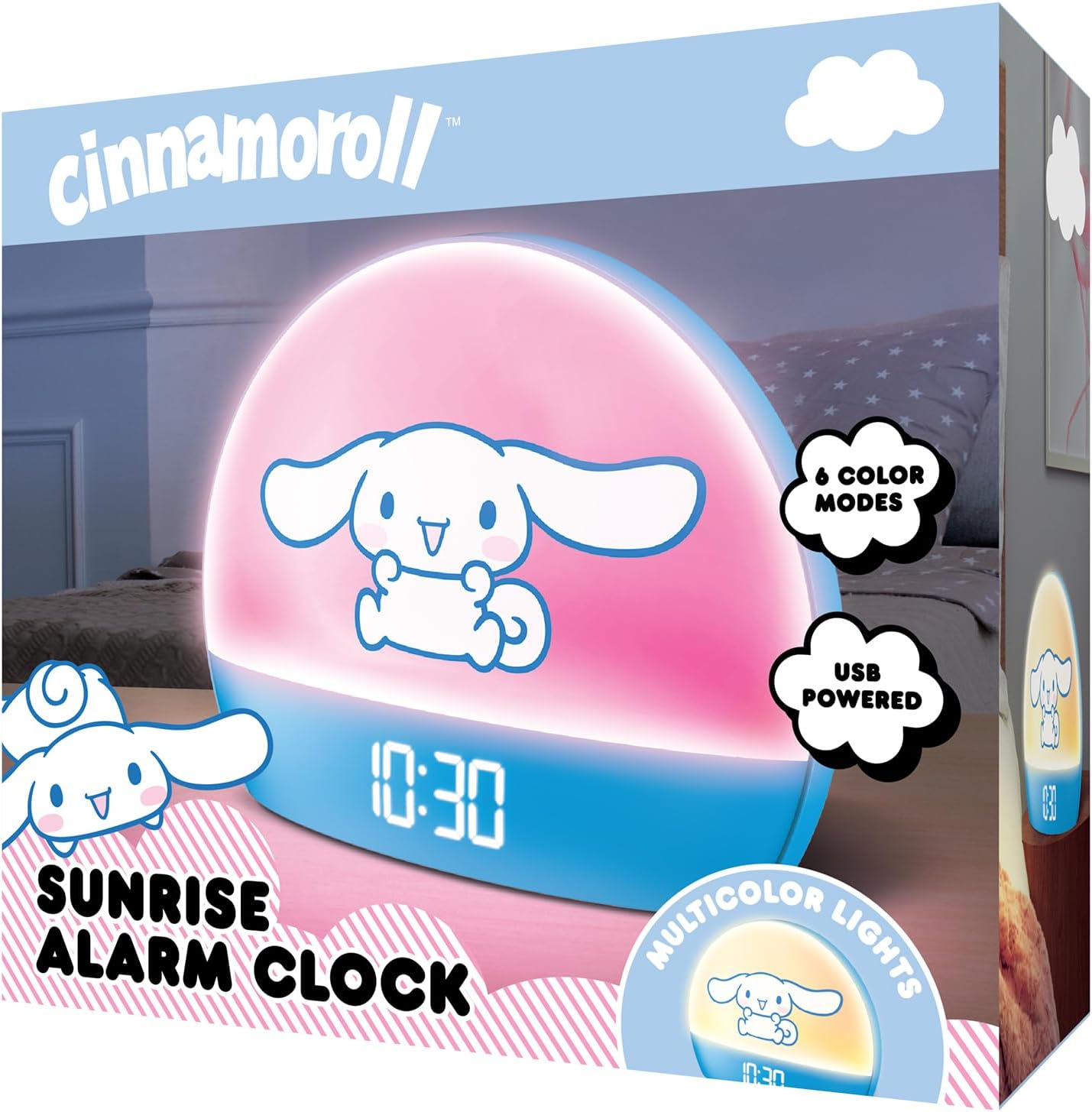
Image 2: Front packaging of the Hello Kitty Cinnamoroll Sunrise Alarm Clock.
4. Продукт закінчивсяview
Ознайомтеся з основними компонентами вашого будильника.
- Світлодіодний дисплей: Показує час, дату та температуру.
- Світлова панель: Emits multicolor and sunrise simulation lights.
- Кнопки управління: Located on the back or bottom for setting time, alarm, and light functions.
- Порт заряджання USB: For powering the device and charging external devices.
- Кнопка відкладення: Typically a prominent button on the top or front.

Image 3: Hello Kitty Cinnamoroll Sunrise Alarm Clock in a bedroom setting.
5. Налаштування
5.1 Підключення живлення
- Підключіть наданий USB-кабель живлення до USB-порту на задній панелі будильника.
- Підключіть інший кінець USB-кабелю до сумісного USB-адаптера живлення (не входить до комплекту) або до порту USB з живленням.
- The LED display will light up, indicating the device is powered on.
5.2 Встановлення часу та дати
Specific button names are not provided, so general instructions are given. Refer to the physical device for exact button labels.
- Press the "SET" or "TIME" button to enter time setting mode.
- Use the "UP" and "DOWN" buttons to adjust the hour. Press "SET" again to confirm.
- Adjust the minute using "UP" and "DOWN" buttons. Press "SET" to confirm.
- Continue this process to set the year, month, and day.
- The clock may offer 12-hour or 24-hour format selection. Follow on-screen prompts or consult the device's specific button functions.
6. Інструкція з експлуатації
6.1 Налаштування будильника
- Press the "ALARM" button to enter alarm setting mode.
- Use "UP" and "DOWN" buttons to set the desired alarm hour. Press "ALARM" to confirm.
- Adjust the alarm minute. Press "ALARM" to confirm.
- Some models may allow setting alarm volume or sound. Follow prompts if available.
- To activate/deactivate the alarm, look for an "ALARM ON/OFF" button or a toggle within the alarm setting menu.
6.2 Моделювання сходу сонця
The sunrise simulation feature gradually increases light intensity before your set alarm time, mimicking a natural sunrise.
- This feature is typically linked to the alarm function. When the alarm is active, the light will begin to brighten a set period (e.g., 30 minutes) before the alarm sounds.
- Consult the device's specific controls for adjusting the duration or intensity of the sunrise simulation, if applicable.
6.3 різнокольорових вогнів
The clock offers various color modes for ambient lighting.
- Press the "LIGHT" or "COLOR" button to cycle through different color options or activate a color-changing mode.
- Press and hold the "LIGHT" button to turn off the ambient light.
- Brightness of the display and ambient light can often be adjusted using dedicated buttons or by holding the "LIGHT" button.
6.4 Функція відкладання
When the alarm sounds, press the large "SNOOZE" button (usually on top) to temporarily pause the alarm. The alarm will sound again after a short interval (e.g., 5-10 minutes).
6.5 USB-порт для зарядки
The integrated USB port can be used to charge small electronic devices like smartphones or tablets. Simply connect your device's charging cable to the USB port on the alarm clock.
6.6 Відображення температури
The LED display shows the current room temperature. No specific action is usually required to view this, as it cycles with time and date or is displayed continuously.
7. Технічне обслуговування
- Протирайте годинник м’якою сухою тканиною. Не використовуйте абразивні засоби для чищення або розчинники.
- Ensure the USB port is free from dust and debris.
- Зберігайте годинник у прохолодному, сухому місці, якщо він не використовується протягом тривалого часу.
8. Вирішення проблем
| проблема | Можлива причина | Рішення |
|---|---|---|
| Годинник не вмикається. | USB cable not connected properly or power source issue. | Check USB cable connection. Try a different USB power adapter or port. Ensure the cable is securely inserted. |
| Time is incorrect or drifts. | Time not set correctly or internal clock issue. | Re-set the time following Section 5.2. If the issue persists, try disconnecting and reconnecting power. |
| Сигналізація не звучить. | Сигналізація не активована або налаштована неправильно. | Verify the alarm is set and activated (check for an alarm icon on the display). Ensure the volume is not set to zero if adjustable. |
| Кнопки не реагують. | Temporary software glitch or physical button issue. | Disconnect power for a few seconds and reconnect to reset the device. If buttons remain unresponsive, contact support. |
| Не працює порт зарядки USB. | Cable issue, device not fully powered, or port malfunction. | Ensure the clock is properly powered. Try a different USB charging cable. Check if the port is clean and free of debris. |
9. Технічні характеристики
| Бренд | Привіт Кітті |
| Номер моделі | HKCLK01CR-MFN |
| Колір | Циннаморол |
| Тип дисплея | цифровий |
| Особливості | Adjustable Brightness, Alarm, Charging Port, LED Display, Temperature Display, Sunrise Simulation, Multicolor Lights |
| Розміри продукту | 7 см (Ш) x 6 см (В) |
| Джерело живлення | Провідний електричний (USB) |
| матеріал | пластик |
| Вага товару | 0.4 кілограма (14 унції) |
| Технологія підключення | USB |
| Виробник | Південний Телеком |
10. Гарантія та підтримка
For warranty information or technical support, please refer to the contact details provided on the product packaging or visit the official Hello Kitty product support webсайт. Зберігайте чек про покупку для гарантійних претензій.


