1. Вступ
Дякуємо за покупкуasing the ZEBRONICS Envy 2 Wireless Over-Ear Headphone. This manual provides essential information for the proper setup, operation, and maintenance of your device. Please read it carefully before use and retain it for future reference.
2. Вміст упаковки
- Headphone - 1 Unit
- Aux cable - 1 Unit
- External MIC - 1 Unit
- QR code guide - 1 Unit
- Charging cable (Type-C) - 1 Unit
3. Продукт закінчивсяview
The ZEBRONICS Envy 2 features a comfortable over-ear design with intuitive controls and versatile connectivity options.
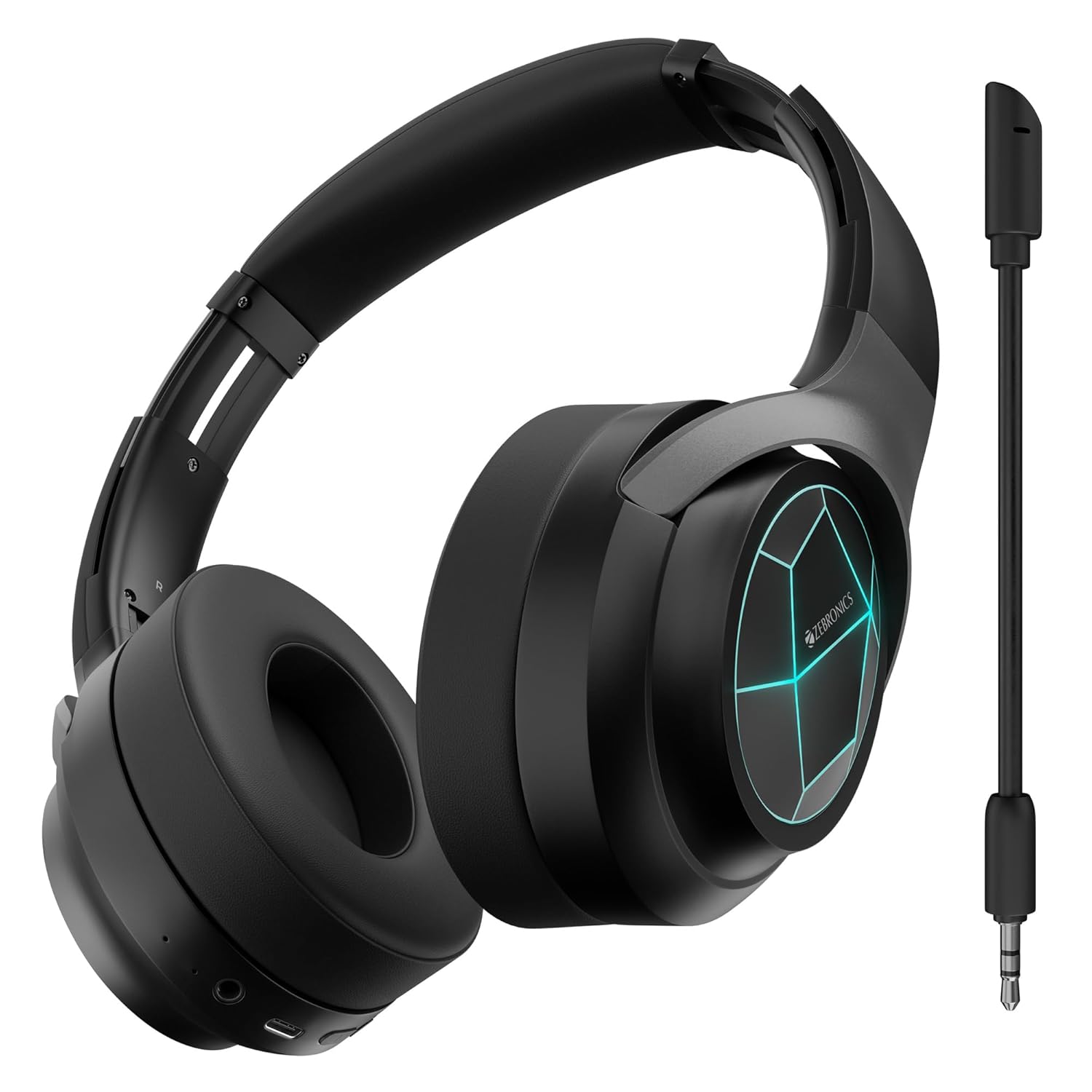
Малюнок 1: Спереду view of the ZEBRONICS Envy 2 Wireless Over-Ear Headphone, showcasing its sleek black design and illuminated earcups.
3.1 Компоненти та елементи керування
- Навушники: Padded for comfort, housing 40mm drivers.
- пов'язка на голову: Adjustable and foldable for portability.
- Кнопка живлення/багатофункціональна кнопка: For power on/off, play/pause, call management.
- Кнопка збільшення гучності/наступного треку: Adjust volume or skip tracks.
- Кнопка зменшення гучності/попереднього треку: Adjust volume or go to previous tracks.
- Кнопка режиму: To switch between modes (e.g., Gaming Mode).
- Порт зарядки Type-C: Для заряджання внутрішнього акумулятора.
- 3.5 мм вхід AUX: Для дротового аудіопідключення.
- Порт мікрофона: For attaching the detachable microphone.
- Світлодіодні індикатори: For power, pairing, and charging status.

Figure 2: Close-up showing the 40mm drivers for deep bass, media and volume controls, foldable design, and LED lights on the earcups.
4. Ключові характеристики
- Динамічний бас: Equipped with dual 40mm powerful drivers for enhanced audio experience.
- Бездротове підключення: Utilizes Bluetooth v5.3 for stable and efficient wireless connection.
- Дротове підключення: Supports 3.5mm AUX input for universal compatibility.
- Знімний мікрофон: Includes a flexible, detachable microphone for clear communication, especially during gaming.
- Заглушення шуму навколишнього середовища (ENC): Зменшує навколишній шум для чіткішого звучання дзвінків.
- Тривалий час відтворення: Offers up to 65 hours of playback on a single charge (at 50% volume with LED off).
- Ігровий режим: Provides a low-latency audio experience optimized for gaming.
- Подвійне сполучення: Allows simultaneous connection to two devices, enabling seamless switching.
- Підтримка голосового помічника: Compatible with voice assistants for hands-free control.
- Складний дизайн: Підвищує портативність та зручність зберігання.
- М'які амбушури: Designed for extended comfort during long listening sessions.
- Світлодіодні ліхтарі: Integrated LED lights on the earcups for a distinctive visual appeal.
5. Заряджання навушників
Before first use, fully charge the headphone. Use the provided Type-C charging cable.
- Підключіть кінець зарядного кабелю Type-C до зарядного порту навушників.
- Підключіть кінець USB-A зарядного кабелю до сумісного USB-адаптера живлення (не входить до комплекту) або USB-порту комп’ютера.
- Світлодіодний індикатор показуватиме стан заряджання (наприклад, червоний під час заряджання, вимкнений, коли пристрій повністю заряджений).
- A full charge typically takes approximately X hours (refer to product specifications for exact time).

Figure 3: Illustration highlighting the headphone's impressive battery life of up to 65 hours and its built-in rechargeable battery.
6. Підключення Bluetooth
Follow these steps to pair your ZEBRONICS Envy 2 headphone with a Bluetooth-enabled device.
- Переконайтеся, що навушники повністю заряджені та вимкнені.
- Натисніть і утримуйте кнопку живлення/багатофункціональності, доки світлодіодний індикатор не почне блимати по черзі синім і червоним кольором, що вказує на режим сполучення.
- На вашому пристрої (смартфоні, планшеті, ноутбуці) увімкніть Bluetooth та знайдіть доступні пристрої.
- Select "Zeb-Envy 2" from the list of found devices.
- Після сполучення світлодіодний індикатор повільно блиматиме синім кольором.
6.1 Подвійне сполучення
The headphone supports dual pairing, allowing connection to two Bluetooth devices simultaneously.
- Pair the headphone with the first device as described above.
- Disable Bluetooth on the first device. The headphone will re-enter pairing mode.
- Pair the headphone with the second device.
- Re-enable Bluetooth on the first device. The headphone should automatically connect to both devices.

Figure 4: The headphone connected to both a laptop and a smartphone, illustrating the dual pairing feature with Bluetooth v5.3.
7. Дротове підключення (AUX)
For a wired connection, use the provided 3.5mm AUX cable.
- Plug one end of the 3.5mm AUX cable into the headphone's AUX input port.
- Plug the other end into the 3.5mm audio output jack of your audio source (e.g., smartphone, computer, gaming console).
- The headphone will automatically switch to AUX mode.

Figure 5: The headphone showing the detachable and flexible microphone, along with the AUX input port for wired audio.
8. Using the Detachable Microphone
The ZEBRONICS Envy 2 comes with a detachable microphone for clear voice input.
- Locate the microphone port on the headphone.
- Insert the detachable microphone firmly into the port.
- Adjust the flexible microphone arm to position it optimally for your voice.
- To remove, gently pull the microphone out of the port.
9. Call Function and Voice Assistant
Manage calls and activate your device's voice assistant with ease.
9.1 Call Function (ENC)
- Відповідь / Завершення дзвінка: Натисніть кнопку живлення/багатофункціональний режим один раз.
- Відхилення дзвінків: Натисніть і утримуйте кнопку живлення/багатофункціонального режиму протягом 2 секунд.
- Заглушення шуму навколишнього середовища (ENC): The built-in ENC technology helps reduce background noise during calls for clearer conversations.

Figure 6: Visual representation of the Environmental Noise Cancellation (ENC) feature, showing the headphone surrounded by a noise-reducing field.
9.2 Голосовий помічник
- Активація голосового помічника: Press the Voice Assistant button (if available, or typically a double-press of the Multi-function button) to activate your device's voice assistant (e.g., Siri, Google Assistant).

Figure 7: The headphone highlighting soft ear cushions for comfort, the call function, and support for voice assistants like Siri and Google Assistant.
10. Ігровий режим
The ZEBRONICS Envy 2 features a dedicated Gaming Mode for a low-latency audio experience, crucial for competitive gaming.
- Активація ігрового режиму: Press the Mode button (or refer to the QR code guide for specific button press).
- Перевага: Reduces audio delay, ensuring synchronized sound with on-screen action.
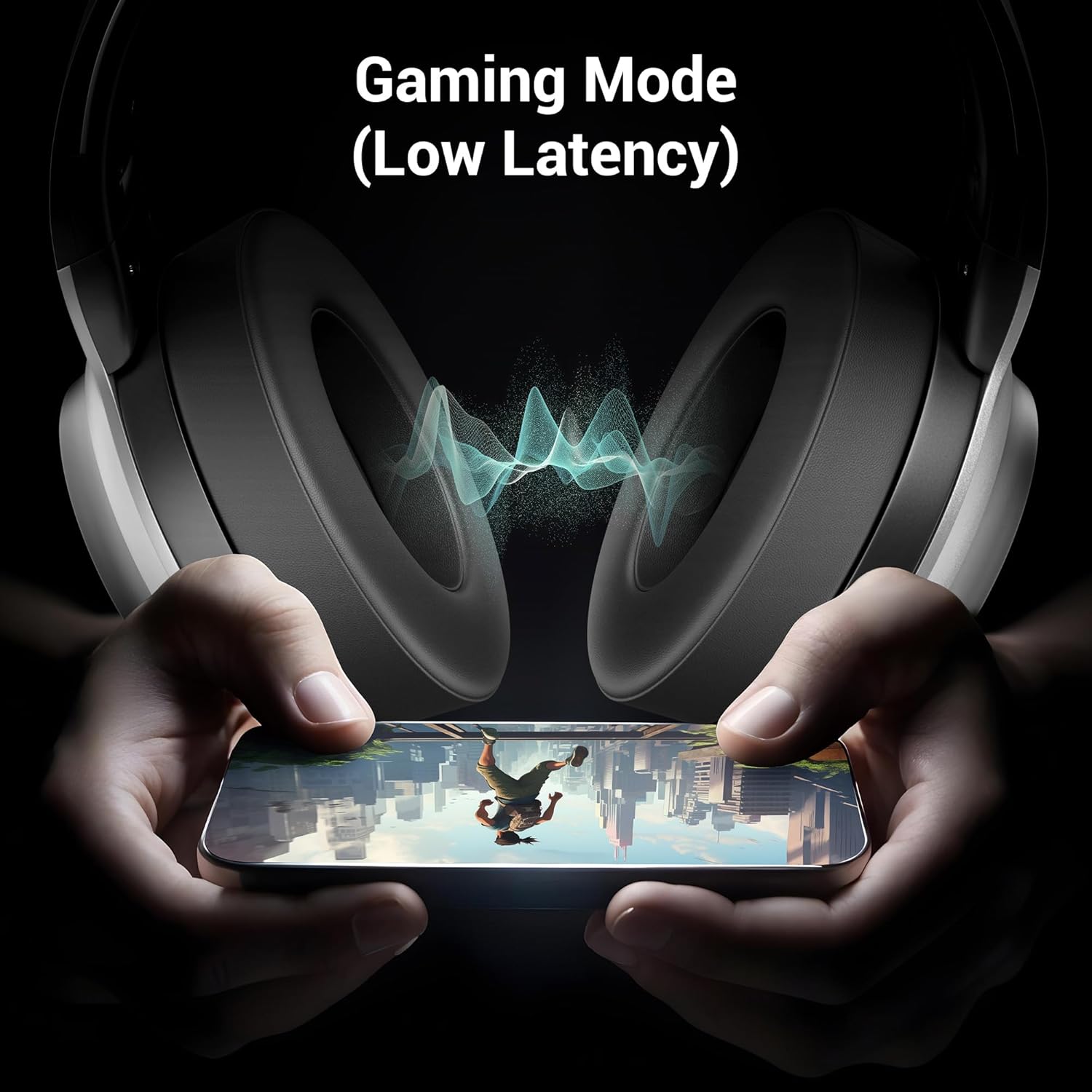
Figure 8: The headphone illustrating its Gaming Mode, emphasizing low latency for an immersive gaming experience.
11. Технічне обслуговування та догляд
- Clean the headphone with a soft, dry cloth. Do not use harsh chemicals or abrasive materials.
- Avoid exposing the headphone to extreme temperatures, humidity, or direct sunlight.
- Store the headphone in a cool, dry place when not in use. The foldable design aids in compact storage.
- Не намагайтеся розбирати або модифікувати навушники, оскільки це призведе до анулювання гарантії.
12. Вирішення проблем
| проблема | Можлива причина | Рішення |
|---|---|---|
| Headphone does not power on | Низький заряд батареї | Повністю зарядіть навушники. |
| Не вдається підключити пристрій через Bluetooth | Headphone not in pairing mode; device Bluetooth off; too far apart | Ensure headphone is in pairing mode (flashing blue/red). Turn on device Bluetooth. Keep devices within 10 meters. |
| Ні звуку | Volume too low; incorrect source; headphone not connected | Increase volume on headphone and device. Check connection (Bluetooth or AUX). Ensure correct audio output is selected on your device. |
| Мікрофон не працює | Microphone not properly attached; muted; incorrect input selected | Ensure detachable mic is securely inserted. Check if mic is muted on the headphone or device. Select the correct microphone input on your device settings. |
13. Технічні характеристики
| Особливість | Деталь |
|---|---|
| Назва моделі | Zeb Envy 2 |
| Технологія підключення | Бездротовий (Bluetooth), дротовий (AUX) |
| Версія Bluetooth | 5.3 |
| Тип аудіо драйвера | Динамічний драйвер |
| Розмір драйвера | 40 мм |
| Термін служби батареї | Up to 65 Hours (at 50% Volume, LED OFF) |
| Порт зарядки | Тип-C |
| мікрофон | Detachable & Flexible Mic with ENC |
| Розташування вуха | Над вухом |
| Спосіб контролю | Кнопка |
| Сумісні пристрої | Laptops, Tablets, Smartphones, Gaming Consoles |
| Вага товару | 238 грамів |
| Розміри продукту (ДxШxВ) | 8.4 х 15.4 х 22.2 см |
| матеріал | пластик |
14. Інформація про безпеку
- Do not use the headphone at high volume for extended periods to prevent hearing damage.
- Do not use the headphone while driving or in situations where ambient sounds are necessary for safety.
- Тримайте пристрій подалі від води, вологи та легкозаймистих речовин.
- Утилізуйте виріб відповідально відповідно до місцевих правил.
15. Гарантія та підтримка
Your ZEBRONICS Envy 2 headphone is covered by a manufacturer's warranty. For detailed warranty information, technical support, or service inquiries, please refer to the QR code guide included in your package or visit the official ZEBRONICS webсайт.


