вступ
This manual provides essential information for the safe and efficient installation, operation, and maintenance of your GIGABYTE AORUS Elite P1000W Ice Power Supply. Please read this manual thoroughly before using the product and retain it for future reference.

Рисунок 1: Кутовий view of the GIGABYTE AORUS Elite P1000W Ice Power Supply, highlighting the 1000W rating.
Інформація про безпеку
Завжди дотримуйтесь наступних запобіжних заходів, щоб запобігти травмам та пошкодженню обладнання:
- Перед встановленням або використанням переконайтеся, що блок живлення відключено від розетки змінного струму.
- Не відкривайте блок живлення. Висока гучністьtagВсередині присутні деталі, і немає деталей, які може обслуговувати користувач.
- Встановіть блок живлення в добре провітрюваному приміщенні, подалі від джерел тепла та прямих сонячних променів.
- Use only the modular cables provided with this power supply. Using incompatible cables may cause damage.
- Уникайте впливу вологи або екстремальних температур на блок живлення.
Вміст упаковки
Перевірте наявність усіх елементів в упаковці:
- GIGABYTE AORUS Elite P1000W Ice Power Supply Unit
- Modular Cable Set (including ATX 24-pin, EPS/CPU 8-pin, PCIe 6+2-pin, 12VHPWR, SATA, Peripheral)
- AC Power Cord (EU Plug)
- Монтажні гвинти
- Посібник користувача (цей документ)
Особливості продукту
- ATX 3.0 and PCIe Gen 5.0 ready (ATX 3.1 compatible)
- Certified 80 PLUS Platinum efficiency
- 100% Japanese Capacitors for enhanced reliability
- 120mm Dynamic Fluid Ball Bearing (FDB) Fan for quiet and efficient cooling
- Compact design for easier installation
- Fully modular design for improved cable management
- Powerful single rail +12V output
- Comprehensive protection features: OVP (Over Voltage Protection), OPP (Over Power Protection), SCP (Short Circuit Protection), UVP (Under Voltag(захист від перевантаження по струму), OCP (захист від перевантаження по струму), OTP (захист від перегріву)
Налаштування та встановлення
Виконайте такі дії, щоб встановити блок живлення:
- Підготуйте свою систему: Ensure your computer case is open and all existing power supply cables are disconnected.
- Встановлення блоку живлення: Carefully place the GIGABYTE AORUS Elite P1000W into the power supply bay of your computer case. Secure it with the provided mounting screws.

Рисунок 2: Загалом view of the GIGABYTE AORUS Elite P1000W Ice Power Supply. This image shows the main unit with its fan grill and modular cable ports.
- Підключення модульних кабелів: Identify the necessary cables for your motherboard and components (CPU, GPU, storage drives). Connect the appropriate modular cables to the power supply's output ports.

Малюнок 3: Детально view of the modular cable connectors on the GIGABYTE AORUS Elite P1000W Ice Power Supply. This image illustrates the clearly labeled ports for M/B, CPU/PCI-E, Peripheral, and 12VHPWR connections.
- 24-контактний кабель ATX: Підключіть до основного роз'єму живлення материнської плати.
- 8-pin EPS/CPU Cable: Connect to the motherboard's CPU power connector.
- PCIe 6+2-pin Cables: Connect to your graphics card(s) if they require additional power.
- 12VHPWR Cable: Connect to PCIe Gen 5.0 graphics cards that utilize this connector.
- Кабелі SATA: Підключення до SSD, HDD та оптичних приводів.
- Периферійні кабелі (Molex): Connect to other components requiring Molex power.
- Підключення до компонентів: Route the connected modular cables neatly to their respective components and plug them in securely.
- Підключіть джерело змінного струму: Ensure the power supply's main switch is in the OFF (0) position. Connect the AC power cord to the power supply and then to a wall outlet.
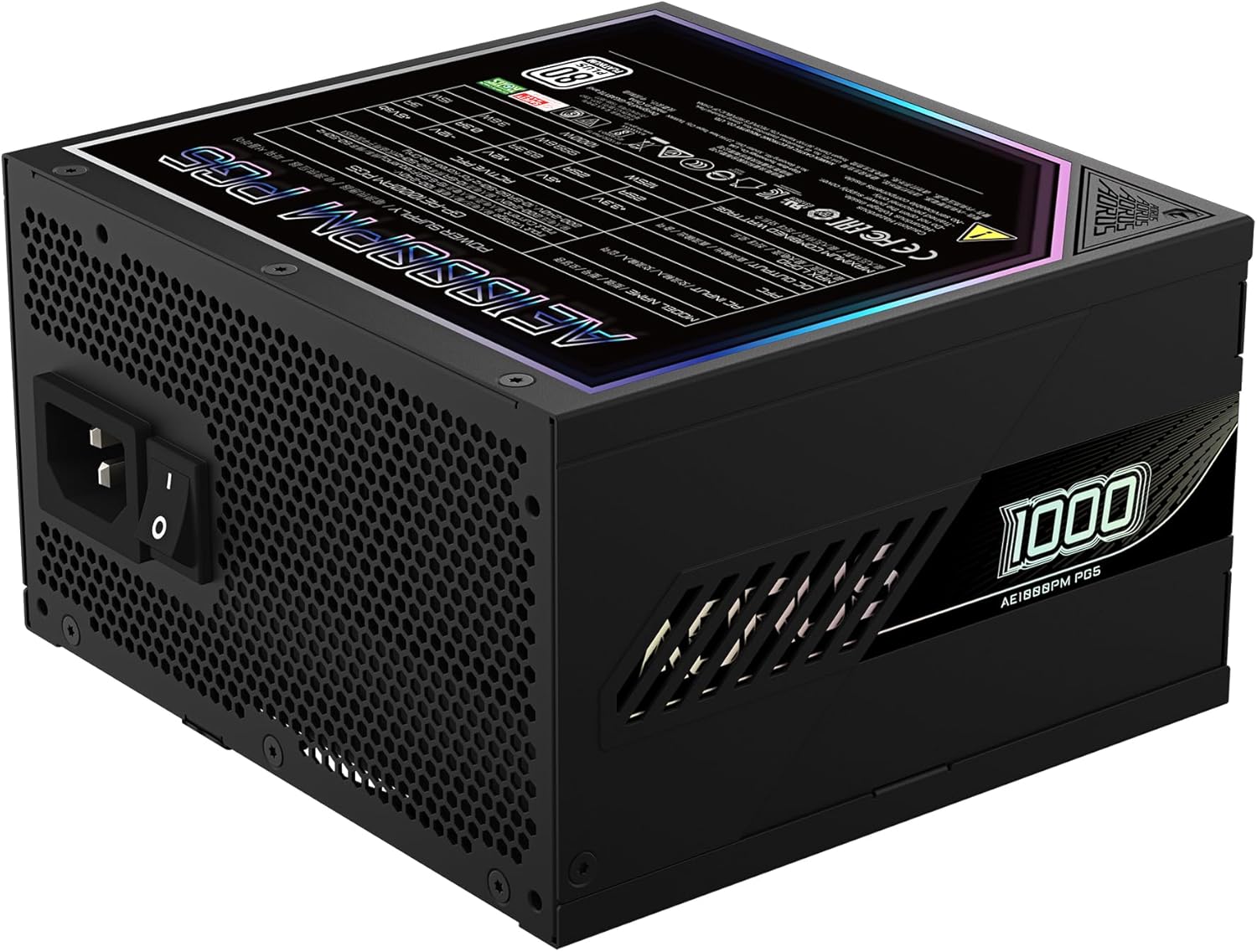
Figure 4: Rear panel of the GIGABYTE AORUS Elite P1000W Ice Power Supply, showing the AC power input and power switch. Ensure the switch is set to '0' before connecting the AC cord.
Інструкція з експлуатації
After installation, follow these steps to power on your system:
- Увімкнення: Flip the main power switch on the rear of the power supply to the ON (I) position.
- Завантаження системи: Натисніть кнопку живлення на корпусі комп'ютера, щоб запустити систему.
- Вимкнення живлення: To shut down your system, perform a proper shutdown through your operating system. Once the system is off, you may flip the power supply's main switch to the OFF (0) position for complete power disconnection.

Рисунок 5: Зверху вниз view of the 120mm fan with the AORUS logo on the GIGABYTE AORUS Elite P1000W Ice Power Supply. The fan provides active cooling during operation.
Технічне обслуговування
Регулярне технічне обслуговування допомагає забезпечити довговічність та оптимальну роботу вашого блоку живлення:
- Очищення від пилу: Periodically clean dust from the power supply's fan grill and vents using compressed air. Ensure the power supply is turned off and unplugged before cleaning.
- Управління кабелем: Ensure cables are neatly routed and do not obstruct airflow within the computer case.
- Умови навколишнього середовища: Maintain a cool, dry, and well-ventilated environment for your computer system.
Усунення несправностей
Якщо у вас виникли проблеми, зверніться до наступних поширених кроків усунення несправностей:
- Немає живлення:
- Перевірте, чи шнур живлення змінного струму надійно підключено як до джерела живлення, так і до розетки.
- Ensure the power supply's main switch is in the ON (I) position.
- Verify that all modular cables are correctly seated in both the power supply and the components.
- Перевірте розетку за допомогою іншого пристрою, щоб переконатися, що вона має живлення.
- Система несподівано вимикається:
- This could indicate an overload or overheating. Ensure your system's power requirements do not exceed the PSU's 1000W capacity.
- Перевірте належну вентиляцію та видаліть будь-які накопичення пилу.
- Перевірте, чи всі підключення живлення надійні.
- Незвичайні шуми:
- A clicking sound might indicate a protective mechanism engaging. Disconnect power and recheck all connections.
- If the fan is making excessive noise, ensure it is free from obstructions.
If issues persist after following these steps, contact GIGABYTE customer support.
Технічні характеристики

Figure 6: Product label on the GIGABYTE AORUS Elite P1000W Ice Power Supply, displaying electrical specifications and certifications. Refer to this label for detailed electrical ratings.
| Особливість | Деталь |
|---|---|
| Назва моделі | AORUS ELITE P1000W |
| Номер моделі товару | GP-AE1000PM PG5 EU |
| Вихідна ватtage | 1000 Вт |
| Сертифікат 80 PLUS | Платина |
| Форм-фактор | ATX |
| ATX Version Compatibility | ATX 3.0 (ATX 3.1 compatible) |
| PCIe Version Compatibility | PCIe покоління 5.0 |
| Розмір вентилятора | 120 мм |
| Тип вентилятора | Dynamic Fluid Ball Bearing (FDB) |
| конденсатори | 100% японські конденсатори |
| Модульний дизайн | Повністю модульний |
| Огородження | OVP, OPP, SCP, UVP, OCP, OTP |
| Розміри продукту (Д x Ш x В) | 5.51 x 5.91 x 3.39 дюймів |
| Вага товару | 6.79 фунта (3080 грам) |
Інформація про гарантію
The GIGABYTE AORUS Elite P1000W Ice Power Supply comes with a Гарантія 10 рік from the date of purchase. This warranty covers defects in materials and workmanship under normal use. Please retain your proof of purchase for warranty claims. For full warranty terms and conditions, refer to the official GIGABYTE webсайту або зв’яжіться зі службою підтримки клієнтів.
Підтримка
For technical assistance, troubleshooting beyond this manual, or warranty inquiries, please visit the official GIGABYTE support website or contact their customer service department. You can typically find contact information on the GIGABYTE webсайті або на упаковці продукту.
Офіційний представник GIGABYTE Webсайт: www.gigabyte.com


