вступ
This manual provides detailed instructions for the setup, operation, and maintenance of your ECHO Rainbow Pro S Smartwatch. Please read this manual thoroughly before using your device to ensure proper functionality and to maximize your user experience. Keep this manual for future reference.
Продукт закінченийview
The ECHO Rainbow Pro S is a versatile smartwatch designed to integrate seamlessly into your daily life, offering health monitoring, fitness tracking, and smart communication features. It features a 1.96-inch display and comes with interchangeable straps.
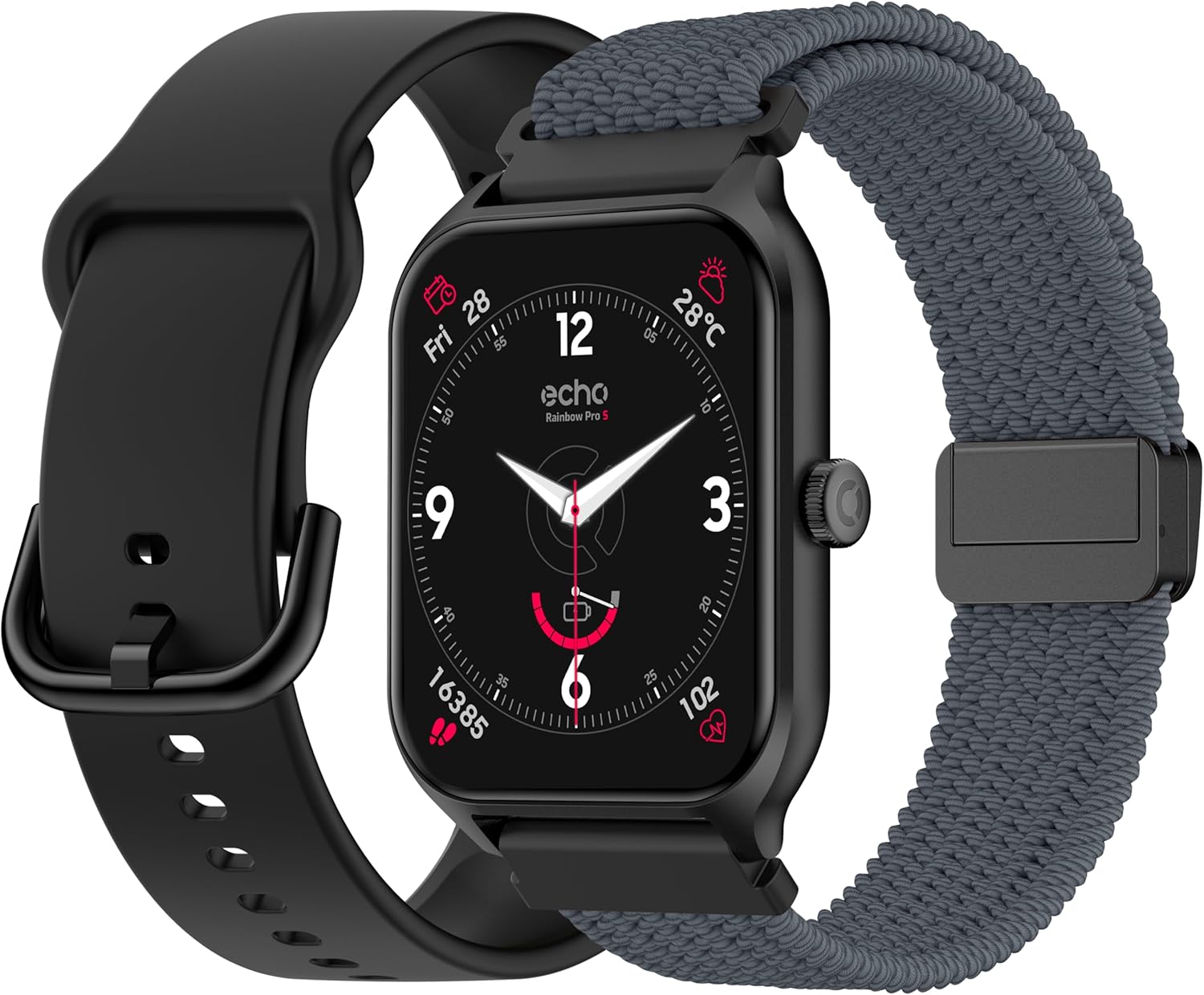
The ECHO Rainbow Pro S smartwatch comes with two interchangeable straps, one in silicone and one in woven nylon, offering versatility for different occasions. The watch features a square display and a side button for navigation.
Налаштування
1. Розпакування та початкова оплата
Upon opening the package, verify that all components are present: the ECHO Rainbow Pro S smartwatch, a magnetic charging cable, a silicone strap, and a woven nylon strap. Before first use, fully charge the device. Connect the magnetic charger to the charging points on the back of the watch and plug the USB end into a power source. A full charge typically takes approximately 2.5 hours.
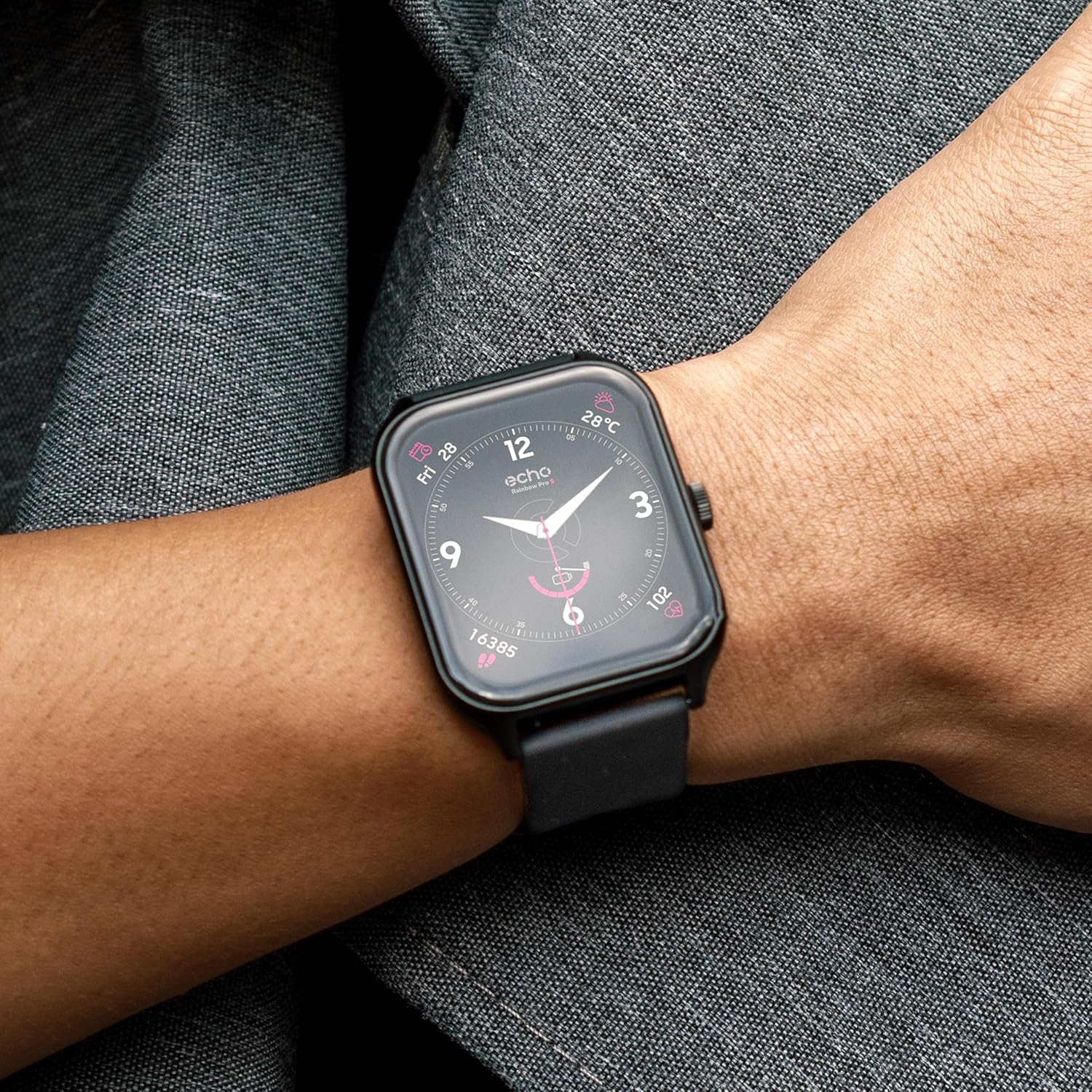
The ECHO Rainbow Pro S smartwatch package includes the watch, a magnetic charging cable, a silicone strap, and a woven nylon strap. Ensure all components are present before proceeding with setup.
2. Встановлення та сполучення програм
- Завантажити Da Fit application from your smartphone's app store (available for Android and iOS).
- Open the Da Fit app and follow the on-screen instructions to create an account or log in.
- Переконайтеся, що Bluetooth увімкнено на вашому смартфоні.
- In the Da Fit app, navigate to the 'Device' section and select 'Add Device'.
- Select 'ECHO Rainbow Pro S' from the list of available devices to initiate pairing.
- Підтвердьте запит на сполучення як на смартфоні, так і на смарт-годиннику.
Інструкція з експлуатації
Основна навігація
- Сенсорний екран: Swipe left, right, up, or down to navigate through menus and access different features.
- Бічна кнопка: Press to return to the home screen or to access the app list. A long press may activate specific functions or power the device on/off.

The ECHO Rainbow Pro S smartwatch features a responsive touchscreen display. Navigate through menus by swiping left, right, up, or down. Press the side button to return to the home screen or access the app list.
Моніторинг здоров'я
The ECHO Rainbow Pro S Smartwatch is equipped with advanced sensors to track various health metrics. Data can be viewed on the watch or in more detail within the Da Fit application.
- ЧСС: Безперервний моніторинг частоти серцевих скорочень протягом дня.
- Кисень крові (SpO2): Вимірює рівень насичення крові киснем.
- Відстеження сну: Аналізує ваші режими сну, включаючи глибокий сон, легкий сон та час неспання.
- Крокомір: Counts your daily steps, distance covered, and calories burned.

The ECHO Rainbow Pro S smartwatch continuously monitors various health metrics. View your heart rate, blood oxygen saturation (SpO2), and sleep patterns directly on the watch or in detail within the Da Fit application.
Note: Health data provided by the smartwatch is for reference only and should not be used for medical diagnosis or treatment. Consult a medical professional for health-related concerns.
Спортивні режими
The smartwatch supports over 100 sport modes to help you track and optimize your workouts. Access detailed statistics and coaching videos through the Da Fit app.
- Відстеження активності: Monitor duration, calories burned, and heart rate for various activities.
- Coaching Videos: Access guided exercises and training programs within the Da Fit application.
- GPS відстеження: When connected to your smartphone, the watch can utilize your phone's GPS for accurate route tracking during outdoor activities.

Engage in over 100 sport modes with the ECHO Rainbow Pro S smartwatch. Track your workouts, monitor progress, and access guided exercises through the Da Fit app. GPS tracking is available when connected to your smartphone.
AI Assistant & Customization
The ECHO Rainbow Pro S features an integrated AI assistant and extensive customization options.
- Голосовий помічник AI: Interact with the watch using voice commands to get information, set reminders, or control functions.
- Спеціальні циферблати: Personalize your watch's appearance by choosing from a variety of pre-installed watch faces or creating your own through the Da Fit app.
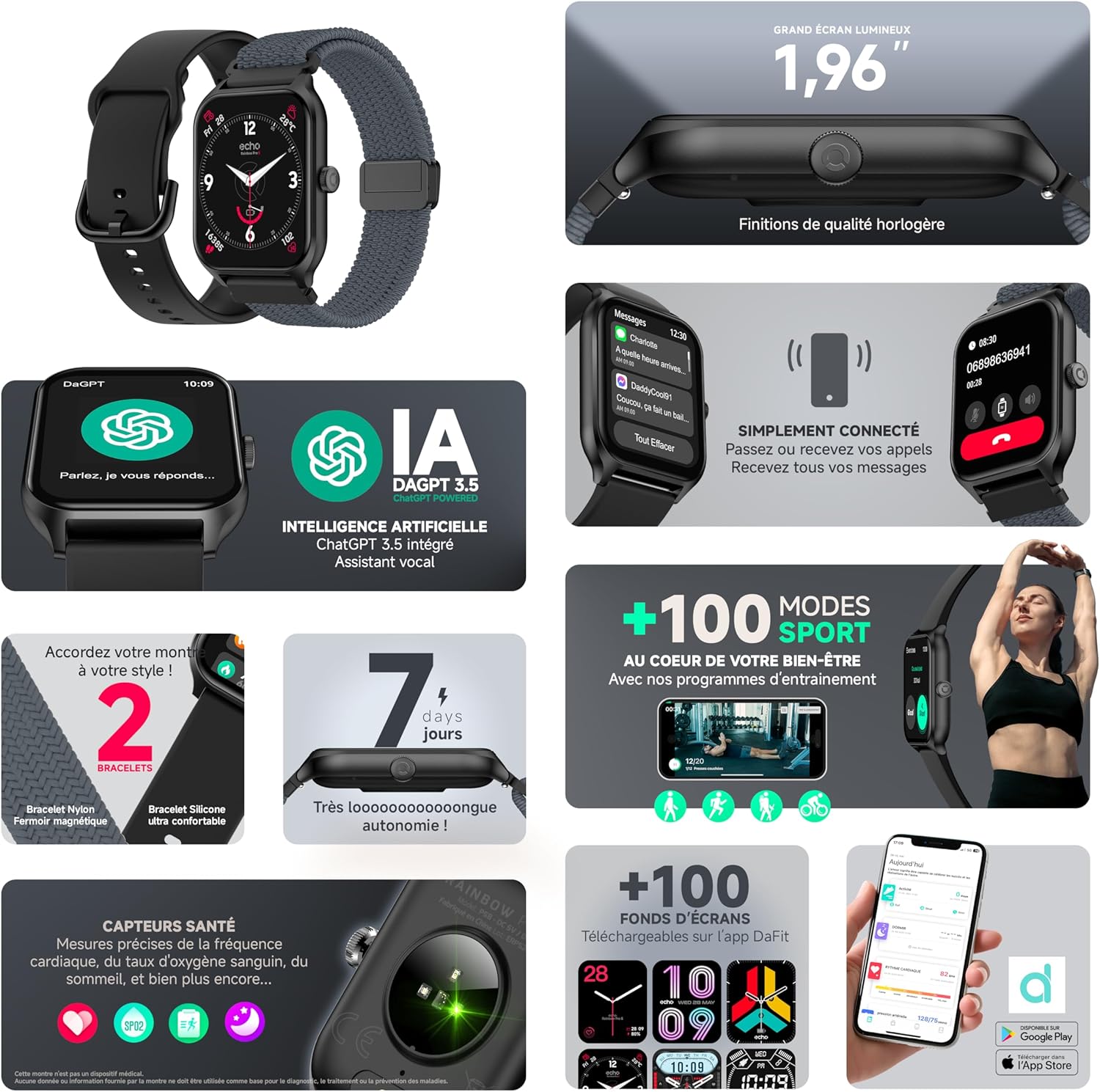
Utilize the integrated AI assistant for quick information and control. Personalize your ECHO Rainbow Pro S smartwatch with custom watch faces, accessible through the Da Fit application.
Bluetooth-дзвінок
Make and receive calls directly from your wrist when the smartwatch is connected to your smartphone via Bluetooth.
- Зв'язок у режимі "вільні руки": The watch features an integrated speaker and microphone for clear call quality.
- Керування дзвінками: Answer, reject, or dial calls directly from the watch interface.
The ECHO Rainbow Pro S smartwatch allows you to make and receive calls directly from your wrist via Bluetooth. The integrated speaker and microphone ensure clear communication without needing to access your smartphone.
Акумулятор і зарядка
The ECHO Rainbow Pro S Smartwatch is designed for extended use with efficient power management.
- Термін служби батареї: Up to 7 days of typical use on a single charge.
- Час зарядки: Approximately 2.5 hours for a full charge using the provided magnetic charging cable.
- Індикатор зарядки: The watch display will show a charging animation and battery percentage.
Технічне обслуговування
- Прибирання: Wipe the watch screen and body with a soft, dry cloth. For stubborn dirt, use a slightly damp тканиною, а потім ретельно висушіть. Уникайте агресивних хімікатів або абразивних матеріалів.
- Водонепроникність: The device has an IP68 rating, meaning it is resistant to fresh water up to 1 meter for 30 minutes. It is suitable for daily use and light water exposure (e.g., hand washing, rain). Avoid hot water, saltwater, or prolonged submersion. Do not press buttons underwater.
- Догляд за ремінцем: Clean straps regularly. Silicone straps can be washed with mild soap and water. Nylon straps may require gentle hand washing and air drying.
- Зберігання: Зберігайте годинник у прохолодному, сухому місці, коли він не використовується.
Усунення несправностей
Поширені проблеми та рішення
- Годинник не вмикається: Переконайтеся, що годинник повністю заряджений. Підключіть його до зарядного пристрою щонайменше на 30 хвилин.
- Не вдалося підключитися до телефону:
- Переконайтеся, що Bluetooth увімкнено на вашому телефоні та годиннику.
- Переконайтеся, що годинник знаходиться в зоні дії вашого телефону.
- Перезавантажте і телефон, і годинник.
- Очистіть кеш Bluetooth на телефоні (якщо є) та спробуйте ще раз.
- Неточні дані про стан здоров'я: Переконайтеся, що годинник щільно прилягає до зап'ястя, приблизно на ширину одного пальця вище зап'ястя. Уникайте надмірних рухів під час вимірювань.
- Сповіщення не відображаються: Check notification settings in the Da Fit app and your phone's system settings to ensure permissions are granted for the app to send notifications.
- Акумулятор швидко розряджається: Reduce screen brightness, disable unnecessary features, and ensure the watch is not constantly searching for a Bluetooth connection.
Скидання до заводських налаштувань
If issues persist, a factory reset may resolve them. This will erase all data on the watch and restore it to its original settings. Consult the Da Fit app or the watch's settings menu for the factory reset option.
Технічні характеристики
| Особливість | Специфікація |
|---|---|
| Бренд | ЛУНА |
| Модель | Rainbow Pro S |
| Розмір екрана | 1.96 дюймів |
| Операційна система | Wear OS 3.0 |
| Підключення | Bluetooth |
| Водонепроникність | IP68 (Resistant to fresh water up to 1m for 30 min) |
| Сумісні пристрої | Android, iOS |
| Термін служби батареї | До 7 днів |
| Час зарядки | прибл. 2.5 години |
| GPS | No (uses phone's GPS) |
| Номер моделі | b5976b79-28bc-488a-b33b-4a31895cc621 |
Гарантія та підтримка
For warranty information, please refer to the documentation provided with your purchase or contact ECHO customer support. For technical assistance, troubleshooting, or further inquiries, please visit the official ECHO webсайту або зв’яжіться зі своїм відділом обслуговування клієнтів.
Інтернет-підтримка: Visit ECHO Support


