1. Вступ
Thank you for choosing the BOSGAME M3 Mini PC. This compact and powerful computer is designed to meet a wide range of computing needs, from everyday tasks to demanding applications. Equipped with the Intel Ultra 7 155H processor, 32GB DDR5 RAM, and a 1TB NVMe SSD, it offers exceptional performance and efficiency. This manual provides essential information for setting up, operating, maintaining, and troubleshooting your device.
2. Інформація про безпеку
Please read and follow all safety instructions carefully to prevent damage to the device or injury to yourself. Keep the device away from water, fire, and high temperatures. Do not attempt to disassemble or repair the device yourself. Use only the provided power adapter and accessories. Ensure proper ventilation to prevent overheating.
3. Вміст упаковки
Перевірте наявність усіх елементів в упаковці:
- BOSGAME M3 Mini PC
- Кабель живлення
- Адаптер живлення
- Кріплення VESA з гвинтами
- Кабель HDMI
- Посібник користувача

Figure 3.1: Included accessories with the BOSGAME M3 Mini PC.
4. Продукт закінчивсяview
4.1 Передня панель
- Кнопка живлення: Натисніть, щоб увімкнути/вимкнути пристрій.
- USB 3.2 Gen2 Ports (x2): Для високошвидкісної передачі даних.
- Thunderbolt 4 (USB 4) Port: Supports 8K 60Hz display output and PD3.0 power delivery.
- 3.5 мм аудіороз’єм: Для навушників або колонок.
4.2 Задня панель
- DC Джек: Підключіть адаптер живлення сюди.
- Dual 2.5GbE LAN Ports: Для підключення до дротової мережі.
- Порт HDMI 2.1: Supports 8K 60Hz display output.
- DisplayPort 2.1 (DP) Port: Supports 8K 60Hz display output.
- USB 3.2 Gen2 Ports (x2): Для високошвидкісної передачі даних.
- Порт USB 2.0 (x1): For peripherals like keyboard/mouse.

Figure 4.1: Front and Rear Panel Ports.
4.3 Основні характеристики
- Процесор: Intel Core Ultra 7 155H (16 Cores/22 Threads, up to 4.8GHz)
- Графіка: Intel Arc Graphics (2.25GHz, 8 Xe-Cores)
- Оперативна пам'ять: 32 ГБ DDR5 (двоканальна, розширювана до 96 ГБ)
- Зберігання: 1TB NVMe M.2 2280 SSD (Dual M.2 2280 slots, supports up to 8TB)
- Бездротовий: WiFi 6E, Bluetooth 5.2
- Вихід дисплея: HDMI 2.1, DisplayPort 2.1, Thunderbolt 4 (supports Triple 8K 60Hz displays)

Figure 4.2: BOSGAME M3 Mini PC Key Features.
5. Налаштування
5.1 Підключення периферійних пристроїв
- Connect your monitor(s) to the HDMI, DisplayPort, or Thunderbolt 4 ports using appropriate cables.
- Підключіть клавіатуру та мишу до доступних USB-портів.
- Connect any other desired peripherals (e.g., external storage, audio devices).

Figure 5.1: Triple Display Setup.
5.2 Увімкнення
- Connect the power adapter to the DC jack on the rear panel of the Mini PC.
- Вставте кабель живлення в розетку.
- Натисніть кнопку живлення на передній панелі, щоб увімкнути пристрій.
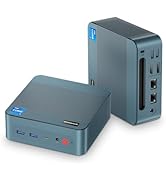
Figure 5.2: Powering the Mini PC via USB-C PD.
5.3 Початкове налаштування операційної системи
The BOSGAME M3 Mini PC supports various operating systems including Windows and Linux distributions. Follow the on-screen instructions to complete the initial OS setup. Ensure you have an active internet connection for updates and driver installations.
6. Інструкція з експлуатації
6.1 Основне використання
Once the operating system is set up, you can use your BOSGAME M3 Mini PC for a wide range of tasks. Its powerful Intel Ultra 7 155H processor and Intel Arc graphics ensure smooth performance for productivity, entertainment, and creative work.
6.2 Підключення до дисплеїв
The Mini PC supports up to three independent displays simultaneously via its HDMI 2.1, DisplayPort 2.1, and Thunderbolt 4 ports. This allows for an expansive workspace for multitasking or immersive viewпереживання.

Figure 6.1: 4K UHD Display Capability.
6.3 Підключення до мережі
- Wi-Fi 6E: Підключіться до бездротових мереж для високошвидкісного доступу до Інтернету.
- Bluetooth 5.2: Pair with Bluetooth-enabled devices such as headphones, keyboards, and mice.
- Dual 2.5GbE LAN: Для стабільного та швидкого дротового мережевого з'єднання.
6.4 Розширення сховища
The BOSGAME M3 features two NVMe M.2 2280 SSD slots, supporting up to 8TB of storage (2x4TB). This allows for significant storage expansion if needed.
7. Технічні характеристики
| Особливість | Специфікація |
|---|---|
| Процесор | Intel Core Ultra 7 155H (3.8GHz Base, 4.8GHz Max Turbo, 16C/22T) |
| Графіка | Intel Arc Graphics (2.25GHz, 8 Xe-Cores) |
| ОЗУ | 32 ГБ DDR5 (двоканальна, 5600 МГц) |
| Зберігання | 1TB NVMe M.2 2280 SSD (PCIe 4.0) |
| Слоти для зберігання | 2x NVMe M.2 2280 SSD slots (supports up to 8TB total) |
| Бездротове підключення | WiFi 6E, Bluetooth 5.2 |
| Дротова локальна мережа | Dual 2.5GbE LAN |
| Виходи дисплея | 1x HDMI 2.1, 1x DisplayPort 2.1, 1x Thunderbolt 4 (USB 4) |
| Максимальна роздільна здатність | 8K 60Hz (Thunderbolt 4, HDMI, DP) |
| USB порти | 3x USB 3.2, 1x USB 2.0, 1x Thunderbolt 4 (USB 4) |
| Аудіо | 3.5mm Audio Jack |
| Операційна система | Supports Linux and Windows |
| Розміри | 5.12 x 5.08 x 1.81 дюйма (130 x 129 x 46 мм) |
| Вага товару | 2.66 фунта |

Рисунок 7.1: Детальні характеристики продукту.
8. Продуктивність понадview
The Intel Core Ultra 7 155H processor with integrated Intel Arc graphics delivers robust performance for various tasks. The Intel AI Boost NPU further enhances AI-driven applications.

Figure 8.1: Intel Core Ultra 7 155H Processor Details.
The Mini PC is capable of handling demanding applications and even some gaming. Below are video demonstrations of its performance in various scenarios.
8.1 Gaming Performance (CS:GO)
Video 8.1: Demonstration of BOSGAME Mini PC Intel i7 12700H GPU Test in CS:GO. This video shows gameplay performance with frame rate and system metrics.
8.2 Software Benchmark (Cinebench R23)
Video 8.2: BOSGAME Intel i7 Mini PC 12700H Software R23 Test Video. This video showcases the Cinebench R23 multi-core performance of the Mini PC.
9. Технічне обслуговування
9.1 Очищення
Regularly clean the exterior of the Mini PC with a soft, dry cloth. Avoid using liquid cleaners directly on the device. Ensure ventilation vents are clear of dust and debris.
9.2 Розсіювання тепла
The BOSGAME M3 is designed with a highly efficient heat dissipation system to maintain optimal performance. Ensure the Mini PC is placed in a well-ventilated area and that the vents are not obstructed.

Figure 9.1: Highly Efficient Heat Dissipation System.
10. Вирішення проблем
- Немає живлення: Переконайтеся, що адаптер живлення надійно підключено як до пристрою, так і до розетки. Спробуйте іншу розетку.
- Немає дисплея: Check all display cable connections. Ensure the monitor is set to the correct input source. Try a different display cable or monitor.
- Проблеми з мережею: For Wi-Fi, ensure drivers are installed and the network is selected correctly. For wired LAN, check the Ethernet cable and router connection.
- Повільна продуктивність: Close unnecessary applications. Check for background updates. Ensure adequate ventilation.
11. Гарантія та підтримка
The BOSGAME M3 Mini PC comes with a 3-year professional factory support. All products have FCC, ROHS, and CE certifications. For any technical assistance or inquiries, please contact our 24/7 online customer service.


