1. Вступ
Welcome to the AcclaFit D2 Smartwatch user manual. This guide provides essential information to help you set up, operate, and maintain your new smartwatch. Please read this manual thoroughly to ensure proper use and to fully utilize all the features of your device.
The AcclaFit D2 Smartwatch is designed to enhance your daily life with comprehensive health monitoring, extensive fitness tracking, and smart connectivity, all within a durable and stylish design.
2. Продукт закінчивсяview
The AcclaFit D2 Smartwatch combines advanced technology with a comfortable design, offering a range of features to support your well-being and connectivity.
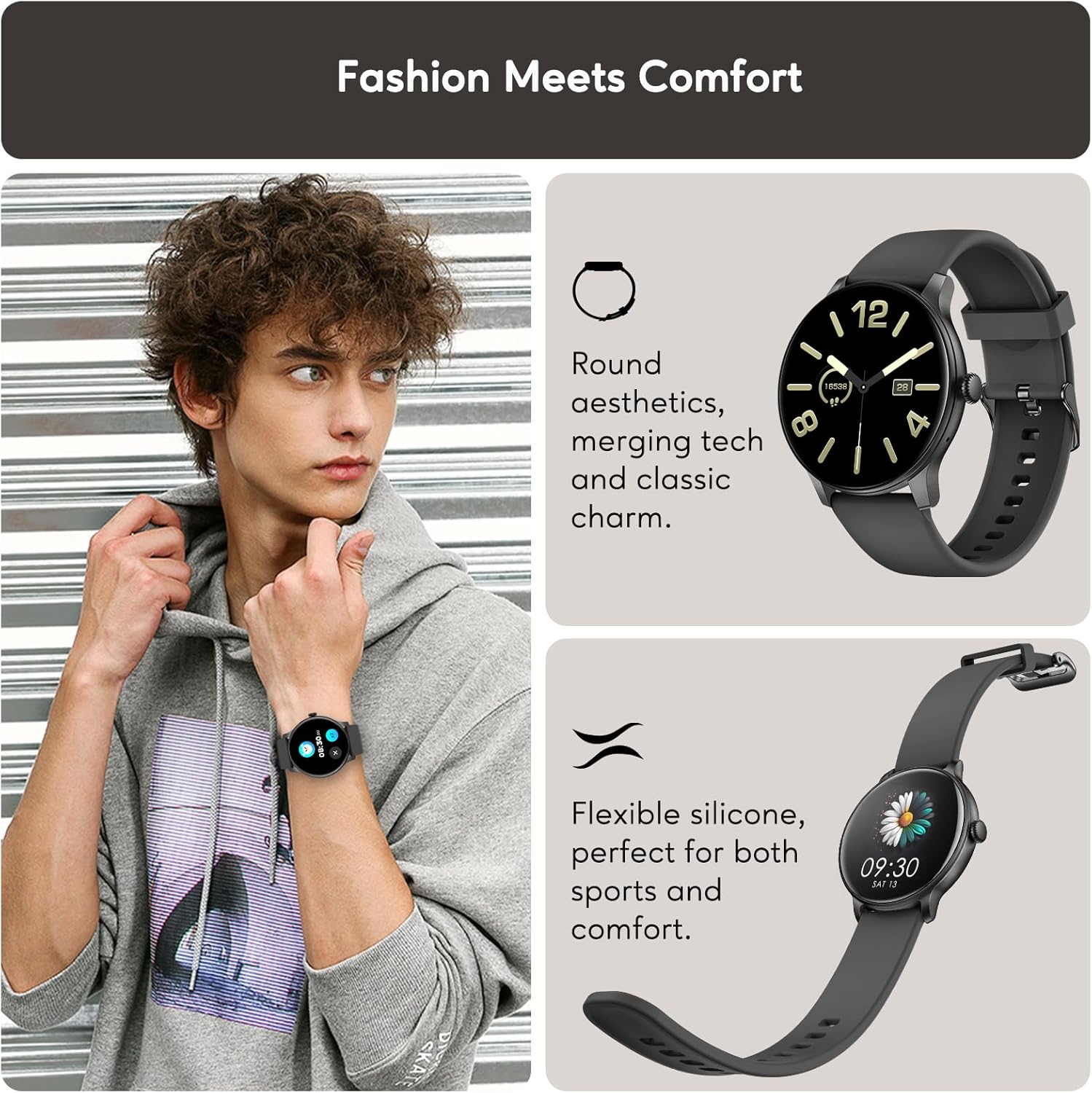
Fashion Meets Comfort: The AcclaFit D2 Smartwatch features a round aesthetic, merging technology with classic charm. Its flexible silicone band ensures comfort for both sports and daily wear.
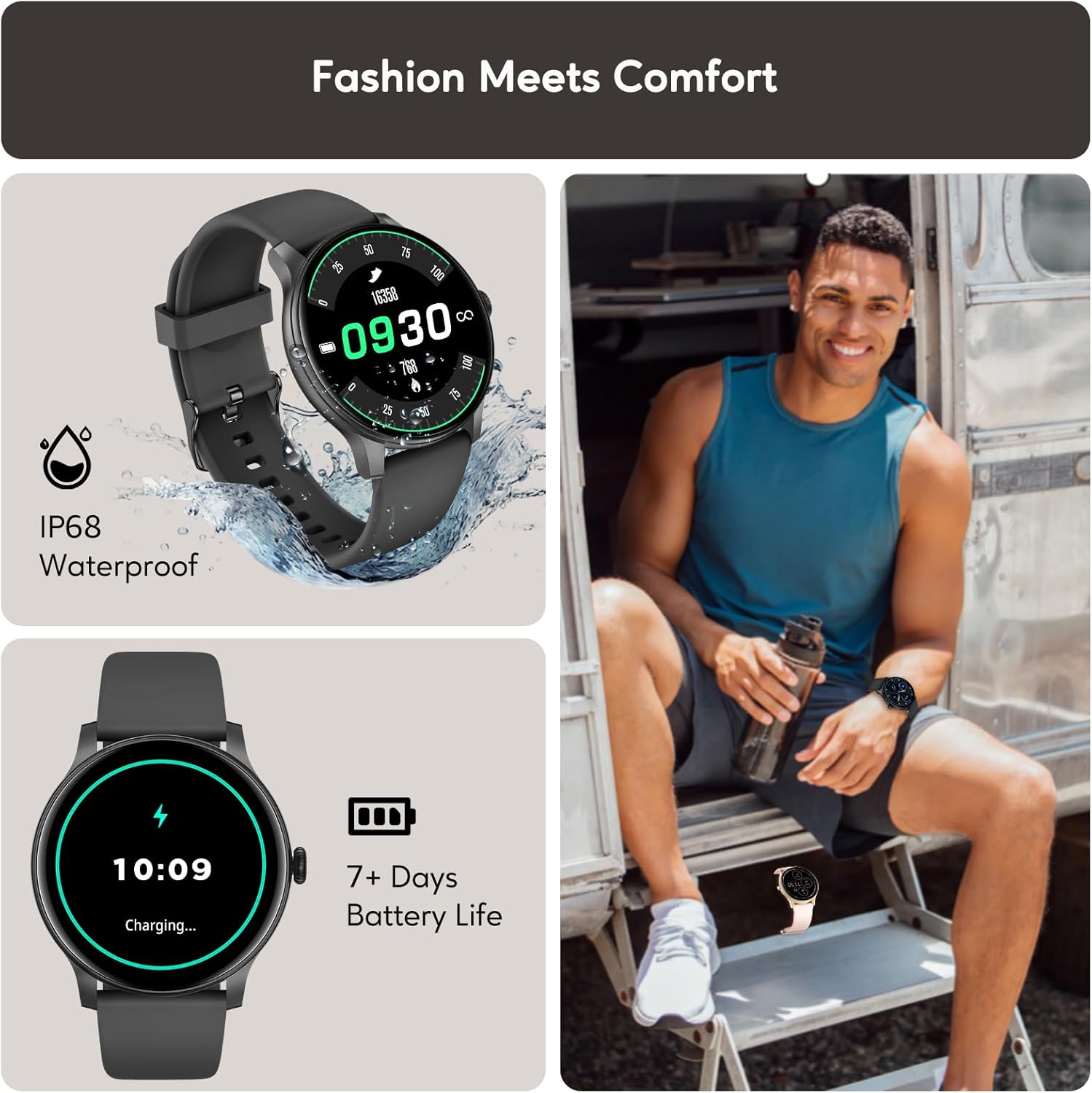
Durable Design and Long Battery Life: The watch boasts an IP68 waterproof rating, making it suitable for various environments. Enjoy up to 15 days of battery life on a single charge, with quick charging capabilities.
3. Налаштування
3.1 Заряджання смарт-годинника
Before first use, fully charge your AcclaFit D2 Smartwatch. Connect the magnetic charging cable to the charging points on the back of the watch and plug the USB end into a standard USB power adapter (not included).
- Повна зарядка зазвичай займає приблизно 2 години.
- The watch will display a charging indicator on its screen.
3.2 Downloading the Da Fit App
The AcclaFit D2 Smartwatch requires the 'Da Fit' application for full functionality and data synchronization. Download the app from your smartphone's app store:
- For Android devices, search for 'Da Fit' on the Google Play Store.
- For iOS devices, search for 'Da Fit' on the Apple App Store.
3.3 Сполучення зі смартфоном
- Переконайтеся, що ваш смарт-годинник заряджений та увімкнений.
- Увімкніть Bluetooth на своєму смартфоні.
- Відкрийте додаток «Da Fit» на своєму смартфоні.
- Follow the in-app instructions to add a new device. Select 'D2' from the list of available devices.
- Підтвердьте запит на сполучення як на смартфоні, так і на смарт-годиннику.
- Після сполучення годинник синхронізує дані та налаштування з додатком.
4. Інструкція з експлуатації
4.1 Основна навігація
- Сенсорний екран: Проведіть пальцем ліворуч/праворуч для навігації між основними функціями, проведіть пальцем вгору/вниз для швидкого налаштування або сповіщень. Натисніть, щоб вибрати.
- Бічна кнопка: Натисніть, щоб активувати екран, повернутися на головний екран або відкрити меню програм. Тривале натискання – для параметрів живлення.
4.2 Налаштування циферблатів годинника
You can change the watch face directly on the device or through the 'Da Fit' app:
- На годиннику: From the home screen, long-press the display. Swipe left/right to browse available watch faces and tap to select.
- Через додаток: Open the 'Da Fit' app, navigate to the 'Watch Faces' section, and choose from a wider selection or customize your own.
4.3 Налаштування параметрів
Access various settings directly on the watch by swiping down from the home screen to open the quick settings panel, or by navigating to the 'Settings' menu. For more detailed configurations, use the 'Da Fit' app.
5. Функції моніторингу стану здоров'я
The AcclaFit D2 Smartwatch provides comprehensive 24/7 health monitoring to help you stay informed about your physical condition.

Real-time Health Metrics: Monitor your heart rate, blood oxygen (SpO2), and blood pressure throughout the day. Note: Blood pressure readings from smartwatches are for reference only and should not be used for medical diagnosis.

Advanced Sleep Tracking: Gain insights into your sleep patterns, including deep sleep, light sleep, and awake times. The watch provides a sleep score and smart alarms to help improve your sleep quality.
5.1 Stress Monitoring
Track your stress levels throughout the day to understand your body's responses and manage stress effectively. The 'Da Fit' app provides detailed graphs and insights.
5.2 Menstrual Cycle Tracking
For female users, the smartwatch offers a menstrual cycle tracker with reminders, helping you monitor and predict your cycle phases.
6. Відстеження фізичної активності
The AcclaFit D2 Smartwatch is equipped with over 120 sport modes to accurately track your workouts and daily activity.
120+ спортивних режимів: Choose from a wide range of activities, including running, cycling, walking, yoga, and more. Each mode tracks key data points such as distance, pace, calories burned, steps, and heart rate.
6.1 Відстеження активності
Beyond specific sport modes, the watch continuously tracks your daily steps, distance covered, and calories burned, providing a comprehensive overview of your activity levels.
6.2 Водостійкість IP68
The AcclaFit D2 Smartwatch has an IP68 waterproof rating, meaning it is resistant to dust and can withstand immersion in water up to 1.5 meters for 30 minutes. It is suitable for showering, swimming in shallow water, and daily use. It is not suitable for diving, hot baths, or high-pressure water activities.
7. Розумне підключення
Stay connected and informed with the AcclaFit D2 Smartwatch's intelligent features.

Виклик через Bluetooth: Make and receive calls directly from your wrist when connected to your smartphone via Bluetooth. Enjoy clear communication without needing to take out your phone.

Notifications and Additional Features: Receive instant notifications for messages, emails, and app alerts. Control music playback on your phone, check weather forecasts, set sedentary reminders, and manage alarms. The watch is compatible with both iOS and Android devices.
8. Технічне обслуговування
8.1 Очищення смарт-годинника
Щоб зберегти зовнішній вигляд та функціональність вашого годинника:
- Регулярно протирайте екран і ремінець м’якою ганчіркоюamp тканина.
- Уникайте використання агресивних хімікатів або абразивних матеріалів.
- Перед заряджанням переконайтеся, що зарядні контакти чисті та сухі.
8.2 Догляд за акумулятором
- Charge the watch regularly, even if not in constant use, to prolong battery life.
- Уникайте екстремальних температур, які можуть вплинути на роботу акумулятора.
8.3 Рекомендації щодо водостійкості
While IP68 rated, proper care is essential:
- Не піддавайте годинник впливу гарячої води, пари або струменів води під високим тиском.
- Dry the watch thoroughly after exposure to water to prevent corrosion of charging contacts.
9. Вирішення проблем
If you encounter issues with your AcclaFit D2 Smartwatch, try the following solutions:
| проблема | Можливе рішення |
|---|---|
| Годинник не вмикається | Переконайтеся, що годинник повністю заряджений. Підключіть його до зарядного пристрою щонайменше на 30 хвилин. |
| Не вдається з’єднатися з телефоном | Check if Bluetooth is enabled on your phone. Restart both the watch and your phone. Ensure the 'Da Fit' app is updated. |
| Неточні показники здоров'я | Ensure the watch is worn snugly on your wrist, not too tight or too loose. Clean the sensor on the back of the watch. Avoid excessive movement during readings. Remember, readings are for reference. |
| Сповіщення не отримано | Check app notification settings on your phone and within the 'Da Fit' app. Ensure the watch is connected via Bluetooth. |
| Короткий час автономної роботи | Reduce screen brightness, disable unnecessary features (e.g., continuous heart rate monitoring if not needed), and ensure the app is not running excessively in the background. |
10. Технічні характеристики
| Особливість | Деталь |
|---|---|
| Бренд | AcclaFit |
| Номер моделі | D2 |
| Розмір екрана | 1.38 дюймів |
| Ємність пам'яті | 128 Мб |
| Стандарт бездротового зв'язку | Bluetooth |
| Ширина ремінця | 22 міліметрів |
| Водонепроникність | IP68 |
| Термін служби батареї | До 15 днів (типове використання) |
| Сумісність | Android, iOS |
11. Гарантія та підтримка
For warranty information and customer support, please refer to the documentation provided with your purchase or contact the seller/manufacturer directly. Keep your proof of purchase for warranty claims.
For further assistance, you can also visit the official AcclaFit webсайту або зв’яжіться з їхньою службою обслуговування клієнтів.


