вступ
Thank you for choosing the OnePlus Nord Buds 3 Pro wireless earbuds. These earbuds are designed to provide an immersive audio experience with features like Hybrid Active Noise Cancellation, deep bass, and extended battery life. This manual provides detailed instructions for setting up, operating, maintaining, and troubleshooting your device to ensure optimal performance.
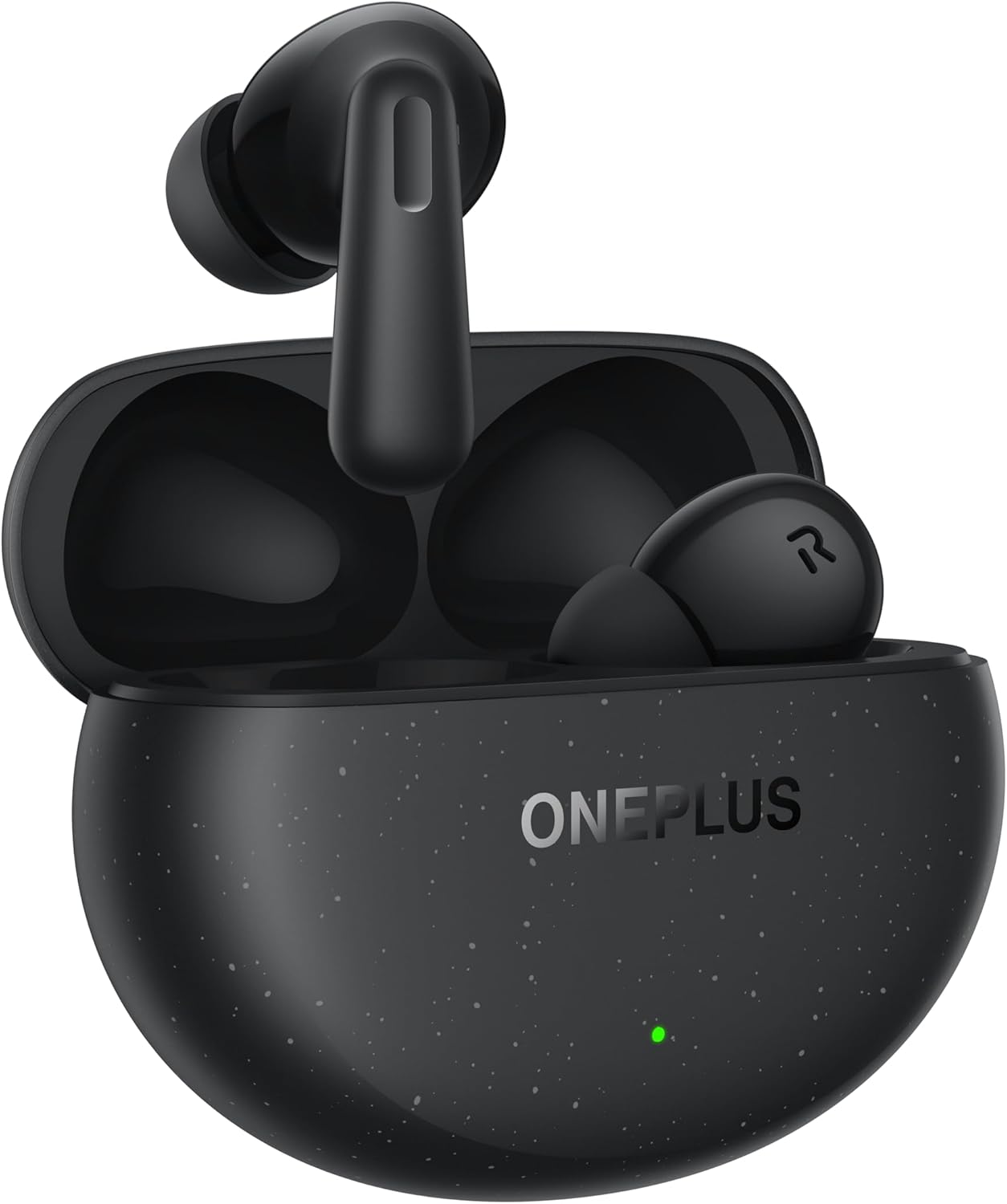
Image: The OnePlus Nord Buds 3 Pro earbuds, in Starry Black, are shown inside their open charging case. The case has a speckled finish and the OnePlus logo. A small green LED indicator is visible on the front of the case.
Що в коробці
Carefully unpack your OnePlus Nord Buds 3 Pro and ensure all items are present:
- OnePlus Nord Buds 3 Pro earbuds (1 pair)
- OnePlus Nord Buds 3 Pro charging case (1 unit)
- Silicon eartips (3 pairs: S, M, L)
- USB Type-C charging cable (1 unit)
- Посібник користувача (1 одиниця)
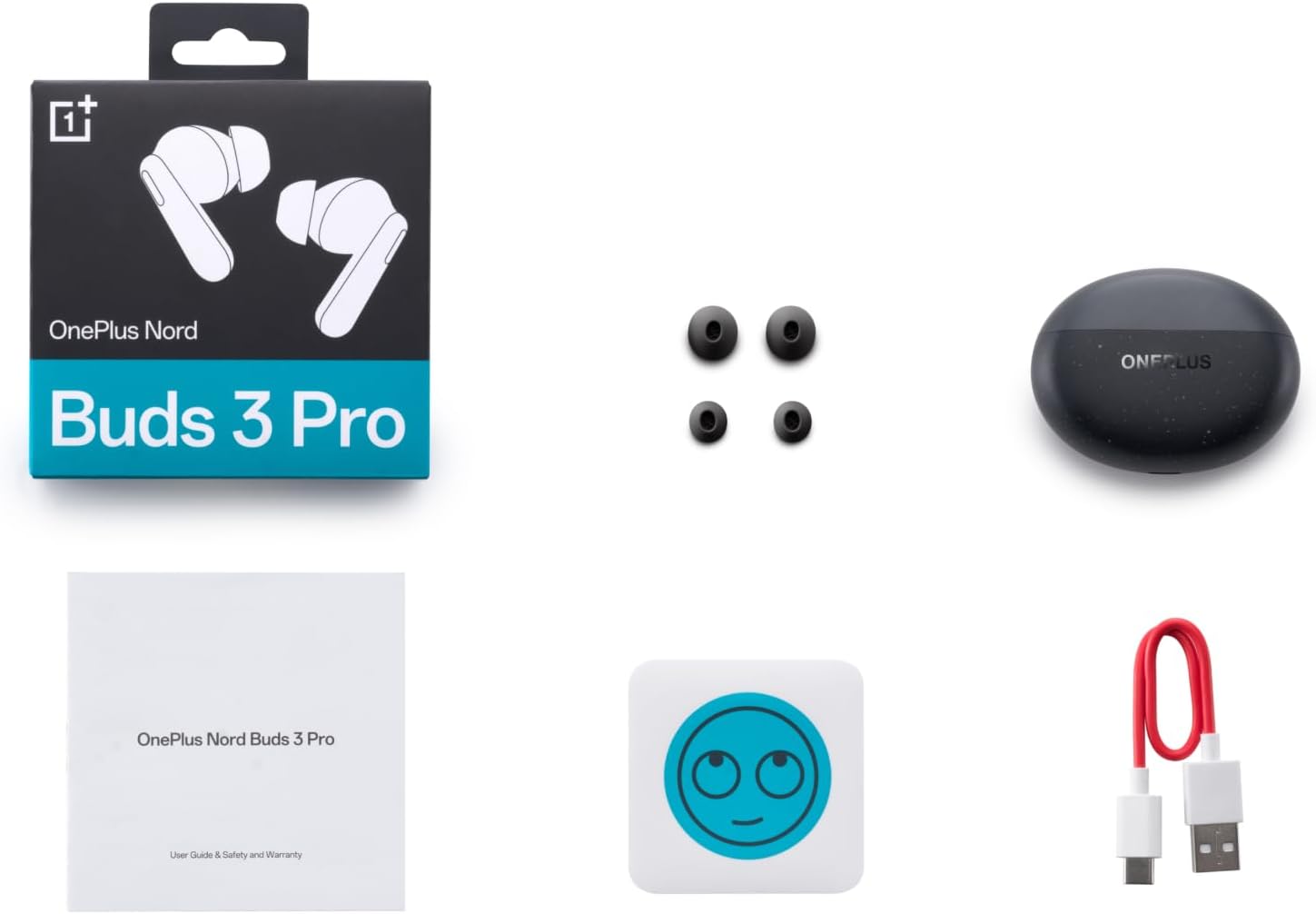
Image: A flat lay of the OnePlus Nord Buds 3 Pro package contents, including the retail box, the charging case, three pairs of silicone eartips, a USB Type-C charging cable, and the user guide.
Налаштування
1. Початкове заряджання
Перед першим використанням повністю зарядіть навушники та зарядний футляр. Підключіть наданий кабель USB Type-C до зарядного порту на футлярі та джерела живлення. Індикатор на футлярі показуватиме стан заряджання.
2. Сполучення з вашим пристроєм
- Переконайтеся, що навушники знаходяться в зарядному футлярі, а кришка футляра відкрита.
- Натисніть і утримуйте функціональну кнопку на зарядному футлярі протягом 2 секунд, доки індикатор не почне блимати білим кольором, що вказує на режим сполучення.
- On your device (smartphone, tablet, etc.), go to Bluetooth settings and select "OnePlus Nord Buds 3 Pro" from the list of available devices.
- For Android devices, the earbuds support Google Fast Pair for quick connection. Simply open the case near your Android device and follow the on-screen prompts.

Image: A person holding a OnePlus Nord Buds 3 Pro charging case and a smartphone. The smartphone screen displays a prompt for Google Fast Pair, showing the earbuds ready to connect, illustrating the pairing process.
3. HeyMelody App
For enhanced features and customization, download the HeyMelody app from your device's app store. The app allows you to manage settings, update firmware, and locate your earbuds.
Інструкція з експлуатації
Сенсорне керування
The OnePlus Nord Buds 3 Pro feature intuitive touch controls on each earbud. Default controls are as follows, but can often be customized via the HeyMelody app:
- Однократне натискання: Відтворення/пауза музики, відповідь/завершення дзвінка.
- Двічі натисніть: Next track, Reject call.
- Потрійний дотик: Попередній трек.
- Press and Hold (1 second): Switch between Active Noise Cancellation (ANC) and Transparency mode.
Активне шумозаглушення (ANC) та режим прозорості
The earbuds offer Hybrid Active Noise Cancellation up to 49dB to minimize ambient noise. Transparency mode allows you to hear your surroundings without removing the earbuds. Toggle between these modes by pressing and holding the earbud touch area.

Image: An infographic detailing key features of the OnePlus Nord Buds 3 Pro, including up to 44 hours listening time, 49dB Hybrid Active Noise Cancellation, 12.4mm Titanized Diaphragm, and Basswave 2.0 technology.
Якість звуку
Equipped with a 12.4mm titanium-coated diaphragm and Basswave 2.0 technology, the Nord Buds 3 Pro deliver rich bass, clear vocals, and an immersive sound experience.
Акумулятор і зарядка
- Термін служби батареї навушників: Up to 44 hours with ANC off, up to 20 hours with ANC on (including charging case).
- Швидка зарядка: 10 хвилин зарядки забезпечують до 11 годин відтворення.
- Зарядний футляр: Recharge the case using the provided USB Type-C cable.
Технічне обслуговування
- Прибирання: Регулярно протирайте навушники та зарядний футляр м’якою, сухою тканиною без ворсу. Не використовуйте агресивні хімікати або абразивні матеріали.
- Вушні наконечники: Remove and clean the silicone eartips with water and mild soap if necessary. Ensure they are completely dry before reattaching.
- Контакти для зарядки: Keep the charging contacts on both the earbuds and inside the case clean and free of debris to ensure proper charging.
- Зберігання: Коли навушники не використовуються, зберігайте їх у зарядному футлярі, щоб захистити їх та підтримувати зарядженими. Уникайте екстремальних температур.
Усунення несправностей
Навушники не сполучаються або не підключаються:
- Переконайтеся, що навушники заряджені.
- Place earbuds in the case, close the lid, then open it again to re-enter pairing mode.
- Перевірте налаштування Bluetooth вашого пристрою та переконайтеся, що Bluetooth увімкнено.
- Try forgetting the device in your Bluetooth settings and re-pairing.
- Перезапустіть пристрій.
Немає звуку або погана якість звуку:
- Перевірте рівень гучності як на пристрої, так і на навушниках.
- Ensure the earbuds are properly seated in your ears and the correct size eartips are used.
- Очистіть динаміки навушників та зарядні контакти від будь-якого сміття.
- Підійдіть ближче до підключеного пристрою, щоб уникнути перешкод.
Навушники не заряджаються:
- Переконайтеся, що зарядний кабель надійно підключений як до кейса, так і до джерела живлення.
- Перевірте, чи джерело живлення активне.
- Очистіть зарядні контакти як на навушниках, так і всередині кейса.
Технічні характеристики
| Особливість | Деталь |
|---|---|
| Назва моделі | Nord Buds 3 Pro (E511A) |
| Бренд | OnePlus |
| Технологія підключення | Bluetooth |
| Версія Bluetooth | 5.4 |
| Контроль шуму | Гібридне активне шумозаглушення (до 49 дБ) |
| Розмір драйвера | 12.4mm Titanized Diaphragm |
| Діапазон частот | 20 Гц - 20 000 Гц |
| Чутливість | 38 дБ |
| Імпеданс | 32 Ом |
| Термін служби батареї (навушники + чохол) | До 44 годин (ANC вимкнено), до 20 годин (ANC увімкнено) |
| Швидка оплата | 10 хвилин зарядки для 11 годин відтворення |
| Інтерфейс зарядки | USB Type-C |
| Розташування вуха | Вухо |
| Вага товару | 3.52 унцій (0.1 кілограма) |
| Розміри продукту | 1.09 x 0.92 x 0.82 дюймів |
Гарантія та підтримка
The OnePlus Nord Buds 3 Pro are covered by a limited warranty. Please refer to the warranty card included in your package for specific terms and conditions, or visit the official OnePlus webдля отримання детальної інформації про гарантію.
Щоб отримати технічну підтримку, допомогу з усунення несправностей або звернутися до служби підтримки, відвідайте Підтримка OnePlus webсайт або зверніться безпосередньо до їхньої служби підтримки клієнтів.


