вступ
Thank you for choosing the Grundig Wireless Bluetooth Open-Ear Earbuds. These earbuds are designed to provide a comfortable listening experience with an open-ear design, allowing you to stay aware of your surroundings while enjoying your audio. This manual provides essential information on how to set up, operate, and maintain your earbuds.
Що в коробці
- Grundig Wireless Bluetooth Open-Ear Earbuds
- Зарядний кабель USB-C
- Посібник користувача
Продукт закінченийview
Familiarize yourself with the components of your earbuds:
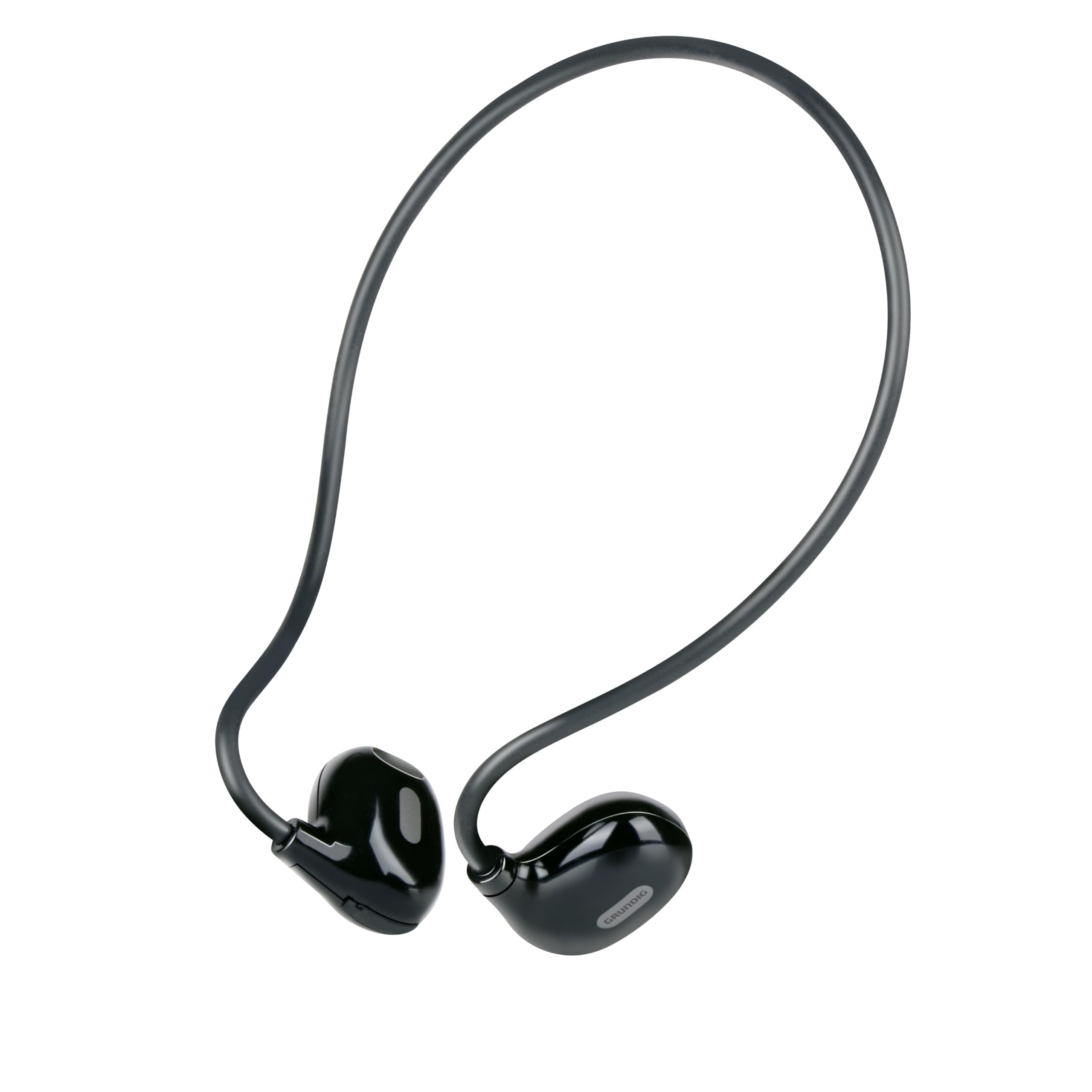
Figure 1: Close-up of a single earbud, highlighting the speaker and flexible ear hook.
- Earbud Unit: Contains the speaker and internal electronics.
- Flexible Ear Hook: Designed to fit securely around your ear.
- Мікрофон: Для дзвінків у режимі hands-free.
- Область сенсорного керування: For managing music and calls.
- Порт зарядки USB-C: Located on one of the earbuds for power input.
Налаштування
1. Зарядка навушників
- Connect the supplied USB-C charging cable to the charging port on the earbuds.
- Підключіть інший кінець кабелю USB-C до сумісного джерела живлення USB (наприклад, адаптера живлення, USB-порту комп’ютера).
- The indicator light on the earbuds will show the charging status. A full charge takes approximately 1.5 hours.
- Після повного заряджання від’єднайте зарядний кабель.
2. Сполучення з пристроєм
Щоб підключити навушники до пристрою з підтримкою Bluetooth:
- Переконайтеся, що навушники заряджені та вимкнені.
- Press and hold the touch control area on one earbud until the indicator light flashes, indicating pairing mode.
- On your device (phone, tablet, laptop), enable Bluetooth and search for available devices.
- Select "Grundig Earbuds" (or similar name) from the list of found devices.
- Once connected, the indicator light on the earbuds will change, usually to a slow flash or off, and you will hear an audible confirmation.
- The earbuds will automatically attempt to reconnect to the last paired device when powered on.
3. Носіння навушників
For optimal comfort and sound, wear the earbuds as shown:

Figure 2: Proper placement of the earbuds with the ear hook.
- Place the earbud unit near your ear canal, ensuring the speaker is positioned to direct sound into your ear.
- Gently hook the flexible ear hook behind your ear to secure the earbud in place.
- Adjust for a comfortable and stable fit.
Використання навушників
Увімкнення/вимкнення живлення
- Увімкнення: Press and hold the touch control area for a few seconds until you hear a power-on prompt.
- Вимкнення живлення: Press and hold the touch control area for a few seconds until you hear a power-off prompt.
Відтворення музики
- Відтворення/пауза: Tap the touch control area once.
- Наступний трек: Double-tap the right earbud's touch control area.
- Попередній трек: Double-tap the left earbud's touch control area.
Управління дзвінками
- Відповісти/закінчити виклик: Tap the touch control area once during an incoming call or an active call.
- Відхилити виклик: Натисніть і утримуйте сенсорну область керування протягом 2 секунд під час вхідного дзвінка.
Регулювання гучності
Volume control is typically managed directly from your connected device. The earbuds support media control functions for play/pause and track skipping.
Технічне обслуговування
- Прибирання: Use a soft, dry cloth to clean the earbuds. Do not use abrasive cleaners or immerse them in water.
- Зберігання: Зберігайте навушники в прохолодному, сухому місці, подалі від прямих сонячних променів та екстремальних температур.
- Догляд за акумулятором: To prolong battery life, charge the earbuds regularly, even if not in frequent use. Avoid fully discharging the battery for extended periods.
Усунення несправностей
| проблема | Рішення |
|---|---|
| Навушники не вмикаються. | Ensure the earbuds are fully charged. Connect them to the USB-C charging cable and allow 1.5 hours for a full charge. |
| Не вдається з’єднати пристрій. | Make sure Bluetooth is enabled on your device. Ensure the earbuds are in pairing mode (indicator light flashing). Move the earbuds closer to your device. Forget previous pairings on your device and try again. |
| Немає звуку або гучність низька. | Check the volume level on both your connected device and the earbuds. Ensure the earbuds are properly seated on your ears. Reconnect the earbuds to your device. |
| Calls are unclear. | Ensure the microphone is not obstructed. Move to an area with less background noise. Check your device's call settings. |
| Навушники часто відключаються. | Ensure the earbuds are within the Bluetooth range of your device. Avoid obstacles between the earbuds and your device. Charge the earbuds if the battery is low. |
Технічні характеристики
| Номер моделі | 8711252259871 |
| Бренд | Grundig |
| Технологія підключення | Бездротовий зв'язок (Bluetooth 5.3) |
| Розташування вуха | Відкрите вухо |
| Спосіб контролю | Сенсорне керування |
| Термін служби батареї | До 5 годин |
| Час зарядки | Приблизно 1.5 годин |
| Порт зарядки | USB-C |
| матеріал | Пластик і силікон |
| Рівень водонепроникності | Не водонепроникний |
| Сумісні пристрої | Mobile phones, tablets, laptops, game consoles, desktop computers, smart speakers |
| Особливості | Fast charging, Hands-free calls |
Інформація про безпеку
- Не використовуйте навушники на високій гучності протягом тривалого часу, щоб запобігти пошкодженню слуху.
- Не використовуйте навушники в ситуаціях, коли нездатність чути навколишні звуки може бути небезпечною (наприклад, під час керування автомобілем, їзди на велосипеді, ходьби в умовах дорожнього руху).
- Keep the earbuds away from water and moisture.
- Do not attempt to disassemble or modify the earbuds.
- Зберігати в недоступному для дітей місці.
- Утилізуйте виріб відповідально відповідно до місцевих правил.
Гарантія та підтримка
Grundig products are designed for reliability and performance. For warranty information and customer support, please refer to the documentation provided with your purchase or visit the official Grundig webсайт. Будь ласка, збережіть підтвердження покупки для будь-яких гарантійних претензій.


