вступ
Дякуємо за покупкуasing the Boytone BT-63K Bluetooth Party Speaker Karaoke Machine. This all-in-one portable speaker is designed to deliver powerful audio and an immersive entertainment experience with its high-fidelity sound, vibrant LED lights, and versatile connectivity options. This manual provides essential information for setting up, operating, and maintaining your device to ensure optimal performance and longevity.

Image: The Boytone BT-63K speaker, a wired microphone, and a remote control. The speaker features a black casing with a large front grille and multi-colored LED lights around the speaker cone.
Інформація про безпеку
- Перед використанням продукту уважно прочитайте всі інструкції.
- Не піддавайте пристрій впливу води, вологи або екстремальних температур.
- Тримайте пристрій подалі від прямих сонячних променів і джерел тепла.
- Не намагайтеся розбирати або ремонтувати пристрій самостійно. Звертайтеся до кваліфікованого персоналу для проведення будь-яких робіт з обслуговування.
- Use only the specified charging adapter to avoid damage.
- Забезпечте належну вентиляцію навколо динаміка під час роботи.
- Утилізуйте батарейки відповідально згідно з місцевими правилами.
Вміст упаковки
Перевірте наявність усіх елементів в упаковці:
- Boytone BT-63K Party Speaker
- Дротовий мікрофон
- Пульт дистанційного керування
- Charging Cable (AC/DC adapter not explicitly listed but implied for charging)
- Посібник користувача (цей документ)
Продукт закінченийview
Передня і задня панелі
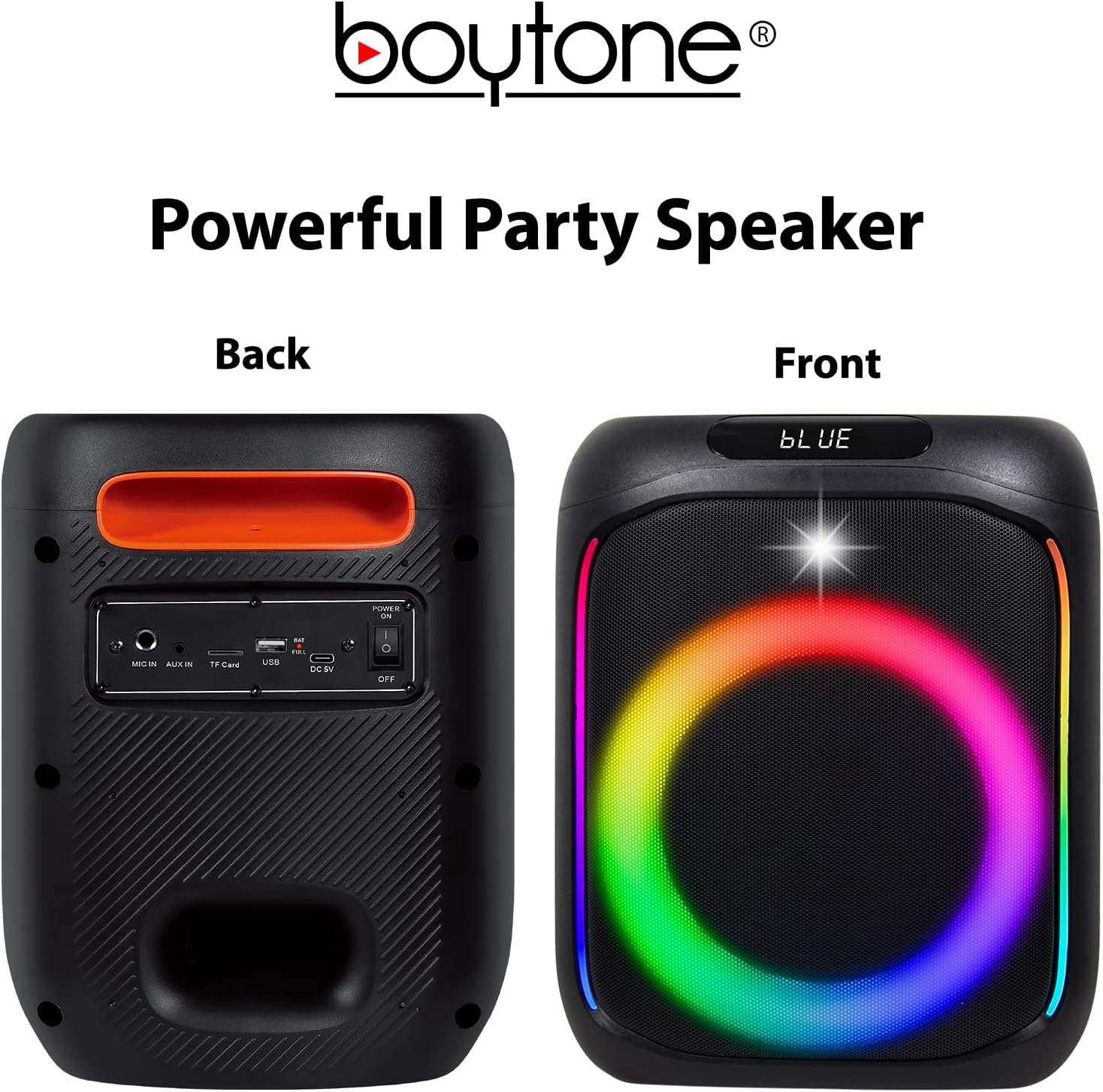
Image: The front of the speaker displays the LED-lit grille. The back panel shows various input ports and controls, including MIC IN, AUX IN, TF Card slot, USB port, DC 5V charging port, and a Power ON/OFF switch.
Елементи керування на верхній панелі

Image: The top panel of the speaker features volume controls (- and +), mode selection, track navigation (previous/next), play/pause, LED light control, and a record button.
- MODE/TWS: Press to switch between Bluetooth, FM, AUX, USB, TF Card modes. Long press for TWS pairing.
- ПЕРЕД./Г.-: Press for previous track. Long press to decrease volume.
- ВІДТВОРЕННЯ/ПАУЗА: Натисніть, щоб відтворити або призупинити аудіо.
- NEXT/VOL+: Press for next track. Long press to increase volume.
- MENU/M.PRI: Menu button, possibly for EQ or other settings.
- світлодіод: Press to cycle through LED light modes or turn off.
- REC: Натисніть, щоб почати/зупинити запис.
Налаштування
Зарядка динаміка
Before first use, fully charge the speaker. Connect the charging cable to the DC 5V port on the back of the speaker and plug the other end into a suitable power source. The charging indicator will illuminate. Once fully charged, the indicator may change color or turn off.
The built-in 3600mAh battery provides approximately 6-10 hours of playback depending on volume level and usage.
Підключення мікрофона
Insert the wired microphone's plug into the "MIC IN" port on the back panel of the speaker.
Інструкція з експлуатації
Увімкнення/вимкнення живлення
Locate the Power ON/OFF switch on the back panel of the speaker. Slide the switch to "ON" to power on the device. Slide it to "OFF" to power off.
Bluetooth-парування
- Power on the speaker. It will automatically enter Bluetooth pairing mode, indicated by a voice prompt or flashing LED.
- Увімкніть Bluetooth на своєму мобільному пристрої (смартфоні, планшеті тощо).
- шукати "BT-63K" in the list of available Bluetooth devices.
- Select "BT-63K" to connect. Once paired, you will hear a confirmation sound.
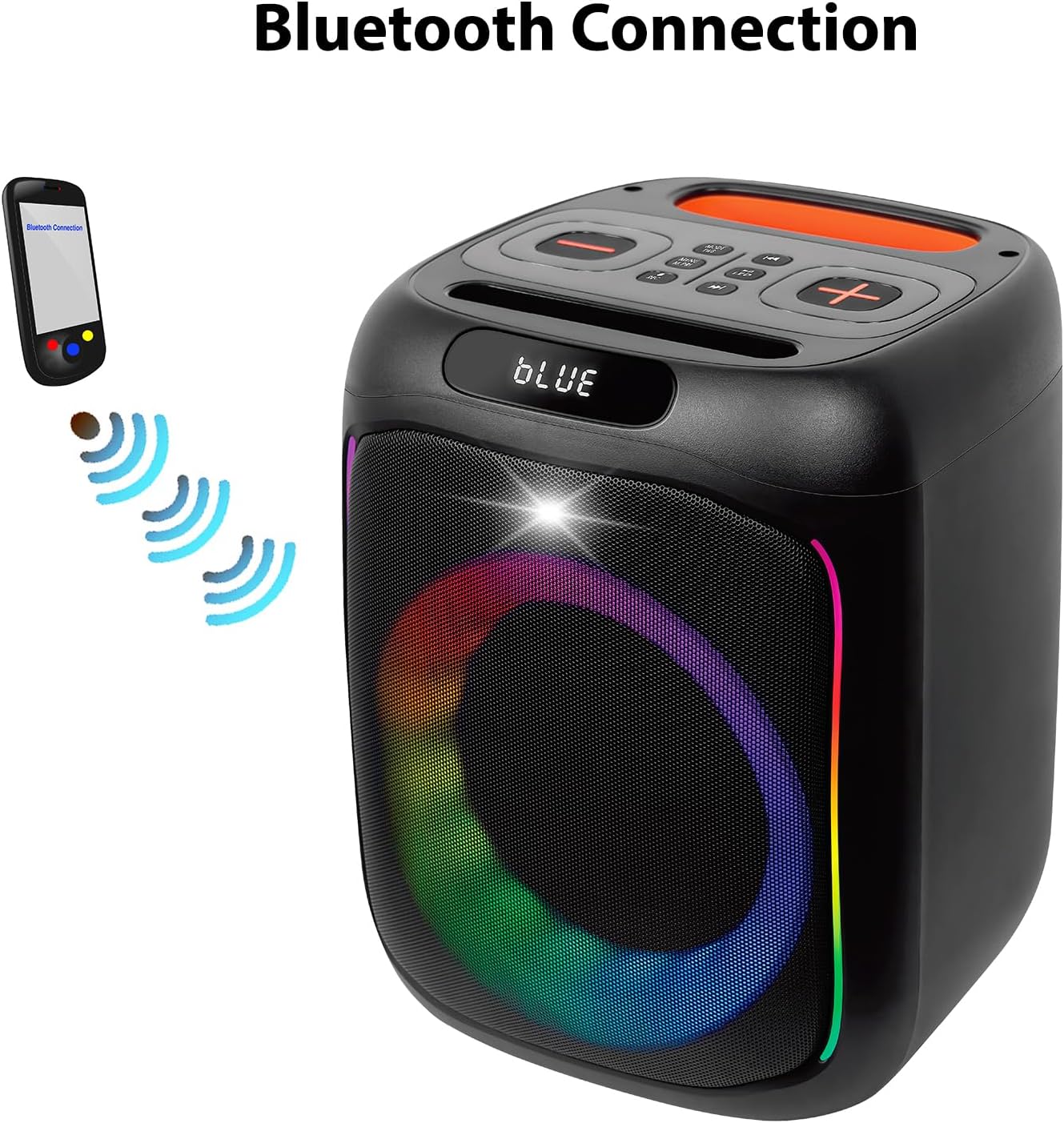
Image: A visual representation of a smartphone wirelessly connecting to the Boytone BT-63K speaker via Bluetooth, indicated by signal waves.
The Bluetooth working distance is up to 100 feet (30 meters) in an open area.
Функція TWS (True Wireless Stereo)
The TWS function allows you to pair two BT-63K speakers together for a true stereo sound experience.
- Ensure both BT-63K speakers are powered on and not connected to any Bluetooth device.
- On one of the speakers (this will be the primary speaker), long press the "MODE/TWS" button. You will hear a prompt indicating TWS pairing mode.
- Два динаміки автоматично підключаться один до одного. Після підключення ви почуєте звуковий сигнал підтвердження.
- Тепер підключіть свій мобільний пристрій до основного динаміка через Bluetooth, як описано в розділі «Спарювання через Bluetooth». Обидва динаміки відтворюватимуть аудіо в стереоформаті.
Image: Two Boytone BT-63K speakers are shown, one from the front and one from the top, demonstrating their ability to pair together for a TWS system.
FM-радіо
- Натискайте кнопку «MODE» кілька разів, доки не перейдете в режим FM-радіо.
- Press the "PLAY/PAUSE" button to automatically scan and save available FM stations.
- Використовуйте кнопки «PREV» та «NEXT» для навігації між збереженими станціями.
Відтворення з картки USB/TF
Insert a USB flash drive or a TF (microSD) card into the respective port on the back panel. The speaker will automatically detect the storage device and begin playing compatible audio file(наприклад, MP3).
- Use "PREV" and "NEXT" buttons to skip tracks.
- Use "PLAY/PAUSE" to pause or resume playback.
Вхід AUX
Connect an external audio device (e.g., smartphone, MP3 player) to the "AUX IN" port on the back panel using a 3.5mm audio cable. The speaker will automatically switch to AUX mode or you may need to press the "MODE" button to select AUX.
Функція запису
Щоб записати аудіо (наприклад, ваш голос через мікрофон):
- Переконайтеся, що USB-флеш-накопичувач або TF-карта вставлено в динамік.
- Підключіть мікрофон.
- Press the "REC" button on the top panel to start recording.
- Press "REC" again to stop recording. The recorded file will be saved to the USB drive or TF card.
Регулювання еквалайзера
The speaker features EQ adjustments. Press the "MENU/M.PRI" button to access EQ settings and use the volume buttons to adjust. Refer to the on-screen display for specific options.
Світлодіодні ліхтарі
The speaker features dynamic, multi-colored LED lights. Press the "LED" button on the top panel to cycle through different light modes or to turn the lights off.

Зображення: Детальний view of the speaker's internal components, highlighting the subwoofer and the vibrant, multi-colored LED lighting effect around the speaker cone.
Технічне обслуговування
прибирання
Протріть зовнішню частину динаміка м’якою сухою тканиною. Не використовуйте абразивні засоби для чищення, віск або розчинники. Переконайтеся, що рідини не потрапляють у отвори динаміка.
Зберігання
When not in use for extended periods, store the speaker in a cool, dry place away from direct sunlight and extreme temperatures. It is recommended to charge the battery periodically (e.g., every 3 months) to maintain its lifespan.
Усунення несправностей
| проблема | Можлива причина | Рішення |
|---|---|---|
| Немає живлення | Батарея розряджена; живлення вимкнено. | Зарядіть динамік; переконайтеся, що перемикач живлення знаходиться в положенні «УВІМК.». |
| Ні звуку | Гучність занадто низька; вибрано неправильний режим; пристрій не підключено. | Increase volume; Press MODE button to select correct input; Re-pair Bluetooth device or check AUX/USB connection. |
| Збій підключення Bluetooth | Speaker is too far from device; Speaker is connected to another device; Bluetooth not enabled on device. | Move device closer to speaker; Disconnect from other devices; Enable Bluetooth on your device and re-pair. |
| Мікрофон не працює | Microphone not properly plugged in; Microphone volume too low. | Ensure microphone is fully inserted into "MIC IN" port; Check microphone volume settings on the speaker. |
| Не вдається створити пару TWS | Гучномовці розташовані занадто далеко один від одного; один динамік уже підключено до пристрою Bluetooth. | Ensure speakers are within close proximity; Disconnect any Bluetooth devices from both speakers before attempting TWS pairing. |
Технічні характеристики
- Тип продукту: Портативний динамік Bluetooth
- Номер моделі: BT-63K
- Версія Bluetooth: 5.0
- Робоча відстань Bluetooth: До 100 футів (30 м)
- Вихідна потужність динаміка: 30 Вт
- Динамік: 2 x 6" woofer
- АЧХ: 80 Гц-20 КГц
- Час відтворення: Approximately 6-10 hours (depends on playing volume)
- Ємність батареї: 3.5 В 3600 мАг (літій-іонний)
- Підключення: Bluetooth, USB MP3 music player, TF Card, AUX, USB Port
- особливості: Microphones (Wired & Wireless), Remote Control, FM Radio, TWS Function, Recorder Function, EQ Adjustment, LED Lights
- Аудіо вхід: AUX, Microphone (Wired & Wireless)
- Розміри продукту (Д x Ш x В): 8.1 x 7.1 x 17.1 дюймів
- Вага товару: 8.2 фунта
- матеріал: Метал, пластик
- Джерело живлення: AC/DC
Гарантія та підтримка
Boytone products are designed for reliability and performance. For any questions, technical support, or warranty inquiries, please contact Boytone customer service. As a U.S.-based company, Boytone is available to assist you.
While specific warranty terms are not detailed here, please retain your proof of purchase for any warranty claims. Protection plans may be available for extended coverage.
Note: For the most current support information, please refer to the official Boytone website or contact details provided with your product packaging.

Image: An American flag graphic with text emphasizing the company's U.S. base and accessibility for customer support.