1. Вступ
This manual provides essential information for the safe operation and maintenance of your SIMREX X800 Drone. Please read it thoroughly before first use to ensure proper functionality and to maximize your flying experience. The SIMREX X800 is a compact and versatile drone designed for both beginners and experienced users, featuring a 1080P camera, altitude hold, and various intelligent flight modes.

2. Що в коробці
Перш ніж продовжити налаштування, перевірте наявність усіх компонентів:
- SIMREX X800 Drone (Black)
- Пульт дистанційного керування
- Modular Batteries (2x 1000mAh)
- USB-кабель для зарядки
- Spare Propeller Blades (1 set)
- Phone Holder for Remote Control
- Посібник користувача

3. Посібник із налаштування
3.1. Зарядка акумулятора
The drone comes with two 1000mAh modular batteries. Ensure both are fully charged before use.
- Підключіть USB-кабель для заряджання до акумулятора дрона.
- Підключіть інший кінець USB-кабелю до USB-адаптера живлення (не входить до комплекту) або USB-порту комп’ютера.
- The indicator light on the battery will show charging status (refer to battery specific indicators for details).
- Заряджання зазвичай займає приблизно 60-90 хвилин на один акумулятор.
3.2. Встановлення акумулятора дрона
- Розгорніть важелі дрона.
- Insert the fully charged modular battery into the battery compartment on the drone until it clicks securely into place.
3.3. Налаштування дистанційного керування
The remote control requires 2 LR44 batteries (included). Install them into the battery compartment on the back of the remote.
- Attach the phone holder to the top of the remote control.
- Place your smartphone securely into the phone holder.
- Download and install the SIMREX drone application (refer to the QR code in the included manual for the app).
- Увімкніть дрон, потім увімкніть пульт дистанційного керування.
- Connect your smartphone to the drone's Wi-Fi network (usually named 'SIMREX-XXXXXX').
- Open the SIMREX app to establish a connection and view канал камери.
3.4. Встановлення/перевірка гвинта
The drone comes with propellers pre-installed. If replacement is necessary, ensure correct orientation (A and B propellers) as indicated on the drone arms and propellers themselves.
4. Інструкція з експлуатації
Familiarize yourself with the drone's controls and features before attempting flight.
4.1. Basic Flight Preparation
- Ensure the drone is placed on a flat, level surface.
- Perform gyroscope calibration by pushing both joysticks down and to the left/right simultaneously (refer to the specific manual for exact combination).
- Ensure a stable Wi-Fi connection between your phone and the drone for FPV (First Person View) and app control.
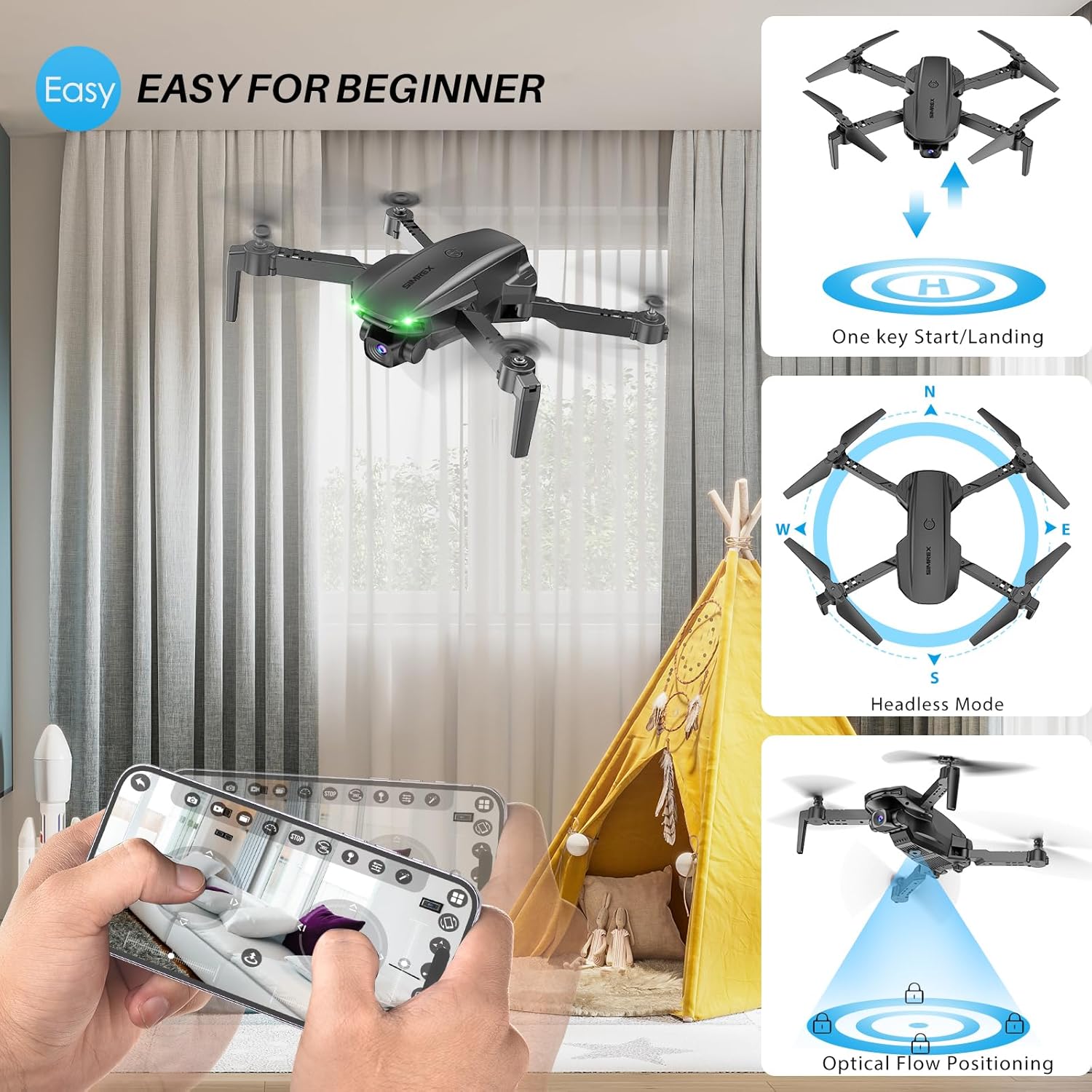
4.2. One Key Start/Landing
This feature simplifies takeoff and landing, making it ideal for beginners.
- Press the One Key Start button on the remote control or in the app. The drone will automatically take off and hover at a stable altitude.
- Press the One Key Landing button. The drone will slowly descend and land automatically.
4.3. Altitude Hold & Optical Flow Positioning
These features contribute to stable flight and precise hovering.
- Утримання висоти: The drone maintains a fixed height, allowing for stable video and photo capture without constant throttle input.
- Позиціонування оптичного потоку: Utilizes a bottom-mounted camera to detect ground patterns, enabling the drone to hover accurately in position, especially useful indoors or in low-wind conditions.

4.4. Безголовий режим
In Headless Mode, the drone's orientation is relative to the pilot, not the drone's front. This simplifies control, as pushing the joystick forward will always move the drone away from you, regardless of which way the drone is facing.
- Activate Headless Mode by pressing the dedicated button on the remote.
- Calibrate Headless Mode before flight for accurate control.
4.5. Waypoint Fly
Plan your flight path directly on your smartphone screen.
- Open the SIMREX app and select the Waypoint Fly function.
- Draw a desired flight path on the map displayed on your phone.
- The drone will automatically follow the designated route.
4.6. 3D Flip
Perform exciting aerial acrobatics with a single button press.
- Ensure sufficient altitude (at least 3 meters) before attempting a 3D flip.
- Press the 3D Flip button and move the right joystick in the desired flip direction (forward, backward, left, or right).
4.7. Регулювання швидкості
The drone offers three speed modes to suit different skill levels and flying conditions.
- Toggle between Low, Medium, and High speeds using the speed switch button on the remote.
- Start with Low speed for learning and indoor flight, gradually increasinг, коли ви набуваєте впевненості.

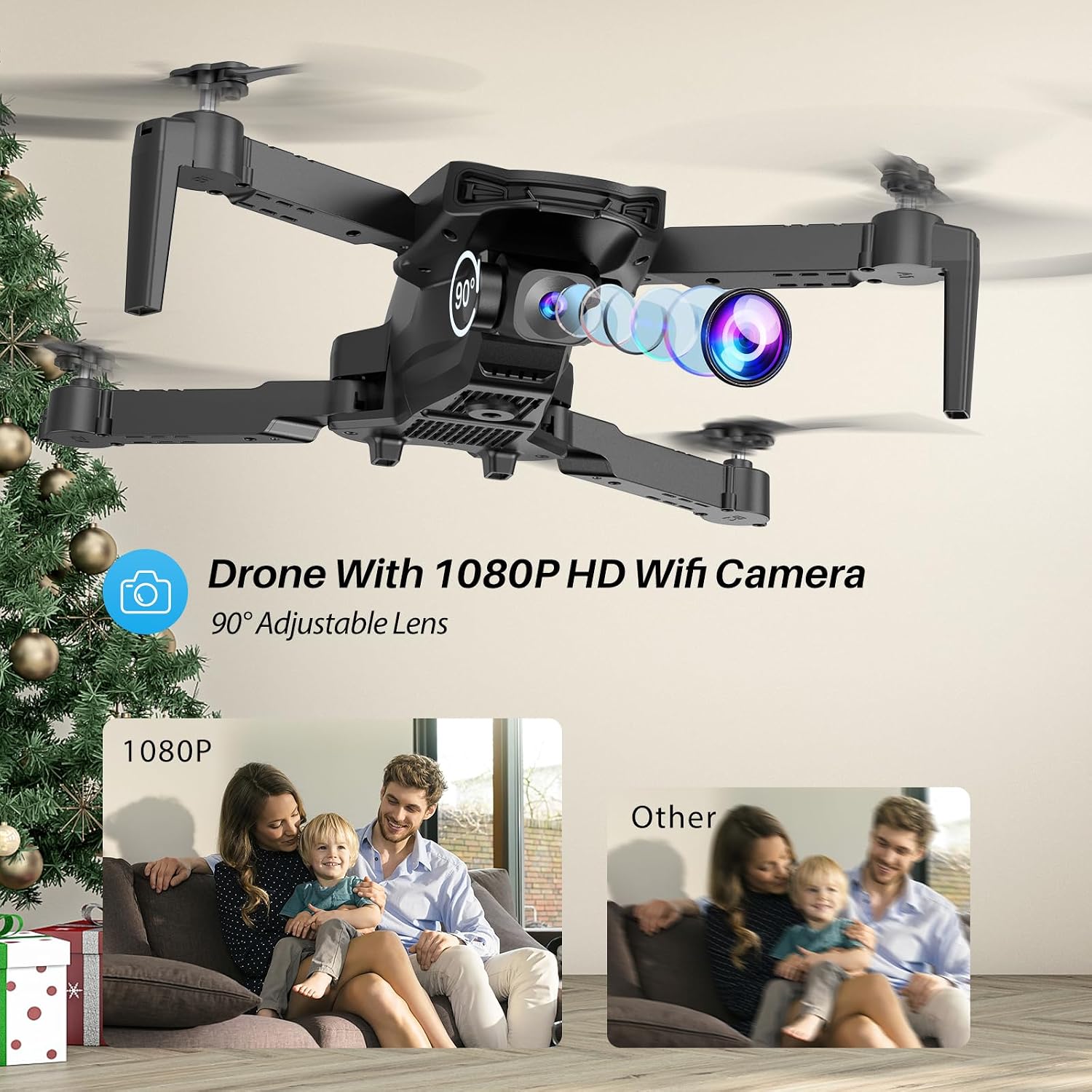
4.8. Робота камери
The SIMREX X800 is equipped with a 1080P camera with a 90° adjustable lens.
- View the live camera feed on your smartphone via the SIMREX app.
- Use the app to capture photos and record videos directly to your phone's storage.
- Adjust the camera lens angle manually before flight for optimal viewінж.
4.9. Контроль гравітації
Control the drone's flight motion by tilting your mobile phone.
- Activate Gravity Control within the SIMREX app.
- Tilt your phone forward, backward, left, or right to control the drone's corresponding movement.
4.10. Flight Environment Considerations
- The SIMREX X800 is recommended for використання в приміщенні.
- If flying outdoors, operate only in windless conditions to maintain control and prevent loss.
- Always maintain visual line of sight with the drone.
- Avoid flying near obstacles, people, or animals.
5. Технічне обслуговування
Регулярне технічне обслуговування забезпечує довговічність та оптимальну продуктивність вашого дрона.
5.1. прибирання
- Використовуйте м’яку суху тканину для очищення корпусу дрона та об’єктива камери.
- Уникайте використання агресивних хімікатів або розчинників.
- Переконайтеся, що пил або сміття не блокують оптичний датчик потоку на нижній частині дрона.
5.2. Заміна пропелера
In case of damage, replace propellers promptly.
- Вимкніть дрон.
- Обережно зніміть пошкоджений пропелер.
- Install a new propeller, ensuring it matches the 'A' or 'B' marking on the drone arm and the propeller itself. Incorrect installation will prevent flight.
5.3. Догляд за акумулятором
- Не перезаряджайте та не перерозряджайте акумулятори.
- Зберігайте батареї в прохолодному сухому місці подалі від прямих сонячних променів і екстремальних температур.
- If not used for an extended period, charge batteries to approximately 50% capacity.
6. Вирішення проблем
Зверніться до цього розділу, щоб знайти рішення поширених проблем.
| проблема | Можлива причина | Рішення |
|---|---|---|
| Дрон не реагує на пульт дистанційного керування. | Not paired; low battery (drone/remote); interference. | Переконайтеся, що дрон і пульт дистанційного керування увімкнені та сполучені. Зарядіть акумулятори. Перейдіть у місце з меншими перешкодами. |
| Дрон дрейфує під час польоту. | Gyroscope not calibrated; windy conditions; uneven propeller. | Perform gyroscope calibration. Fly in windless conditions. Check propellers for damage and replace if necessary. |
| No camera feed on phone. | No Wi-Fi connection; app not open; phone settings. | Connect phone to drone's Wi-Fi. Open the SIMREX app. Check phone's Wi-Fi settings. |
| Короткий час польоту. | Battery not fully charged; aged battery; aggressive flying. | Ensure batteries are fully charged. Consider replacing old batteries. Fly at lower speeds. |
| Дрон несподівано розбивається. | Out of range; low battery; strong wind; pilot error. | Keep drone within control range. Monitor battery levels. Avoid windy conditions. Practice basic controls. |
7. Технічні характеристики
| Особливість | Деталь |
|---|---|
| Бренд | SIMREX |
| Назва моделі | X800 |
| Колір | чорний |
| Роздільна здатність захоплення відео | 1080p |
| Особливості | 360 Degree Flip, Adjustable Camera, Foldable Design, Long Battery Life, One Key Rotation (Start/Landing), Altitude Hold, Optical Flow Positioning, Headless Mode, Waypoint Fly, Gravity Control, 3 Speeds |
| Технологія підключення | USB (for charging), Bluetooth (Remote Control) |
| Включені компоненти | Drone, Remote Control, 2x Batteries, USB Charger, Spare Blades, Phone Holder |
| Рівень майстерності | All (Beginner-friendly) |
| Вага товару | 0.21 фунта (приблизно 96 г) |
| матеріал | пластик |
| Склад батареї | Lithium Ion (Drone), LR44 (Remote) |
| Розміри продукту | 1.9 см Д x 4.5 см Ш x 1.3 см В (у складеному вигляді) |
| Час польоту | До 22 хвилин (з 2 батареями) |
8. Підтримка та гарантія
For any questions, technical assistance, or warranty claims regarding your SIMREX X800 Drone, please contact the seller or manufacturer directly through your purchase platform. Keep your proof of purchase for any warranty-related inquiries.
Додаткові плани захисту можна придбати окремо, щоб розширити покриття за межі стандартної гарантії виробника.


