1. Вступ
Thank you for choosing the CHEREEKI Wireless Gamepad for PS-4. This manual provides detailed instructions on how to set up, operate, and maintain your new controller. Please read this manual carefully before use to ensure optimal performance and longevity of your device. This controller is designed to enhance your gaming experience with its advanced features and ergonomic design.
2. Продукт закінчивсяview
2.1 Основні характеристики
- Сумісність: Compatible with PS-4, PS-4 Slim, and PS-4 Pro consoles, providing a stable signal up to 8 meters without delay.
- Ергономічний дизайн: Manually mounted with highly sensitive buttons and classic analog stick design for precise and comfortable gaming.
- 6-Axis Sensor & Dual Motors: Equipped with a built-in 6-axis sensor (gyroscope and accelerometer) and dual vibration motors for immersive gaming feedback.
- Touchpad & Light Bar: Features a multi-touch touchpad and an integrated light bar for new gaming possibilities.
- Тривалий термін служби батареї: 600mAh battery provides up to 7 hours of playtime on a 2-3 hour charge.
- Функція спільного доступу: Includes a dedicated SHARE button for easy sharing of video clips and screenshots.
- Stereo Headphone Socket: A 3.5mm audio jack allows connection of headphones for immersive audio.
2.2 Вміст упаковки
- CHEREEKI Wireless Gamepad
- USB-кабель для зарядки
- Посібник користувача
2.3 Схема контролера

малюнок 2.3.1: Передня і задня view of the CHEREEKI Wireless Gamepad, highlighting key components such as the R1/R2/L1/L2 buttons, Light Bar, Micro USB Port, SHARE button, OPTIONS button, Directional Buttons, Left Stick, Home Button, Right Stick, Extension Port, and Stereo Headset Jack.
Familiarize yourself with the various buttons and ports on your controller:
- Кнопки напрямку (D-Pad): Для точного введення напрямку.
- Лівий/правий аналогові джойстики: Для руху на 360 градусів та керування камерою.
- Кнопки дій (Трикутник, Коло, Хрест, Квадрат): Для дій у грі.
- Кнопка ПОДІЛИТИСЯ: To share gameplay moments.
- Кнопка ПАРАМЕТРІВ: To access in-game menus and options.
- PS Button (Home Button): To turn on/off the controller, access the PS-4 home screen.
- Сенсорна панель: Multi-touch surface for interactive gameplay.
- Кнопки L1/R1: Плечові ґудзики.
- Тригери L2/R2: Аналогові тригери для точного введення.
- Світловий бар: Indicates player number, health, and other game information.
- Порт Micro USB: Для зарядки та дротового підключення.
- Stereo Headset Jack: 3.5mm port for connecting headphones or headsets.
- Порт розширення: For connecting compatible accessories.
3. Налаштування
3.1 Initial Connection & Pairing
For the first-time connection, the controller must be paired with your PS-4 console using a USB cable.
- Переконайтеся, що ваша консоль PS-4 увімкнена.
- Connect one end of the provided USB charging cable to the Micro USB port on the controller and the other end to a USB port on your PS-4 console.
- Press the PS button (Home button) on the controller. The light bar will flash and then glow solid, indicating successful pairing.
- Once paired, you can disconnect the USB cable to use the controller wirelessly.
3.2 Reconnecting Wirelessly
After initial pairing, the controller will automatically attempt to reconnect wirelessly to the last paired PS-4 console when you press the PS button.
3.3 Заряджання контролера

малюнок 3.3.1: Illustration of the CHEREEKI Wireless Gamepad's battery life, indicating a charging time of 2 hours for 7 hours of play time.
The controller is equipped with a 600mAh rechargeable Lithium-Ion battery.
- Connect the controller to your PS-4 console or a standard USB charger (5V/1A) using the provided USB cable.
- The light bar will slowly flash orange while charging.
- Once fully charged (approximately 2-3 hours), the light bar will turn off.
- Повний заряд забезпечує до 7 годин безперервної гри.
4. Інструкція з експлуатації
4.1 Увімкнення/вимкнення
- Щоб увімкнути: Press the PS button. The controller will attempt to connect to the PS-4 console.
- Щоб вимкнути: If connected to the PS-4, hold the PS button for about 10 seconds until the light bar turns off. The controller will also power off automatically after a period of inactivity.
4.2 Сумісність

малюнок 4.2.1: The CHEREEKI Wireless Gamepad demonstrating wide compatibility with PS4, PS4 Slim, and PS4 Pro consoles.
This controller is fully compatible with PlayStation 4, PlayStation 4 Slim, and PlayStation 4 Pro consoles. It provides a stable and responsive connection for all compatible PS-4 titles.
4.3 Motion Sensor (Gyro) Control
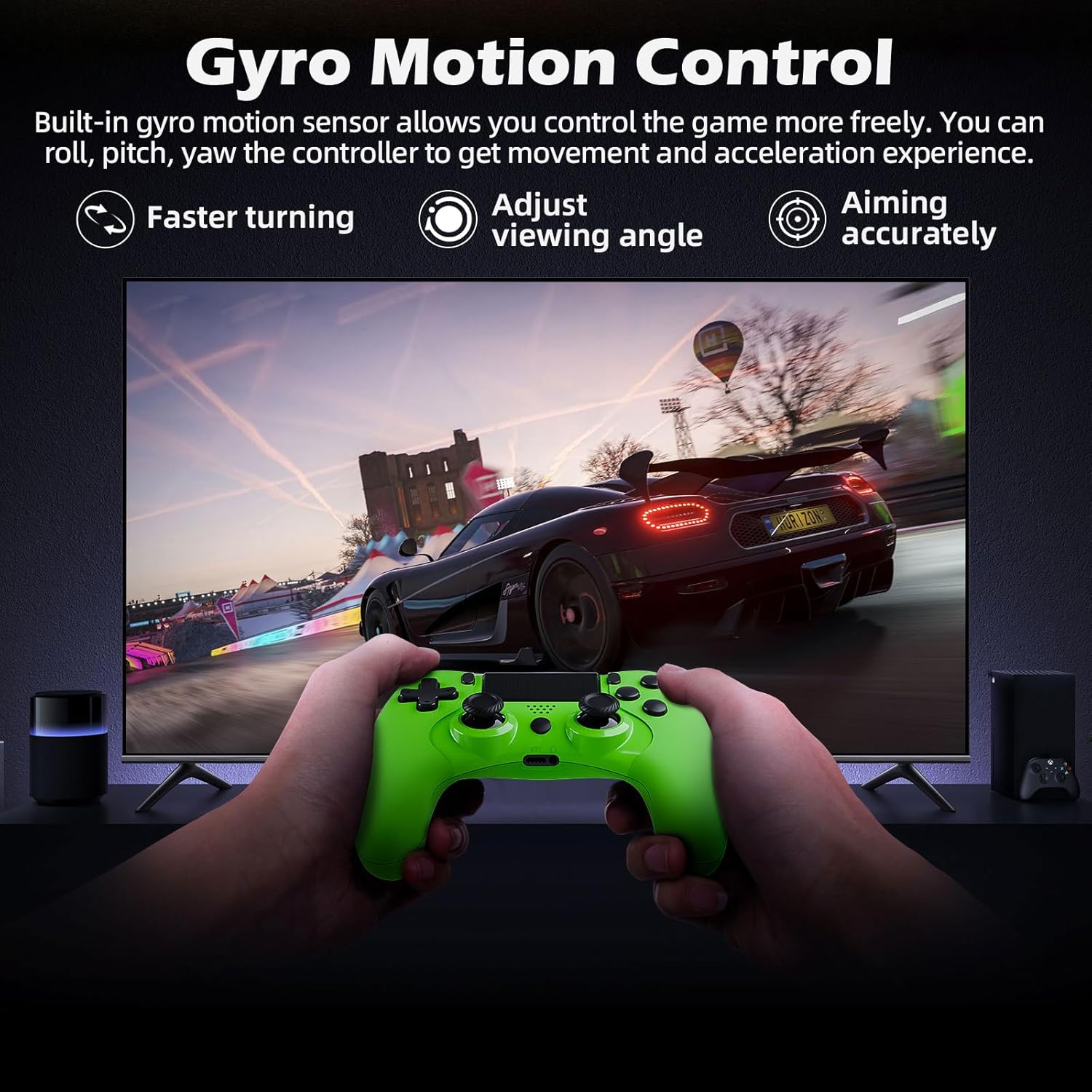
малюнок 4.3.1: A user playing a racing game with the CHEREEKI Wireless Gamepad, demonstrating the built-in gyro motion sensor for controlling movement and acceleration, allowing for faster turning, adjusting viewing angle, and accurate aiming.
The built-in 6-axis motion sensor allows for intuitive control in games that support motion sensing. You can roll, pitch, and yaw the controller to control in-game actions, providing a more immersive and dynamic gaming experience, especially for racing or aiming.
4.4 Dual Motor Vibration

малюнок 4.4.1: The CHEREEKI Wireless Gamepad illustrating its dual motor vibration feature, designed to provide an immersive tactile feedback experience during gameplay.
The integrated dual vibration motors provide realistic feedback for in-game events such as crashes, explosions, or impacts, making your gaming experience more immersive and engaging.
4.5 Використання сенсорної панелі
The multi-touch touchpad on the front of the controller can be used for navigation, gestures, and specific in-game interactions, depending on the game's design.
4.6 Аудіопідключення
Plug any standard 3.5mm stereo headset or headphones into the audio jack at the bottom of the controller for in-game audio and voice chat (if supported by the headset).
4.7 Sharing Gameplay
Press the SHARE button to access the sharing menu. From here, you can easily upload screenshots, video clips, or start live broadcasts of your gameplay.
5. Технічне обслуговування
5.1 Очищення
- Use a soft, dry cloth to wipe the surface of the controller.
- Для стійкого бруду злегкаampuk тканину змочіть водою або м’яким миючим розчином.
- Do not use strong chemicals, abrasive cleaners, or allow water to enter the controller's ports.
5.2 Зберігання
- Зберігайте контролер у прохолодному, сухому місці, подалі від прямих сонячних променів та екстремальних температур.
- Уникайте падіння контролера та сильних ударів.
- Якщо акумулятор зберігатиметься протягом тривалого періоду, періодично заряджайте його (наприклад, кожні 3-6 місяців), щоб підтримувати його в робочому стані.
6. Вирішення проблем
6.1 Controller Not Connecting/Responding
- Перевірте підключення USB: Ensure the USB cable is securely connected to both the controller and the PS-4 console.
- Відремонтувати контролер: Connect the controller to the PS-4 with a USB cable and press the PS button to re-pair.
- Скидання контролера: Locate the small reset button on the back of the controller (often near the L2 button, inside a tiny hole). Use a paperclip to press and hold the button for 3-5 seconds. Then, reconnect via USB and press the PS button.
- Зарядити акумулятор: Переконайтеся, що контролер має достатній заряд батареї.
- Перешкоди: Move closer to the PS-4 console or ensure there are no strong wireless interference sources nearby.
6.2 Input Lag or Disconnection
- Відстань: Ensure you are within the effective wireless range (up to 8m).
- Рівень заряду батареї: Низький заряд батареї може вплинути на роботу бездротового зв'язку. Зарядіть контролер.
- Перешкоди: Other wireless devices (Wi-Fi routers, Bluetooth devices) can cause interference. Try to minimize these or move the console/controller.
- Скидання контролера: Perform a hard reset as described above.
6.3 Проблеми заряджання
- Перевірте кабель: Спробуйте інший USB-кабель, щоб виключити несправність кабелю.
- Перевірте зарядний порт: Ensure the Micro USB port on the controller is clean and free of debris.
- Джерело живлення: Try charging from a different USB port on the PS-4 or a different USB wall adapter.
7. Технічні характеристики
| Особливість | Специфікація |
|---|---|
| Номер моделі | СТК-4006Л |
| Підключення | Бездротовий (Bluetooth), дротовий (USB) |
| Сумісність | PS-4, PS-4 Slim, PS-4 Pro |
| Тип батареї | Літій-іонний |
| Ємність акумулятора | 600 мАг |
| Час зарядки | прибл. 2-3 години |
| Час відтворення | До 7 годин |
| Дальність бездротового зв'язку | До 8 метрів |
| Розміри | 17.4 х 12.1 х 7.3 см |
| вага | 210 г |
| Датчики | 6-axis motion sensing system (gyroscope, accelerometer) |
| вібрація | Подвійні вібраційні двигуни |
| Аудіопорт | 3.5 мм роз'єм для стереогарнітури |
8. Гарантія та підтримка
8.1 Інформація про гарантію
This CHEREEKI product is covered by a standard manufacturer's warranty against defects in materials and workmanship. Please refer to your purchase documentation for specific warranty terms and duration. The warranty does not cover damage caused by misuse, accidents, unauthorized modifications, or normal wear and tear.
8.2 Підтримка клієнтів
For technical support, troubleshooting assistance, or warranty claims, please contact CHEREEKI customer service. You can typically find contact information on the product packaging, the retailer's website, or the official CHEREEKI brand store on Amazon.
When contacting support, please have your product model number (STK-4006L) and purchase details ready.


