1. Вступ
Thank you for choosing the Kamon K30 Wireless Earbuds. This manual provides detailed instructions for the proper use, setup, and maintenance of your new earbuds. Please read this manual thoroughly before use to ensure optimal performance and longevity of your device.

Image 1.1: Kamon K30 Wireless Earbuds in their charging case.
The Kamon K30 earbuds feature Bluetooth 5.1 technology for stable connectivity, intuitive touch controls, and a comfortable in-ear design. They are designed to deliver clear stereo sound for various audio activities.
2. Вміст упаковки
Будь ласка, перевірте упаковку на наявність наступних предметів:
- 2 x Kamon K30 Wireless Earbuds
- 1 х футляр для бездротової зарядки
- 1 x USB-C зарядний кабель
- 4 x Ear Tips (various sizes)
- 1 х посібник користувача
3. Продукт закінчивсяview
Familiarize yourself with the components of your Kamon K30 Wireless Earbuds.

Image 3.1: The Kamon K30 earbuds removed from their open charging case, showing the charging contacts.
The earbuds are designed for a secure and comfortable fit. The charging case protects the earbuds and provides additional battery life.
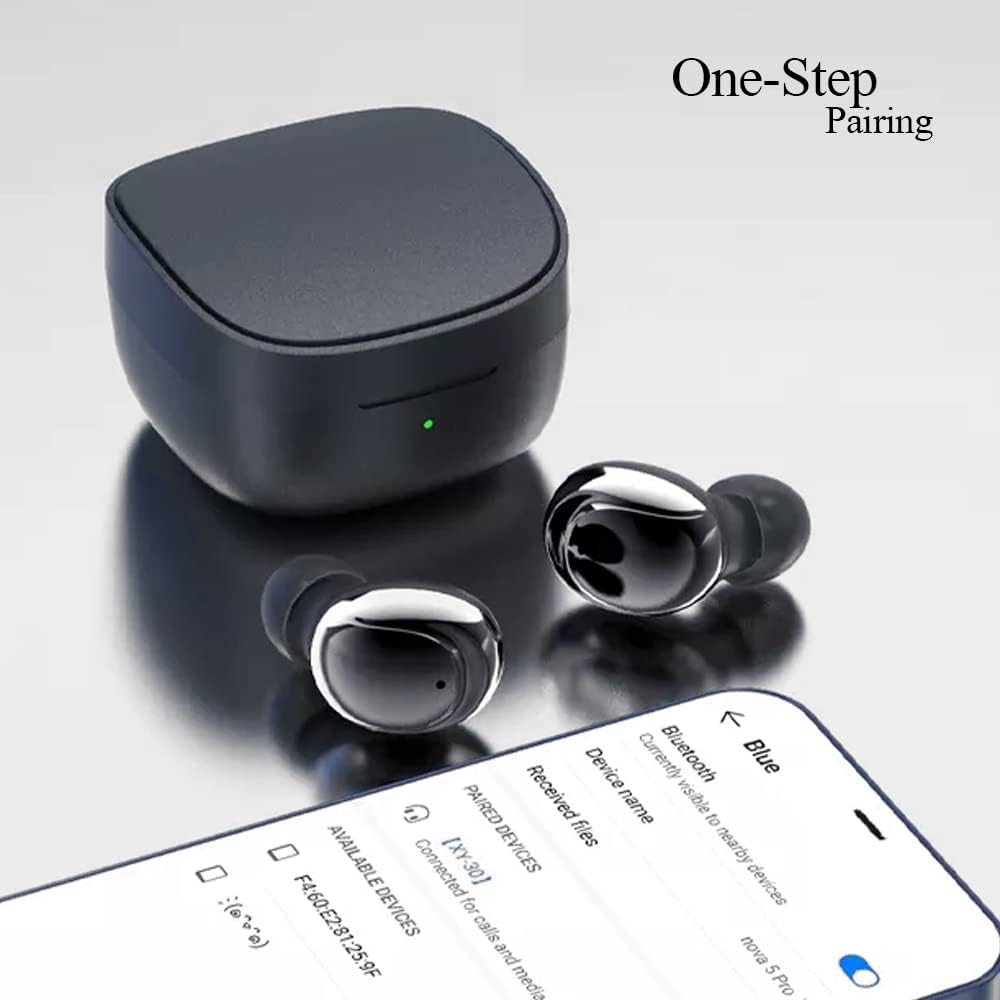
Image 3.2: Internal structure diagram illustrating the components responsible for Hi-Fi stereo sound delivery.
4. Налаштування
4.1 Заряджання навушників та футляра
Перед першим використанням повністю зарядіть навушники та зарядний футляр.
- Помістіть навушники в зарядний футляр. Переконайтеся, що вони правильно встановлені та контактують із зарядними контактами.
- Підключіть зарядний кабель USB-C до порту зарядки на корпусі, а інший кінець – до USB-адаптера живлення (не входить до комплекту) або USB-порту комп’ютера.
- Індикатор на зарядному футлярі показуватиме стан заряджання. Після повного заряджання світло змінюватиметься або вимкнеться залежно від моделі.
- Earbud charging time: Approximately 40 minutes.
- Charging box charging time: Approximately 1 hour.

Image 4.1: The charging case and earbuds, illustrating battery life and charging indicators.
4.2 Сполучення з пристроєм
The Kamon K30 earbuds feature one-step auto-pairing for convenience.
- Переконайтеся, що Bluetooth на вашому пристрої увімкнено.
- Відкрийте зарядний футляр. Навушники автоматично увімкнуться та перейдуть у режим сполучення.
- On your device, search for Bluetooth devices and select "Kamon K30" (or similar name like "XY-30") from the list.
- Після підключення ви почуєте звуковий сигнал підтвердження, і навушники будуть готові до використання.

Image 4.2: A smartphone displaying the Bluetooth pairing menu, showing "Kamon K30" as an available device.
The earbuds support Bluetooth 5.1, providing a stable connection up to 33 feet (10 meters) in open outdoor environments.
5. Інструкція з експлуатації
5.1 Сенсорне керування
The Kamon K30 earbuds feature intuitive touch controls on each earbud. Refer to the diagram below for specific functions:

Image 5.1: A visual guide to the touch control functions on the Kamon K30 earbuds.
- Відтворення/пауза: One-click on the left or right earbud.
- Відповісти/покласти трубку: One-click on the left or right earbud.
- Відмовитися від дзвінка: Long press on the left or right earbud.
- Збільшення гучності: Triple-click the Left earbud.
- Зменшення гучності: Triple-click the Right earbud.
- Попередня пісня: Double-click the Left earbud.
- Наступна пісня: Double-click the Right earbud.
- Summon Voice Assistant: Long press on the left or right earbud for 3 seconds.
Note: The touch sensors are sensitive. Apply a light touch for control. Avoid forceful tapping.
5.2 Режим одного навушника
You can use either earbud independently:
- Вийміть один навушник із зарядного футляра.
- Закрийте кришку зарядного кейсу.
- The single earbud will automatically connect to your paired device.
6. Технічне обслуговування
Правильне обслуговування забезпечує довговічність та оптимальну роботу ваших навушників.
- Прибирання: Regularly clean the earbuds and charging case with a soft, dry, lint-free cloth. Do not use harsh chemicals or abrasive materials. Gently clean the charging contacts on both the earbuds and the case to ensure proper charging.
- Зберігання: Коли навушники не використовуються, зберігайте їх у зарядному футлярі, щоб захистити від пилу та пошкоджень. Зберігайте футляр у прохолодному, сухому місці, подалі від прямих сонячних променів та екстремальних температур.
- Водонепроникність: The earbuds are waterproof (IPX rating not specified, but generally means splash/sweat resistant). Avoid submerging them in water or exposing them to heavy rain. Dry them thoroughly if they get wet.
- Догляд за акумулятором: Щоб продовжити термін служби батареї, уникайте частої повної розрядки навушників і кейса. Регулярно заряджайте їх, навіть якщо вони не використовуються постійно.
7. Вирішення проблем
If you encounter issues with your Kamon K30 Wireless Earbuds, refer to the following common solutions:
| проблема | Рішення |
|---|---|
| Навушники не сполучаються з пристроєм. |
|
| Працює лише один навушник. |
|
| Навушники не заряджаються. |
|
| Low sound quality or intermittent connection. |
|
8. Технічні характеристики
Детальні технічні характеристики бездротових навушників Kamon K30:
- Назва моделі: K30 (XY-30)
- Бренд: Камон
- Підключення: Бездротовий зв'язок (Bluetooth 5.1)
- Bluetooth Profiles: HSP, HFP, A2DP, AVRCP
- Відстань передачі: Up to 33 feet (10 meters) in open outdoor environments
- Ємність батареї навушників: 35 мАг
- Ємність акумулятора у зарядному пристрої: 350 мАг
- Час прослуховування: 3-5 годин
- Час зарядки навушників: Приблизно 40 хвилин
- Час зарядки зарядного пристрою: Приблизно 1 година
- Матеріал ріжка: Graphene True Copper Ring Horn
- Метод контролю: Дотик
- матеріал: ABS, Electronic Component
- Вага товару: 0.9 ounces (earbuds and case combined)
- Розміри упаковки: 2.53 x 2.5 x 2 дюймів
- колір: Purple (as per this variant)
- Особливості: Lightweight, Microphone Included, Rechargeable Battery, Surround Sound, Sweatproof (Waterproof)

Image 8.1: Dimensional drawing of the Kamon K30 earbuds and their charging case.
9. Гарантія та підтримка
For warranty information or technical support, please refer to the contact details provided on the product packaging or the official Kamon webсайт. Зберігайте чек про покупку як підтвердження покупки для будь-яких гарантійних претензій.

Image 9.1: A user wearing a Kamon K30 earbud, demonstrating its in-ear fit.


