1. Вступ
Thank you for choosing the Holyton Drone Strobe Light. This anti-collision lamp is designed to enhance the visibility of your drone during night flights and in various other scenarios. It features multiple colors and modes, ensuring compliance with aviation regulations and improving safety. Please read this manual thoroughly before use to ensure proper operation and maintenance.
2. Інформація про безпеку
- Always ensure the strobe light is securely attached to your drone or other object before operation.
- Adhere to all local aviation authority regulations regarding drone lighting, especially for night flying. This light meets FAA requirements for anti-collision lighting.
- Не піддавайте пристрій впливу екстремальних температур, прямих сонячних променів протягом тривалого часу або вологи.
- Зберігати в недоступному для дітей місці.
- Не намагайтеся розбирати або модифікувати світильник, оскільки це призведе до анулювання гарантії та може призвести до пошкодження.
3. Вміст упаковки
- Holyton Drone Strobe Light (1 unit)
- USB-кабель для зарядки
- Mounting Accessories (e.g., adhesive pads, rubber bands)
- Посібник користувача
4. Особливості продукту
- Висока видимість: 120 lumens brightness with 360° coverage.
- Multiple Colors & Modes: 7 switchable colors and 7 adjustable flashing modes.
- Акумуляторна батарея: Provides extended use time after a quick charge.
- Легкий і компактний: Weighs only 6.5g, ideal for various drones and other applications.
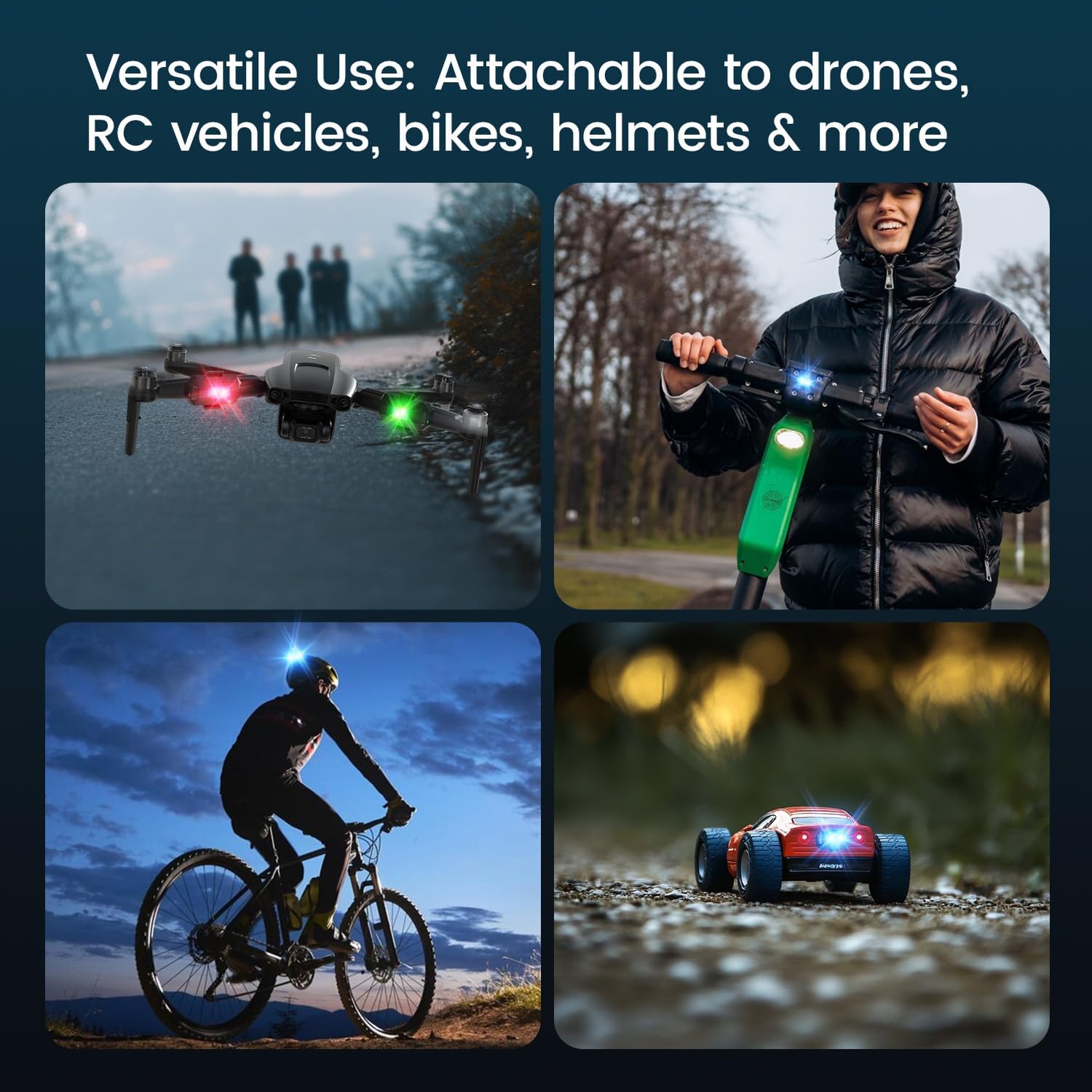
- Універсальне застосування: Suitable for drones, RC vehicles, bicycles, motorcycles, helmets, and more.
- FAA Compliant: Meets requirements for anti-collision lighting during night flights.
5. Налаштування та встановлення
5.1 Початкова плата
Before first use, fully charge the strobe light. Refer to Section 6 for charging instructions.
5.2 Mounting the Strobe Light
The Holyton Drone Strobe Light can be attached to various objects using the provided mounting accessories. For drones, ensure the light does not interfere with propellers, sensors, or flight stability.
- Чиста поверхня: Ensure the mounting surface on your drone or object is clean and dry.
- Нанесіть клей: Peel the backing from an adhesive pad and firmly press it onto the designated area on the strobe light.
- Attach to Drone: Peel the remaining backing from the adhesive pad and attach the strobe light to your drone. Apply firm pressure for a few seconds to ensure a secure bond. Alternatively, use rubber bands or other suitable fasteners for temporary attachment.

6. Інструкція з експлуатації
6.1 Увімкнення/вимкнення живлення
- Увімкнення: Press and hold the power button for approximately 2 seconds until the light illuminates.
- Вимкнення живлення: Натисніть і утримуйте кнопку живлення приблизно 2 секунди, поки світло не вимкнеться.
6.2 Changing Colors and Modes
The strobe light offers 7 different colors and 7 distinct flashing modes.
- Змінити колір: While the light is on, short press the power button to cycle through the available colors (e.g., white, red, green, blue, yellow, pink, ice blue).
- Змінити режим: Double-press the power button quickly to cycle through the different flashing modes (e.g., constant, slow flash, fast flash, alternating colors).

7. Зарядка
The Holyton Drone Strobe Light is equipped with a rechargeable Lithium Ion battery.
- Порт зарядки: Micro USB
- Час зарядки: Приблизно 12 хвилин для повної зарядки.
- Час використання: Up to 5 hours on a full charge, depending on the selected mode and color.
To charge, connect the provided USB charging cable to the Micro USB port on the strobe light and plug the other end into a standard USB power source (e.g., computer, wall adapter).

8. Технічне обслуговування
- Прибирання: Use a soft, dry cloth to clean the light. Do not use harsh chemicals or abrasive materials.
- Зберігання: Store the strobe light in a cool, dry place away from direct sunlight when not in use.
- Догляд за акумулятором: For optimal battery life, avoid fully discharging the battery frequently. Charge the device regularly, even if not in use, to maintain battery health.
9. Вирішення проблем
| проблема | Можлива причина | Рішення |
|---|---|---|
| Світло не вмикається. | Акумулятор розрядився. | Charge the strobe light fully. |
| Світло не заряджає. | Несправний зарядний кабель або джерело живлення. | Try a different USB cable or power adapter. Ensure the Micro USB connector is inserted correctly. |
| Світло недостатньо яскраве. | Низький заряд батареї або неправильний режим. | Charge the device. Ensure a bright mode is selected (e.g., constant white light). |
| Light falls off during use. | Improper mounting or worn adhesive. | Ensure the mounting surface is clean and dry. Use new adhesive pads or more secure fastening methods. |
10. Технічні характеристики
| Особливість | Деталь |
|---|---|
| Номер моделі | US03A76731000HT70402 |
| Бренд | Холітон |
| Колір | чорний |
| Форма | Прямокутний |
| Тип обробки | Пофарбований |
| Тип джерела світла | Світлодіод (LED) |
| Матеріал абажура | пластик |
| Вага товару | 0.352 унції (приблизно 10 грамів) |
| Кількість батарей | 1 літій-іонний (в комплекті) |
| Стиль | Компактний |
| Яскравість | 120 Lumens (Maximum Light Output) |
| Тип монтажу | Drone Mount (Adhesive/Strap) |
| Особливості лампочки | Strobe, Flashing, Anti-Collision, Search and Rescue |
| Розміри продукту | 1 см Д x 1 см Ш x 1 см В (приблизно) |

11. Гарантія та підтримка
Holyton products are designed for reliability and performance. This product comes with a standard manufacturer's warranty against defects in materials and workmanship. Please refer to the product packaging or our official webсайт для отримання інформації про конкретні гарантійні умови.
Щоб отримати технічну підтримку, допомогу з усунення несправностей або гарантійні претензії, зверніться до нашої служби підтримки клієнтів:
- Електронна пошта: holyton@foxmail.com
- телефон: +1 (866) 514-8669
Our support team is available to assist you within 24 hours.


