1. Вступ
Thank you for choosing the Apera MT53 Type-C USB Adapter Hub. This 12-in-1 multi-functional hub is designed to expand the connectivity of your USB-C enabled devices, providing a wide range of ports for various peripherals, displays, and network connections. This manual provides detailed instructions for setup, operation, and troubleshooting to ensure optimal performance and user experience.
2. Продукт закінчивсяview
The Apera MT53 Hub integrates multiple essential ports into a single, compact device, enhancing your productivity and connectivity. It features a durable aluminum alloy casing for efficient heat dissipation and a plug-and-play design requiring no additional drivers.
Ключові характеристики:
- Відеовихід: HDMI (up to 4K@30Hz, 1080p@60Hz) and VGA (up to 1080p@60Hz).
- Передача даних USB: Four USB 3.0 ports (up to 5 Gbit/s) and one Type-C data transfer port (3.1 speed).
- Підключення до мережі: RJ45 Ethernet port (up to 100Mbps).
- Кард-рідер: SD and Micro SD card slots (2.0 speed).
- Аудіо: 3.5mm AUX port for headphones.
- Потужність: 100W Type-C Power Delivery (PD) for fast charging.
- Будівництво: Full aluminum alloy casing for durability and heat management.
Ідентифікація порту:
Refer to the image below for a visual guide to the Apera MT53 Hub's ports.

This image displays the Apera MT53 USB-C Hub, highlighting each of its 12 ports with their respective functions, including PD 100W, USB 3.0, VGA 1080P, 4K/30Hz HDMI, RJ45, 3.5mm audio, USB-C, and TF/SD card slots.
3. Вміст упаковки
The Apera MT53 Type-C USB Adapter Hub package includes:
- 1 x Apera MT53 12-in-1 Type-C USB Adapter Hub
- 1 x Type-C to Type-C Power Delivery Cable
4. Інструкції з налаштування
The Apera MT53 Hub is designed for plug-and-play functionality, requiring no driver installation on compatible operating systems.
Сумісність:
Supports Windows, macOS, and Linux operating systems.
Підключення концентратора:
- Connect the integrated USB-C cable from the Apera MT53 Hub to a free USB-C port on your laptop or compatible device.
- The hub will be automatically recognized by your operating system.
Підключення периферійних пристроїв:
Once the hub is connected, you can attach your devices to the corresponding ports:
- Зовнішні дисплеї: Connect HDMI or VGA cables from your monitors to the hub's HDMI or VGA ports.
- USB пристрої: Plug USB flash drives, keyboards, mice, or other USB peripherals into the USB 3.0 ports.
- Мережевий кабель: Connect an Ethernet cable to the RJ45 port for a wired internet connection.
- Карти пам'яті: Insert SD or Micro SD cards into the designated slots.
- Аудіопристрої: Plug headphones or speakers into the 3.5mm AUX port.
- Адаптер живлення: For charging your laptop or device, connect a USB-C power adapter to the hub's 100W PD Type-C port using the provided Type-C to Type-C cable.
Example setup with multiple monitors:

A laptop is shown connected to two external monitors through the Apera MT53 USB-C Hub, demonstrating its multi-display capability for an extended desktop setup.
Example setup with card reader in use:

The Apera MT53 USB-C Hub is positioned next to a laptop on a wooden desk, with an SD card and a MicroSD card placed in front of it, illustrating its card reader functionality.
5. Інструкція з експлуатації
Display Output (HDMI & VGA):
Connect your external monitors or projectors to the HDMI or VGA ports. Your operating system should automatically detect the displays. You can configure display settings (mirror, extend) through your device's display settings.
Using the hub for presentations:

A laptop is connected to a projector via the Apera MT53 USB-C Hub, displaying a 'BUSINESS PLAN' presentation on a large screen, showcasing its utility for meetings and presentations.
Передача даних USB 3.0:
The four USB 3.0 ports support data transfer speeds up to 5 Gbit/s, ideal for connecting external hard drives, USB flash drives, and other high-speed peripherals.
RJ45 Ethernet:
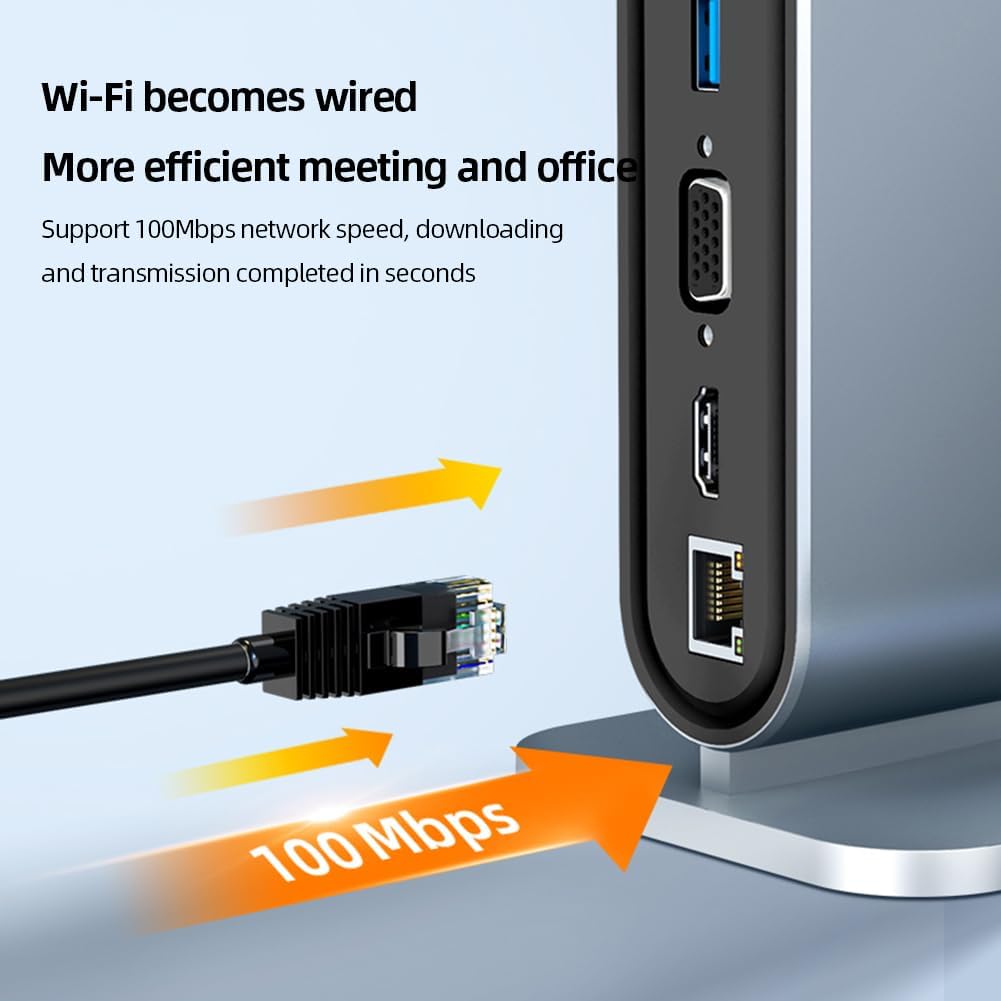
For a stable and faster internet connection, plug an Ethernet cable into the RJ45 port. The hub supports speeds up to 100Mbps.
Wired Ethernet connection:

A close-up of the Apera MT53 USB-C Hub's RJ45 Ethernet port, emphasizing its 100Mbps network speed capability for stable wired internet connection.
Пристрій для читання карт SD і Micro SD:
Insert your SD or Micro SD cards into the respective slots to access data. The card reader operates at 2.0 speed.
Використання пристрою для читання карток:
This image shows the Apera MT53 USB-C Hub with both an SD card and a MicroSD card inserted, demonstrating the use of its integrated card reader.
3.5-мм AUX аудіо:
Connect your headphones or speakers to the 3.5mm audio jack for sound output.
100W Type-C Power Delivery (PD):
Use this port to charge your laptop or other USB-C devices at up to 100W, ensuring your device stays powered while using the hub's other functions.
Type-C Data Transfer:
This dedicated Type-C port allows for additional data transfer at 3.1 speeds, useful for connecting modern USB-C peripherals.
6. Технічне обслуговування
To ensure the longevity and optimal performance of your Apera MT53 Hub, follow these maintenance guidelines:
- Прибирання: Використовуйте м’яку суху тканину для очищення маточини. Уникайте рідких засобів для чищення або абразивних матеріалів.
- Зберігання: Зберігайте концентратор у прохолодному, сухому місці, подалі від прямих сонячних променів та екстремальних температур.
- Обробка: Поводьтеся з хабом обережно. Уникайте його падіння та сильних ударів.
- Розсіювання тепла: Алюмінієвий сплав casing is designed for efficient heat dissipation. Ensure the hub is placed in a well-ventilated area to prevent overheating during extended use.
Конструкція розсіювання тепла:

The Apera MT53 USB-C Hub is depicted with arrows indicating heat dissipation from its aluminum alloy casing, highlighting its design for efficient thermal management.
7. Вирішення проблем
If you encounter issues with your Apera MT53 Hub, please refer to the following common solutions:
- No Display Output (HDMI/VGA):
- Ensure your USB-C port on the host device supports video output (DisplayPort Alternate Mode).
- Check all cable connections. Disconnect and reconnect the HDMI/VGA cable and the hub's USB-C cable.
- Verify your monitor input source is correctly selected.
- Try connecting to a different display or using a different cable to rule out external issues.
- USB-пристрої не розпізнані:
- Disconnect and reconnect the USB device to the hub.
- Try connecting the USB device to a different USB port on the hub.
- Переконайтеся, що хаб надійно підключено до вашого хост-пристрою.
- If switching between different operating systems (e.g., macOS to Windows) or after a system restart, it may be necessary to re-plug connected USB devices or the HDMI input for them to function correctly.
- No Internet Connection (RJ45):
- Перевірте, чи кабель Ethernet надійно підключено як до концентратора, так і до маршрутизатора/модему.
- Перевірте мережеві налаштування на вашому комп’ютері.
- Restart your router/modem and your computer.
- Повільна передача даних:
- Ensure you are using USB 3.0 compatible devices and cables for optimal speeds.
- Уникайте одночасного підключення занадто великої кількості енергоємних пристроїв, це може вплинути на продуктивність.
- Charging Issues (PD Port):
- Ensure your USB-C power adapter is capable of delivering sufficient wattage (e.g., 100W) for your device.
- Verify the Type-C to Type-C cable is functioning correctly and is rated for power delivery.
If the problem persists, please contact Apera customer support for further assistance.
8. Технічні характеристики
| Особливість | Специфікація |
|---|---|
| Бренд | Apera |
| Модель | MT53 |
| Сумісність операційної системи | Windows, macOS, Linux |
| Апаратний інтерфейс | Ethernet, HDMI, MicroSD, Thunderbolt (compatible), USB 3.0, USB-C, VGA |
| Сумісні пристрої | Ноутбуки |
| Особливості | Indicator Light, Fast Data Transfer, Fast Charging, Heat Resistant, Plug and Play |
| Wattage | 100 watts (PD) |
| Швидкість передачі даних | 5 Gbit/s (USB 3.0) |
| Total Port Count | 12 |
| USB Port Count | 6 (4x USB 3.0, 1x USB-C Data, 1x USB-C PD) |
| Тип матеріалу | Алюміній, Метал |
| Розміри продукту | 9.2 х 7.5 х 15 см |
| Вага продукту | 290 грами |
| Вихід HDMI | Up to 4K (3840x2160) @ 30Hz, 1080p @ 60Hz |
| Вихід VGA | До 1080p при 60 Гц |
| RJ45 Ethernet | 100 Мбіт/с |
| Зчитувач карток | SD & Micro SD (2.0 speed) |
9. Гарантія та підтримка
For warranty information and customer support, please refer to the documentation provided with your purchase or visit the official Apera website. If you experience any issues not covered in this manual, please contact Apera customer service for assistance.


