1. Вступ
Дякуємо за покупкуasing the Timex TW14 Alarm Clock with Wireless Charger. This compact device combines a digital alarm clock with a convenient 15W wireless charging pad, suitable for various smartphones and earbuds. This manual provides essential information for setting up, operating, and maintaining your new alarm clock.
2. Вміст упаковки
Будь ласка, переконайтеся, що всі предмети присутні в упаковці:
- Timex TW14 Alarm Clock with Wireless Charger
- Кабель живлення USB-A до USB-C
- Посібник користувача (цей документ)
Примітка: A 18W QC3.0 adapter and 2 AAA batteries for backup are не включені і потрібно купувати окремо.
3. Продукт закінчивсяview
Familiarize yourself with the components and controls of your Timex TW14 alarm clock.

Зображення 3.1: Топ view of the Timex TW14 alarm clock, highlighting the control buttons and the wireless charging pad. The display shows "10:09". A USB power cable is also shown.
Передня панель:
- Світлодіодний дисплей: Shows time, alarm status, and PM indicator.
Верхня панель:
- Бездротова зарядна панель: Для заряджання сумісних пристроїв.
- "M" Button: Mode/Set button for time and alarm settings, also functions as snooze.
- Кнопка "-": Decrease value, navigate backward, also functions as snooze.
- Кнопка «+»: Increase value, navigate forward, also functions as snooze.
Задня панель:
- Вхід живлення USB-C: Підключається до кабелю живлення.
Нижня панель:
- Батарейний відсік: For 2 AAA backup batteries.
4. Налаштування
4.1 Підключення живлення
- Connect the supplied USB-A to USB-C power cable to the USB-C input port on the rear of the alarm clock.
- Connect the USB-A end of the cable to a compatible 18W QC3.0 USB power adapter (not included).
- Plug the power adapter into a standard wall outlet. The clock display will illuminate.
4.2 Встановлення резервного акумулятора
The battery backup system maintains time and alarm settings during a temporary power outage. It does not power the clock display or wireless charging function.
- Знайдіть батарейний відсік на нижній панелі пристрою.
- Відкрийте кришку батарейного відсіку.
- Insert 2 new AAA batteries (not included), observing the correct polarity (+ and -) as indicated inside the compartment.
- Надійно закрийте кришку батарейного відсіку.
5. Інструкція з експлуатації
5.1 Встановлення часу
- Натисніть і утримуйте M кнопку, доки не почнуть блимати цифри годин.
- Використовуйте - or + buttons to adjust the hour. Pay attention to the PM indicator if using 12-hour format.
- Натисніть M знову натисніть кнопку, щоб підтвердити годину, і цифри хвилин почнуть блимати.
- Використовуйте - or + кнопки для налаштування хвилин.
- Натисніть M button once more to confirm the minutes and exit time setting mode.
5.2 Налаштування будильника
- Натисніть M button once (do not hold) to enter alarm setting mode. The alarm time will be displayed, and the alarm icon will flash.
- Натисніть і утримуйте M кнопку, доки цифри годин будильника не почнуть блимати.
- Використовуйте - or + кнопки для налаштування години будильника.
- Натисніть M button again to confirm the alarm hour, and the alarm minute digits will flash.
- Використовуйте - or + кнопки для налаштування хвилин будильника.
- Натисніть M button once more to confirm the alarm minutes and exit alarm setting mode. The alarm icon will remain lit, indicating the alarm is active.
- Щоб увімкнути/вимкнути будильник, натисніть кнопку M button briefly when the current time is displayed. The alarm icon will appear or disappear.
5.3 Функція відкладання
When the alarm sounds, press any of the M, -, або + buttons to activate the snooze function. The alarm will temporarily stop and sound again after approximately 9 minutes.
To turn off the alarm completely, allow the alarm to ring for its full duration or turn off the alarm via the M button when not ringing.
5.4 Регулятор яскравості дисплея
To adjust the brightness of the LED display, repeatedly press the M button (when not in setting mode) to cycle through High, Low, and Off brightness levels.
5.5 Бездротова зарядка
The Timex TW14 features a 15W wireless charging pad compatible with Qi-enabled devices such as iPhone, Android smartphones, and AirPods.

Зображення 5.1: An iPhone placed on the wireless charging pad of the Timex TW14 alarm clock, indicating active charging.
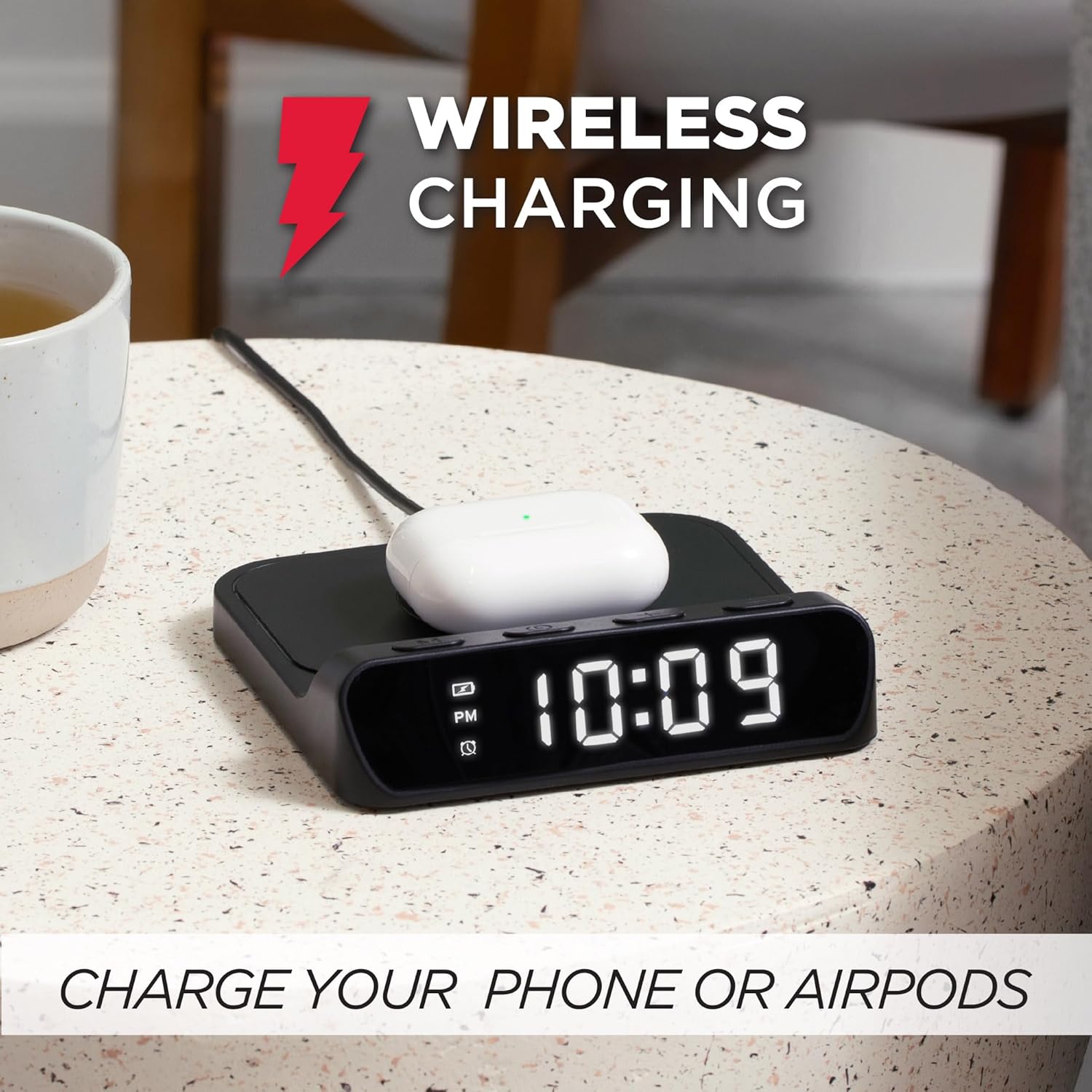
Зображення 5.2: AirPods case placed on the wireless charging pad of the Timex TW14 alarm clock, indicating active charging.
- Place your Qi-enabled device (e.g., smartphone, AirPods case) directly onto the center of the wireless charging pad on the top of the alarm clock.
- Ensure the device is properly aligned with the charging coil. A charging indicator (if available on your device) will confirm charging has begun.
- If charging does not start, slightly reposition your device on the pad.
Важливі міркування:
- For optimal charging performance, use an 18W QC3.0 power adapter.
- Thick phone cases or cases containing metal may interfere with wireless charging. Remove such cases if charging issues occur.
- Charging speed may vary depending on the device, its battery level, and environmental factors.
6. Технічне обслуговування
6.1 Очищення
To clean the unit, gently wipe the surfaces with a soft, dry cloth. Do not use liquid cleaners, abrasive materials, or chemical sprays, as these may damage the finish or internal components.
6.2 Заміна батареї
Replace the 2 AAA backup batteries annually or if you notice settings are not retained during power outages. Always use new batteries and dispose of old batteries responsibly.
7. Вирішення проблем
If you experience issues with your Timex TW14 alarm clock, please refer to the following common problems and solutions:
| проблема | Можлива причина | Рішення |
|---|---|---|
| Дисплей годинника вимкнений або не працює. | No power, loose connection, or display dimmer set to "Off". | Ensure the USB-C power cable is securely connected to the clock and a functional power adapter. Check if the adapter is plugged into a live outlet. Press the M button to cycle through display brightness settings (High/Low/Off). |
| Бездротова зарядка не працює. | Device not Qi-compatible, improper alignment, phone case interference, insufficient power adapter. | Verify your device supports Qi wireless charging. Reposition the device on the center of the charging pad. Remove thick or metallic phone cases. Ensure you are using an 18W QC3.0 power adapter. |
| Бездротова зарядка повільна. | Power adapter not powerful enough, device alignment, background apps on device. | Use an 18W QC3.0 power adapter for optimal speed. Ensure perfect alignment of the device on the charging pad. Close unnecessary apps on your device. |
| Alarm settings are lost after power outage. | Резервні батареї розряджені або не встановлені. | Install 2 new AAA batteries in the battery compartment, ensuring correct polarity. Replace old batteries if necessary. |
| Складнощі з налаштуванням часу/будильника. | Неправильна послідовність натискання кнопок. | Refer to sections 5.1 and 5.2 for detailed instructions on setting the time and alarm. Ensure you press and hold the M button at the correct steps. |
8. Технічні характеристики
| Бренд | Timex |
| Номер моделі | TW14 |
| Колір | чорний |
| Тип дисплея | Digital LED (0.8" white) |
| Особливості | Alarm, 15W Wireless Charging, Display Dimmer, Battery Backup |
| Розміри продукту | 5 дюйма (ширина) x 5 дюймів (глибина) x 1.2 дюйма (висота) |
| Джерело живлення | USB-A to USB-C power cable (included), requires 18W QC3.0 adapter (not included) |
| Резервний акумулятор | 2 батареї AAA (не входять в комплект) |
| Матеріал рами | пластик |
| Вага товару | 0.2 кілограма (7 унції) |

Зображення 8.1: Timex TW14 alarm clock with its dimensions (5"W x 5"D x 1.2"H) clearly indicated.
9. Гарантія та підтримка
Timex products are manufactured to high quality standards. For information regarding warranty coverage, technical support, or customer service, please refer to the warranty card included with your purchase or visit the official Timex webсайт. Будь ласка, збережіть підтвердження покупки для гарантійних претензій.


