вступ
This manual provides comprehensive instructions for the setup, operation, and maintenance of your BEEPRT BY-480BT Bluetooth Thermal Label Printer. Designed for efficiency and compatibility, this printer is ideal for small businesses and home offices, enabling high-speed printing of various thermal labels.
The BY-480BT model supports both Bluetooth and USB connectivity, making it compatible with Android, iOS, and Windows operating systems. It delivers clear, high-resolution prints without the need for ink or ribbon.
Інформація про безпеку
Please read all safety instructions before using the printer to ensure safe and proper operation. Keep this manual for future reference.
- Використовуйте лише адаптер живлення, що постачається з принтером.
- Не піддавайте принтер впливу води, вологи або екстремальних температур.
- Уникайте розміщення принтера під прямими сонячними променями або поблизу джерел тепла.
- Не намагайтеся розбирати або ремонтувати принтер самостійно. Зверніться до кваліфікованого сервісного персоналу.
- Забезпечте належну вентиляцію навколо принтера під час роботи.
Вміст упаковки
Перевірте наявність усіх елементів в упаковці:
- Термопринтер етикеток BEEPRT BY-480BT
- Адаптер живлення
- Кабель USB-A – USB-B
- USB-C to USB-A Adapter (small)
- Мітки (sample pack, e.g., 50 4"x6" labels)
- Посібник користувача (цей документ)

Налаштування
1. Фізичне налаштування
Підключіть живлення: Підключіть адаптер живлення до порту живлення принтера, а потім до розетки.
Завантажити мітки: Open the printer cover. Insert the thermal labels into the paper slot, ensuring the print side is facing up. Adjust the paper guides to fit the label width snugly. Close the cover.

Зображення: Детальний view of the printer's internal structure, highlighting the paper guide and thermal printhead for proper label loading. Calibrate Labels: After loading labels, press and hold the main button on the printer until it beeps. The printer will automatically feed a few labels to detect and calibrate the label size. This step is crucial for accurate printing.
2. Налаштування програмного забезпечення та підключення
The BY-480BT printer offers multiple connectivity options:
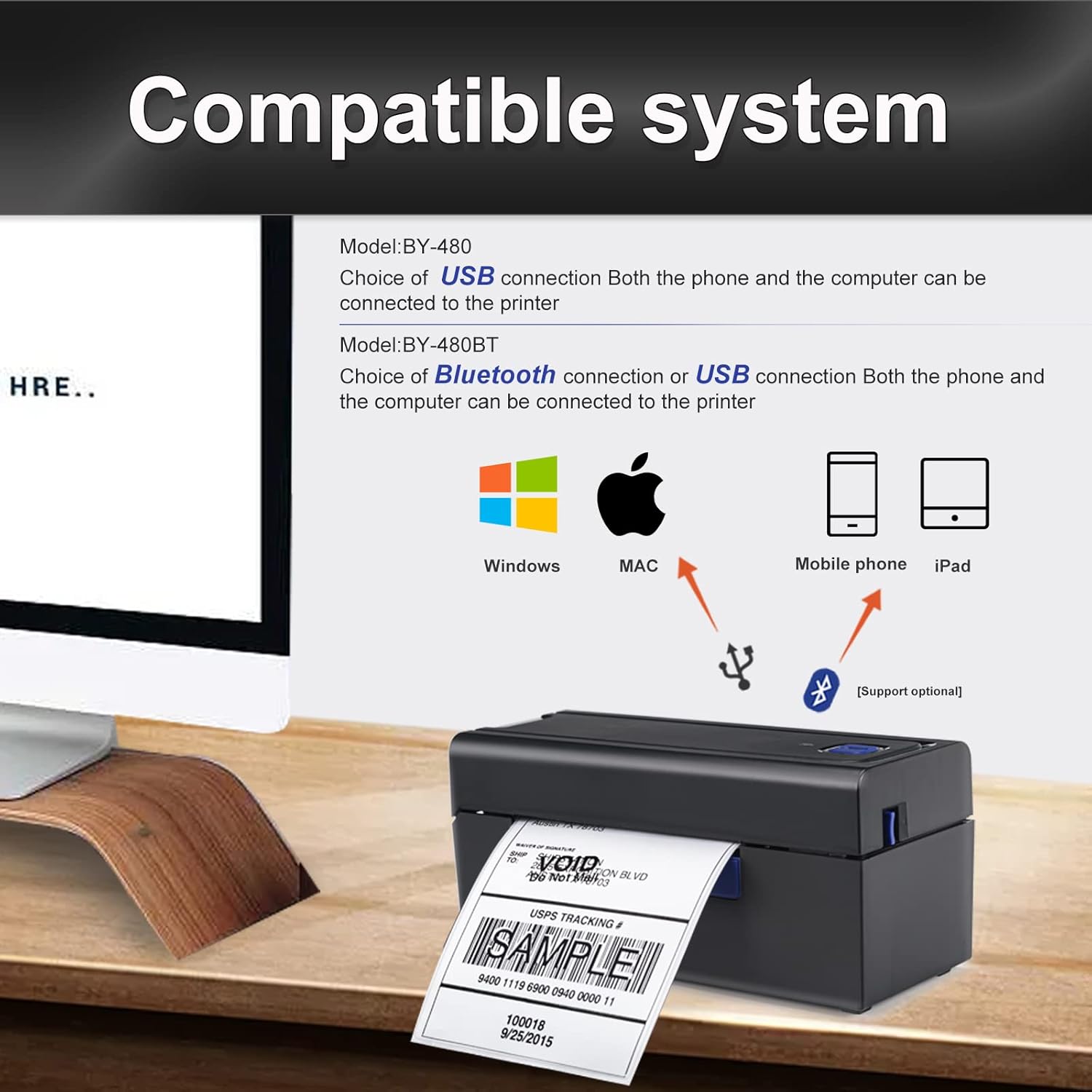
For iOS/Android Devices (Bluetooth):
- Download the "Shipping Printer" app from Google Play Store or Apple App Store.
- Open the app and pair the printer within the app's settings. Do not pair directly through your device's Bluetooth settings.
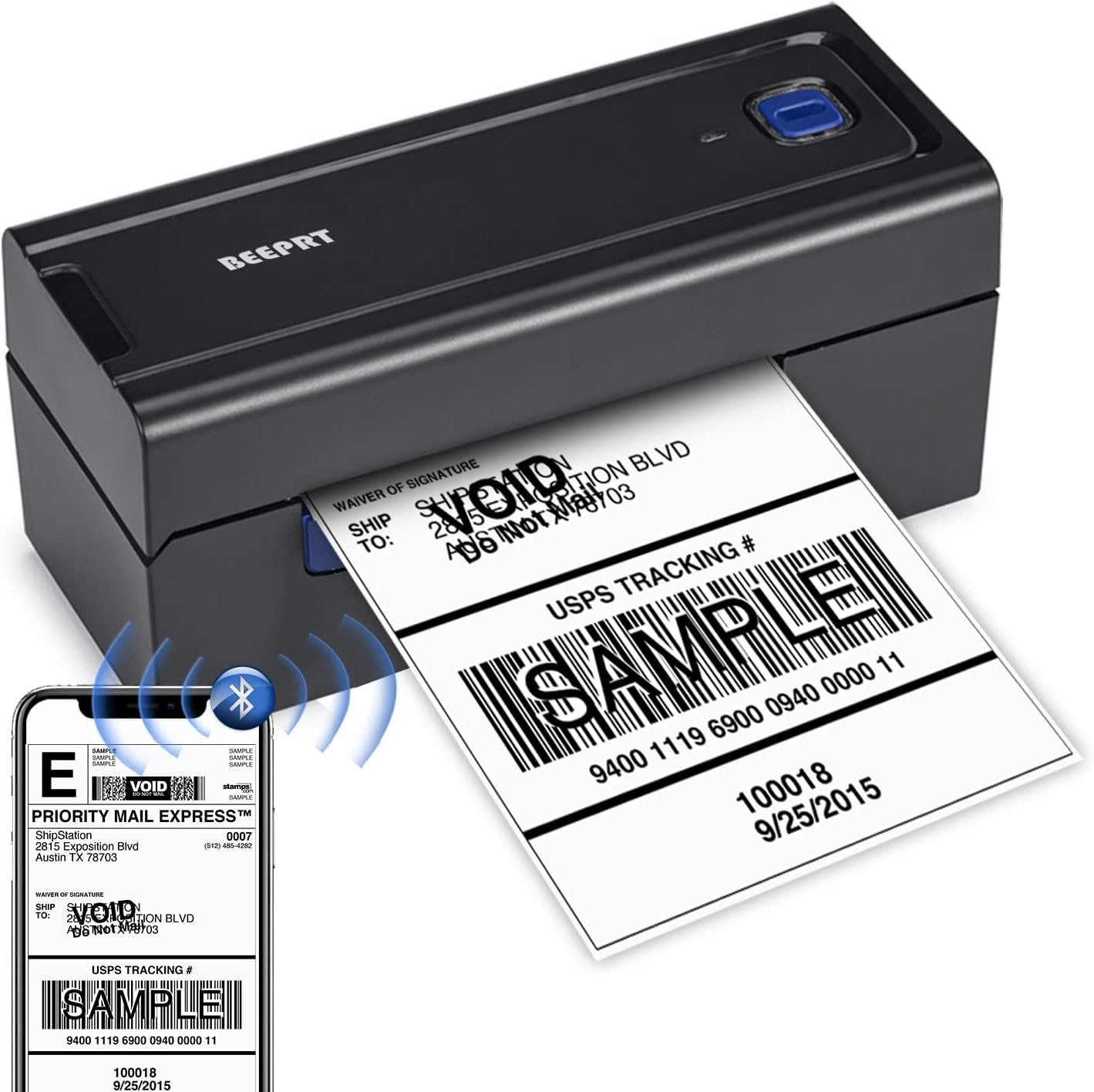
Image: The BEEPRT BY-480BT printer actively printing a label, with a smartphone showing the label design and Bluetooth connectivity icon. For Windows Devices (Bluetooth or USB):
- For Bluetooth connection, ensure your Windows 8 or later device has Bluetooth enabled. Drivers can be installed from the manufacturer's recommended website (refer to the included quick start guide for the specific URL). During driver installation, select Bluetooth as the connection method.
- For USB connection, connect the printer to your computer using the provided USB cable. Install the necessary drivers from the manufacturer's recommended webсайт.
For Mac OS Devices (USB Only):
- Mac OS devices do not support Bluetooth printing with this model. Connect the printer via USB cable.
- Install the appropriate drivers from the manufacturer's recommended webсайт.
Інструкція з експлуатації
Друк етикеток
- Ensure the printer is powered on and connected to your device (via Bluetooth or USB).
- Open the document or application from which you wish to print your label (e.g., shipping platform, PDF viewer).
- Select the BEEPRT BY-480BT printer from your device's print dialogue.
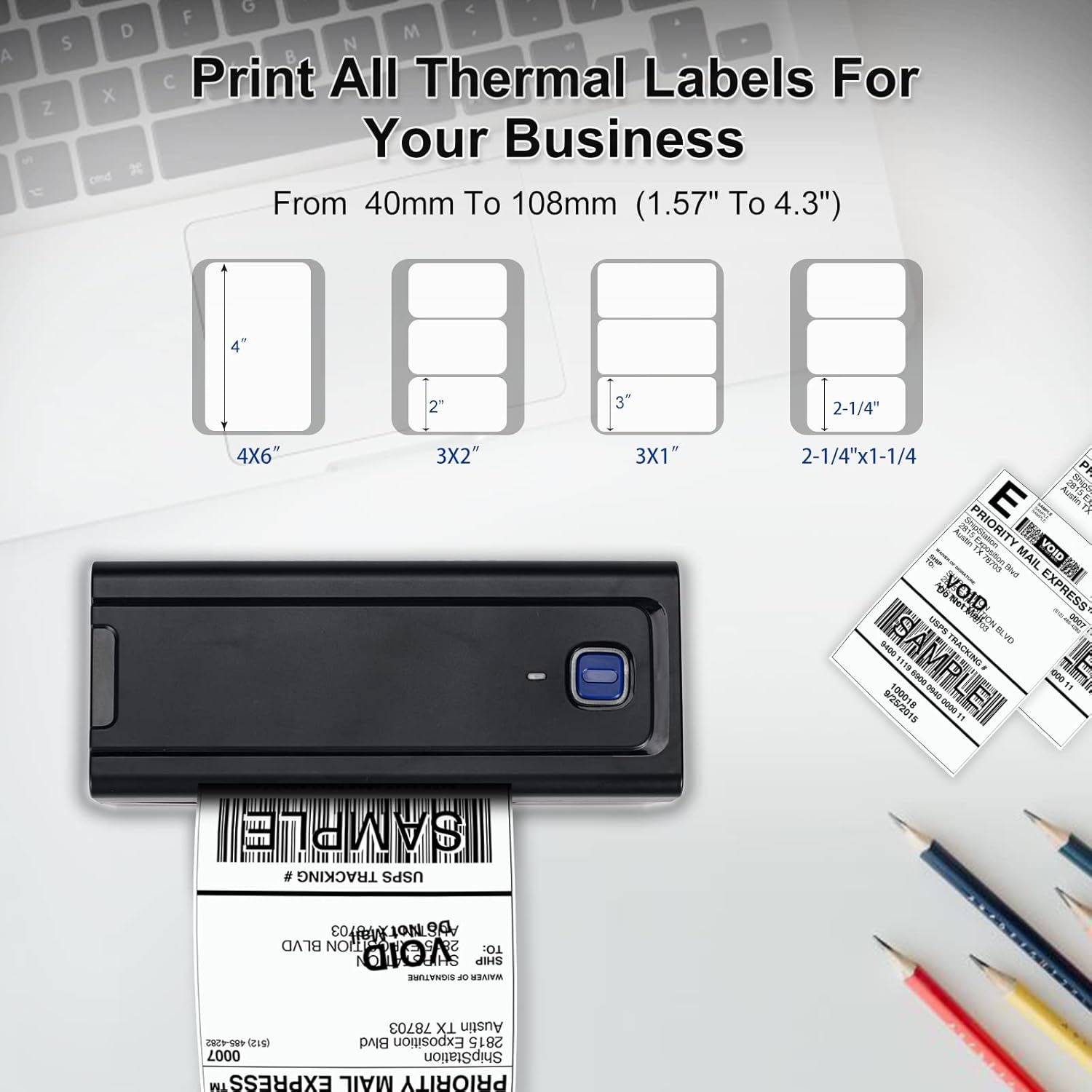
- Adjust print settings as needed, such as paper size (e.g., 4x6 inches). The printer supports thermal labels with widths from 1.57" (40mm) to 4.3" (108mm) and no height limitation.
- Initiate the print command. The printer will begin printing at a high speed of up to 150mm/s, capable of producing approximately 72 4x6 labels per minute.

Сумісні платформи
The BEEPRT BY-480BT printer is compatible with a wide range of shipping and e-commerce platforms, including but not limited to:
- Lazada, Amazon, Etsy, Shopee, UPS
- Shopify, J&T Express, DHL, XPS Ship, eBay
- Shipwire, Shippo, Kerry, PayPal, Easyship
- Easypost, ShipWorks, Poshmark, Endicia, ORDORO

Технічне обслуговування
Очищення друкуючої головки
To ensure optimal print quality and prolong the life of your printer, regularly clean the thermal print head.
- Вимкніть принтер і від’єднайте шнур живлення.
- Відкрийте кришку принтера.
- Wait a few minutes for the print head to cool down if the printer has been recently used.
- Обережно протріть поверхню друкуючої головки спиртовим тампоном або тканиною без ворсу, злегкаampened with isopropyl alcohol. Do not use abrasive materials.
- Дайте друкуючій голівці повністю висохнути, перш ніж закривати кришку та знову підключати живлення.
Загальний догляд
- Keep the printer free from dust and debris. Use a soft, dry cloth for external cleaning.
- Store labels in a cool, dry place away from direct sunlight to prevent degradation.
- Avoid placing heavy objects on top of the printer.
Усунення несправностей
| проблема | Можлива причина | Рішення |
|---|---|---|
| Принтер не відповідає / Не друкує | Power issue, loose cable, incorrect driver, Bluetooth not paired correctly. | Check power connection. Ensure USB cable is securely connected. For Bluetooth, verify pairing within the "Shipping Printer" app (for mobile) or through driver setup (for Windows). Reinstall drivers if necessary. |
| Poor print quality (grainy text, faded prints) | Dirty print head, low-quality labels, incorrect print settings, monochrome output expectation. | Clean the print head as per maintenance instructions. Ensure you are using high-quality thermal labels. Verify print resolution settings (printer supports 203 DPI). Note that this printer is designed for monochrome (black) printing only. |
| Labels not feeding correctly / Paper jams | Labels loaded incorrectly, paper guides not adjusted, label calibration needed. | Ensure labels are loaded straight and the paper guides are snug against the label edges. Perform label calibration by holding the main button until it beeps. |
| Mobile app connectivity issues | Incorrect pairing method, app glitches. | Always pair the printer within the "Shipping Printer" app, not directly through your phone's Bluetooth settings. Ensure the app is updated to the latest version. Restart the app and printer. |
| Driver installation difficulties (Windows/Mac) | Incorrect driver source, operating system compatibility. | Refer to the quick start guide for the official driver download website. Ensure you download the correct driver for your operating system (Windows 8+ or Mac OS). Mac OS requires USB connection for printing. |
Технічні характеристики
| Особливість | Деталь |
|---|---|
| Назва моделі | BY-480BT |
| Бренд | beeprt |
| Технологія друку | Теплові |
| Технологія підключення | Bluetooth, USB |
| Вихід на принтер | Монохромний |
| Максимальна швидкість монохромного друку | 150 mm/s (approx. 72 labels/minute for 4x6) |
| роздільна здатність | 203 x 203 DPI |
| Максимальний розмір носія | 4.3 inches (108mm) width, no height limit |
| Сумісна ширина етикетки | від 1.57 дюйма (40 мм) до 4.3 дюймів (108 мм) |
| Сумісні пристрої | PC (Windows), Laptops (Windows, Mac), Smartphones (Android, iOS), iPad |
| Спосіб контролю | App, USB Driver |
| Вага товару | 1.54 фунта (0.7 кг) |
| Розміри продукту | 80 x 199 x 85 мм (3.14 дюйма Г x 7.78 дюймів Ш x 3.34 дюйма В) |
| UPC | 768795531689 |
Гарантія та підтримка
For warranty information and technical support, please refer to the official BEEPRT webсайт або зверніться безпосередньо до служби підтримки клієнтів. Зазвичай детальна інформація міститься в короткому посібнику користувача, що додається до вашого продукту.
Зберігайте чек про покупку як підтвердження покупки для гарантійних претензій.