вступ
The Airvana Capri Series True HEPA Air Purifier with odor/pet granular carbon insert is designed to enhance your indoor air quality. Featuring a 3-stage filtration system and a compact design, it seamlessly integrates into various home or office environments. This manual provides essential information for setup, operation, and maintenance to ensure optimal performance of your air purifier.

Малюнок 1: Спереду view of the Airvana Capri True HEPA Air Purifier.
Ключові характеристики
- Просунутий 3-Stage Фільтрація: Equipped with a powerful True HEPA filter and a permanent coconut carbon pre-filter. The coconut carbon pre-filter effectively captures household odors and Volatile Organic Compounds (VOCs).
- Кілька швидкостей вентилятора: Offers Low, Medium, and High settings, along with a dedicated Sleep Mode for varied purification needs, from quiet operation to maximum cleaning power.
- Зручні елементи керування: Features a soft-touch digital control panel for easy operation, a convenient timer with 2, 4, or 8-hour settings, and an LED accent light.
- Filter Cleaning Indicators: Dedicated LED indicators for Carbon and HEPA filters remind you when cleaning is required to maintain efficiency.
- Пульт дистанційного керування: Allows for effortless adjustment of settings, including power, fan speed, timer, sleep mode, accent light, and filter resets, from a distance.
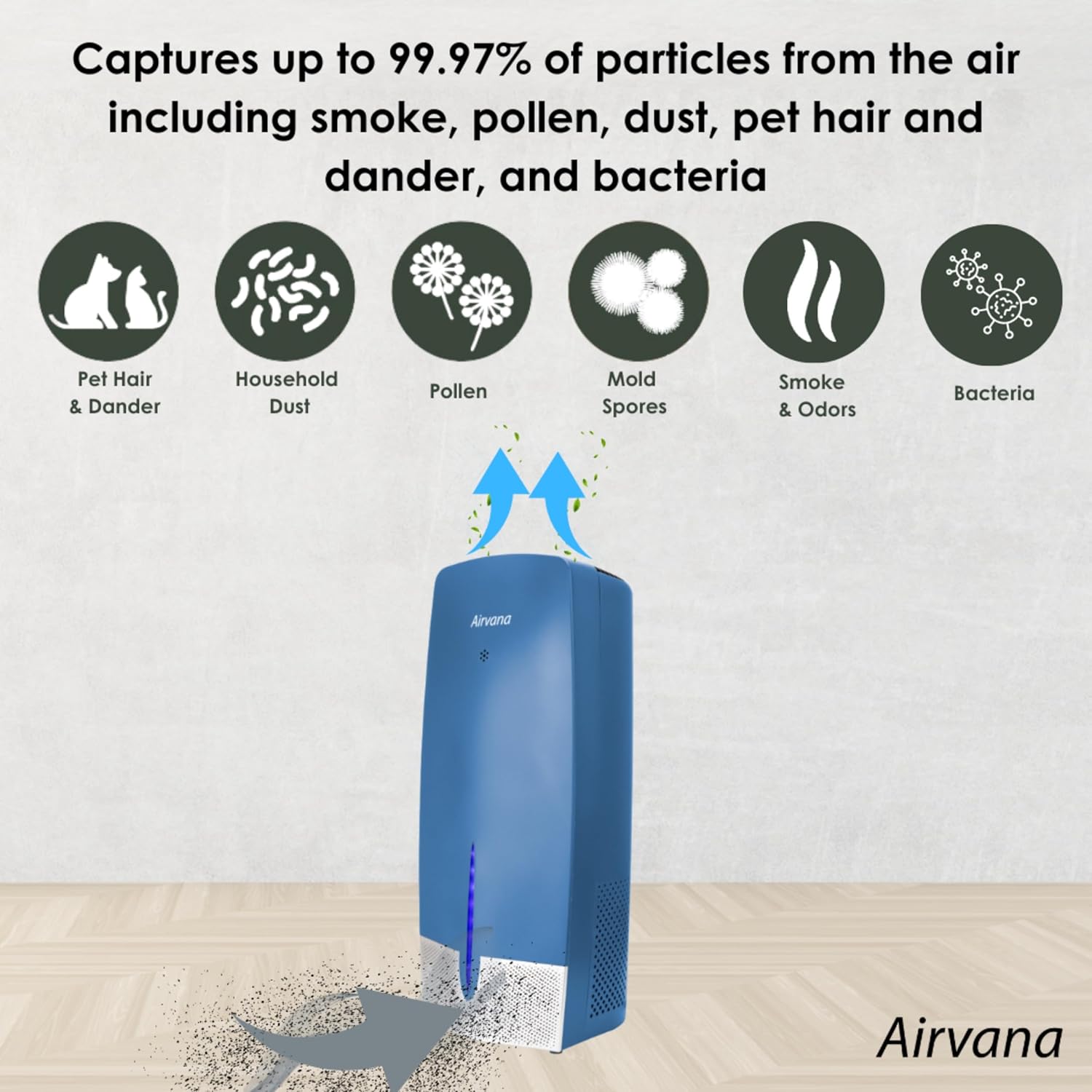
Рисунок 2: Дев'яткиtage filtration system captures various airborne particles and odors.

Малюнок 3: Детально view of the Granular Carbon, Coconut Carbon Pre-Filter, and True HEPA filter components.
Відео 1: Оверview of Airvana products, including air purifiers, humidifiers, fans, and heaters, showcasinїх дизайн та особливості.
Налаштування
- Розпакування: Обережно вийміть очищувач повітря та всі пакувальні матеріали з коробки.
- Встановлення фільтра: Ensure all filters are correctly installed and any protective plastic wrapping is removed before first use. Refer to the 'Maintenance' section for filter access.
- Розміщення: Розмістіть очищувач повітря на твердій рівній поверхні. Переконайтеся, що навколо пристрою достатньо місця (принаймні 6 см) для належної циркуляції повітря. Уникайте розміщення його безпосередньо біля стін або меблів.
- Підключення живлення: Підключіть шнур живлення до стандартної електричної розетки.
Інструкція з експлуатації
Your Airvana Capri air purifier features an intuitive control panel and a remote control for convenient operation.

Figure 4: Control panel layout and functions.

Figure 5: Internal components and their functions.
Функції панелі керування:
- Увімкнення/вимкнення (живлення): Натисніть, щоб увімкнути або вимкнути пристрій.
- Швидкість/Сон: Cycles through Low, Medium, High fan speeds, and Sleep Mode. Sleep Mode operates at the lowest fan speed for quiet operation.
- Акцентне світло: Toggles the LED accent light on or off.
- Таймер: Sets the operating timer for 2, 4, or 8 hours. The unit will automatically shut off after the selected time.
- Індикатор вугільного фільтра: Illuminates when the granular carbon filter requires refreshing.
- Індикатор фільтра HEPA: Illuminates when the True HEPA filter requires cleaning.
Пульт дистанційного керування:
Пульт дистанційного керування дублює всі функції, доступні на головній панелі керування, що дозволяє зручно керувати пристроєм на відстані.
Технічне обслуговування
Regular maintenance ensures the longevity and efficiency of your air purifier. Always unplug the unit before performing any maintenance.
Granular Carbon Filter Cleaning:
- Від’єднайте очищувач повітря від мережі.
- Lift up on the top lid to access the carbon filter. Remove the filter.
- Place the carbon filter in direct sunlight for at least one hour to refresh. This should be done once a month.
- Помістіть фільтр назад у очищувач повітря.
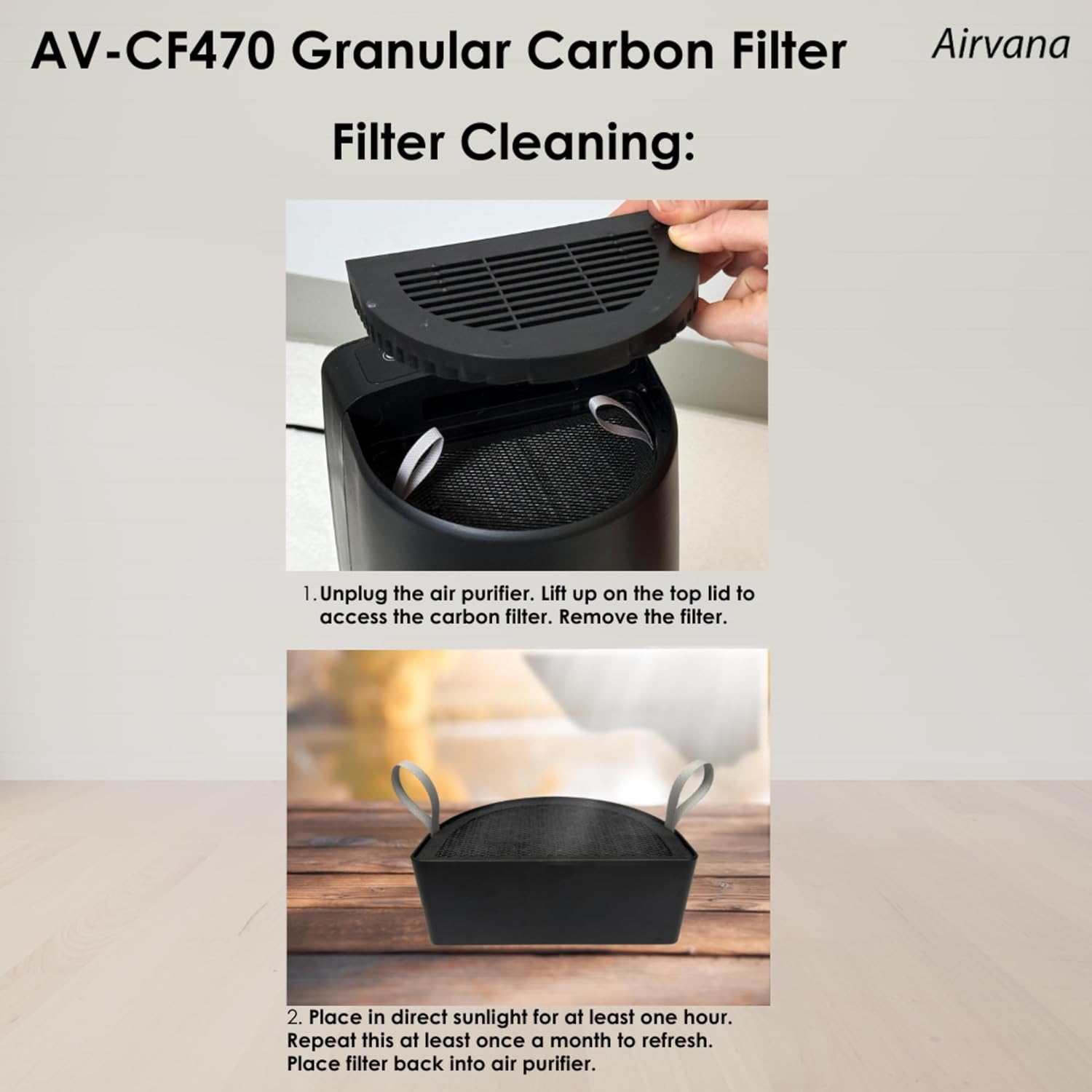
Figure 6: Steps for refreshing the Granular Carbon Filter.
True HEPA Filter Cleaning:
- Від’єднайте очищувач повітря від мережі.
- Remove the front panel by pulling forward using the middle notch to access the HEPA filter.
- Use a vacuum attachment to sweep any debris or dust from the pre-filter. Recommended every 3 months.
- Use a vacuum attachment to sweep any debris or dust from the HEPA filter. Recommended every 3 to 6 months, or more often depending on air quality.
- Insert the filter back into the air purifier. Place the panel back on the unit.

Figure 7: Steps for cleaning the True HEPA Filter.
Технічні характеристики
| Атрибут | Деталь |
|---|---|
| Модель | AV470THP |
| Бренд | Ервана |
| Колір | чорний |
| Тип контролера | Пульт дистанційного керування |
| Тип фільтрації | True HEPA, Granular Carbon, Coconut Carbon Pre-filter |
| UPC | 810067453936 |
| Країна походження | Китай |

Рисунок 8: Розміри виробу для врахування розміщення.

Figure 9: Room size chart illustrating air exchange rates per hour for various room dimensions.
Усунення несправностей
If you encounter issues with your Airvana Capri air purifier, please review такі поширені рішення:
- Пристрій не вмикається: Ensure the power cord is securely plugged into a working electrical outlet. Check if the power button on the unit or remote is pressed.
- Reduced airflow or unusual noise: Check if the filters are clogged. Refer to the 'Maintenance' section for cleaning instructions. Ensure there are no obstructions around the air intake or outlet.
- Filter indicator lights remain on after cleaning: After cleaning or replacing filters, you may need to reset the filter indicators. Consult the control panel section for specific reset procedures (usually involves pressing and holding the respective filter button).
- Пульт дистанційного керування не працює: Перевірте батарейку в пульті дистанційного керування та замініть її за потреби. Переконайтеся, що між пультом дистанційного керування та датчиком пристрою немає перешкод.
For persistent issues not covered here, please contact Airvana customer support.
Гарантія та підтримка
For warranty information and customer support, please refer to the documentation included with your product or visit the official Airvana webсайт. Зберігайте чек про покупку для гарантійних претензій.
Ви також можете розглянути можливість придбанняasing extended protection plans for your product. Details on available plans can often be found where the product was purchased.


