1. Вступ
This user manual provides detailed instructions for the setup, operation, and maintenance of your VOKSUN Wireless Weather Station. Please read this manual thoroughly before using the device to ensure proper functionality and to maximize its features.
The VOKSUN Wireless Weather Station is a multifunctional device designed to monitor indoor and outdoor temperature and humidity, provide weather forecasts, and offer additional features such as an alarm clock, calendar, and moon phase display.
2. Компоненти продукту та іншеview
Your VOKSUN Weather Station package includes the main display unit and one wireless outdoor sensor. Familiarize yourself with the components and their functions.
2.1 Main Display Unit (Front View - Part A)

зображення: Фронт view of the VOKSUN Weather Station main display unit, highlighting various display elements and their corresponding functions. This includes indoor/outdoor temperature and humidity, weather forecast icons, time, date, moon phase, and comfort indicators.
- A1: Outdoor wireless channel and receiving icon
- A2: Температура в приміщенні
- A3: Вологість у приміщенні
- A4: Індикатор комфорту в приміщенні
- A5: час
- A6: Місяць і число
- A7: тиждень
- A8: Прогноз погоди
- A9: Зовнішня температура
- A10: Атмосферний тиск
- A11: Вологість на вулиці
- A12: Histogram of historical pressure trends
- A13: Outdoor comfort indicator
- A14: Час сходу сонця
- A15: Фаза місяця
- A16: Вибране місто
- A17: Рівень припливу
- A18: Час заходу сонця
2.2 Main Display Unit (Back and Side Views - Part B)
зображення: Ззаду і збоку views of the VOKSUN Weather Station main display unit, showing the button layout, power input, and battery compartment. This image helps identify physical controls and connections.
- B1: "/zz" Touch field (likely for snooze/light)
- B3: Support frame (kickstand)
- B4: Батарейний відсік
- B5: Hanging hole (for wall mounting)
- B6: "▼" Button (down/decrease)
- B7: "▲/☀" Button (up/increase/light)
- B8: "▲" Button (up/increase)
- B9: "⚙" Button (settings)
- B10: "|||" Button (menu/mode)
- B11: "◷" Button (alarm)
- B12: Power supply socket (DC 5V)
- B13: USB charger output socket (for charging external devices)
2.3 Wireless Remote Sensor (Part C)

зображення: Спереду і ззаду views of the VOKSUN wireless outdoor sensor, showing its LCD display, battery compartment, and channel selection switch. This sensor transmits outdoor temperature and humidity data to the main unit.
- C1: LCD display - Temperature
- C2: LCD display - Humidity
- C3: Світлодіод передачі сигналу
- C4: "°C/°F" button (temperature unit toggle)
- C5: "TX" button (manual transmission)
- C6: "CHANNEL 1 or 2 or 3" switch (for multi-sensor setup)
- C7: Батарейний відсік
3. Налаштування
3.1 Живлення пристроїв

зображення: Illustration of the two power supply methods for the VOKSUN Weather Station: using the included DC5V adapter for continuous backlight, or 2 AA batteries (not included) for portable use with temporary backlight.
The main weather station unit can be powered by two methods:
- DC 5V Adapter (Included): Connect the included DC adapter to the power supply socket (B12) on the back of the main unit. This mode provides continuous backlight for the display.
- 2 x AA Batteries (Not Included): Open the battery compartment (B4) and insert 2 AA batteries, observing polarity. In battery mode, the screen will light up for 15 seconds after touching the top of the unit (B1) to conserve energy.
The wireless remote sensor (Part C) requires 2 x AA batteries (not included). Open the battery compartment (C7) and insert the batteries, observing polarity.
3.2 Початкова синхронізація
After inserting batteries into the outdoor sensor and powering on the main unit, the main unit will automatically attempt to connect with the sensor. Ensure the sensor is within the 200FT/60M wireless range in an open space for optimal connection.
For the weather forecast function (A8) to be accurate, the station requires a 7-day learning and calibration period after initial setup. During this period, it analyzes atmospheric pressure changes to provide personalized forecasts.
3.3 Кілька датчиків (додатково)

зображення: Examples of placing the wireless sensor in various locations such as outdoors, in a living room, and in a baby's room, demonstrating its versatility for monitoring different areas.
The weather station supports up to 3 remote sensors. If you have additional sensors, set each sensor to a different channel (C6) (1, 2, or 3) before inserting batteries. The main unit will cycle through the channels to display data from each connected sensor.
3.4 Розміщення
зображення: The VOKSUN Weather Station displayed in two common placement scenarios: on a desk using its integrated kickstand, and mounted on a wall using the hanging hole, illustrating flexible installation options.
The main unit can be placed on a desk using its integrated support frame (B3) or mounted on a wall using the hanging hole (B5).
Place the outdoor sensor in a shaded, dry location away from direct sunlight and precipitation to ensure accurate readings. Ensure it is within the wireless range of the main unit.
4. Інструкція з експлуатації
4.1 Radio Controlled Clock (RCC) and DCF Function
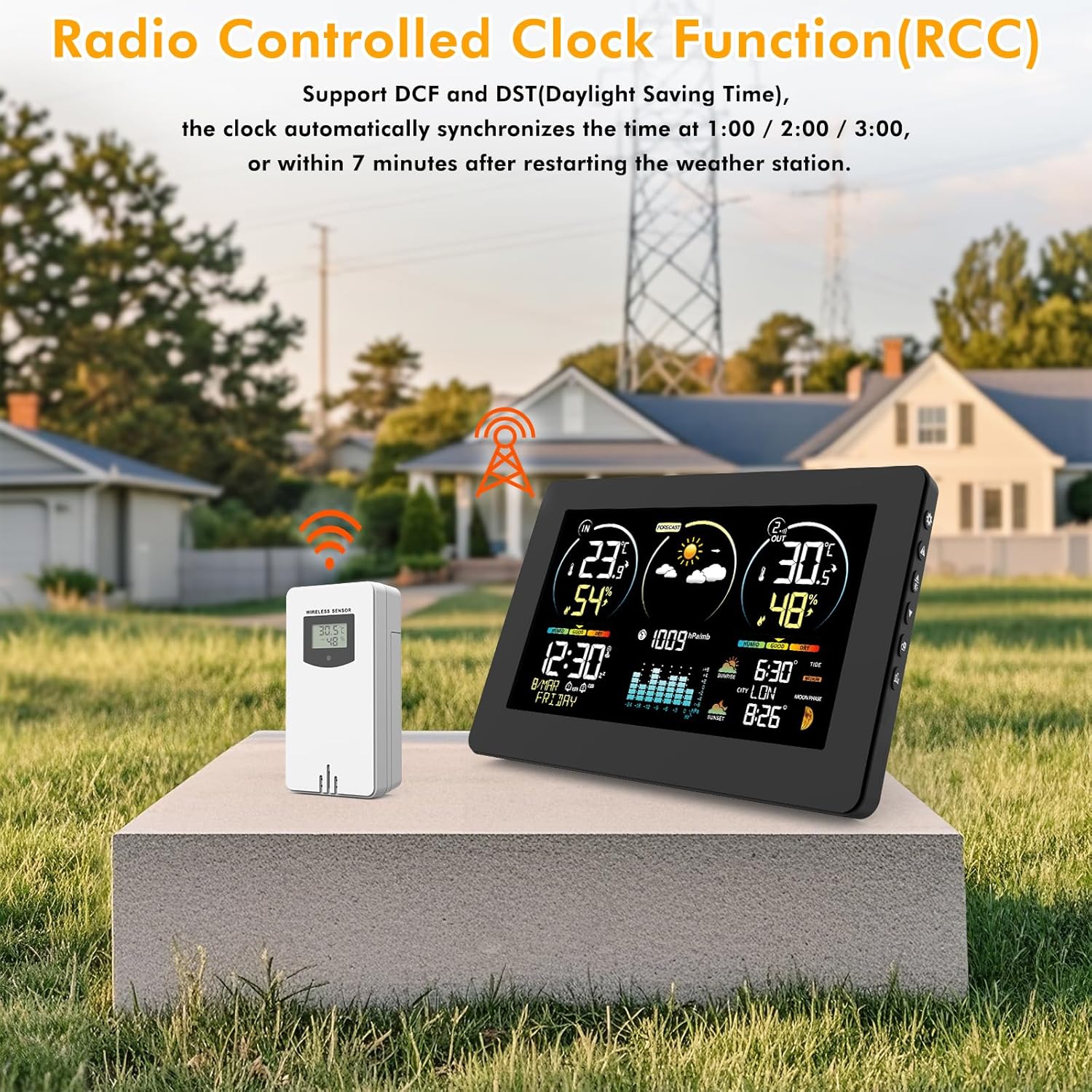
зображення: A visual representation of the Radio Controlled Clock (RCC) function, showing the weather station receiving a signal from a radio tower, with a map of Europe indicating signal coverage. This highlights the automatic time synchronization feature.
The weather station features a DCF function that automatically synchronizes the time (A5), date (A6), and week (A7) daily or upon power-up, ensuring accurate timekeeping, including during Daylight Saving Time (DST).
- The clock automatically synchronizes at 1:00 AM, 2:00 AM, or 3:00 AM, or within 7 minutes after restarting the weather station.
- If the DCF signal is weak in your location, you can disable this function and set the time manually. Refer to the "Manual Settings" section for details.
4.2 Weather Forecast (A8)

зображення: A display of various weather forecast icons (sunny, partly cloudy, cloudy, rainy, stormy, snowy) alongside the weather station, illustrating the 12-hour weather prediction capability based on atmospheric pressure changes.
The station calculates 12-hour weather forecasts based on temperature, humidity, and barometric pressure data from its sensors. Remember the 7-day calibration period for initial accuracy.
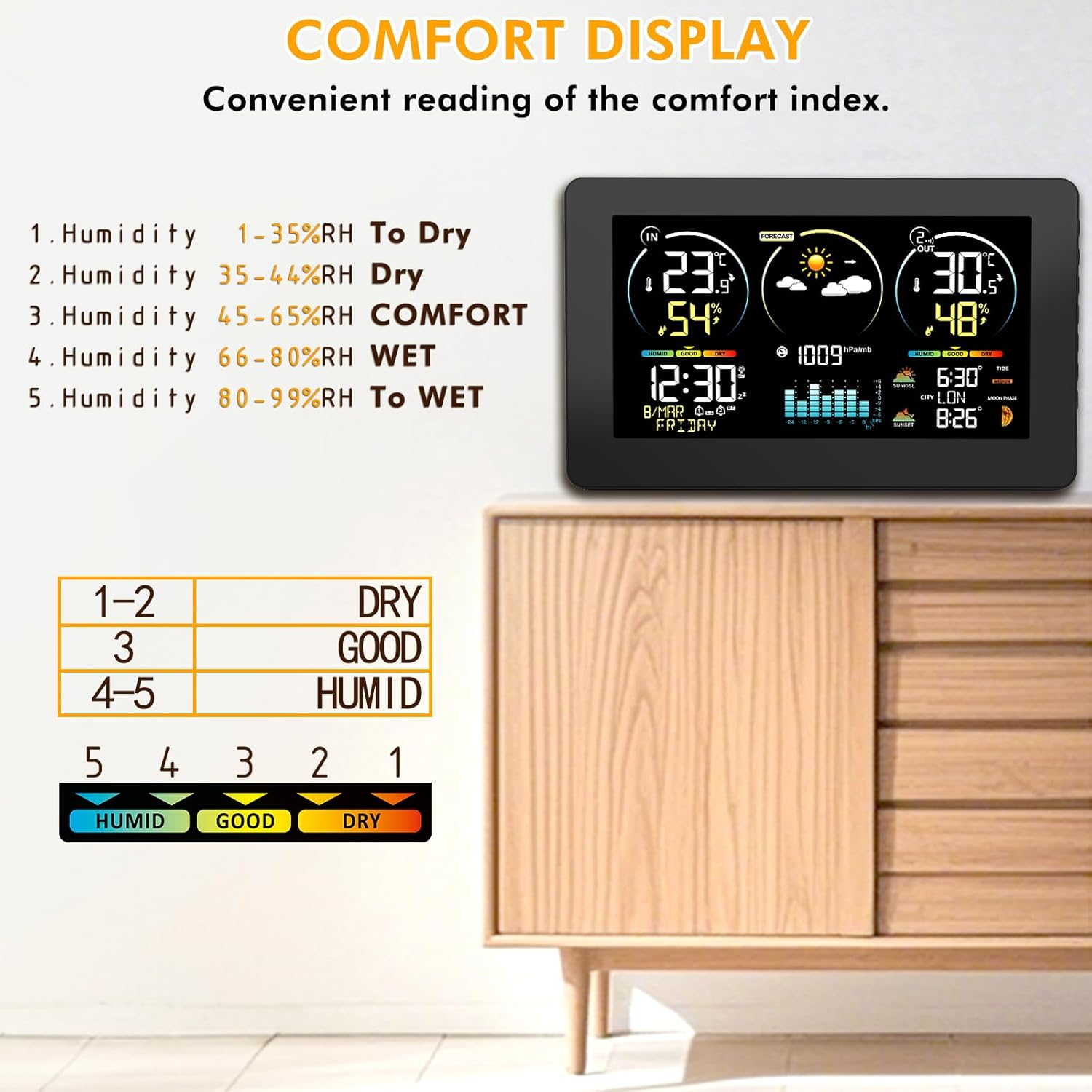
4.3 Comfort Indicator (A4, A13)

зображення: A chart detailing the comfort index based on humidity levels, categorizing them as Dry, Good, or Humid. This visual aid helps users understand the environmental comfort indicated on the weather station display.
The comfort indicator displays the current indoor and outdoor comfort levels based on humidity:
- СУХИЙ: 1-35% відносної вологості
- ДОБРЕ: 35-65% відносної вологості
- HUMID: 66-99% відносної вологості
4.4 Moon Phases (A15) and Tide Level (A17)

зображення: The main weather station display showing the current moon phase and tide level, providing astronomical information based on the programmed calendar.
The station displays 12 different moon phases and 3 types of tide levels based on the programmed calendar.
4.5 Alarms and Snooze
The weather station includes an alarm function with support for two separate alarms (M-F/S-S/Both). The snooze mode can be set from 5 to 60 minutes.
- Press the alarm button (B11) to enter alarm setting mode.
- Use the up/down buttons (B6, B7, B8) to adjust values.
- Press the alarm button again to confirm and move to the next setting.
4.6 Manual Settings (Time, Date, City, Units)
зображення: The main weather station display showing sunrise and sunset times, along with the selected city. This image highlights the ability to manually select or set your location for accurate astronomical data.
To manually set time, date, city, or temperature units:
- Press the settings button (B9) to enter setup mode.
- Use the up/down buttons (B6, B7, B8) to adjust values.
- Press the settings button again to confirm and move to the next setting.
- To select your city for sunrise/sunset times (A14, A18), press the "City" button (likely one of the navigation buttons, not explicitly labeled but implied by context) on the side of the station.
- On the outdoor sensor, press the "°C/°F" button (C4) to toggle between Celsius and Fahrenheit.
5. Технічне обслуговування
- Clean the display and sensor with a soft, dry cloth. Do not use abrasive cleaners or solvents.
- Replace batteries in both the main unit (if using battery power) and the outdoor sensor when the low battery indicator appears on the display.
- Ensure the outdoor sensor is protected from extreme weather conditions to prolong its lifespan.
6. Вирішення проблем
| проблема | Можлива причина | Рішення |
|---|---|---|
| Немає показників зовнішньої температури/вологості. | Sensor out of range, low sensor battery, incorrect channel. | Move sensor closer to main unit. Replace sensor batteries. Ensure sensor channel (C6) matches the selected channel on the main unit. Press TX button (C5) on sensor. |
| Неточний прогноз погоди. | Initial calibration period not complete. | Allow 7 days for the station to calibrate. Ensure the sensor is placed correctly. |
| Display is dim or off (on battery power). | Режим енергозбереження. | Touch the top of the unit (B1) to temporarily light up the screen. For continuous backlight, use the DC adapter. |
| Час неправильний. | Weak DCF signal, DCF function disabled. | Relocate the unit to an area with better signal reception. Manually set the time if DCF signal remains weak. |
7. Технічні характеристики
- Бренд: ВОКСУН
- Номер моделі: 3378YC
- колір: чорний
- матеріал: Полікарбонат (ПК)
- Джерело живлення: DC 5V Adapter (included) or 2 x AA Batteries (not included)
- Точність температури: ±1 °C
- Діапазон температур у приміщенні: -9.9°C (+14°F) to +50°C (+122°F)
- Діапазон зовнішніх температур: -50°C (-58°F) до +70°C (+158°F)
- Humidity Range (Indoor & Outdoor): Від 20% до 95% RH
- Бездротовий діапазон: 200FT/60M (open space)
- Особливості: External sensor, DCF function, connectivity for up to 3 external sensors, adjustable backlight, comfort indicator, moon phase, tide level, alarm with snooze.
- Технологія підключення: Wi-Fi (Note: This might refer to internal communication or a feature not fully detailed in the provided data. The primary sensor communication is wireless RF.)
- Розміри упаковки: 22.3 х 15.3 х 7.7 см; 600 грам
8. Гарантія та підтримка
For warranty information and customer support, please refer to the contact details provided with your purchase or visit the official VOKSUN webсайт. Зберігайте чек про покупку як підтвердження покупки для будь-яких гарантійних претензій.
Політика повернення: 30-day refund/replacement policy (as per Amazon.com.be buybox winner information).


