вступ
Thank you for choosing the FINTIE AZERTY Backlit Bluetooth Keyboard. This manual provides detailed instructions for setting up, operating, and maintaining your new keyboard. Designed for compatibility with iPadOS and Android tablets, this slim, lightweight, and rechargeable keyboard features 7-color backlighting and optimized multimedia keys for an enhanced typing experience.
Налаштування
1. Заряджання клавіатури
Before initial use, fully charge the keyboard. Connect the provided USB-C charging cable to the keyboard's charging port and to a USB power source. The charging indicator light will illuminate during charging and turn off when fully charged.

Image: The FINTIE AZERTY Bluetooth Keyboard connected to a USB-C charging cable, illustrating the charging process.
2. Увімкнення/вимкнення живлення
Locate the ON/OFF switch on the keyboard. Slide it to the 'ON' position to power on the keyboard. Slide it to 'OFF' to power it down.
3. Підключення Bluetooth
- Переконайтеся, що клавіатура заряджена та увімкнена.
- Press the 'Connect' button on the keyboard. The Bluetooth indicator light will start blinking, indicating it is in pairing mode.
- On your device (tablet, smartphone), go to Bluetooth settings and enable Bluetooth.
- шукати available devices. The keyboard will appear as 'Bluetooth Keyboard' or similar.
- Select the keyboard from the list to pair. Your device may prompt you to enter a code displayed on the screen. Type the code on the FINTIE keyboard and press Enter.
- Once paired, the Bluetooth indicator light on the keyboard will stop blinking.
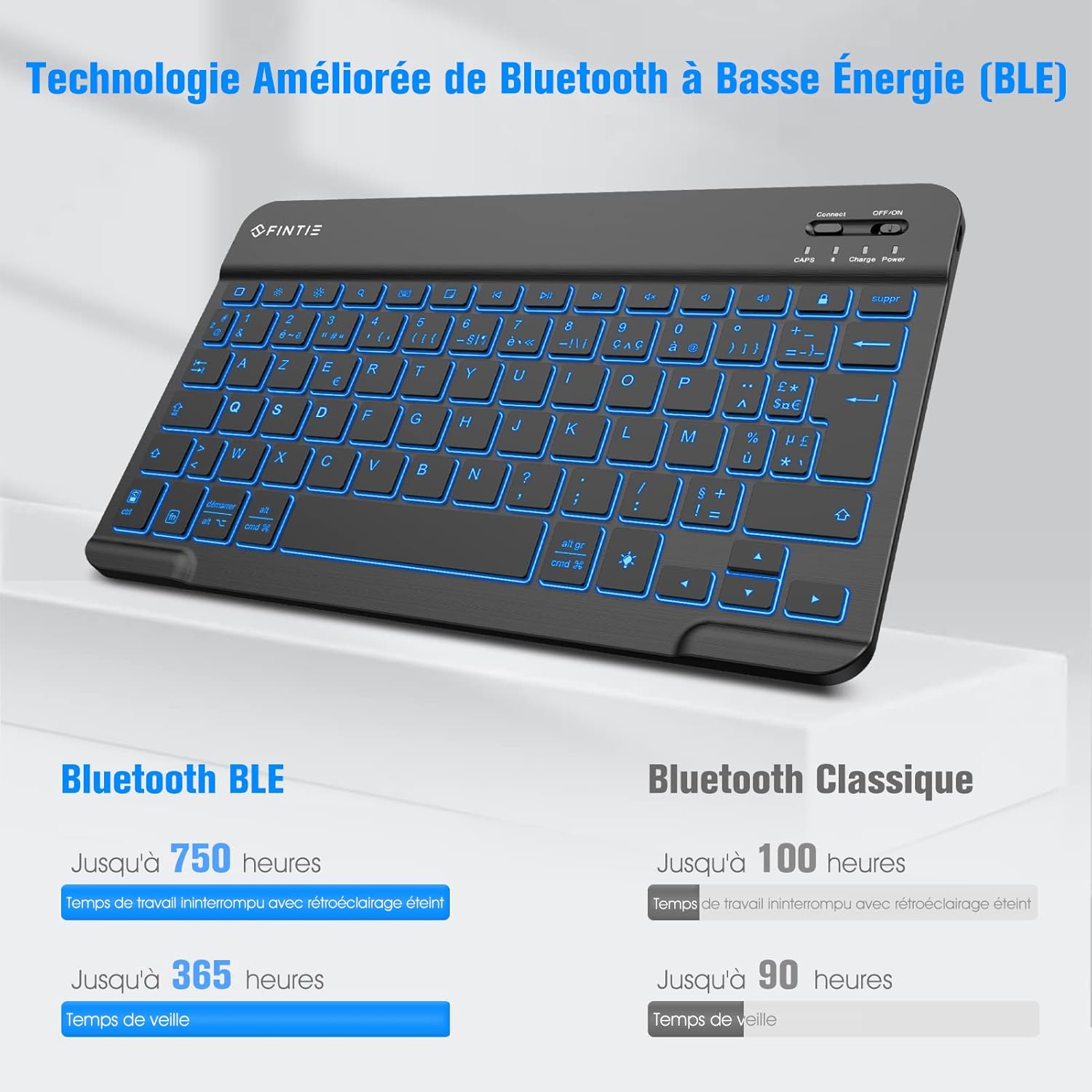
Image: A close-up of the FINTIE AZERTY Bluetooth Keyboard highlighting the 'Connect' button and the ON/OFF power switch, essential for Bluetooth pairing.
4. Сумісність
This keyboard is compatible with iPadOS systems (including iPad Air 11-inch, iPad Air 5/4, iPad 10.9/10.2/9.7-inch, iPad Pro 11/10.5-inch) and Android tablets.

Image: The FINTIE AZERTY Bluetooth Keyboard positioned next to a tablet and a smartphone, demonstrating its multi-device compatibility.
Інструкція з експлуатації
1. Управління підсвічуванням
The keyboard features 7 backlight colors and 3 brightness levels. You can also activate a breathing backlight effect.
- Натисніть Light bulb icon key щоб перемикатися між кольорами підсвічування.
- Прес Fn + Light bulb icon key to adjust backlight brightness (3 levels).
- Прес Fn + Alt (or similar combination, refer to keyboard markings) to activate/deactivate the breathing light effect.

Image: Multiple close-up views of the FINTIE AZERTY Bluetooth Keyboard keys, showcasing the 7 available backlight colors.
2. Optimized Multimedia Keys
The top row of keys provides quick access to various functions. Use the Fn key in combination with these keys for their secondary functions.
| Значок ключа | функція |
|---|---|
| Головна (1) | Повернутися на головний екран. |
| Brightness - / Brightness + (2) | Налаштуйте яскравість екрана. |
| Search (3) | Відкрити функцію пошуку. |
| Keyboard Display (4) | Show/hide on-screen keyboard. |
| Screenshot (5) | Зробіть знімок екрана. |
| Previous Track / Play-Pause / Next Track (6) | Керуйте відтворенням медіа. |
| Mute / Volume - / Volume + (7) | Контролюйте гучність звуку. |
| Screen Lock (8) | Lock the device screen. |
| Backlight On/Off (9) | Toggle backlight on or off. |
| Power Display (10) | Display battery level. |

Зображення: Вид зверху view of the FINTIE AZERTY Bluetooth Keyboard, with numbers indicating the various optimized multimedia keys and their corresponding functions listed below.
3. Досвід набору тексту
The keyboard features scissor-switch keys, designed for comfortable and quiet typing with quick response.

Зображення: Збільшене view of the FINTIE AZERTY Bluetooth Keyboard keys, illustrating the scissor-switch mechanism for responsive and quiet typing.
Технічне обслуговування
1. прибирання
Щоб очистити клавіатуру, обережно протріть її поверхню м’якою губкоюamp cloth. Avoid using harsh chemicals or abrasive materials that could damage the finish or internal components. Ensure the keyboard is powered off before cleaning.
2. Догляд за акумулятором
The integrated rechargeable battery is designed for long-term use. To prolong battery life:
- Уникайте частого повного розряджання акумулятора.
- Зберігайте клавіатуру в прохолодному, сухому місці, якщо вона не використовується протягом тривалого часу.
- The automatic sleep function helps conserve power when the keyboard is idle.
Усунення несправностей
1. Клавіатура не підключається через Bluetooth
- Переконайтеся, що клавіатура увімкнена та повністю заряджена.
- Переконайтеся, що на вашому пристрої ввімкнено Bluetooth.
- Натисніть кнопку «Підключитися» на клавіатурі, щоб увійти в режим сполучення.
- Forget the keyboard from your device's Bluetooth list and attempt to re-pair.
- Перезавантажте і клавіатуру, і пристрій.
2. Підсвічування не працює
- Переконайтеся, що клавіатуру увімкнено.
- Press the backlight key (light bulb icon) to cycle through colors or turn it on.
- Перевірте рівень заряду батареї; низький заряд батареї може вимкнути підсвічування.
3. Клавіші не реагують
- Verify the keyboard is connected via Bluetooth.
- Перевірте рівень заряду акумулятора.
- Перезавантажте клавіатуру та пристрій.
Технічні характеристики
| Особливість | Деталь |
|---|---|
| Бренд | ФІНТІ |
| Модель | B0DBQ4QMB6 |
| Технологія підключення | Bluetooth |
| Особливості | Lightweight, Rechargeable, Backlit |
| Сумісні пристрої | Tablet, Smartphone (iPadOS, Android) |
| Розкладка клавіатури | АЗЕРТИ |
| Тип перемикача | Мембрана |
| Джерело живлення | Працює від батареї |
| Тип батареї | 1 Lithium-polymer battery |
| Розміри (Д x Ш x В) | 24.6 см х 14.9 см х 0.6 см |
| матеріал | ABS |
| Battery Life (Backlight Off, BLE) | Up to 750 hours (working), 365 hours (standby) |
| Battery Life (Backlight Off, Classic Bluetooth) | Up to 100 hours (working), 90 hours (standby) |
| Країна походження | Китай |

Image: The FINTIE AZERTY Bluetooth Keyboard with its length (24.6 cm), width (14.9 cm), and thickness (0.6 cm) clearly indicated, highlighting its minimalist and slim design.

Image: A hand placing the FINTIE AZERTY Bluetooth Keyboard into a bag, demonstrating its portable and ultra-thin design for easy transport.
Гарантія та підтримка
For warranty information and customer support, please refer to the documentation included with your purchase or contact the seller directly. FINTIE strives to provide high-quality products and customer satisfaction.


