1. Вступ
This manual provides detailed instructions for the installation, operation, and maintenance of the darkFlash Z4Pro Mist CPU Cooler. Designed for efficient heat dissipation, this single-tower air cooler features a 120mm ARGB PWM fan and four Φ6mm heat pipes. Please read this manual thoroughly before installation to ensure proper setup and optimal performance.

darkFlash Z4Pro Mist CPU Cooler with illuminated ARGB fan.
2. Вміст упаковки
Перевірте, чи всі перелічені нижче компоненти присутні у вашій упаковці:
- darkFlash Z4Pro Mist CPU Cooler (Heatsink and 120mm ARGB PWM Fan)
- Монтажні кронштейни Intel
- Монтажні кронштейни AMD
- Backplate (Universal for Intel, AMD uses original motherboard backplate)
- Mounting Screws and Spacers
- Термопаста
- Фанатські кліпи

Вибухнув view of the darkFlash Z4Pro Mist CPU Cooler components.
3. Технічні характеристики
| Номер моделі | Z4 Pro Mist |
| Розміри продукту | 2.8 дюйма (Д) x 4.7 дюйма (Ш) x 6.1 дюйма (В) (72 мм x 120 мм x 155 мм) |
| вага | 1.41 фунта |
| TDP (розрахункова теплова потужність) | 200 Вт |
| Теплові труби | 4 x Φ6mm Copper Heat Pipes (HDT Technology) |
| Матеріал плавника | Алюміній |
| Розмір вентилятора | 120 мм |
| Швидкість вентилятора | 800-1600 ±10% RPM (PWM Controlled) |
| Fan Air Capacity | 54.7 CFM |
| Тиск вентилятора | 1.5 MMH2O |
| Рівень шуму | 24.3 дБА |
| Роз'єм живлення | 4-Pin (ШІМ) |
| томtage | 12 вольт (постійний струм) |
| Спосіб охолодження | повітря |
| Сумісні розетки | Intel: LGA1700/115x/12xx; AMD: AM4/AM5 |

Dimensions of the darkFlash Z4Pro Mist CPU Cooler.
4. Сумісність
The darkFlash Z4Pro Mist CPU Cooler is compatible with a wide range of Intel and AMD CPU sockets. Please ensure your motherboard socket is listed below and that your PC case has sufficient clearance (155mm height) for the cooler.
- Розетки Intel: LGA1700, LGA1200, LGA1150, LGA1151, LGA1155, LGA1156
- Розетки AMD: AM4, AM5
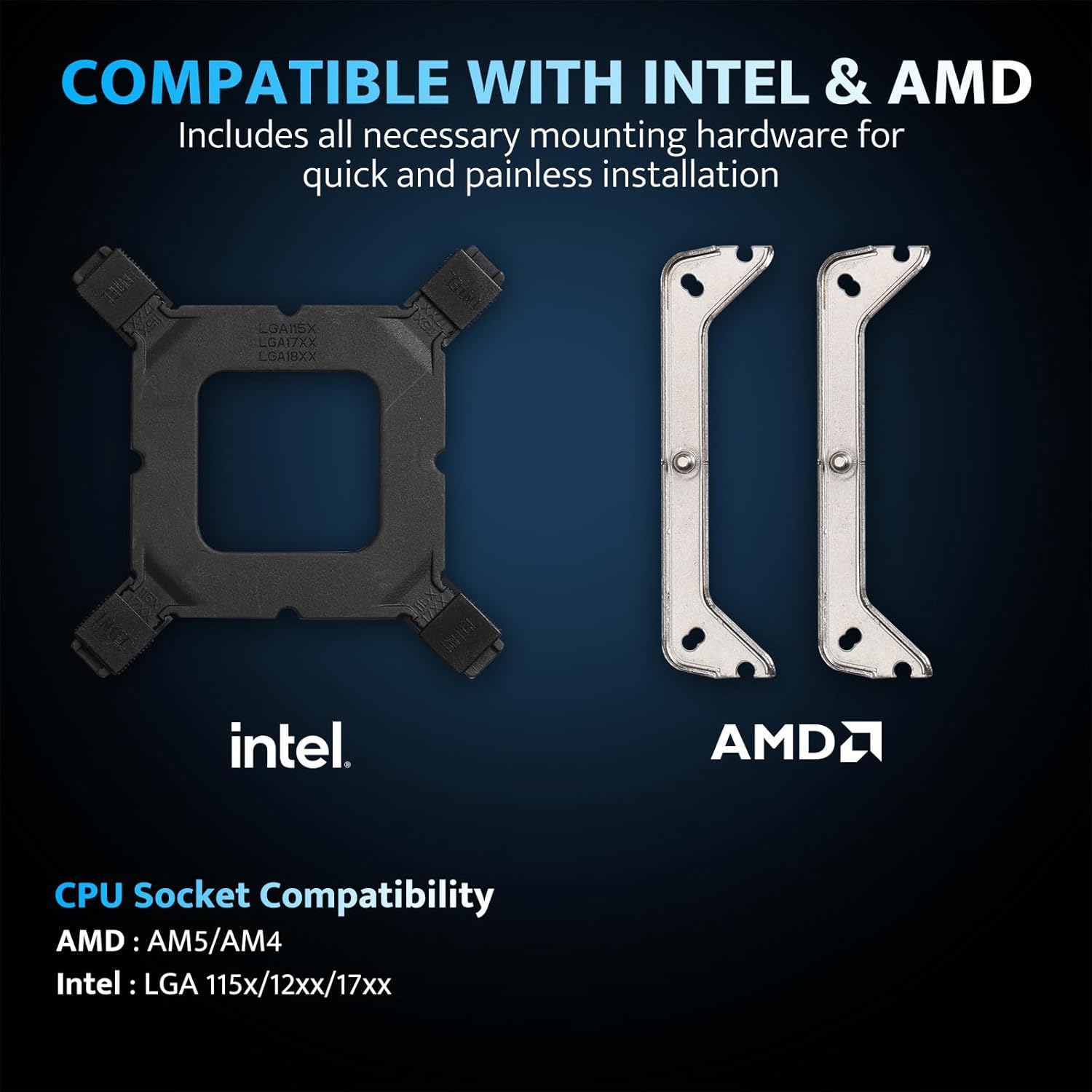
Intel and AMD mounting hardware and socket compatibility.
5. Налаштування та встановлення
Before beginning installation, ensure your system is powered off and unplugged. Handle components with care to avoid damage.
5.1. Підготуйте материнську плату
- Remove any existing CPU cooler and clean off old thermal paste from the CPU surface using isopropyl alcohol.
- Для роз'ємів Intel: Attach the universal backplate to the rear of the motherboard, aligning the holes with the CPU socket. Secure it with the appropriate standoffs from the front side.
- Для сокетів AMD: Retain the original AMD motherboard backplate. Remove the plastic retention clips from the front of the motherboard.
5.2. Нанесіть термопасту
Apply a small, pea-sized amount of thermal paste to the center of the CPU's integrated heat spreader (IHS). Do not spread it manually; the pressure from the cooler will distribute it evenly.
5.3. Встановіть кріпильні кронштейни
- Attach the correct Intel or AMD mounting brackets to the base of the cooler using the provided screws.
- Carefully place the cooler onto the CPU, aligning the screws on the mounting brackets with the standoffs (Intel) or the original backplate (AMD).
- Tighten the screws in a diagonal pattern until snug. Do not overtighten.
5.4. Attach the Fan
- Using the included fan clips, secure the 120mm ARGB PWM fan to the heatsink. Ensure the fan is oriented to blow air through the heatsink towards the rear or top of your PC case for optimal airflow.
- Підключіть 4-контактний кабель ШІМ-вентилятора до роз'єму CPU_FAN на материнській платі.
- Connect the 3-pin ARGB cable to a compatible 5V Addressable RGB header on your motherboard. Ensure it is a 5V header, not a 12V RGB header, to prevent damage.

Example of the cooler installed with ARGB lighting.
6. Інструкція з експлуатації
6.1. Керування вентилятором (ШІМ)
The 120mm fan utilizes Pulse Width Modulation (PWM) technology, allowing your motherboard to automatically adjust fan speed based on CPU temperature. This ensures efficient cooling when needed and quiet operation during lighter loads. You can typically configure fan curves in your motherboard's BIOS/UEFI settings or through manufacturer-provided software.

Fan specifications and intelligent control.
6.2. ARGB Lighting Customization
The cooler features Addressable RGB (ARGB) lighting, which can be synchronized with your motherboard's RGB software. Connect the 3-pin ARGB cable to a compatible 5V ARGB header on your motherboard. Supported software includes:
- Синхронізація ASUS Aura
- MSI Mystic Light Sync
- Підсвічування GIGABYTE RGB Fusion 2.0
- ASRock Polychrome Sync
Use your motherboard's software to customize lighting effects, colors, and synchronization with other ARGB components in your system.
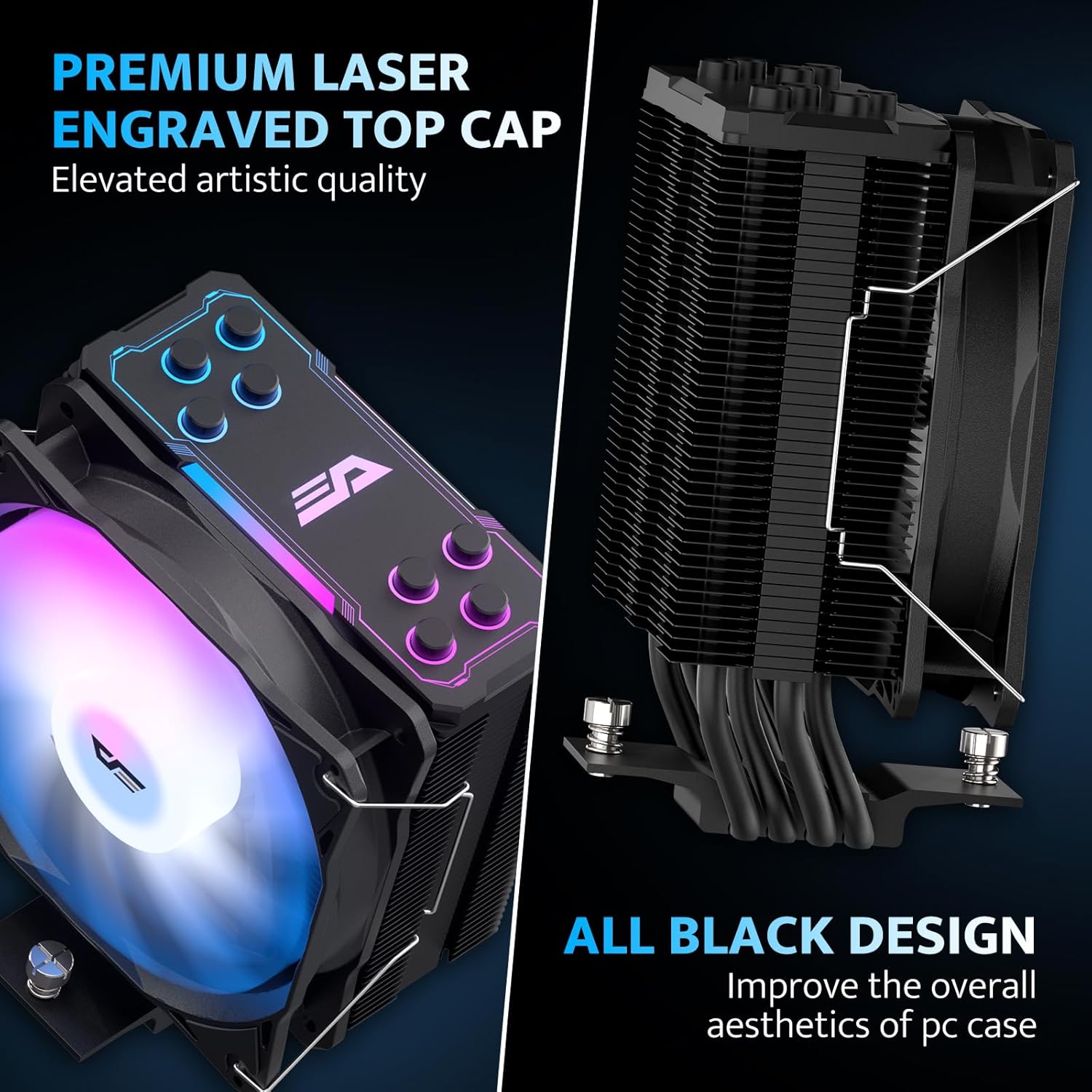
Aesthetic design with laser-engraved top cap and all-black finish.
7. Технічне обслуговування
Регулярне технічне обслуговування допомагає забезпечити довговічність та оптимальну продуктивність вашого процесорного кулера.
- Видалення пилу: Періодично очищайте пил з ребер радіатора та лопатей вентилятора за допомогою стисненого повітря або м’якої щітки. Переконайтеся, що вентилятор не обертається під час очищення.
- Перевірка вентилятора: Check the fan for any obstructions or unusual noises. If the fan is removable, you may detach it for more thorough cleaning.
- Термопаста: While not frequently required, if you remove the cooler for any reason, it is recommended to clean off the old thermal paste and apply new thermal paste before reinstallation.
8. Вирішення проблем
If you encounter issues with your darkFlash Z4Pro Mist CPU Cooler, refer to the following common problems and solutions:
| проблема | Можлива причина | Рішення |
| Висока температура процесора | Improper cooler installation, insufficient thermal paste, poor airflow in case, fan not spinning. | Re-seat the cooler ensuring even pressure. Verify thermal paste application. Check fan connections and rotation. Improve case airflow. |
| Вентилятор не обертається | Кабель вентилятора відключений, несправний роз'єм вентилятора, несправність вентилятора. | Ensure 4-pin PWM cable is securely connected to the CPU_FAN header. Test fan on another header if available. Contact support if fan is faulty. |
| ARGB-підсвічування не працює | ARGB cable disconnected, incorrect ARGB header (e.g., 12V instead of 5V), software issue. | Verify 3-pin ARGB cable is connected to a 5V Addressable RGB header. Check motherboard software settings. Ensure motherboard ARGB header is enabled in BIOS. |
| Надмірний шум | Loose fan, dust buildup, fan bearing issue. | Check fan clips for secure attachment. Clean fan and heatsink. If noise persists, contact support. |
9. Гарантія та підтримка
For warranty information and terms, please refer to the documentation included with your product or visit the official darkFlash website. For technical assistance or further inquiries, please contact darkFlash customer support through their official channels.


