вступ
Thank you for choosing the Doubc Q13 Wireless Bluetooth 5.3 Earbuds. These earbuds are designed to provide a high-quality audio experience with advanced features such as HiFi stereo sound, ENC noise-cancelling microphones, and IPX7 waterproofing. This manual will guide you through the setup, operation, and maintenance of your new earbuds.

Image: The Doubc Q13 Wireless Bluetooth 5.3 Earbuds in their open charging case, displaying the digital battery indicator.
Вміст упаковки
Будь ласка, перевірте упаковку на наявність наступних предметів:
- Doubc Q13 Wireless Earbuds (Left and Right)
- Зарядний футляр
- Зарядний кабель USB Type-C
- Посібник користувача
- Вушні насадки (різні розміри, зазвичай S/M/L)
Налаштування
1. Початкове заряджання
Before first use, fully charge the earbuds and the charging case. Connect the provided USB Type-C cable to the charging port on the case and a power source. The LED display on the charging case will show the battery percentage. Повна зарядка займає приблизно 1.5 години.
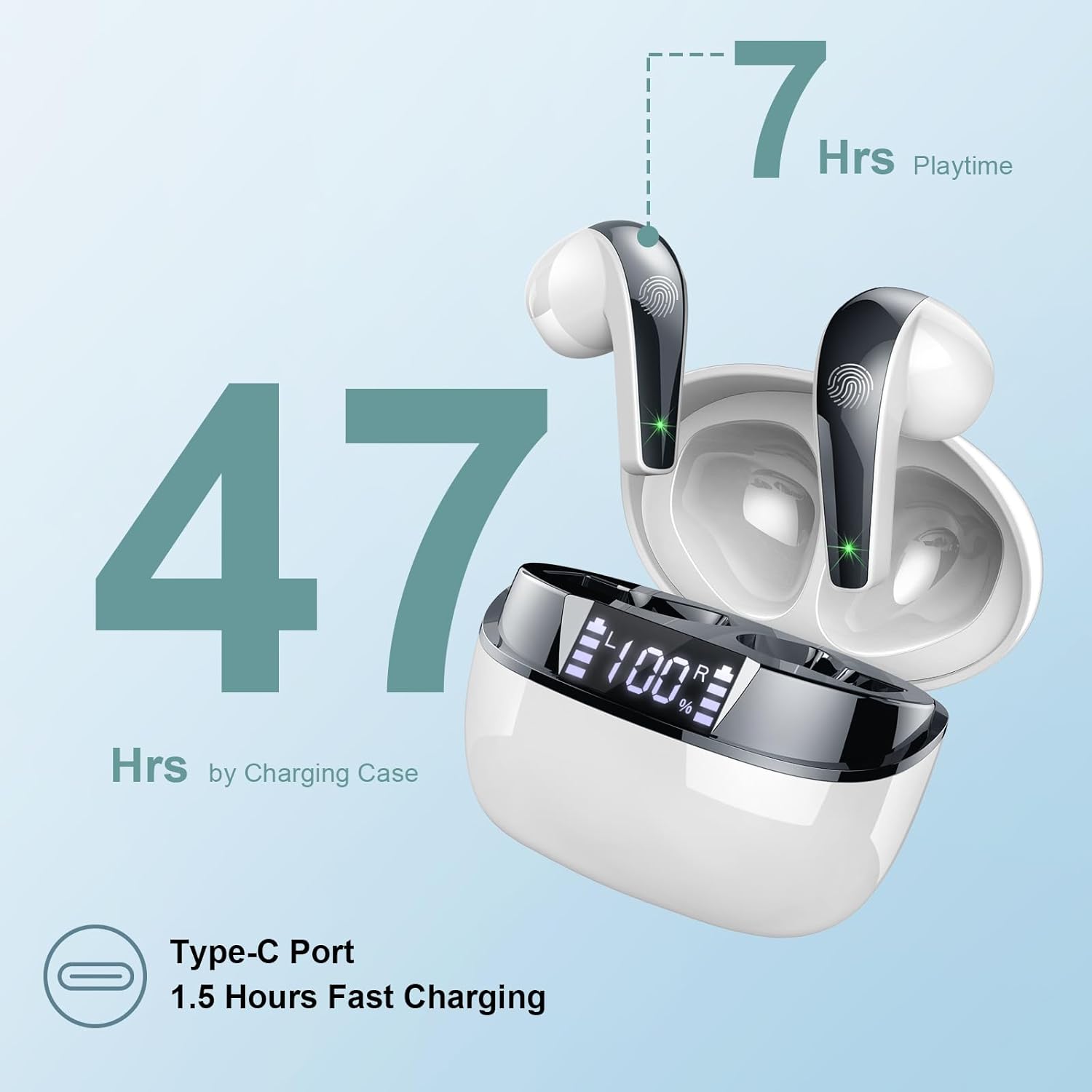
Image: The charging case highlighting 47 hours of total playtime and the Type-C charging port.

Image: A visual representation of the earbuds and charging case, emphasizing 7 hours of music time per charge and 47 hours total with the charging case, along with the dual LED digital display.
2. Сполучення з пристроєм
- Переконайтеся, що навушники заряджені.
- Відкрийте зарядний футляр. Навушники автоматично перейдуть у режим сполучення.
- На вашому пристрої (смартфоні, планшеті, комп’ютері) перейдіть до налаштувань Bluetooth.
- шукати доступні пристрої та виберіть «Q13» зі списку.
- Після підключення ви почуєте звуковий сигнал підтвердження, і навушники будуть готові до використання.
The Doubc Q13 earbuds feature one-step pairing and wide compatibility with iOS, Android, and Windows devices.

Image: The earbuds in their charging case next to a smartphone displaying Bluetooth settings, showing "Q13" as a discoverable device, illustrating the one-step pairing process.
Інструкція з експлуатації
Сенсорне керування
The Doubc Q13 earbuds feature smart touch controls for easy management of music and calls. The touch sensitive area is located on the outer surface of each earbud.

Image: A user wearing an earbud, with icons indicating various touch control functions such as volume adjustment, call management, music playback, and voice assistant activation.
| Дія | функція |
|---|---|
| Одинарне натискання (лівий/правий) | Відтворення/пауза музики, відповідь/завершення дзвінка |
| Подвійне натискання (праворуч) | Наступний трек |
| Подвійне торкання (ліворуч) | Попередній трек |
| Потрійне дотик (праворуч) | Збільшення гучності |
| Тричі торкніться (ліворуч) | Зменшення гучності |
| Тривале натискання (2 с) (Л/П) | Відхилити виклик, активувати голосового помічника |
Увімкнення/вимкнення живлення
- Увімкнення: Відкрийте зарядний футляр, і навушники автоматично увімкнуться. Або ж натисніть і утримуйте сенсорну область на обох навушниках протягом 3 секунд.
- Вимкнення живлення: Place the earbuds back into the charging case and close the lid. They will automatically power off and begin charging. Alternatively, long-press the touch area on both earbuds for 5 seconds.
Технічне обслуговування
прибирання
To ensure optimal performance and charging, regularly clean the charging contacts on both the earbuds and the charging case. Use a cotton swab lightly dampened with alcohol to gently wipe the contacts.

Image: A diagram illustrating the location of charging contacts on the earbuds and inside the charging case, with instructions to clean them if charging issues occur.
Водонепроникність
The earbuds are IPX7 waterproof, meaning they can withstand immersion in water up to 1 meter for 30 minutes. This makes them suitable for workouts and light rain. However, the charging case is not waterproof. Do not expose the charging case to water.

Image: Two earbuds covered in water droplets, visually representing their IPX7 waterproof capability.
Зберігання
Store the earbuds in their charging case when not in use to protect them and keep them charged. Avoid extreme temperatures and direct sunlight.
Усунення несправностей
Навушники не заряджаються
- Переконайтеся, що зарядний кабель надійно підключений як до кейса, так і до джерела живлення.
- Verify that the charging contacts on both the earbuds and the case are clean and free of debris. Use alcohol to clean them if necessary.
- Check if the charging case itself has sufficient battery charge.
Only One Earbud Has Sound
- Помістіть обидва навушники назад у зарядний футляр і закрийте кришку.
- On your phone's Bluetooth settings, manually "forget" or "unpair" the "Q13" device.
- After approximately 10 seconds, open the charging case. The earbuds should automatically re-enter pairing mode.
- Reconnect the earbuds with your phone via Bluetooth.
Image: A diagram illustrating solutions for common issues: cleaning charging contacts for charging problems and re-pairing steps for when only one earbud produces sound.
Навушники не підключаються
- Переконайтеся, що на вашому пристрої ввімкнено Bluetooth.
- Make sure the earbuds are within the effective range (typically 10 meters) of your device.
- Вимкніть, а потім увімкніть Bluetooth на вашому пристрої.
- Повторіть процес сполучення, як описано в розділі «Налаштування».
Технічні характеристики
| Особливість | Деталь |
|---|---|
| Номер моделі | Q13 |
| Версія Bluetooth | 5.3 |
| Аудіо драйвер | 13mm Graphene Audio Driver |
| Діапазон частот | 20 Гц - 20,000 Гц |
| Час відтворення (навушники) | До 7 годин (одного заряду) |
| Загальний час відтворення (з кейсом) | До 47 годин |
| Порт зарядки | USB Type-C |
| Час зарядки | Приблизно 1.5 години (футляр) |
| Рейтинг водонепроникності | IPX7 (тільки для навушників) |
| мікрофони | 4 ENC Noise Cancelling Microphones |
| Вага навушника | Приблизно 3 г (кожна) |
| Вага зарядного кейса | прибл. 29г |
| Розміри продукту | 2.13 x 1.81 x 1.34 дюйма (зарядний футляр) |

Зображення: Детальний view of the 13mm Graphene Audio Driver, emphasizing HiFi Stereo Sound and built-in microphones with noise reduction for HD calling.

Image: A diagram illustrating the benefits of Advanced Bluetooth 5.3 technology, including faster transfer, lower power consumption, more stable connection, and lower latency.

Image: A visual showing the comfortable and lightweight design of the earbuds and charging case, including their dimensions and individual weights (3g per earbud, 29g for the case).
Гарантія та підтримка
The Doubc Q13 Wireless Bluetooth 5.3 Earbuds come with a Гарантія 3 рік, що забезпечує душевний спокій щодо якості та продуктивності продукції.
For technical support, warranty claims, or any inquiries, please refer to the contact information provided on the product packaging or the official Doubc website. Specific support contact details are not available in this manual.
Важлива інформація з безпеки
- Не розбирайте та не змінюйте виріб.
- Тримати подалі від екстремальних температур та прямих сонячних променів.
- Avoid exposing the charging case to water.
- Використовуйте лише наданий зарядний кабель або його сертифікований еквівалент.
- Утилізуйте виріб відповідально відповідно до місцевих правил.


