1. Вступ
This manual provides detailed instructions for the safe and effective operation of your BSIDE HX1 Thermal Imaging Camera. The HX1 is a high-resolution infrared imager designed for various applications, offering precise temperature measurements and clear thermal visualization.
The BSIDE HX1 features a 240x240 pixel infrared resolution, a wide temperature measurement range, and multiple color palettes for diverse inspection needs. It is equipped with a rechargeable battery and a laser pointer for enhanced usability.

малюнок 1.1: Спереду і збоку view of the BSIDE HX1 Thermal Imaging Camera, showcasinйого ергономічний дизайн та дисплей.
2. Вміст упаковки
Перевірте, чи всі перелічені нижче предмети присутні у вашій упаковці:
- Infrared thermal imager (BSIDE HX1)
- Сумка для зберігання з етиленвінілацетату
- USB кабель для зарядки
- Інструкція з експлуатації (цей документ)
- Silicone lanyard

малюнок 2.1: The BSIDE HX1 Thermal Imaging Camera along with its storage bag, USB cable, and lanyard.
3. Налаштування
3.1 Початкове заряджання
Before first use, fully charge the device. Connect the provided USB charging cable to the camera's charging port and a compatible USB power adapter (not included). The charging indicator will show the charging status. A full charge typically takes several hours.
3.2 Увімкнення/вимкнення
To power on the device, press and hold the power button located below the display until the screen illuminates. To power off, press and hold the power button again until the screen shuts down.
3.3 Кріплення для шнура
Attach the silicone lanyard to the designated loop on the camera to prevent accidental drops during use.
4. Інструкція з експлуатації
4.1 Дисплей закінчивсяview
The 2.4-inch TFT LCD displays real-time thermal images. It automatically identifies and displays the maximum, minimum, and center temperatures on the screen, providing three key data points simultaneously.

малюнок 4.1: The display interface showing automatic tracking of hot, cold, and central temperature spots.
4.2 Вимірювання температури
The camera measures temperatures within a range of -20°C to 550°C (-4°F to 1022°F) with an accuracy of ±2°C. You can select the desired temperature unit (°C, °F, or Kelvin) through the device settings.
For accurate measurements, adjust the distance to the object and fine-tune the emissivity setting for specific materials. This ensures reliable temperature readings across various surfaces like cement or bricks.
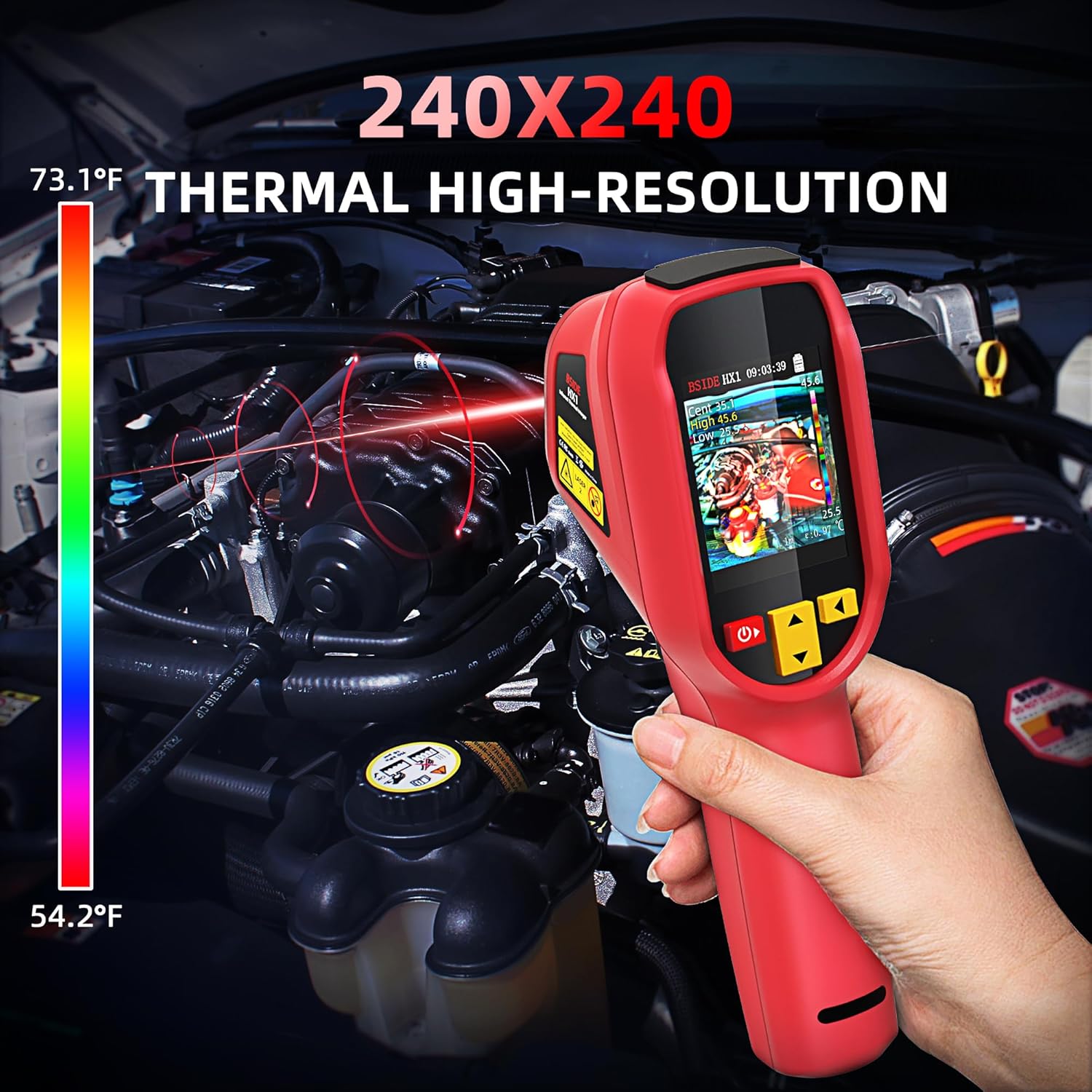
малюнок 4.2: Using the thermal imager to detect temperature variations in an engine compartment.
4.3 кольорових палітр
The HX1 offers 15 distinct color palettes to visualize thermal data. Select the palette that best highlights temperature differences for your specific application. Available palettes include:
- Білий жар
- Чорний жар
- Fusion 1
- Веселка
- Iron red 1
- Iron red 2
- сепія
- Колір 1
- Колір 2
- Ice and fire
- Дощ
- Зелене тепло
- Червоний жар
- Темно-синій

малюнок 4.3: Examples of the 15 available thermal color palettes for diverse visualization.
4.4 Лазерна указка
The integrated laser pointer assists in precisely identifying the target area for temperature measurement. Activate the laser by pressing the trigger button.

малюнок 4.4: Detail of the laser pointer on the BSIDE HX1, used for precise targeting.
4.5 Image Storage and Export
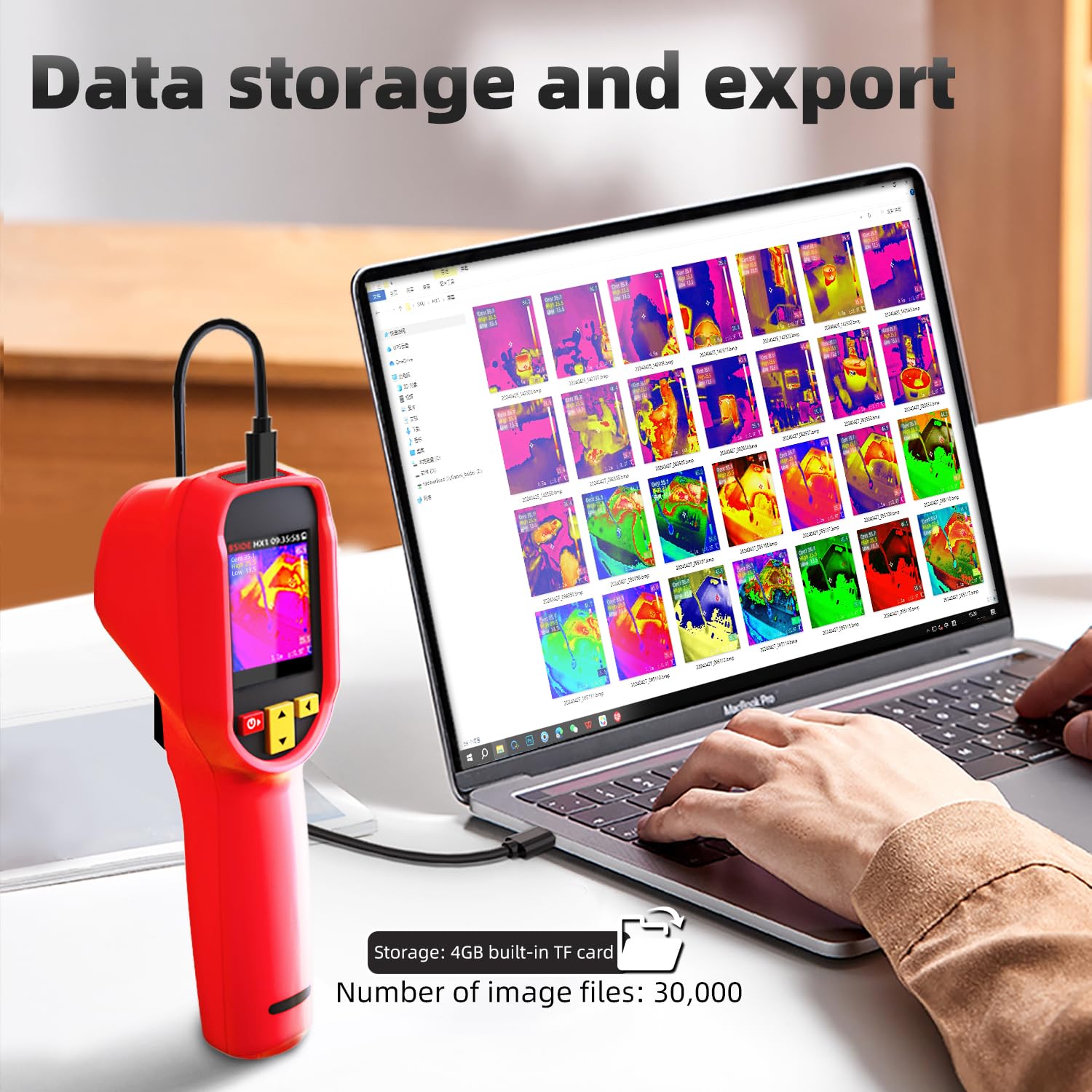
The device includes a 4GB built-in TF card capable of storing up to 30,000 images. Connect the camera to a computer using the USB cable to export stored thermal images for analysis and reporting.

малюнок 4.5: Connecting the thermal imager to a laptop to transfer and manage captured thermal images.
4.6 Сигнал високої/низької температури
The camera features an audible alarm that activates when detected temperatures exceed or fall below user-defined thresholds. This function assists in quickly identifying anomalies.
4.7 Auto Power-Off and Brightness
The device offers adjustable auto power-off settings (10/20/30/40/50/60 minutes) to conserve battery life. Screen brightness can also be adjusted for optimal viewв різних умовах освітлення.
малюнок 4.6: Display indicating battery status, auto power-off settings, and adjustable screen brightness.
5. Технічне обслуговування
5.1 Очищення
Regularly clean the camera body with a soft, dry cloth. For the lens, use a specialized lens cleaning cloth and solution to avoid scratches. Do not use abrasive cleaners or solvents.
5.2 Зберігання
When not in use, store the thermal imager in its EVA storage bag in a cool, dry place, away from direct sunlight and extreme temperatures. Ensure the battery is partially charged (around 50%) for long-term storage to maintain battery health.
5.3 Догляд за акумулятором
The device is powered by a rechargeable Li-ion battery. To prolong battery life, avoid fully discharging the battery frequently and recharge it regularly. If the device will not be used for an extended period, charge it every few months.
6. Вирішення проблем
This section addresses common issues you might encounter with your BSIDE HX1 Thermal Imaging Camera.
6.1 Пристрій не вмикається
- Переконайтеся, що акумулятор достатньо заряджений. Підключіть пристрій до джерела живлення та спробуйте ввімкнути його через кілька хвилин.
- Переконайтеся, що кнопка живлення натиснута та утримується правильно.
6.2 Неточні показники температури
- Check the emissivity setting. Different materials have different emissivities, which can affect accuracy. Adjust the emissivity value in the settings to match the target material.
- Ensure the measurement distance is within the recommended range (0.3m-3m adjustable focal length).
- Allow the camera to stabilize in the environment for a few minutes before taking critical measurements.
6.3 Screen Freezing or Unresponsive
- Perform a soft reset by pressing and holding the power button until the device powers off, then restart it.
- If the issue persists, ensure the device firmware is up to date (check manufacturer's webсайт для оновлень).
6.4 High/Low Temperature Alarm Not Functioning
The BSIDE HX1 Thermal Imaging Camera is equipped with a high/low temperature alarm that sounds when temperatures exceed or fall below set thresholds. If this feature is not working as expected, please:
- Verify that the alarm function is enabled in the device settings.
- Check that the high and low temperature thresholds are set correctly for your application.
- Ensure the device's volume is not muted or set too low.
7. Технічні характеристики
| Особливість | Специфікація |
|---|---|
| Дисплей | 2.4 inch TFT LCD, 320*240 resolution |
| Тип датчика | Vanadium Oxide (VOx) Microbolometer |
| Смуга відгуку | 8-14 мкм |
| Роздільна здатність теплового зображення | 240*240 пікселів |
| Шумовий еквівалент різниці температур (NETD) | ≤60mK (@25℃, F#1.0) |
| Просторова роздільна здатність (IFOV) | 8.89 мрад |
| Частота кадрів | 25 Гц |
| Imaging Lens Focal Length | 1.35 мм |
| Роздільна здатність вимірювання температури | 0.1 ℃ |
| Temperature Measurement Focal Length | 0.3m-3m adjustable |
| Діапазон температур | від -20 ℃ до 550 ℃ (від -4 °F до 1022 °F) |
| Точність вимірювання температури | ±2 ℃ |
| Одиниці вимірювання температури | Цельсій, Фаренгейт, Кельвін |
| Pseudo-colors | 15 palettes (White heat, Black heat, Fusion 1, Rainbow, Fusion 2, Iron red 1, Iron red 2, Sepia, Color 1, Color 2, Ice and fire, Rain, Green heat, Red heat, Dark blue) |
| Зберігання зображень | 30,000 images (4GB built-in TF card) |
| Акумулятор | 1 Lithium Ion battery (included), 2500mAh, approx. 8-hour battery life |
| Розміри продукту | 7.61 x 2.34 x 3.05 дюймів |
| вага | 277 г (0.63 унції) |
| Виробник | BSIDE |
8. Гарантія та підтримка
8.1 Інформація про гарантію
For warranty details, please refer to the documentation provided with your purchase or visit the official BSIDE webсайт. Гарантійні умови зазвичай поширюються на виробничі дефекти протягом певного періоду з дати покупки.
8.2 Технічна підтримка
If you encounter any issues not covered in this manual or require further assistance, please contact the retailer where you purchased the product or refer to the manufacturer's official support channels. Keep your purchase receipt and product serial number handy when seeking support.


