1. Вступ
This manual provides essential information for the safe and efficient operation of your TESLA QLED Smart TV, Model Q55S939GUS. Please read these instructions thoroughly before using your television and retain them for future reference. This television features a 55-inch (140 cm) QLED display, Google TV operating system, Ultra HD resolution, HDR10, Dolby Atmos audio, built-in Wi-Fi, Bluetooth, and Chromecast.

Зображення 1.1: спереду view of the TESLA QLED Smart TV, highlighting key features.
2. Інформація про безпеку
Always follow basic safety precautions when using this television to reduce the risk of fire, electric shock, and injury. Keep the television away from moisture and heat sources. Ensure proper ventilation. Do not block ventilation openings. Use only attachments/accessories specified by the manufacturer. Refer all servicing to qualified service personnel.
3. Вміст упаковки
Перевірте наявність усіх елементів в упаковці:
- TESLA QLED Smart TV (Model Q55S939GUS)
- Пульт дистанційного керування
- Силові кабелі
- TV Stand/Base
- Акумулятори для дистанційного керування
- Посібник користувача (цей документ)
4. Налаштування
4.1 Фізичне налаштування
Прикріплення підставки: Carefully place the TV screen-down on a soft, flat surface. Align the stand with the mounting holes on the bottom of the TV and secure it with the provided screws. Ensure the stand is firmly attached before placing the TV upright.

Image 4.1: TESLA QLED Smart TV with stand.
Настінне кріплення: If you plan to wall mount the TV, refer to the instructions provided with your wall mount kit. Ensure the wall mount is compatible with the VESA mounting pattern of your TV. The back of the TV includes mounting points for this purpose.
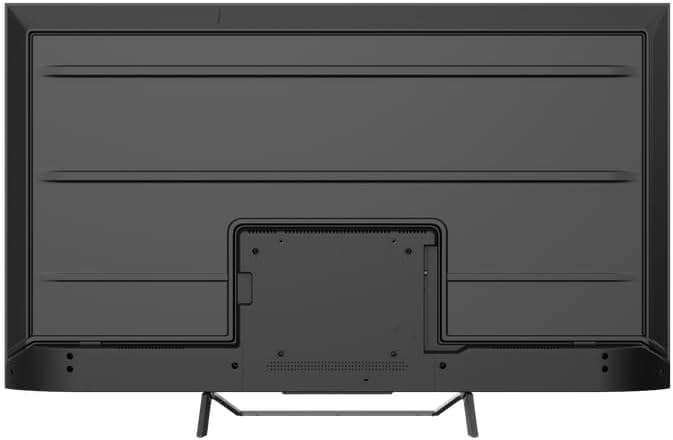
Зображення 4.2: Ззаду view of the TV, indicating mounting points.
4.2 Початкове увімкнення та підключення до мережі
- Підключіть кабель живлення до телевізора, а потім до розетки.
- Натисніть кнопку живлення на пульті дистанційного керування або на самому телевізорі.
- Follow the on-screen instructions to select your language, country, and connect to your Wi-Fi network. You can also connect via Ethernet for a wired connection.
4.3 Налаштування Google TV
During the initial setup, you will be guided through setting up your Google TV account. This allows access to Google Assistant, Google Play Store apps, and personalized content recommendations. You will need a Google account to fully utilize these features.
5. Керування телевізором
5.1 Дистанційне керуванняview
The remote control provides access to all TV functions. Insert the provided batteries into the remote control. Familiarize yourself with the button layout for easy navigation.

Image 5.1: TESLA Smart TV Remote Control.
5.2 Основні функції
- Потужність: Натисніть кнопку живлення, щоб увімкнути або вимкнути телевізор.
- обсяг: Використовуйте кнопки VOL +/- для регулювання рівня звуку.
- Канали: Use the P +/- buttons to change channels.
- Навігація: Використовуйте напрямну панель і кнопку OK для навігації по меню та вибору опцій.
- Головна: Press the Home button to return to the Google TV home screen.
5.3 Smart TV Features (Google TV, Apps, Chromecast)
Your TESLA QLED Smart TV runs on Google TV, offering an intuitive interface and access to a vast library of content.
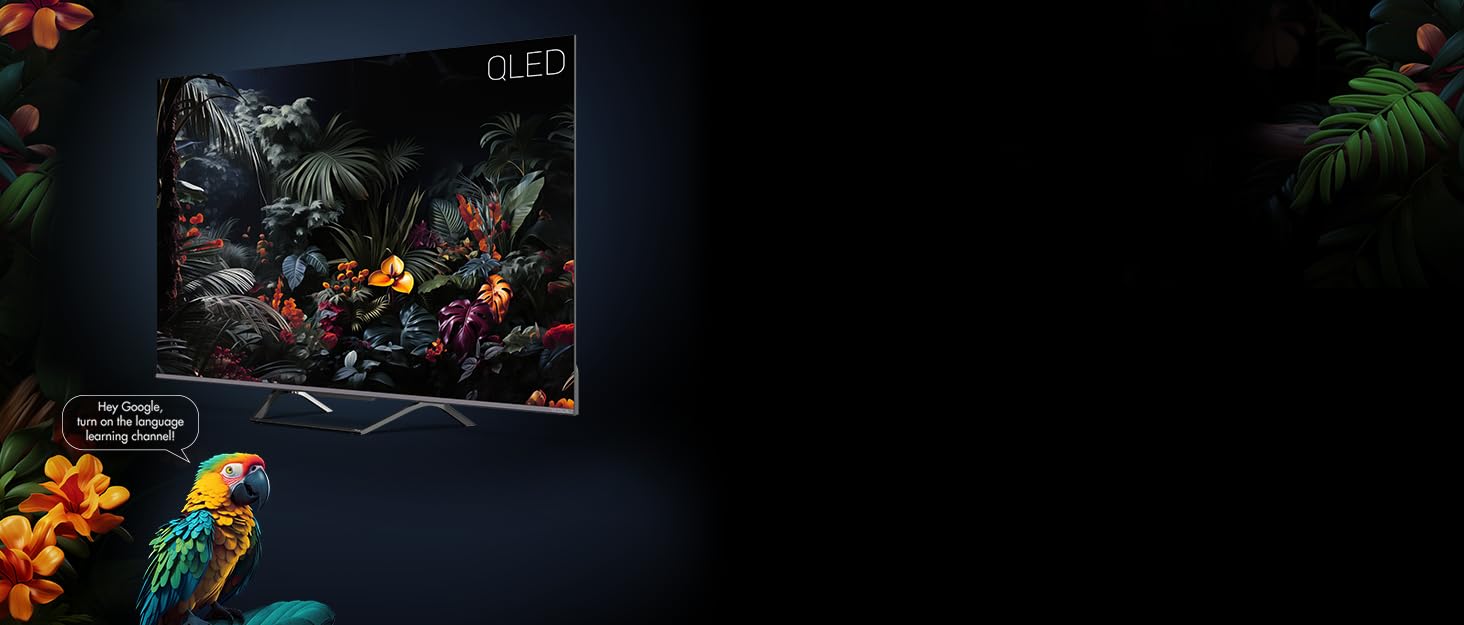
Image 5.2: Google Assistant integration on TESLA QLED TV.
- Інтерфейс Google TV: The home screen provides personalized recommendations, quick access to installed apps like Netflix, YouTube, and Prime Video, and live TV options.
- Google Assistant: Використовуйте голосові команди за допомогою пульта дистанційного керування для пошуку контенту, керування пристроями розумного дому, отримання відповідей тощо.
- Вбудований Chromecast: Cast content (videos, photos, music) directly from your compatible mobile devices or computer to the TV screen.
- Магазин Google Play: Download and install over 10,000 additional applications and games.
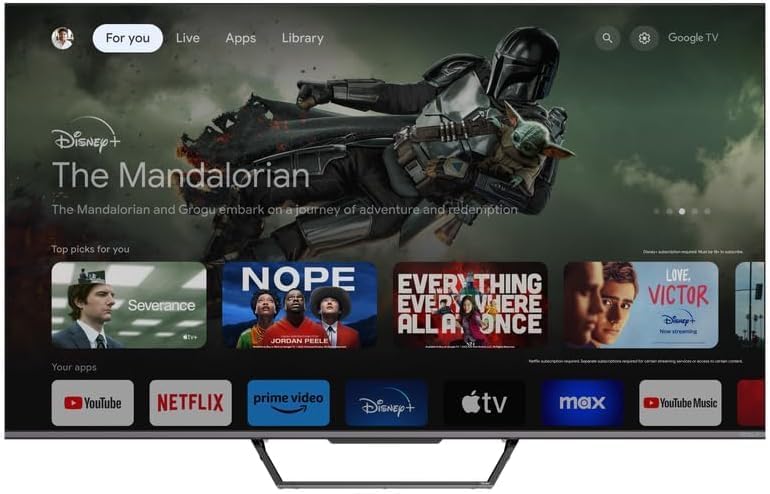
Image 5.3: Google TV home screen with app access.
5.4 Підключення
Телевізор пропонує різні порти для підключення зовнішніх пристроїв:
- Порти HDMI (x3): Connect gaming consoles, Blu-ray players, soundbars, and other HDMI-enabled devices.
- USB-порти (x2): Підключіть USB-накопичувачі для відтворення медіафайлів або зовнішніх накопичувачів.
- Wi-Fi: Підключіться бездротовим способом до домашньої мережі для доступу до Інтернету.
- Bluetooth: Connect wireless headphones, speakers, or other Bluetooth accessories.
- Ethernet: Для стабільного дротового інтернет-з’єднання.
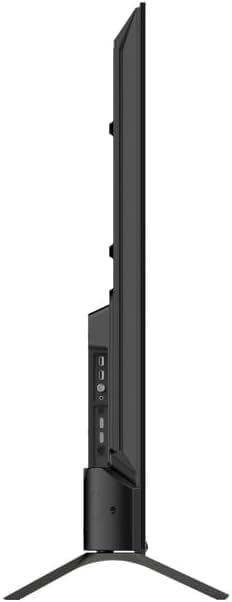
Зображення 5.4: Збоку view of TV with connectivity ports.
5.5 Налаштування звуку та зображення
- Dolby Atmos & Ultra Surround: Experience immersive, three-dimensional audio. Adjust audio settings in the TV menu to optimize sound for your environment.
- Технологія QLED: Quantum Dot technology delivers over a billion shades of color, enhanced brightness, and superior contrast.
- HDR10: High Dynamic Range 10 provides a wider range of colors and contrasts, resulting in a more realistic image.
- Режими зображення: Select from various preset picture modes (e.g., Standard, Vivid, Movie, Game) or customize settings like brightness, contrast, color, and sharpness to suit your preferences.
6. Технічне обслуговування
6.1 Очищення
Завжди відключайте телевізор від мережі перед чищенням. Використовуйте м’яку суху тканину для протирання екрана та корпусу. Для стійких плям злегка протрітьampen the cloth with water or a specialized screen cleaner. Never use abrasive cleaners, waxes, or solvents.
6.2 Оновлення програмного забезпечення
Your Google TV will periodically receive software updates to improve performance and add new features. Ensure your TV is connected to the internet to receive these updates. You can check for updates manually in the TV's settings menu.
7. Вирішення проблем
Якщо у вас виникли проблеми з телевізором, зверніться до наступних поширених проблем та способів їх вирішення:
| проблема | Можливе рішення |
|---|---|
| Немає живлення | Перевірте, чи кабель живлення надійно підключено до телевізора та розетки. Переконайтеся, що розетка справна. |
| Немає зображення, але звук є | Перевірте джерело вхідного сигналу. Переконайтеся, що зовнішні пристрої правильно підключені та ввімкнені. |
| Звуку немає, але зображення є | Перевірте рівень гучності. Переконайтеся, що режим «Вимкнути звук» не активовано. Перевірте налаштування аудіовиходу. |
| Пульт не працює | Замініть батарейки. Переконайтеся, що між пультом дистанційного керування та телевізором немає перешкод. |
| Неможливо підключитися до Wi-Fi | Перевірте маршрутизатор та підключення до Інтернету. Повторно введіть пароль Wi-Fi. Спробуйте перезавантажити телевізор і маршрутизатор. |
For further assistance, consult the TESLA support webсайту або зв’яжіться зі службою підтримки клієнтів.
8. Технічні характеристики
Key technical specifications for the TESLA QLED Smart TV Model Q55S939GUS:
| Особливість | Специфікація |
|---|---|
| Бренд | TESLA |
| Номер моделі | Q55S939GUS |
| Розмір екрана | 55 дюймів (140 см) |
| Технологія дисплея | QLED |
| роздільна здатність | 4K (3840 x 2160) |
| Операційна система | Google TV |
| Частота оновлення | 60 Гц |
| Особливості | Chromecast, Built-in Speaker, Game Mode, Flat Panel, Wide Color Enhancer |
| Аудіотехнології | Dolby Atmos, Ultra Surround, 2 x 10W Speakers |
| Підключення | Bluetooth, HDMI (x3), RF, USB (x2), Wi-Fi, Ethernet |
| Розміри продукту (Д x Ш x В) | 26.5 х 122.5 х 72 см |
| Колір | Металеве срібло |

Image 8.1: Illustrative diagram of TV dimensions and remote control. Note: This product is 55 inches, not 75 inches as shown in the diagram.
9. Гарантія та підтримка
For warranty information, please refer to the warranty card included with your product or visit the official TESLA website. Keep your proof of purchase for warranty claims. For technical support, troubleshooting assistance, or service requests, please contact TESLA customer support through their official channels.


