1. Вступ
Thank you for choosing the DEERC Spider RC Car Transform Robot. This remote-controlled toy offers dynamic transformation between a high-speed car and an agile robot, featuring 2.4GHz control, 360-degree rotation, and one-key transformation. This manual provides essential information for safe operation, setup, and maintenance to ensure optimal performance and enjoyment.
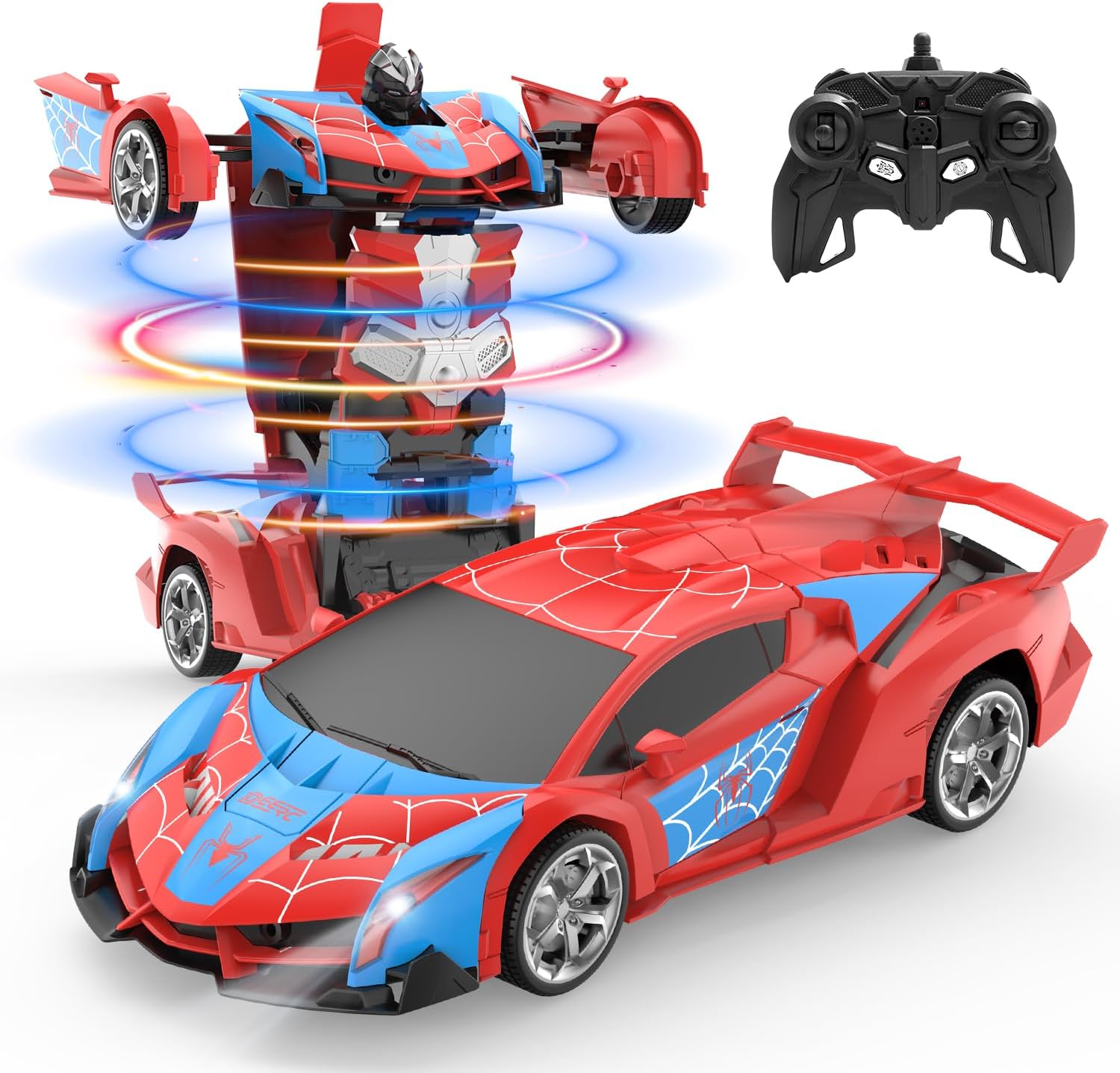
Image 1.1: The DEERC Spider RC Car Transform Robot in its car and robot configurations, alongside its remote control unit.
2. Інформація про безпеку
Please read and understand all safety warnings before operating the product. Failure to follow these instructions may result in injury or damage to the product.
- Тільки для зовнішнього застосування. Do not ingest any parts of the toy or battery.
- Цей продукт рекомендовано для дітей віком від 8 років. Для молодших користувачів рекомендується нагляд дорослих.
- Keep fingers, hair, and loose clothing away from moving parts, especially during transformation.
- Do not operate the toy near water or in wet conditions to prevent electrical damage.
- Use only the provided charging cable and battery. Do not attempt to charge non-rechargeable batteries.
- If the battery becomes hot during charging or use, discontinue use immediately.
- Avoid operating the toy in crowded areas or near obstacles that could cause collisions.
- Коли продукт не використовується, зберігайте його в прохолодному сухому місці.
3. Вміст упаковки
Verify that all items are present in the package before beginning setup.
- DEERC Spider RC Car Transform Robot
- Пульт дистанційного керування
- Rechargeable Lithium Ion Battery (for the toy)
- USB-кабель для зарядки
- Викрутка
- Посібник з експлуатації продукту (цей документ)

Image 3.1: All components included in the DEERC Spider RC Car Transform Robot package.
4. Налаштування
4.1. Charging the Toy Battery
- Locate the rechargeable Lithium Ion battery and the USB charging cable.
- Підключіть акумулятор до USB-кабелю для зарядки.
- Підключіть USB-кінець кабелю до стандартного USB-адаптера живлення (не входить до комплекту) або USB-порту комп’ютера.
- The indicator light on the USB cable will illuminate during charging and turn off or change color when fully charged.
- Заряджання зазвичай триває приблизно 60-90 хвилин. Не перезаряджайте.
4.2. Installing the Toy Battery
- Using the provided screwdriver, open the battery compartment on the underside of the toy.
- Carefully insert the fully charged battery into the compartment, ensuring correct polarity.
- Закрийте батарейний відсік і закріпіть його гвинтом.
4.3. Встановлення батарейок пульта дистанційного керування
- Відкрийте батарейний відсік на задній панелі пульта дистанційного керування.
- Insert two 1.5V 'AA' batteries (not included), observing the correct polarity (+/-).
- Надійно закрийте батарейний відсік.
4.4. Сполучення пульта дистанційного керування
- Ensure the toy's battery is installed and the toy is powered off.
- Увімкніть пульт дистанційного керування. Індикатор на пульті блиматиме.
- Turn on the toy. The toy's indicator light will also flash.
- Within a few seconds, both indicator lights should become solid, indicating successful pairing. If pairing fails, turn off both devices and repeat the process.
5. Інструкція з експлуатації
Familiarize yourself with the remote control functions before operating the toy.
5.1. Базовий рух
- Вперед: Натисніть лівий джойстик вперед.
- Назад: Потягніть лівий джойстик назад.
- Поверніть наліво: Натисніть правий джойстик ліворуч.
- Поверніть праворуч: Натисніть правий джойстик праворуч.
5.2. One-Key Transformation
Press the dedicated transformation button on the remote control to switch between car mode and robot mode. The toy will automatically perform the transformation sequence.

Image 5.1: Visual representation of the one-key transformation feature.
5.3. Обертання на 360°
In either car or robot mode, use specific joystick combinations (refer to remote control diagram if available) or a dedicated button to initiate a 360-degree spin. This feature allows for dynamic maneuvers.

Image 5.2: The robot performing a 360-degree rotation.
5.4. Автоматичний режим
Press the 'Auto Mode' button on the remote control to activate an automatic demonstration sequence. The toy will showcase its transformation and movement capabilities independently.
5.5. Світлодіодні ліхтарі
The toy features integrated LED lights that illuminate during operation and transformation, enhancing the visual experience.
6. Технічне обслуговування
6.1. прибирання
- Wipe the toy with a soft, dry cloth to remove dust and dirt.
- Do not use water or chemical cleaners, as this can damage electronic components.
6.2. Зберігання
- When not in use for extended periods, remove batteries from both the toy and the remote control.
- Store the toy and remote in a cool, dry place, away from direct sunlight and extreme temperatures.
6.3. Довговічність матеріалу
The toy is constructed from durable ABS plastic and features robust rubber tires designed for longevity and smooth transformation.
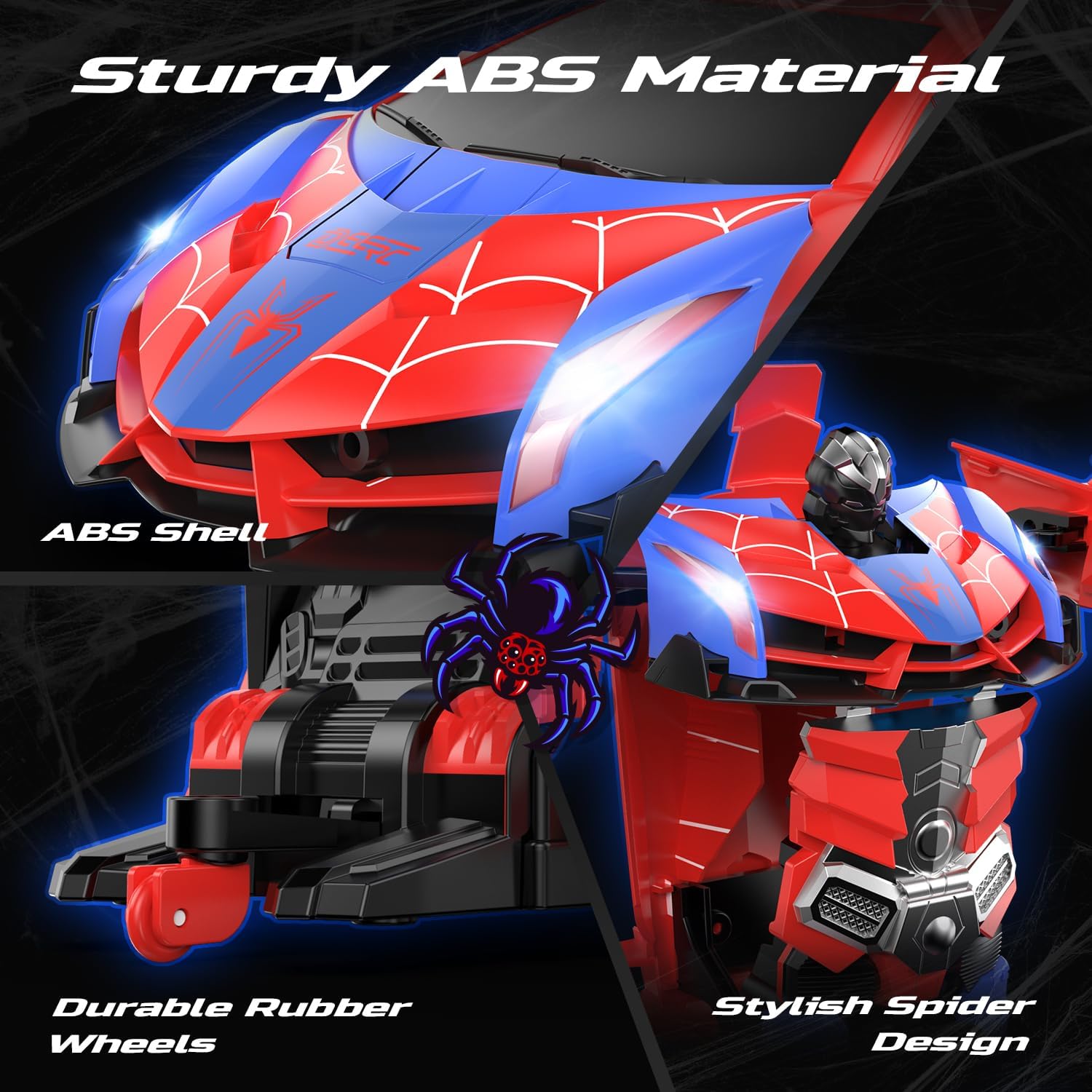
Image 6.1: Details of the toy's durable ABS material and rubber wheels.
7. Вирішення проблем
If you encounter issues with your DEERC Spider RC Car Transform Robot, refer to the following common problems and solutions:
| проблема | Можлива причина | Рішення |
|---|---|---|
| Toy does not respond to remote control. | Low battery in toy or remote; pairing failure; interference. | Charge toy battery fully. Replace remote control batteries. Re-pair the remote and toy (Section 4.4). Ensure no other 2.4GHz devices are causing interference. |
| Короткий час роботи. | Акумулятор не повністю заряджений; старіючий акумулятор. | Ensure the battery is fully charged before each use. Consider purchasing a spare battery for extended playtime. |
| Transformation is not smooth or incomplete. | Obstruction; mechanism misalignment. | Ensure no debris is blocking the moving parts. Gently assist the transformation if minor tweaking is needed, but do not force it. |
| Toy moves slowly or erratically. | Low battery; damaged motor/gears. | Charge toy battery. If the problem persists after charging, contact customer support. |
8. Технічні характеристики
- Розміри продукту: 9.05 x 3.74 x 2.36 дюймів
- Вага товару: 14.6 унції
- ASIN: B0D9M3W6GL
- Рекомендований виробником вік: 8 років і старше
- Акумулятори: 1 Lithium Ion battery (included) for toy, 2 AA batteries (not included) for remote.
- Контрольна частота: 2.4 ГГц
- Виробник: DEERC
9. Гарантія та підтримка
DEERC products are designed for quality and performance. For any questions, technical assistance, or warranty claims, please contact DEERC customer support. Refer to the product packaging or the official DEERC webсайт для отримання найактуальнішої контактної інформації.
Будь ласка, збережіть підтвердження покупки для гарантійних цілей.


