1. Вступ
This manual provides comprehensive instructions for the ShanWan Bluetooth Gamepad Keychain Sized Mini Controller. Please read this manual carefully before use to ensure proper operation and to maximize your gaming experience. This device is designed for use with Android phones and tablets, PS4/Slim/Pro, iPhone, iPad, Nintendo Switch, and Windows PCs.
2. Продукт закінчивсяview
The ShanWan Mini Controller is a compact and versatile gamepad designed for portability and multi-platform compatibility. It features 17 buttons and a D-Pad, all within a keychain-sized form factor.
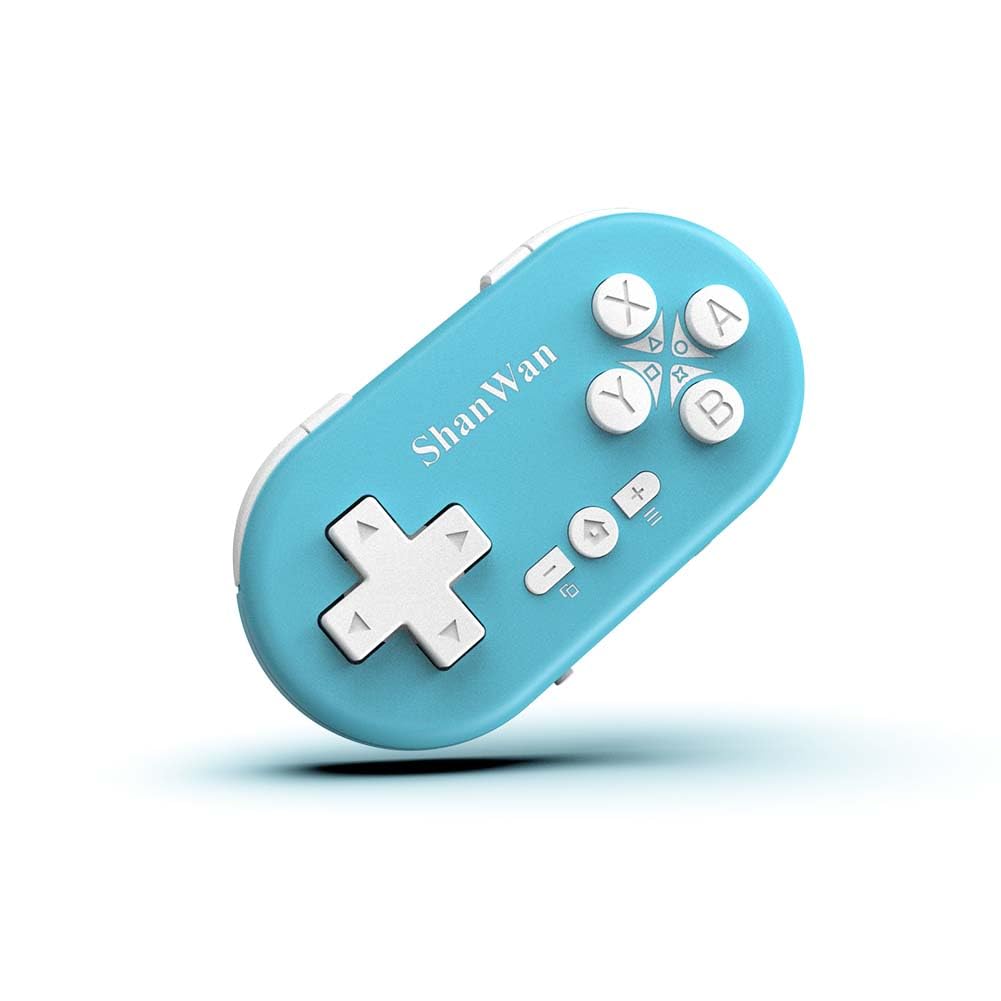
Figure 2.1: ShanWan Mini Bluetooth Gamepad, showcasinйого компактний дизайн та розташування кнопок.

Figure 2.2: Dimensions of the ShanWan Mini Bluetooth Gamepad, measuring 2.83 inches in length, 1.57 inches in width, and 0.55 inches in thickness.
2.1 Вміст упаковки
- ShanWan Bluetooth Gamepad Keychain Sized Mini Controller
- USB-кабель для зарядки
- Посібник користувача (цей документ)
3. Технічні характеристики
| Особливість | Деталь |
|---|---|
| Номер моделі | Q36-XPS-KABRILAN |
| Підключення | Бездротовий Bluetooth |
| Сумісність | Android, iOS, Windows, Nintendo Switch, PlayStation 4 |
| Ємність акумулятора | Літій-полімерний акумулятор 180 мАг (в комплекті) |
| Час зарядки | Приблизно 1 година |
| Час роботи | До 5-6 годин |
| Дальність бездротового зв'язку | До 10 метрів (33 фути) |
| Розміри продукту | 2.83 x 1.57 x 0.55 дюймів |
| Вага товару | 1.44 унції (приблизно 41 грамів) |
| Особливості | Gyroscope motion sensing, One-button wake-up function |
4. Налаштування та сполучення
4.1 Заряджання контролера
Before first use, fully charge the controller. Connect the provided USB charging cable to the controller's charging port and the other end to a USB power source (e.g., computer, USB wall adapter). The charging indicator light will show the charging status and turn off when fully charged. A full charge typically takes about 1 hour.
4.2 Увімкнення/вимкнення
- Увімкнення: Press and hold the Home button (usually the button with a house icon) for a few seconds until the indicator lights turn on.
- Вимкнення живлення: Press and hold the Home button for approximately 5 seconds until the indicator lights turn off. The controller will also automatically power off after a period of inactivity to conserve battery.
4.3 Bluetooth Pairing Instructions
The controller supports multiple platforms. Ensure the mode switch on the controller is set to the correct platform before pairing.
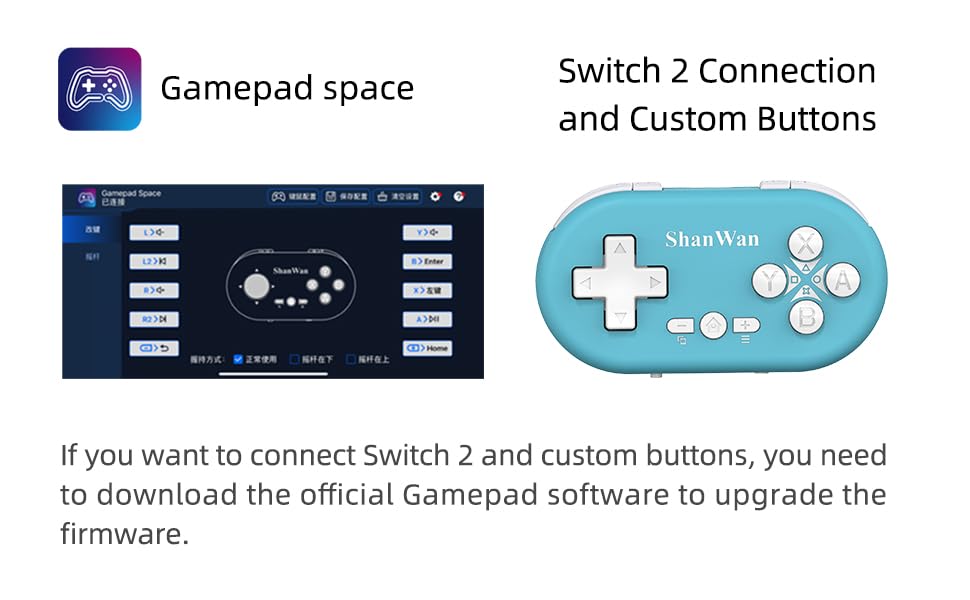
Figure 4.1: The mode switch on the controller, allowing selection between X (Xbox/PC), S (Switch), and P (PlayStation) modes for multi-device compatibility.
4.3.1 Сполучення з Nintendo Switch
- На вашому Nintendo Switch перейдіть до меню HOME.
- Виберіть «Контролери», а потім «Змінити хват/порядок».
- Set the controller's mode switch to "S" (Switch mode).
- Press and hold the "Pair" button on the controller until the indicator lights begin to blink rapidly.
- The Switch will detect the controller. Once paired, the LED indicator on the controller will remain solid, and the controller will be displayed on the Switch host screen.

Figure 4.2: Visual guide for connecting the controller to a Nintendo Switch, showing menu navigation and the pairing button location.
4.3.2 Pairing with Android/iOS Devices
- Set the controller's mode switch to the appropriate mode (e.g., "X" for Android, or a specific iOS mode if available, refer to device-specific instructions).
- On your Android or iOS device, go to Bluetooth settings.
- Переконайтеся, що Bluetooth увімкнено.
- Press and hold the "Pair" button on the controller until the indicator lights blink rapidly.
- Select "ShanWan Controller" or a similar name from the list of available devices on your phone/tablet.
- Після підключення індикатор на контролері почне світитися постійно.
4.3.3 Pairing with PS4
- Set the controller's mode switch to "P" (PlayStation mode).
- On your PS4, go to "Settings" > "Devices" > "Bluetooth Devices".
- Press and hold the "Pair" button on the controller until the indicator lights blink rapidly.
- Select "ShanWan Controller" or a similar name from the list of available devices on your PS4.
- Після підключення індикатор на контролері почне світитися постійно.
4.3.4 Pairing with Windows PC
- Set the controller's mode switch to "X" (Xbox/PC mode).
- На вашому ПК з Windows перейдіть до розділу «Налаштування» > «Пристрої» > «Bluetooth та інші пристрої».
- Ensure Bluetooth is enabled and click "Add Bluetooth or other device".
- Select "Bluetooth".
- Press and hold the "Pair" button on the controller until the indicator lights blink rapidly.
- Select "ShanWan Controller" or a similar name from the list of available devices.
- Після підключення індикатор на контролері почне світитися постійно.
5. Інструкція з експлуатації
5.1 Функції кнопок
The controller features standard gamepad buttons. Their specific function may vary slightly depending on the platform and game.
- D-Pad: Спрямований вхід.
- Кнопки A, B, X, Y: Кнопки дій.
- Кнопки L1, L2, R1, R2: Плечові та спускові кнопки.
- Кнопка "Додому: Power on/off, return to home screen (platform dependent).
- Кнопки Плюс (+) / Мінус (-): Start/Select or menu functions.
- Кнопка пари: Ініціює сполучення через Bluetooth.
5.2 Особливості
5.2.1 One-Button Wake-Up Function
After initial pairing, you can wake up the controller and reconnect it to the last paired device by simply pressing the Home button. This feature allows for quick resumption of gameplay.
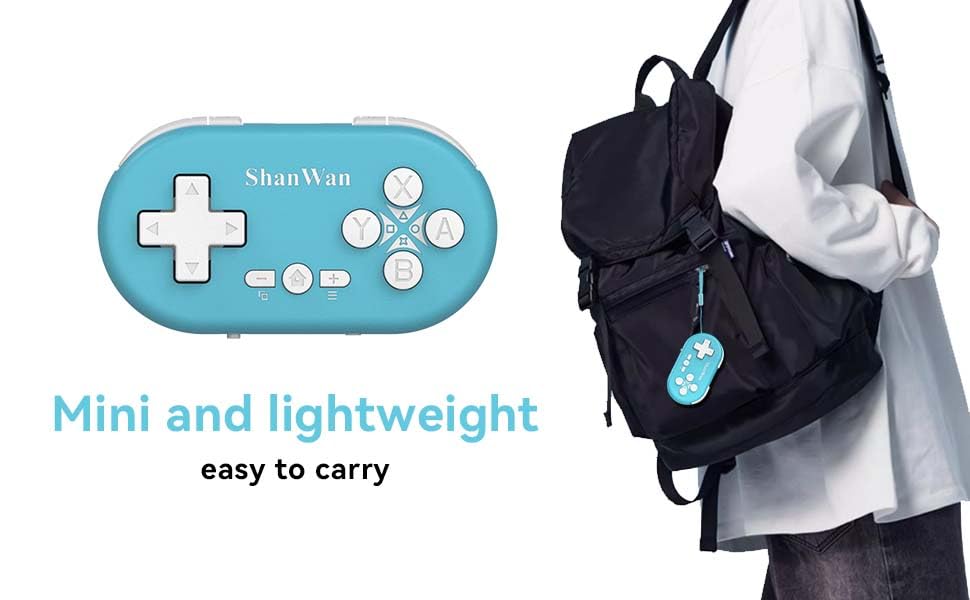
Figure 5.1: Illustration of the one-button wake-up function, highlighting the Home button used to quickly reactivate the controller.
5.2.2 Gyroscope Motion Sensing
The controller is equipped with a gyroscope for motion sensing effects, providing an immersive gaming experience in supported games, particularly on platforms like Nintendo Switch.
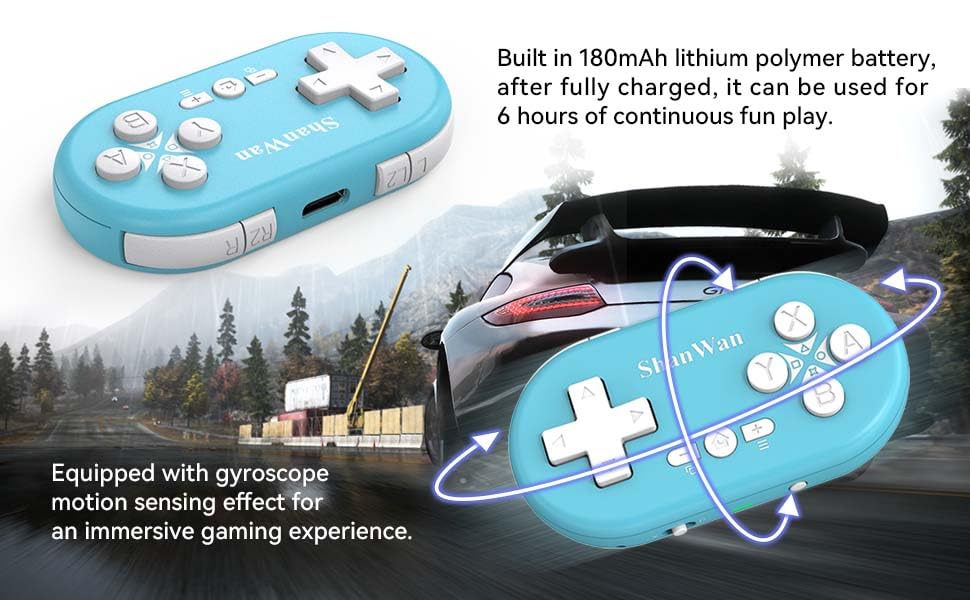
Figure 5.2: Visual representation of the gyroscope motion sensing effect, showing the controller being tilted to influence in-game actions.
5.2.3 Firmware Upgrade for Switch 2 and Custom Buttons
For compatibility with Switch 2 and to customize button mappings, it may be necessary to download the official Gamepad software and upgrade the controller's firmware. Refer to the manufacturer's official website for the latest software and instructions.

Figure 5.3: Screenshot illustrating the "Gamepad Space" software interface, used for firmware upgrades and custom button configurations, particularly for Switch 2 compatibility.
6. Технічне обслуговування
- Прибирання: Використовуйте м’яку суху тканину для очищення контролера. Уникайте використання агресивних хімікатів або абразивних матеріалів.
- Зберігання: Зберігайте контролер у прохолодному, сухому місці, подалі від прямих сонячних променів та екстремальних температур.
- Догляд за акумулятором: Щоб продовжити термін служби акумулятора, уникайте частого повного розряджання акумулятора. Регулярно заряджайте контролер, навіть якщо він не використовується протягом тривалого часу.
- Уникайте впливу: Не кидайте та не піддавайте контролер сильним ударам, оскільки це може пошкодити внутрішні компоненти.
7. Вирішення проблем
7.1 Controller Does Not Power On
- Ensure the controller is fully charged. Connect it to a power source and allow it to charge for at least 15 minutes before attempting to power on again.
- Перевірте, чи зарядний кабель та джерело живлення працюють належним чином.
7.2 Unable to Pair Controller
- Ensure the controller is in pairing mode (indicator lights blinking rapidly).
- Check that the mode switch on the controller is set to the correct platform (S for Switch, X for Android/Windows, P for PS4).
- Make sure Bluetooth is enabled on your device (Switch, phone, PC, PS4).
- Move the controller closer to the device you are trying to pair with.
- Видаліть усі попередні сполучення контролера з налаштувань Bluetooth вашого пристрою та спробуйте знову сполучити контролер.
- Перезавантажте і контролер, і пристрій.
7.3 Затримка вхідного сигналу або обриви з'єднання
- Ensure the controller is within the 10-meter wireless range of your device.
- Мінімізуйте перешкоди від інших бездротових пристроїв (Wi-Fi роутерів, інших пристроїв Bluetooth).
- Ensure the controller is fully charged. Low battery can affect connection stability.
- Спробуйте повторно підключити контролер до свого пристрою.
- Update the controller's firmware if available (refer to Section 5.2.3).
7.4 Кнопки реагують неправильно
- Test the controller on a different game or application to determine if the issue is game-specific.
- Переконайтеся, що прошивка контролера оновлена.
- Perform a factory reset if possible (refer to manufacturer's support for specific instructions, as this model may not have a dedicated reset button).
8. Гарантія та підтримка
ShanWan products are designed for reliability and performance. For warranty information, technical support, or further assistance, please visit the official ShanWan webсайт або зверніться до служби підтримки клієнтів. Зберігайте чек про покупку як підтвердження покупки для гарантійних претензій.
Official ShanWan Store: ShanWan Store on Amazon
9. Додаткова інформація
The ShanWan Mini Controller's compact and lightweight design makes it highly portable, allowing users to carry it easily and enjoy gaming on the go.

Figure 9.1: The ShanWan Mini Bluetooth Gamepad attached to a backpack, illustrating its keychain-sized portability and ease of transport.

Figure 9.2: The ShanWan Mini Bluetooth Gamepad being used outdoors with a portable screen, demonstrating its ease of transport and use anywhere.


