1. Вступ
The Flashpoint R2 Nano Remote is a compact and advanced wireless flash trigger designed for Panasonic and Olympus camera systems. It offers precise control over your flash settings through an intuitive touchscreen interface and OLED display, enhancing your photography experience with seamless integration and reliable performance.
Ключові особливості:
- Повна інтеграція: Full TTL compatibility with Olympus/Panasonic cameras for optimal exposure.
- Ultimate Reliability: Stable 2.4 GHz radio frequency with 32 channels, ensuring consistent triggering up to 328 feet (100 meters).
- Високошвидкісна синхронізація (HSS): Achieve sync speeds up to 1/8000s for creative effects and motion freezing.
- Інтуїтивно зрозуміле керування сенсорним екраном: Responsive interface for quick and easy adjustments.
- Versatile Group Control: Manage up to 16 groups (A-F, 0-9) independently for complex lighting setups.
2. Що в коробці
Upon unboxing your Flashpoint R2 Nano, please verify that all components are present:
- Flashpoint R2 Nano Remote
- Зарядний кабель USB-C
- Сумка для зберігання
- Посібник користувача (цей документ)
3. Продукт закінчивсяview
Familiarize yourself with the components and controls of your R2 Nano remote.
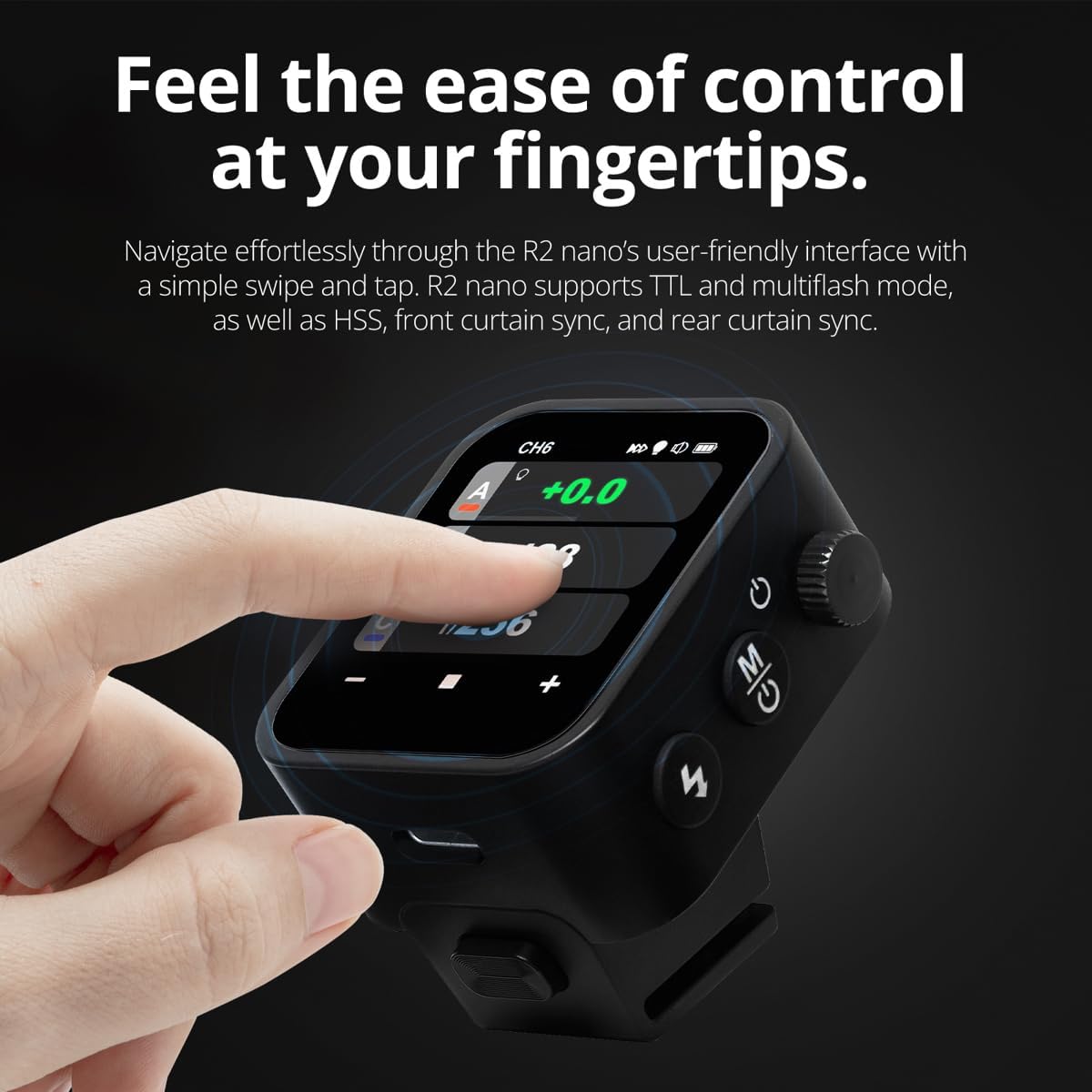
Рисунок 3.1: Передня та бічна частини View of the R2 Nano with Key Components Labeled.
- Сенсорний екран: Main interface for settings and control.
- Виберіть циферблат: For navigating menus and adjusting values.
- Вимикач живлення: Вмикає/вимикає пристрій.
- Кнопка перевірки: Вмикає тестовий спалах.
- Installing/Detaching Button: Releases the remote from the hotshoe.
- Монтажний слот: Connects to the camera's hotshoe.
- Порт зарядки USB-C: Для зарядки акумулятора.

Figure 3.2: R2 Nano Touchscreen Interface Details.
- Канал (CH): Displays the current wireless channel (e.g., CH6).
- Group (A, B, C, etc.): Indicates the active flash groups.
- Рівень вихідної потужності: Shows the flash power setting (e.g., +0.0, 1/128).
- Parameters - / +: Touch controls for decreasinг/прирістasinзначення g.
- Режими синхронізації: Icons indicating sync modes (e.g., HSS, front curtain, rear curtain).
- Моделювання Lamp: Icon for modeling lamp статус.
- Індикатор батареї: Відображає поточний рівень заряду батареї.
4. Налаштування
4.1 Заряджання батареї
The R2 Nano is equipped with a built-in rechargeable lithium battery. Before first use, fully charge the device.
- Locate the USB-C charging port on the side of the R2 Nano.
- Підключіть наданий зарядний кабель USB-C до порту.
- Підключіть інший кінець кабелю до USB-адаптера живлення (не входить до комплекту) або USB-порту комп’ютера.
- The battery indicator on the screen will show charging status. A full charge from 0% to 100% typically takes approximately 2 hours.

Figure 4.1: Charging the R2 Nano via USB-C.
4.2 Кріплення до камери
The R2 Nano features an easy-mounting, durable hotshoe design for secure attachment to your camera.
- Переконайтеся, що ваша камера вимкнена.
- Slide the R2 Nano's mounting slot onto your camera's hotshoe.
- Обережно натисніть, доки він не зафіксується з клацанням, забезпечуючи надійне з'єднання.
- To detach, press the Installing/Detaching Button and slide the remote off.

Figure 4.2: Mounting the R2 Nano on a Camera Hotshoe.
5. Інструкція з експлуатації
5.1 Увімкнення/вимкнення
- To power on, press and hold the Power Switch until the screen illuminates.
- To power off, press and hold the Power Switch until the screen turns off.
5.2 Навігація по сенсорному інтерфейсу
The R2 Nano features a responsive touchscreen and a select dial for intuitive control.

Figure 5.1: High Definition OLED Screen Interface.
- Взаємодія з дотиком: Tap on a group (A, B, C, etc.) to select it for adjustment. Tap on parameters like power level to modify them.
- Виберіть циферблат: Rotate the dial to scroll through options or adjust values. Press the dial to confirm selections.
- Налаштування параметрів: Use the on-screen '-' and '+' buttons or the Select Dial to change flash power, exposure compensation, or other settings.

Figure 5.2: Touchscreen Interaction for Settings Adjustment.
5.3 Setting Channels and Groups
To avoid interference and control multiple flashes, set appropriate channels and groups.
- Access the channel settings through the touchscreen menu. Select a channel from 1 to 32. Ensure your flash units are set to the same channel.
- Assign flash units to different groups (A-F, 0-9) to control them independently. The R2 Nano allows control of up to 16 groups.
5.4 Flash Modes (TTL, Manual, Multi-flash)
The R2 Nano supports various flash modes to suit different shooting scenarios.
- TTL (Крізь об'єктив): Automatically adjusts flash output for correct exposure. Ideal for fast-paced shooting where lighting conditions change frequently.
- Інструкція (М): Allows precise control over flash power output (e.g., 1/1 to 1/256). Suitable for consistent lighting setups and creative control.
- Multi-flash (Stroboscopic): Спрацьовує серію швидких спалахів під час однієї експозиції для захоплення кількох рухів об’єкта.
5.5 Sync Modes (HSS, Front Curtain, Rear Curtain)
Select the appropriate sync mode based on your shutter speed and desired effect.
- HSS (високошвидкісна синхронізація): Enables flash synchronization at shutter speeds faster than the camera's native sync speed (up to 1/8000s). Useful for overpowering ambient light or using wide apertures in bright conditions.
- Синхронізація передньої шторки: The flash fires at the beginning of the exposure. This is the standard sync mode.
- Синхронізація задньої шторки: The flash fires just before the second curtain closes. This creates a streaking effect behind moving subjects, giving a sense of motion.
6. Технічне обслуговування
Proper maintenance ensures the longevity and optimal performance of your R2 Nano remote.
- Прибирання: Use a soft, dry cloth to clean the exterior of the device. For the touchscreen, use a microfiber cloth specifically designed for electronics. Avoid using harsh chemicals or abrasive materials.
- Зберігання: When not in use, store the R2 Nano in its provided storage bag to protect it from dust and scratches. Store in a cool, dry place away from direct sunlight and extreme temperatures.
- Догляд за акумулятором: To maintain battery health, avoid fully discharging the battery frequently. If storing for extended periods, charge the battery to approximately 50% every few months.
- Hotshoe Contacts: Keep the hotshoe contacts clean and free of debris to ensure reliable communication with your camera.
7. Вирішення проблем
If you encounter issues with your Flashpoint R2 Nano, refer to the following common problems and solutions.
| проблема | Можлива причина | Рішення |
|---|---|---|
| Пристрій не включається. | Акумулятор розрядився. | Заряджайте пристрій за допомогою кабелю USB-C. |
| Спалахи не спрацьовують. | Неправильні налаштування каналу або групи. | Ensure the R2 Nano and flash units are set to the same channel and correct groups. |
| Спалахи не спрацьовують. | Remote not securely mounted. | Ensure the R2 Nano is fully seated in the camera's hotshoe. |
| Inconsistent flash triggering. | Втручання в навколишнє середовище. | Change the wireless channel to one with less interference. Ensure no obstructions between remote and flash. |
| Сенсорний екран не реагує. | Тимчасовий збій програмного забезпечення. | Power off the device, wait a few seconds, then power it back on. |
| HSS не працює. | Camera or flash not set to HSS mode. | Verify HSS is enabled on both the R2 Nano and your compatible flash unit. Ensure camera shutter speed is above sync speed. |
8. Технічні характеристики
| Особливість | Деталь |
|---|---|
| Модель | Flashpoint R2 Nano |
| Сумісність | Panasonic and Olympus Cameras |
| Бездротова частота | 2.4 ГГц |
| Канали | 32 |
| Групи | 16 (AF, 0-9) |
| Дальність бездротового зв'язку | До 100 метрів (328 фути) |
| Швидкість синхронізації | До 1/8000 с (HSS) |
| Дисплей | Touchscreen OLED |
| Акумулятор | Вбудований літієвий акумулятор |
| Порт зарядки | USB-C |
| Розміри продукту | 5.25 x 4.25 x 2.5 дюймів |
| Вага товару | 6.4 унції |
| Виробник | Температура спалаху |
| Дата першої доступності | 19 червня 2024 р |
9. Гарантія та підтримка
Flashpoint products are designed for reliability and performance. For warranty information, technical support, or service inquiries, please refer to the official Flashpoint webсайт або зверніться до свого авторизованого дилера.
Будь ласка, збережіть чек про покупку для будь-яких гарантійних претензій.


