вступ
Welcome to the user manual for your new OnePlus Nord Buds 3 Pro. These earbuds are designed to deliver a superior audio experience with advanced features for daily use. This manual will guide you through the setup, operation, maintenance, and troubleshooting of your device.
Key features include a 12.4mm Titanium Membrane for rich bass, up to 49dB hybrid active noise reduction, crystal clear 3-microphone call noise reduction, and an impressive battery life of up to 44 hours with fast charging capabilities. They also support Bluetooth 5.4 and dual connection with Google Fast Pairing.
Налаштування
1. Розпакування та початкова оплата
Upon opening the package, you will find the OnePlus Nord Buds 3 Pro earbuds and their charging case. Before first use, it is recommended to fully charge the earbuds and the charging case.
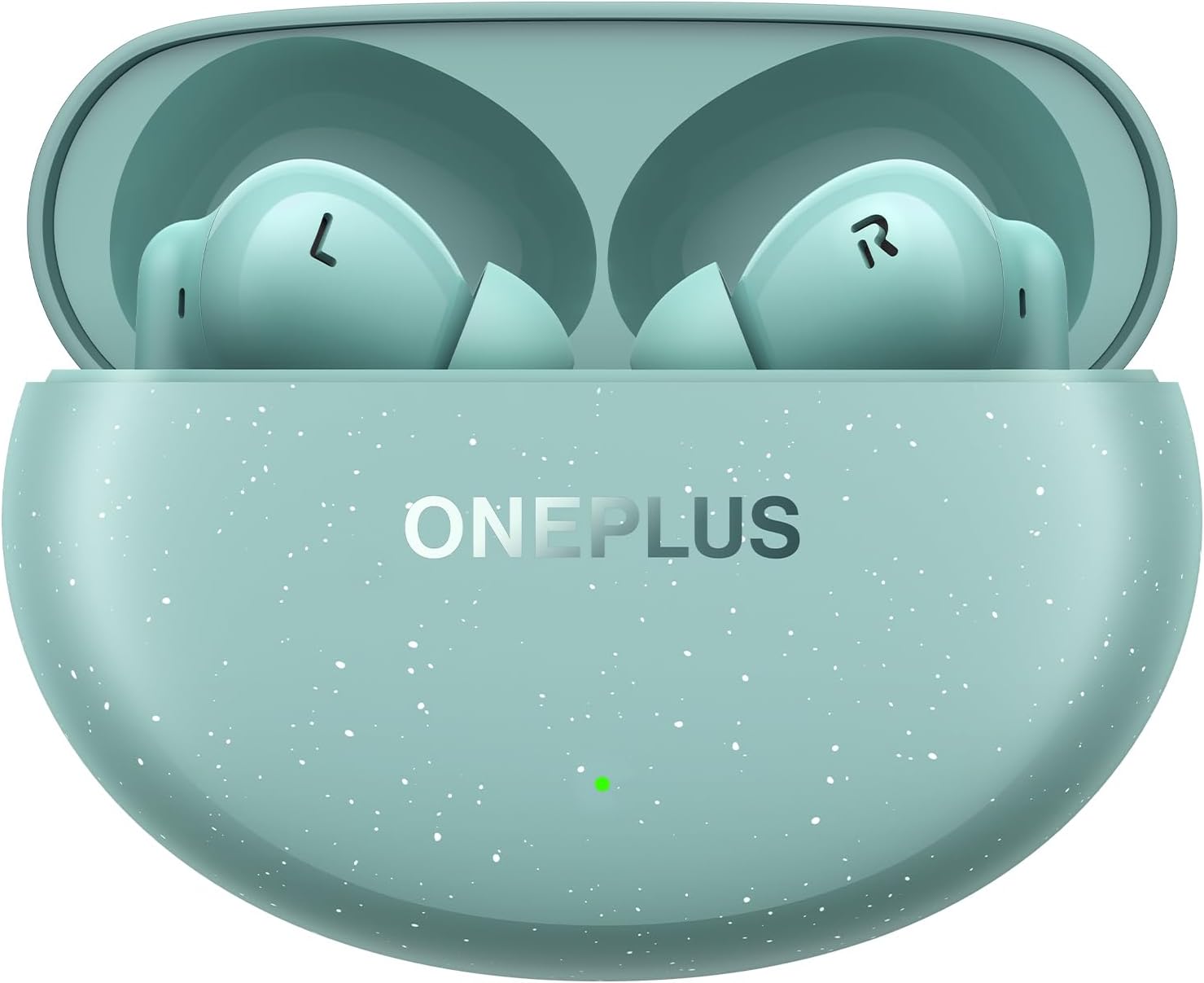
Figure 1: OnePlus Nord Buds 3 Pro in Charging Case (Soft Jade)
To charge, place the earbuds into the charging case and connect the case to a power source using a compatible USB-C cable (not always included, check packaging). A 10-minute charge can provide up to 11 hours of listening time, and a full charge offers up to 44 hours of total listening time with the charging case.
2. Сполучення з вашим пристроєм
The OnePlus Nord Buds 3 Pro supports Bluetooth 5.4 and Google Fast Pairing for quick and seamless connection with compatible Android devices. For other devices, follow standard Bluetooth pairing procedures.
- Переконайтеся, що навушники знаходяться в зарядному футлярі, а кришка футляра відкрита.
- On your smartphone, tablet, or computer, enable Bluetooth.
- For Google Fast Pair, a pop-up notification should appear on your Android device. Tap to connect.
- If not using Google Fast Pair, or if the pop-up doesn't appear, go to your device's Bluetooth settings and select "OnePlus Nord Buds 3 Pro" from the list of available devices.
- Once connected, the earbuds are ready for use. They support dual connection, allowing you to switch between two paired devices seamlessly.
Інструкція з експлуатації
1. Торкніться Елементи керування
The earbuds feature intuitive touch controls for managing playback, calls, and noise cancellation modes. The specific functions can often be customized via the OnePlus HeyMelody app (download separately).
- Однократне натискання: Відтворення/пауза музики, відповідь/завершення дзвінка.
- Двічі натисніть: Наступний трек, Відхилити виклик.
- Потрійний дотик: Попередній трек.
- Натисніть і утримуйте: Switch Noise Control modes (Active Noise Cancellation, Transparency, Off).

Figure 2: Individual OnePlus Nord Buds 3 Pro Earbuds
2. Noise Control and Call Clarity
Experience immersive audio with up to 49dB hybrid active noise reduction, effectively minimizing ambient sounds. For calls, the crystal clear 3-microphone system, combined with the Clear Call algorithm, ensures your voice is accurately picked up while counteracting wind noise, providing maximum clarity even in noisy environments.
Відео 1: Кінецьview of OnePlus Nord Buds 3 Pro features, including noise cancellation and sound quality. This video demonstrates the product's capabilities in various scenarios.
3. Аудіопродуктивність
The 12.4mm Titanium Membrane drivers deliver rich bass with Basewave 2.0 technology, providing a powerful and detailed audio experience across a frequency range of 20 Hz - 20,000 Hz.
Технічне обслуговування
1. Очищення навушників
Регулярне чищення допомагає підтримувати якість звуку та гігієну. Використовуйте м’яку, суху тканину без ворсу для протирання навушників та зарядного футляра. Щодо вушних вкладишів, зніміть їх та протріть їх за допомогою рекламної тканини.amp тканиною, переконавшись, що вони повністю сухі, перш ніж знову прикріплювати.
2. Водостійкість та стійкість до поту
The OnePlus Nord Buds 3 Pro has an IP55 sweat and water resistance rating. This means they are protected against dust and low-pressure water jets from any direction. While suitable for workouts and light rain, they are not designed for submersion in water. Ensure the earbuds and charging case are dry before charging to prevent damage.
Усунення несправностей
If you encounter issues with your OnePlus Nord Buds 3 Pro, try the following common solutions:
- Навушники не сполучаються: Ensure Bluetooth is enabled on your device and the earbuds are in pairing mode (case open). Try forgetting the device in your Bluetooth settings and re-pairing.
- Немає звуку з одного навушника: Place both earbuds back into the charging case, close the lid for a few seconds, then open it again. Check battery levels.
- Проблеми із зарядкою: Ensure the charging cable and power adapter are working correctly. Clean the charging contacts on both the earbuds and the case.
- Погана якість звуку: Ensure the ear tips are properly seated in your ears for a good seal. Clean any debris from the earbud grilles.
- Скидання налаштувань навушників: Refer to the OnePlus support website or the HeyMelody app for specific instructions on how to perform a factory reset, if necessary.
For further assistance, please visit the official OnePlus support webсайт.
Технічні характеристики
| Особливість | Деталь |
|---|---|
| Назва моделі | OnePlus Nord Buds 3 Pro |
| Номер моделі товару | 5481158586 |
| Технологія підключення | Бездротовий зв'язок (Bluetooth 5.4) |
| Розмір звукового драйвера | 12.4 mm Titanium Membrane |
| Контроль шуму | Активне шумозаглушення (гібридне ANC до 49 дБ) |
| Термін служби батареї | До 44 годин (з зарядним футляром) |
| Швидка зарядка | 10 minutes for 11 hours |
| Рівень водонепроникності | IP55 (Sweat and Water Resistant) |
| Вага товару | 42.6 грамів (всього) |
| Колір | Soft Jade |
Гарантія та підтримка
Your OnePlus Nord Buds 3 Pro comes with a standard manufacturer's warranty. For detailed warranty information, terms, and conditions, please refer to the warranty card included in your product packaging or visit the official OnePlus webсайт.
For technical support, frequently asked questions, and software updates, please visit the OnePlus Support Page. You may also find helpful resources and community forums there.


