вступ
This manual provides detailed instructions for the setup, operation, and maintenance of your VTech VG232 Cordless Phone with Answering System. Please read this manual thoroughly to ensure proper use and to take full advantage усіх функцій.

Image: VTech VG232 Cordless Phone and Base Unit
Що в коробці
Переконайтеся, що ваш пакет містить такі елементи:
- Базовий блок
- Бездротова трубка
- Адаптер змінного струму
- Акумулятор
- Шнур телефонної лінії
Налаштування
1. Встановлення батареї
- Відкрийте кришку батарейного відсіку на задній панелі слухавки.
- Надійно підключіть роз'єм акумуляторного блоку до гнізда всередині відсіку.
- Place the battery pack with the label UP.
- Закрийте кришку батарейного відсіку.
2. Підключення базового блоку
- Plug the small end of the AC adaptor into the power jack on the back of the telephone base.
- Plug the large end of the AC adaptor into a wall outlet not controlled by a wall switch.
- Підключіть один кінець телефонного шнура до телефонного роз'єму на задній панелі телефонної бази.
- Підключіть інший кінець телефонного шнура до телефонної розетки.
3. Початкове заряджання
Place the handset in the telephone base to charge. The handset will display 'Charging' and the charge light on the handset will illuminate. Allow at least 16 hours for the battery to fully charge before initial use.
4. Варіанти розміщення
The VTech VG232 base unit can be placed on a tabletop or mounted on a wall.

Image: VTech VG232 Cordless Phone Base Unit on a tabletop and wall-mounted
Інструкція з експлуатації
Цифрова система відповіді
The integrated digital answering system records messages when you are unavailable to answer calls. It offers up to 14 minutes of recording time.
- Відтворення повідомлень: Прес ГРАТИ/СТОП на базовому блоці.
- Пропускання повідомлень: Прес ПРОПУСТИТИ щоб перейти до наступного повідомлення.
- Повторювані повідомлення: Прес ПОВТОР to replay the current message. Press twice to go to the previous message.
- Видалення повідомлень: Прес ВИДАЛИТИ під час відтворення повідомлення.
- Лічильник повідомлень: Базовий пристрій відображає кількість нових повідомлень.

Image: VTech VG232 Cordless Phone with Digital Answering System

Image: VTech VG232 Cordless Phone indicating 14 minutes of recording time

Image: VTech VG232 Cordless Phone base unit with message counter displaying '12'
Ідентифікація абонента/Очікування виклику
The phone displays the name, number, time, and date of incoming calls. It stores up to 50 calls in the Caller ID log.
- Reviewing Calls: Використовуйте CID button to scroll through the Caller ID log.
- Зворотній дзвінок: Прес ТАЛК / ФЛЕШ to call a number from the Caller ID log.

Image: VTech VG232 Cordless Phone displaying Caller ID information and storing 50 calls
Повнодуплексний гучномовець
Engage the speakerphone function for hands-free conversations. The full-duplex feature allows both parties to speak and be heard simultaneously.
- Увімкнення гучного зв'язку: Натисніть ТАЛК / ФЛЕШ button during a call to switch to speakerphone.
- Регулювання гучності: Використовуйте ОБ'ЄМ кнопки на телефонній трубці.
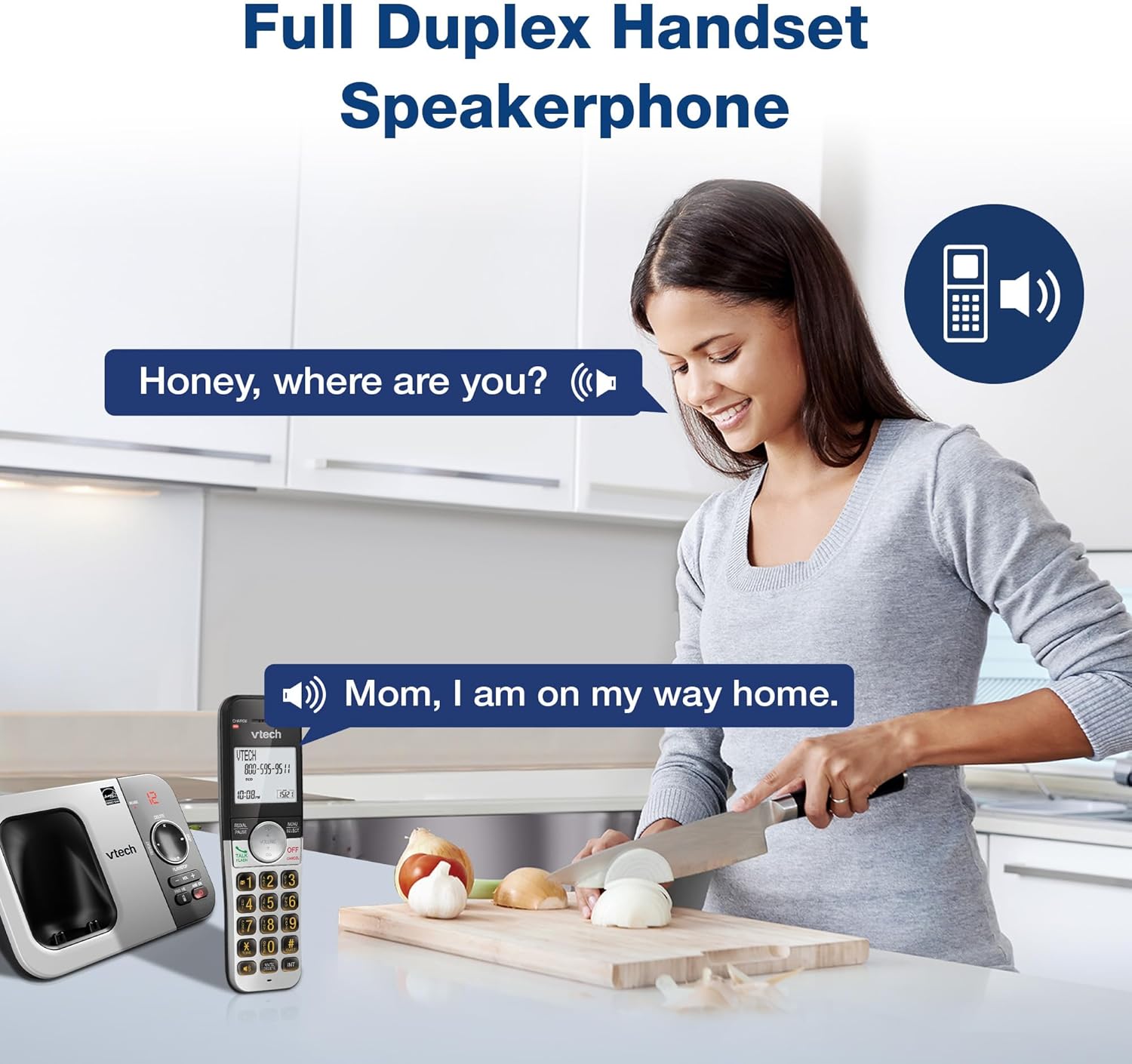
Image: VTech VG232 Cordless Phone with Full Duplex Handset Speakerphone in use
Backlit Keypad and Display
The handset features a backlit keypad and a large 2-inch white backlit LCD screen for improved visibility in low-light conditions.

Image: VTech VG232 Cordless Phone with illuminated keypad
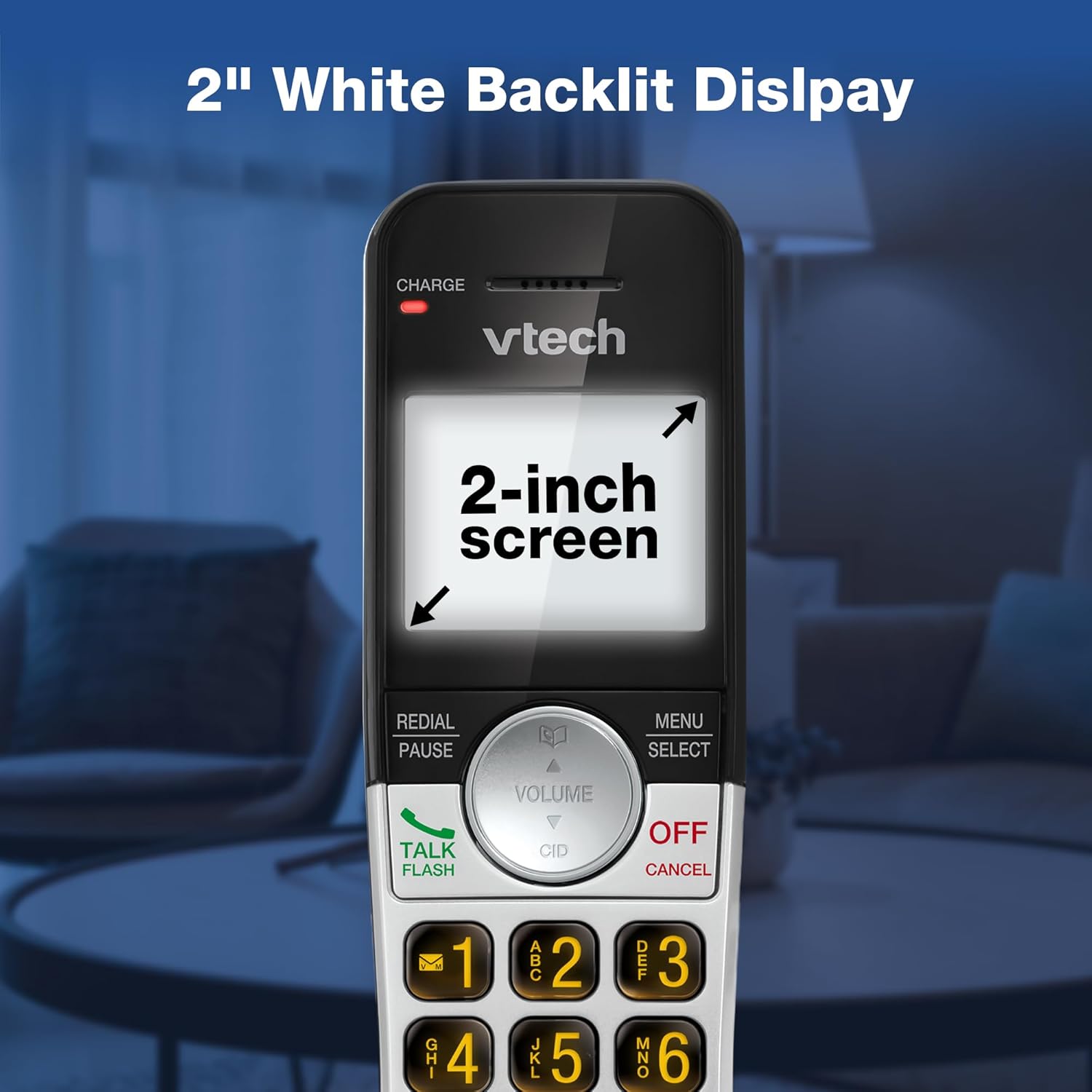
Image: VTech VG232 Cordless Phone with 2-inch white backlit display
Тихий режим
Activate Quiet Mode to silence the ringer on the handset and base unit for a specified period, providing uninterrupted peace.
- Activating Quiet Mode: Натисніть і утримуйте ТИША button (usually #) on the handset. Follow the on-screen prompts to set the duration.

Image: VTech VG232 Cordless Phone showing Quiet Mode feature
Телефонна книга
Зберігайте до 50 імен та номерів у телефонній книзі для швидкого набору.
- Додавання записів: Прес МЕНЮ/ВИБІР, navigate to Phonebook, and select 'Add New Entry'.
- Пошук записів: Use the alphabetical search function or scroll through the list.

Image: VTech VG232 Cordless Phone displaying 50 Name and Number Phonebook Contacts
Last 10 Number Redial
Quickly redial any of the last 10 numbers called.
- Повторний набір: Прес ПОВТОРНИЙ НАБІР/ПАУЗА до view the last 10 numbers. Select a number and press ТАЛК / ФЛЕШ набрати номер.

Image: VTech VG232 Cordless Phone showing Last 10 Number Redial feature
Intercom Between Handsets (if applicable)
Якщо у вас кілька трубок, ви можете використовувати функцію інтеркому для зв'язку між ними.
- Ініціювання інтеркому: Прес ІНТ on the handset and select the desired handset to call.

Image: Two VTech VG232 Cordless Handsets communicating via intercom
Remote Access to Answering System
Access your answering system messages from an outside line.
- Accessing: Dial your phone number from an external phone. When the answering system answers, enter your remote access code.

Image: VTech VG232 Cordless Phone showing remote access feature
Технічне обслуговування
To ensure the longevity and optimal performance of your VTech VG232 Cordless Phone, follow these maintenance guidelines:
- Прибирання: Протріть телефон і базу м’якою губкоюamp тканиною. Не використовуйте чистячі спреї або агресивні хімікати.
- Догляд за акумулятором: Replace the battery pack when the handset indicates low battery or when performance significantly decreases. Use only the specified replacement battery.
- Умови навколишнього середовища: Уникайте впливу екстремальних температур, прямих сонячних променів або вологи на телефон.
Усунення несправностей
Якщо у вас виникли проблеми з телефоном, зверніться до наступних поширених проблем та способів їх вирішення:
| проблема | Рішення |
|---|---|
| Немає гудка | Ensure the telephone line cord is securely connected to both the base unit and the wall jack. Check if the AC adaptor is properly connected to the base unit and a working power outlet. |
| Handset displays "Low Battery" | Place the handset in the base unit to charge. Allow at least 16 hours for a full charge. If the issue persists, the battery pack may need replacement. |
| Не чую абонента / Абонент не чує мене | Adjust the handset volume. Check the telephone line cord connection. If using speakerphone, ensure you are speaking clearly towards the handset. |
| Автовідповідач не записує повідомлення | Переконайтеся, що автовідповідач увімкнено. Перевірте, чи не заповнена пам’ять; за потреби видаліть старі повідомлення. |
| Ідентифікатор абонента не відображається | Переконайтеся, що ви підписалися на послугу визначення номера у свого оператора телефонного зв'язку. |
Технічні характеристики
| Особливість | Деталь |
|---|---|
| Номер моделі | VG232 |
| Розміри продукту | 5.54 x 3.36 x 7.23 дюймів |
| Вага товару | 1.1 фунта |
| Тип телефону | Бездротові |
| Тип автовідповідача | цифровий |
| Час запису автовідповідача | До 14 хвилин |
| Пам'ять ідентифікатора абонента | 50 дзвінків |
| Ємність телефонної книги | 50 імен і номерів |
| Дисплей | 2-inch White Backlit LCD |
| Клавіатура | Підсвічування |
| Джерело живлення | Живлення від батареї (1 батарея для конкретного продукту в комплекті) |
| матеріал | пластик |
| Колір | Срібний, чорний |
| Сумісні пристрої | PSTN networks, VTech models |
Гарантія та підтримка
VTech products are manufactured with high-quality components and are designed to provide years of trouble-free operation. For specific warranty details, please refer to the warranty card included with your purchase or visit the official VTech webсайт.
For technical support, product registration, or to purchase accessories, please visit the VTech support webсайт або зверніться до служби підтримки клієнтів:
- Інтернет-підтримка: www.vtechphones.com/support
- Обслуговування клієнтів: Refer to your product packaging for the most current contact information.


