1. Вступ
Thank you for choosing the GHB VB603 3.2-inch Video Baby Monitor. This device is designed to provide you with peace of mind by allowing you to monitor your baby from another room. It features a clear video display, two-way audio communication, night vision, and temperature monitoring to ensure your baby's comfort and safety.
Please read this manual carefully before using the product to ensure proper operation and to keep it for future reference.
2. Вміст упаковки
Ensure all items are present in the package. If any items are missing or damaged, please contact your retailer.
- 1 x 3.2-inch Baby Monitor (Parent Unit)
- 1 x камера (дитячий блок)
- 2 х адаптери живлення
- 1 x Посібник користувача (цей документ)
3. Особливості продукту
The GHB VB603 Video Baby Monitor comes equipped with several features to enhance your monitoring experience:
- 3.2-дюймовий кольоровий РК-екран: Забезпечує чітке view вашої дитини.
- 2.4 GHz Wireless Technology: Ensures a stable and secure connection.
- Automatic Infrared Night Vision: Allows clear monitoring in low-light conditions.
- Двосторонній аудіозв'язок: Speak to your baby remotely.
- Контроль температури: Displays the room temperature where the baby unit is placed.
- VOX (Voice Operated Exchange) Mode: Screen activates automatically upon detecting sound, saving battery.
- 8 Built-in Lullabies: Soothe your baby to sleep.
- Тривалий термін служби батареї: Up to 10 hours in VOX mode for the parent unit.
- Розширений діапазон: Up to 260 meters (approx. 850 feet) in open space.
4. Посібник із налаштування
4.1 Зарядка батьківського блоку
Before first use, fully charge the parent unit for approximately 4 hours. The parent unit contains a rechargeable battery.
- Connect one power adapter to the parent unit's charging port.
- Підключіть інший кінець адаптера до розетки.
- The charging indicator will illuminate. Once fully charged, the indicator may change color or turn off depending on the model.
4.2 Живлення дитячого блоку
The baby unit (camera) requires continuous power to operate.
- Connect the second power adapter to the baby unit's power input.
- Підключіть інший кінець адаптера до розетки.
- The power indicator on the baby unit will light up, indicating it is powered on.

Image: The baby unit (camera) and parent unit (monitor) are shown connected to their respective power adapters. The camera is positioned on a surface next to a baby's crib, emphasizing the need for it to be plugged in for continuous operation.
4.3 Placement of the Baby Unit (Camera)
For optimal monitoring, place the baby unit in a secure location that provides a clear view of your baby's crib or sleeping area. Ensure it is out of reach of the baby and that the power cord is not accessible.
- Place the camera at least 1 meter (3 feet) away from the baby.
- Уникайте розміщення камери під прямими сонячними променями або поблизу джерел тепла.
- Ensure the camera has a stable surface or is securely mounted.

Image: The GHB baby monitor parent unit and camera are displayed in the foreground, with a happy baby crawling in the background. This illustrates the product in its intended use environment.
5. Інструкція з експлуатації
5.1 Увімкнення/вимкнення живлення
- To turn on the parent unit, press and hold the power button until the screen illuminates.
- To turn off the parent unit, press and hold the power button until the screen turns off.
- The baby unit powers on automatically when connected to a power source.
5.2 Adjusting Volume and Brightness
- Use the volume buttons on the parent unit to increase or decrease the sound level.
- Access the menu settings to adjust screen brightness for optimal viewінж.
5.3 Two-Way Talk Function
The two-way talk feature allows you to speak to your baby through the monitor.
- Press and hold the talk button on the parent unit.
- Чітко говоріть у мікрофон на батьківському блоці.
- Відпустіть кнопку, щоб знову почути дитину.
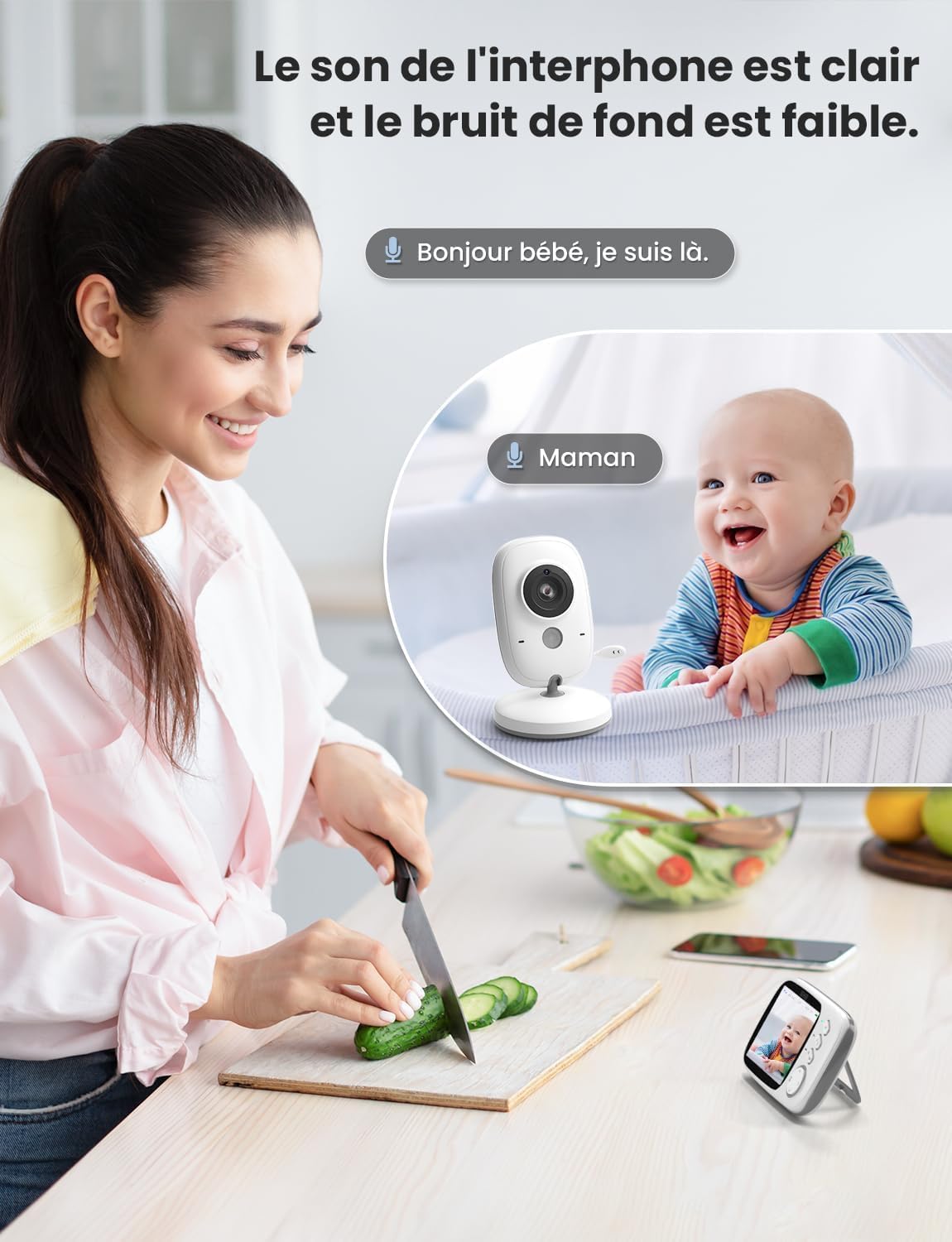
Image: A woman is shown in a kitchen setting, holding the parent unit and speaking into it, with a speech bubble indicating "Hello baby, I'm here." In the background, the baby unit is near a crib with a baby, and a speech bubble indicates "Mom." This visually represents the two-way audio communication feature.
5.4 Playing Lullabies
You can play built-in lullabies to help soothe your baby.
- Navigate to the lullaby option in the parent unit's menu.
- Select a lullaby to play.
- You can usually adjust the volume or stop the lullaby from the menu.
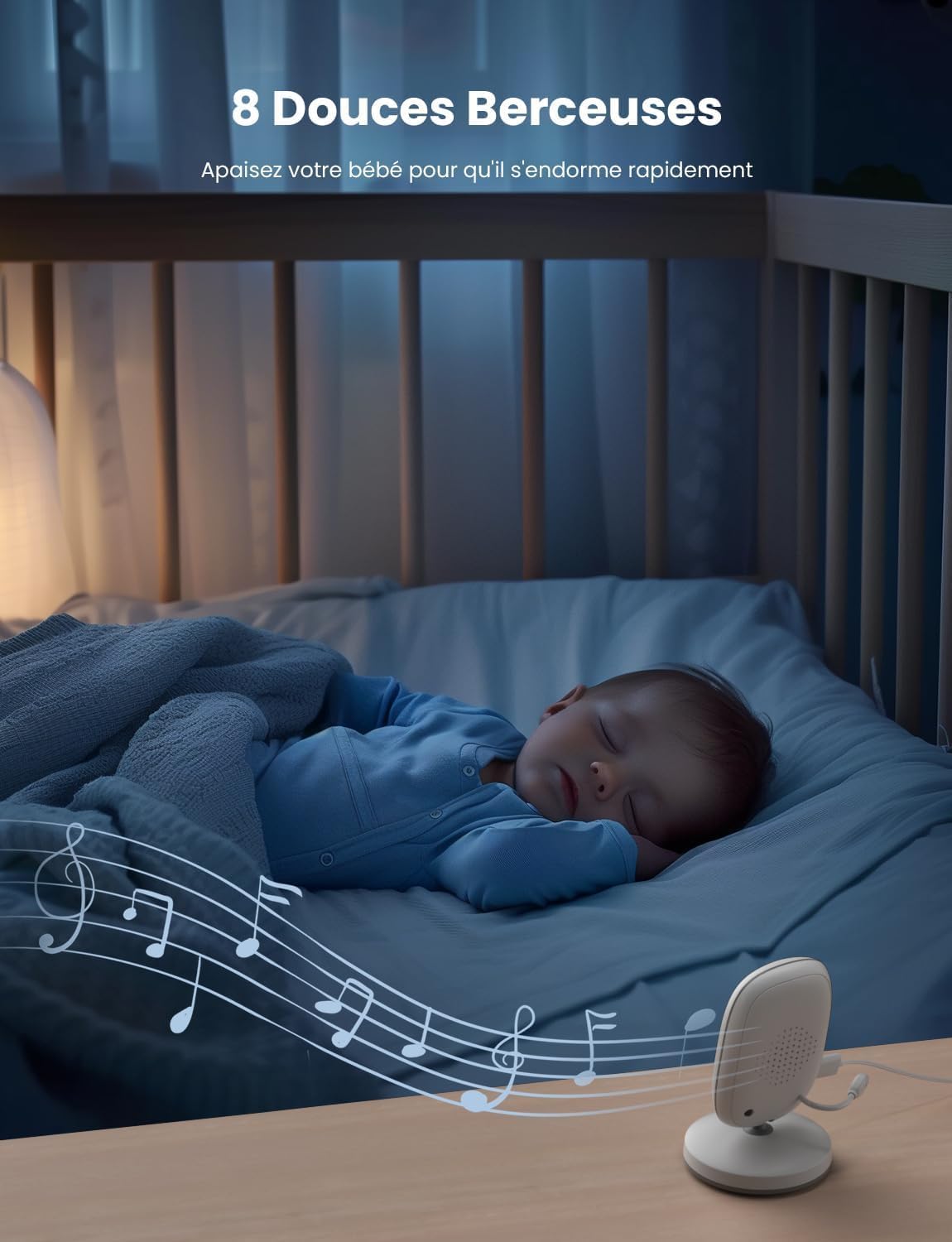
Image: A baby is sleeping peacefully in a crib, with the baby unit placed nearby. Musical notes are depicted emanating from the baby unit, illustrating the 8 built-in lullabies feature designed to help the baby fall asleep.
5.5 VOX (Voice Operated Exchange) Mode
VOX mode conserves battery by turning off the parent unit screen when no sound is detected. The screen will automatically turn on when sound is picked up by the baby unit.
- Access the VOX settings in the parent unit's menu.
- Enable VOX mode and adjust the sensitivity level as desired.

Image: Two panels illustrate the VOX energy-saving mode. The top panel shows a baby sleeping and the parent unit screen off, indicating no sound. The bottom panel shows a baby awake and smiling, with the parent unit screen on, indicating sound detection and screen activation.
5.6 Контроль температури
The baby unit includes a temperature sensor that displays the room temperature on the parent unit.
- The current temperature is typically displayed on the parent unit's screen interface.
- Monitor the temperature to ensure your baby's room is comfortable.

Image: The top panel shows the baby unit near a sleeping baby, with an icon indicating real-time ambient temperature detection. The bottom panel shows the parent unit displaying the temperature (26.5°C) on its screen, demonstrating the temperature monitoring feature.
5.7 Automatic Night Vision
Дитячий блок автоматично активує інфрачервоне нічне бачення в умовах слабкого освітлення, забезпечуючи чітке чорно-біле зображення на батьківському блоці.
6. Технічне обслуговування
6.1 Очищення
- Wipe the units with a dry, soft, lint-free cloth.
- Не використовуйте миючі засоби або розчинники.
6.2 Догляд за батареєю (батьківський блок)
- Щоб продовжити термін служби акумулятора, уникайте частого повного розряджання акумулятора.
- If storing the unit for an extended period, charge it periodically.
7. Вирішення проблем
If you encounter issues with your GHB VB603 baby monitor, please refer to the following common problems and solutions:
| проблема | Можлива причина | Рішення |
|---|---|---|
| No image/sound on parent unit | Units are not powered on or out of range. | Ensure both units are powered on and within range. Check power connections. |
| Погана якість зображення | Low light, interference, or camera lens is dirty. | Ensure adequate lighting or night vision is active. Move units away from other electronic devices. Clean the camera lens. |
| Статика або перешкоди | Other 2.4 GHz devices nearby. | Move the baby monitor away from Wi-Fi routers, cordless phones, or microwaves. |
| Батарея батьківського блоку швидко розряджається | Screen is constantly on, or battery is old. | Activate VOX mode. Reduce screen brightness. Ensure the battery is fully charged. |
| Двостороння розмова не працює | Talk button not pressed, or volume too low. | Press and hold the talk button firmly. Increase parent unit volume. |
8. Технічні характеристики
| Особливість | Деталь |
|---|---|
| Номер моделі | VB603 |
| Розмір екрана | 3.2-дюймовий РК-дисплей |
| Технологія підключення | 2.4 GHz Wireless (FHSS) |
| Акумулятор батьківського блоку | Літій-іонний акумулятор 750 мАг (в комплекті) |
| Нічне бачення | Інфрачервоний |
| Двостороннє аудіо | так |
| Датчик температури | так |
| Колискові пісні | 8 вбудованих |
| Режим VOX | так |
| Робочий діапазон | До 260 м (відкритий простір) |
| Розміри продукту (Д x Ш x В) | 18 х 14 х 7 см |
| Вага продукту | 470 грами |
| Рекомендоване використання | Baby monitoring, indoor security |
| Рівень водонепроникності | Не водонепроникний |
9. Гарантія та підтримка
GHB products are designed and manufactured to the highest quality standards. For information regarding warranty coverage, please refer to the warranty card included with your purchase or contact your retailer.
If you have any questions or require technical assistance, please contact GHB customer support through the contact information provided on your product packaging or the official GHB webсайт.


