1. Вступ
Thank you for choosing the SUNOL GS08 Smart Glasses. These open-ear audio glasses combine stylish eyewear with advanced audio technology, allowing you to enjoy music, make calls, and access navigation while remaining aware of your surroundings. This manual provides detailed instructions for the proper use and maintenance of your device.
Ключові особливості:
- Аудіо для відкритих вух: Enjoy sound without blocking your ears, maintaining situational awareness.
- Підключення Bluetooth 5.3: Stable and efficient wireless connection to your smart devices.
- Вбудований мікрофон: For clear hands-free calls and voice assistant interaction.
- Поляризаційні лінзи: 100% UV protection to shield your eyes from harmful rays and reduce glare.
- Водонепроникність IPX4: Designed to resist sweat and light rain, suitable for various activities.
- Голосове керування зі штучним інтелектом: Access navigation, phone calls, and music without needing to pull out your phone.
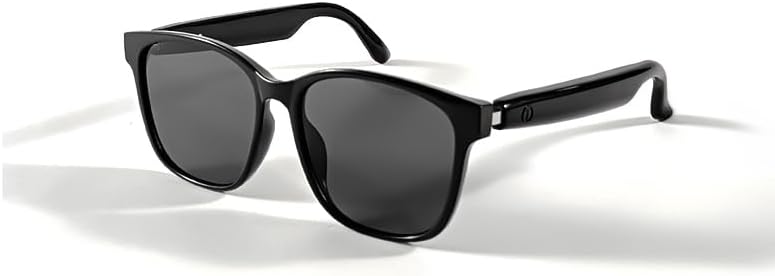
Image 1.1: The SUNOL GS08 Smart Glasses in gray, showcasinїхній елегантний дизайн.
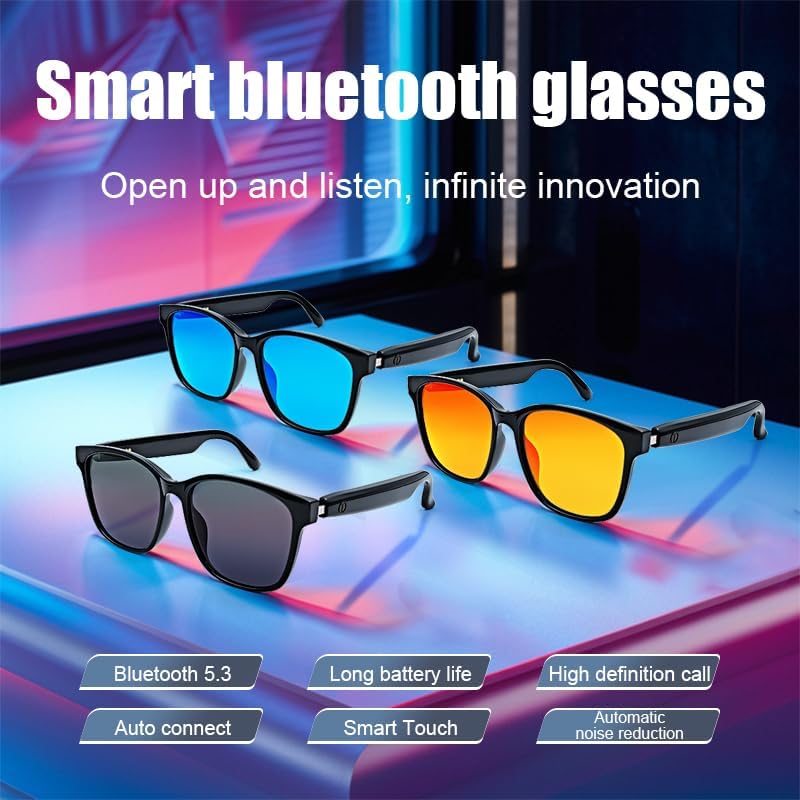
Image 1.2: Multiple color variants of the smart glasses highlighting features like Bluetooth 5.3, long battery life, high-definition calls, auto-connect, smart touch, and automatic noise reduction.
2. Налаштування
2.1. Вміст упаковки
Before proceeding, please ensure all items are present in the package:
- SUNOL GS08 Smart Glasses
- Зарядний кабель
- Посібник користувача
- Серветка для чищення (може відрізнятися залежно від упаковки)
2.2. Заряджання окулярів
For optimal performance, fully charge your smart glasses before first use.
- Connect the charging cable to the charging port on the glasses.
- Підключіть інший кінець зарядного кабелю до USB-адаптера живлення (не входить до комплекту) або USB-порту комп’ютера.
- The indicator light on the glasses will illuminate during charging and turn off or change color when fully charged.
- Повна зарядка зазвичай займає приблизно від 1.5 до 2 годин.
2.3. Підключення Bluetooth
Follow these steps to pair your SUNOL GS08 Smart Glasses with your smartphone or other Bluetooth-enabled device:
- Ensure the glasses are charged and powered off.
- Press and hold the power button on the glasses until the indicator light flashes rapidly (usually blue and red), indicating pairing mode.
- On your smart device, go to Bluetooth settings and turn Bluetooth on.
- шукати available devices. You should see "GS08" or "SUNOL GS08" in the list.
- Select "GS08" to connect. Once connected, the indicator light on the glasses will typically stop flashing and remain solid blue or turn off.
- The glasses will automatically connect to the last paired device when powered on, if the device's Bluetooth is active and within range.
3. Інструкція з експлуатації
3.1. Увімкнення/вимкнення живлення
- Увімкнення: Press and hold the power button for approximately 3 seconds until you hear a power-on prompt or see the indicator light.
- Вимкнення живлення: Press and hold the power button for approximately 5 seconds until you hear a power-off prompt or the indicator light turns off.
3.2. Відтворення музики
Control your music directly from the smart glasses:
- Відтворення/пауза: Single press the multi-function button (often the power button or a dedicated button).
- Наступний трек: Двічі натисніть багатофункціональну кнопку.
- Попередній трек: Тричі натисніть багатофункціональну кнопку.
3.3. Керування викликами
Manage phone calls hands-free:
- Відповісти на дзвінок: Одне натискання багатофункціональної кнопки під час надходження дзвінка.
- Завершити виклик: Одне натискання багатофункціональної кнопки під час дзвінка.
- Відхилити виклик: Натисніть і утримуйте багатофункціональну кнопку протягом 2 секунд, коли надходить дзвінок.
3.4. Voice Assistant (AI Voice Control)
Activate your device's voice assistant for navigation, information, and more:
- активувати: Press and hold the multi-function button for 2 seconds (when not on a call) to activate your smartphone's voice assistant (e.g., Siri, Google Assistant).
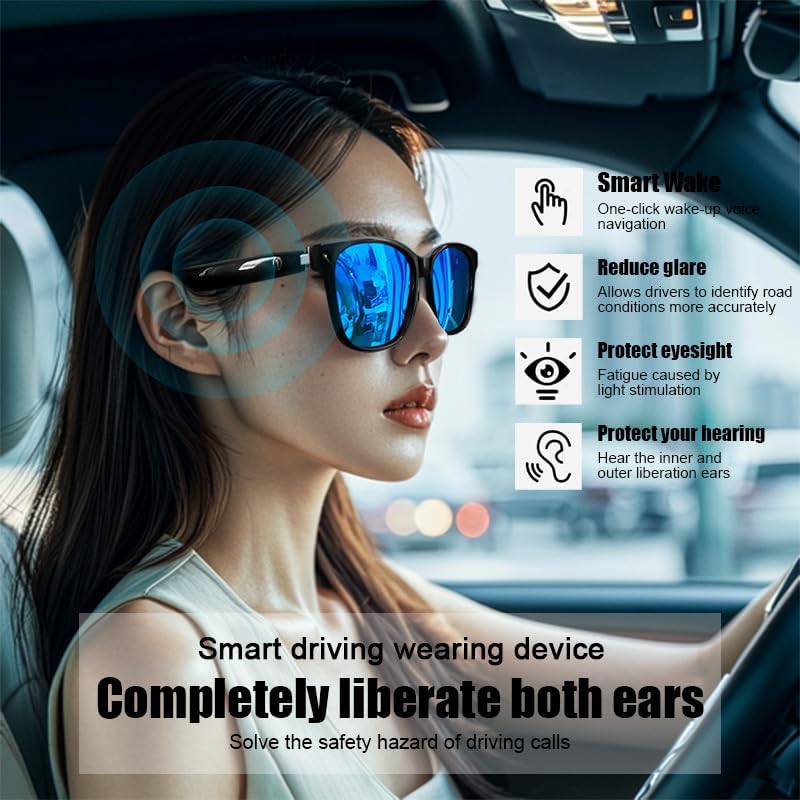
Image 3.1: The smart glasses in use while driving, demonstrating features such as Smart Wake for voice navigation, reduced glare, eye protection, and open-ear audio for hearing protection.
3.5. Регулювання гучності
Adjust the audio volume using the dedicated volume buttons on the glasses (if available) or directly from your connected smart device.

Зображення 3.2: Наприкладamples of the smart glasses being used in various activities such as cycling, hiking, driving, and fishing, highlighting their versatility.
4. Технічне обслуговування
4.1. Cleaning the Glasses
To maintain clarity and hygiene:
- Use the provided cleaning cloth or a soft, lint-free cloth to gently wipe the lenses and frame.
- Для стійких плям злегка протрітьampen the cloth with water or a lens cleaning solution specifically designed for eyewear.
- Avoid using harsh chemicals, abrasive materials, or paper towels, as these can scratch the lenses or damage the frame.
4.2. Зберігання
When not in use, store your smart glasses in their protective case to prevent scratches and damage. Avoid exposing them to extreme temperatures, direct sunlight for prolonged periods, or high humidity.
4.3. Водостійкість (IPX4)
The SUNOL GS08 Smart Glasses are rated IPX4, meaning they are resistant to splashing water from any direction. This makes them suitable for use during workouts or in light rain. However, they are not designed for submersion in water. Do not wear them while swimming, showering, or in heavy rain.
5. Вирішення проблем
If you encounter issues with your smart glasses, please refer to the following common solutions:
| проблема | Можлива причина | Рішення |
|---|---|---|
| Glasses won't power on. | Низький заряд батареї. | Повністю зарядіть окуляри. |
| Не вдається з’єднати пристрій. | Bluetooth off on device; glasses not in pairing mode; too far from device. | Ensure Bluetooth is on. Put glasses in pairing mode (see Section 2.3). Move glasses closer to the device. Try unpairing and re-pairing. |
| Немає звуку або гучність низька. | Volume too low on glasses or device; glasses not connected; audio source paused. | Increase volume on both glasses and connected device. Verify Bluetooth connection. Check if audio is playing on the source device. |
| Періодичне з'єднання. | Перешкоди; пристрій занадто далеко; низький заряд батареї. | Move closer to the connected device. Avoid areas with strong Wi-Fi or other Bluetooth interference. Ensure glasses are charged. |
Якщо проблема не зникає після спроби цих рішень, зверніться до служби підтримки клієнтів.
6. Технічні характеристики
| Особливість | Деталь |
|---|---|
| Номер моделі | F06 |
| Версія Bluetooth | 5.3 |
| Тип батареї | 1 літій-полімерна батарея (у комплекті) |
| Водонепроникність | IPX4 (захист від бризок) |
| Тип об'єктива | Polarized, 100% UV Protection |
| Час відтворення аудіо | Approximately 3 hours (on a full charge) |
| відділ | Унісекс-дорослий |
| Дата першої доступності | 24 червня 2024 р |
| Походження | Імпортні |
7. Інформація про гарантію
SUNOL products are manufactured to the highest quality standards. This product is covered by a limited warranty against defects in materials and workmanship from the date of original purchase. Please retain your proof of purchase for warranty claims.
The warranty does not cover damage caused by misuse, accident, unauthorized modification, or normal wear and tear. For specific warranty terms and conditions, please refer to the warranty card included with your product or contact customer support.
8. Підтримка клієнтів
If you have any questions, require technical assistance, or need to make a warranty claim, please contact our customer support team:
- Електронна пошта: support@sunol.com
- Webсайт: www.sunol.com/support
Please have your product model number (F06) and purchase date ready when contacting support.


